
Hotjar
Behavior analytics with heatmaps, session recordings, surveys, and feedback widgets for understanding what users actually do.
Gallery
About Hotjar
Hotjar is the behavior-analytics tool that lets you watch users actually use your site. Heatmaps, session recordings, surveys, feedback widgets. The qualitative complement to your Google Analytics or Mixpanel dashboards. Useful in a way that no number alone can replicate.
Watching three real session recordings will teach you more about your onboarding flow than three weeks of funnel staring. Hotjar makes that loop low-friction enough to actually do.
The category has more competition now (Microsoft Clarity is genuinely free, FullStory pushes upmarket), but Hotjar still hits the sweet spot for SMB and mid-market teams that want easy, useful UX research.
What Hotjar actually does
Hotjar tracks user behavior in two main dimensions. Heatmaps show where people click, tap, and scroll across a page. Session recordings capture full user sessions you can replay later.
Surveys and feedback widgets ask users directly. Pop a question on a specific page, collect responses, segment them by behavior. The combination of behavior data and direct feedback is the qualitative foundation of UX research.
Funnels and trend analysis show where users drop off across multi-page flows. Integrate with Google Analytics, Mixpanel, or HubSpot to combine quantitative and qualitative views.
Who Hotjar is for
Product managers and designers diagnosing onboarding flows. Watch where users hesitate, get confused, or abandon. The recordings often reveal issues no analytics tool would.
Marketing teams optimizing landing pages. Heatmaps tell you which CTAs people actually see. A/B testing infrastructure pairs naturally with Hotjar's qualitative layer.
UX researchers running on-site surveys. The targeted survey tools beat sending another email blast. Response rates and quality both improve.
Solo founders and small teams who can't afford a dedicated UX function. Hotjar gives you 80% of the insight at 5% of the cost.
Pricing breakdown
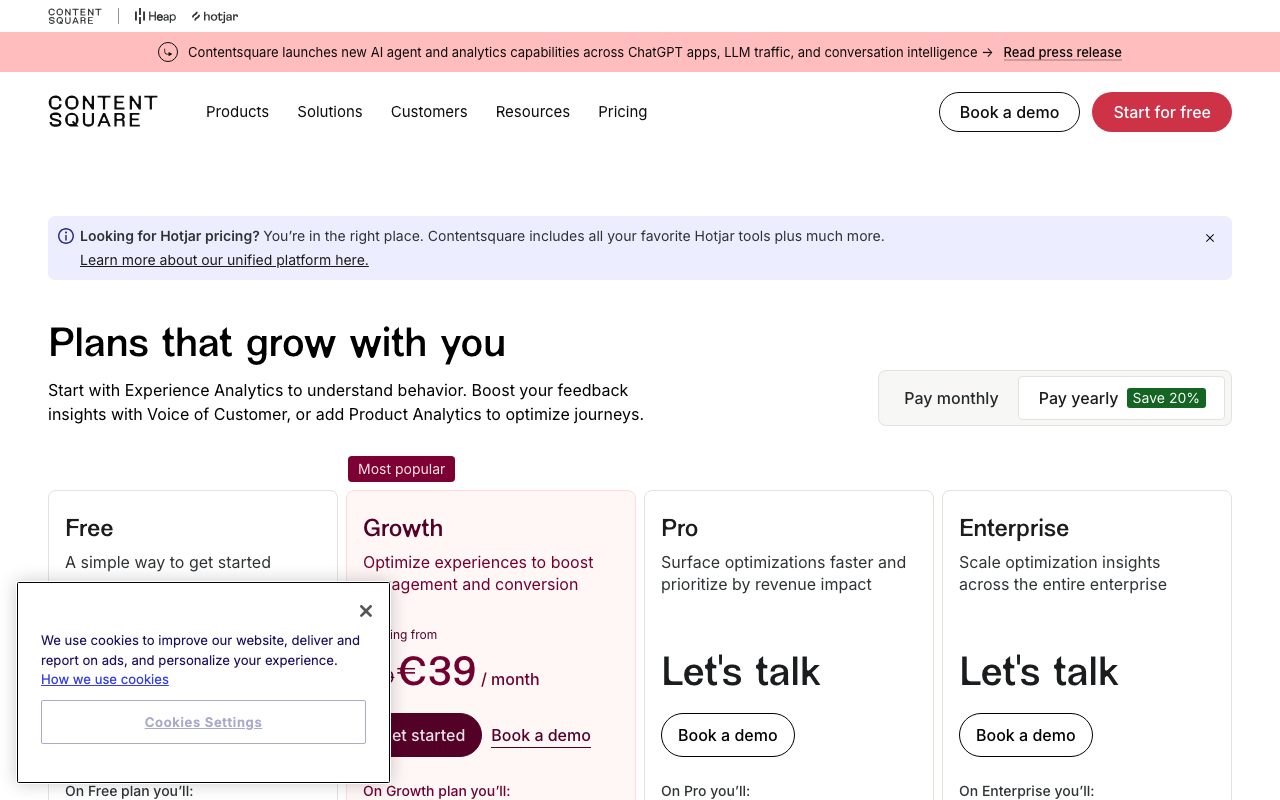
Hotjar's free Basic tier handles 35 sessions per day with heatmaps and recordings. Enough for tiny sites; quickly capped on real traffic.
Plus runs about $32 per month for 100 sessions per day. Business runs around $80 per month for 500 sessions per day with deeper features.
Sessions are sampled per day. High-traffic sites need to think carefully about which pages or user segments to record. Sampling limits show up in real-world use.
Standout features in Hotjar
Session recordings with intelligent privacy masking. Sensitive form fields blur automatically. You can review user behavior without watching credit card numbers float across your screen.
Heatmaps that distinguish click, tap, scroll, and movement layers. Each tells a different story. Move heatmaps in particular catch confusion that click data misses.
Targeted surveys triggered on specific URLs, after specific actions, or for specific user segments. The targeting is more powerful than most teams realize on day one.
Funnels and trends
Hotjar Funnels visualize where users drop off across multi-step flows. Tie a recording to each drop-off point. Watch what actually happened. That feedback loop is the heart of why Hotjar exists.
Honest tradeoffs
Sampling is real. Plus and Business tiers cap daily sessions. On a high-traffic site, you'll only see a slice of your users without paying significantly more.
Recordings can slow down busy pages without careful tuning. Hotjar's script is reasonably light, but combine it with three other behavior tools and your TTFB suffers.
Quantitative analytics is not the strength. Don't replace Mixpanel or GA with Hotjar. Use them together. Hotjar tells you what users do moment-to-moment; analytics tools tell you trends over time.
Hotjar earns its keep the first time you watch a real user struggle with something you assumed was obvious. That moment changes how you think about your product.
Hotjar vs alternatives
Versus Microsoft Clarity, Hotjar costs money and Clarity is free. Clarity wins on price. Hotjar wins on polish, surveys, and integration depth. Many teams use both. See the comparison.
Versus FullStory, Hotjar is significantly cheaper and easier. FullStory has deeper search, broader enterprise features, and price tags to match.
Versus Mixpanel, the answer is "use both." Mixpanel handles quantitative product analytics. Hotjar handles qualitative behavioral research.
For more options, see the best heatmap tools and the Hotjar alternatives directory.
Bottom line
Hotjar is the qualitative-research tool every web product team should have. The session recordings alone justify the price for most teams that ship to real users.
Pair it with a quantitative tool. Watch recordings weekly, not just when something's broken. Treat the survey results as conversation starters, not statistical proof. Inside that workflow, Hotjar punches well above its monthly cost.
Getting value from Hotjar quickly
Watch ten session recordings of users hitting your most important page in your first week. You'll see things that change your priorities. Guaranteed.
Set up heatmaps on your top three landing pages and your top three conversion pages. The combination of pages tells you both how visitors arrive and how they leave.
Trigger one survey on a single high-traffic page asking the simplest question you have. "What were you hoping to find here?" produces more useful product insight than a multi-question form ever does.
Privacy and Hotjar
Configure recording masks aggressively. Mask all form inputs by default; selectively unmask only what you need to see. Better safe than legally exposed.
The default privacy settings are reasonable. The defaults aren't the same as a bespoke compliance review for your industry. Run that review.
Inform users via privacy policy. Most regions don't require explicit consent for non-cookie session recording, but transparency is best practice anyway.
Hotjar in a research workflow
Pair Hotjar with weekly user-interview habits. Recordings show what; interviews show why. Together they explain user behavior in ways neither alone does.
Build a "research wall" with screenshots of key moments. Share it with stakeholders monthly. Behavioral evidence persuades roadmap decisions in ways quantitative dashboards rarely do.
Tag recordings as you watch. Patterns emerge after 20-30 sessions; tagging surfaces them faster than memory does.
Common Hotjar questions
Does Hotjar slow down my site? On most sites, the impact is small. On heavily script-loaded pages, audit your tag manager and tune which pages run Hotjar.
Can Hotjar replace Google Analytics? No. Different categories. Use both.
How long are session recordings stored? Depends on your plan tier. Lower plans store recordings for 30-90 days; higher tiers extend that.
Browse more at tools for UX research.
Hotjar for product managers
Watch one feature's session recordings before its launch retro. The combination of data and visual evidence makes the retro discussion sharper.
Trigger surveys at the moment of value, not at random. Right after a user completes a key action is when feedback is freshest and most useful.
Build a "watch it weekly" habit. Five recordings, one survey response review, fifteen minutes. Compounds dramatically over months.
Hotjar segmentation tactics
Segment recordings by user property when possible. New vs returning, paid vs free, mobile vs desktop. Patterns differ across segments more than people expect.
Tag recordings as you watch. "Confused on pricing," "stuck at signup," "happy path complete." Tags surface patterns that single-session viewing misses.
Share recordings with engineers and designers, not just PMs. Direct exposure to user behavior shifts how the whole team thinks about the product.
Hotjar for marketing teams
Heatmap your top three landing pages quarterly. The patterns shift as your traffic mix changes; static analysis goes stale.
A/B test paired with Hotjar tells you why a variant won, not just that it did. The qualitative layer prevents misreading test results.
Final thoughts on Hotjar
Hotjar is the qualitative-research tool every product team should run. The session recordings change product decisions in ways analytics dashboards alone cannot.
Use it weekly, not just when something breaks. Build a research habit, not a fire-fighting tool. The compounding value over months is what makes Hotjar worth the subscription.
Browse other options at the best analytics tools and tools for conversion optimization.
Quick recap
Hotjar fits product, marketing, and design teams who want qualitative behavioral evidence to complement their quantitative dashboards. The session recordings are the central feature.
It's not a replacement for product analytics. Pair it with Mixpanel, Amplitude, or PostHog for the full picture. Different tools for different parts of the research workflow.
Build a weekly habit, not a fire-fighting tool. Five recordings, one survey response, fifteen minutes. The compounding insight pays back the subscription many times over.
Browse more options at the best conversion tools, the user research category, and Hotjar alternatives.
Hotjar closing notes
The tool's value compounds over time. The session recordings you watch this month inform the experiments you run next month, which inform the design decisions you make next quarter.
For teams new to qualitative research, Hotjar is the lowest-friction starting point. Install, watch, learn. The habit develops naturally once the first surprising recording lands.
Versus Microsoft Clarity, Hotjar earns its price through polish, surveys, and integration depth. Clarity is fully free; the tradeoffs are real but defensible based on team needs.
Browse more research options at the best research tools and the broader customer feedback category.
Tutorial / Demo
Key Features
- Heatmaps for clicks, taps, and scrolling
- Session recordings with privacy masking
- On-site surveys and feedback widgets
- Funnels and trend analysis
- Integrations with major analytics tools
- Free tier for small sites
Pros & Cons
What we like
- Excellent for qualitative UX research
- Combines behavior data with direct feedback
- Quick to install and start gathering insight
Room for improvement
- Sampling limits on lower-tier plans
- Recordings can be heavy on busy pages without tuning
Frequently Asked Questions
Is Hotjar still free?
Hotjar vs Microsoft Clarity, which is better?
Does Hotjar slow down my site?
Is Hotjar GDPR compliant?
Can Hotjar replace Google Analytics?
Best For
Featured in
Tags
Alternatives to Hotjar
View all
Amplitude
Digital analytics platform for product, growth, and marketing teams to analyze user behavior across web and mobile.
Mixpanel
Product analytics tool for tracking user events, funnels, retention, and cohorts to understand how people use your app.

Cometly
Marketing attribution for B2B SaaS that ties ad spend to pipeline and closed-won revenue

Dub
Open source link management platform for modern marketing teams
Our take
Tool Index Editorial · May 2026· 4.8/5
What Hotjar is really selling — beyond the marketing copy — is behavior analytics with heatmaps, session recordings, surveys, and feedback widgets for understanding what users actually do.
The standout points: Excellent for qualitative UX research, Combines behavior data with direct feedback, and Quick to install and start gathering insight. Where it stumbles: Sampling limits on lower-tier plans and Recordings can be heavy on busy pages without tuning.
Bottom line: pick Hotjar when you need diagnosing drop-offs on landing pages; look elsewhere if sampling limits on lower-tier plans would be a dealbreaker.
Editorial opinion from the Tool Index team, written from the public product pages. Not a user review.
Reviews (8)
Hoped for more honestly
First impression of Hotjar was 'huh, this is actually thought through.' Real selling point: quick to install and start gathering insight. Found it works best for running on-site UX surveys for new features. That said, sampling limits on lower-tier plans is a real gripe. Might revisit when they iterate further.
Cons
- Recordings can be heavy on busy pages without tuning
- Sampling limits on lower-tier plans
Caveats: good ones and frustrating ones
Adopted Hotjar for one project, ended up using it for more. Real selling point: combines behavior data with direct feedback. Their take on session recordings with privacy masking is solid. Not perfect but better than the alternatives I tried.
Cons
- Recordings can be heavy on busy pages without tuning
Best decision this quarter
Two quarters of using Hotjar, here's what holds up. The biggest win has been excellent for qualitative UX research. Main use case: diagnosing drop-offs on landing pages. Not perfect: recordings can be heavy on busy pages without tuning. Hard to imagine going back to my previous setup.
Cons
- Recordings can be heavy on busy pages without tuning
- Sampling limits on lower-tier plans
Hit the Hotjar sweet spot
Hotjar is one of those tools you stop noticing because it just works. Genuine strength: excellent for qualitative UX research.
Hit the Hotjar sweet spot
Started using Hotjar casually, now it's pinned in my dock. Where it really wins is excellent for qualitative UX research. Glad I made the switch.
Honest take after a month
Have been using Hotjar for a while, here's where I land. Genuine strength: excellent for qualitative UX research. The heatmaps for clicks, taps, and scrolling is more useful than I expected. Found it works best for sharing UX evidence with stakeholders.
Easy 5 from me
Tried Hotjar on a side project first. The thing I keep coming back to: excellent for qualitative UX research. It fits well for sharing UX evidence with stakeholders. Honest gripe: recordings can be heavy on busy pages without tuning.
Honest take after six months
Hotjar is one of those tools you stop noticing because it just works. Where it really wins is combines behavior data with direct feedback. Got real value out of integrations with major analytics tools. It fits well for sharing UX evidence with stakeholders. Worth the price for what I get out of it.
Badge builder
Add Hotjar to your website
Choose a badge style and size, preview it here, then copy the generated HTML. Badge images are self-contained SVGs and do not require an external script.

<a href="https://toolindex.net/tools/hotjar?ref=badge" target="_blank" rel="noopener">
  <img src="https://toolindex.net/badge/hotjar/medium.svg" alt="Hotjar - Listed on Tool Index" width="180" height="50" />
</a>How to use the badge
- 1. Pick the style, size, and theme that fit your layout.
- 2. Copy the generated HTML from the code block.
- 3. Paste it into your footer, homepage, or press page.
Score badge available
Hotjar qualifies for the score and circle badges based on its current top-10 positionin Analytics.
Badge clicks return visitors to this profile with a referral tag so the source remains identifiable.
Related Tools

Apatero AI
The creator studio for AI image, video, audio, 3D, and avatars, now at apatero.ai.

SEObot
Autonomous AI SEO agent that runs your blog and link building on autopilot

Substack
Hosted newsletter and publication platform with built-in payments, recommendations, and an audience network for writers.

Sleep Suivour
Track your sleep, improve your rest
Work on Hotjar? Request listing access or correction