
NoiseRemover.ai
Remove background noise from audio and video in the browser with AI
Gallery
About NoiseRemover.ai
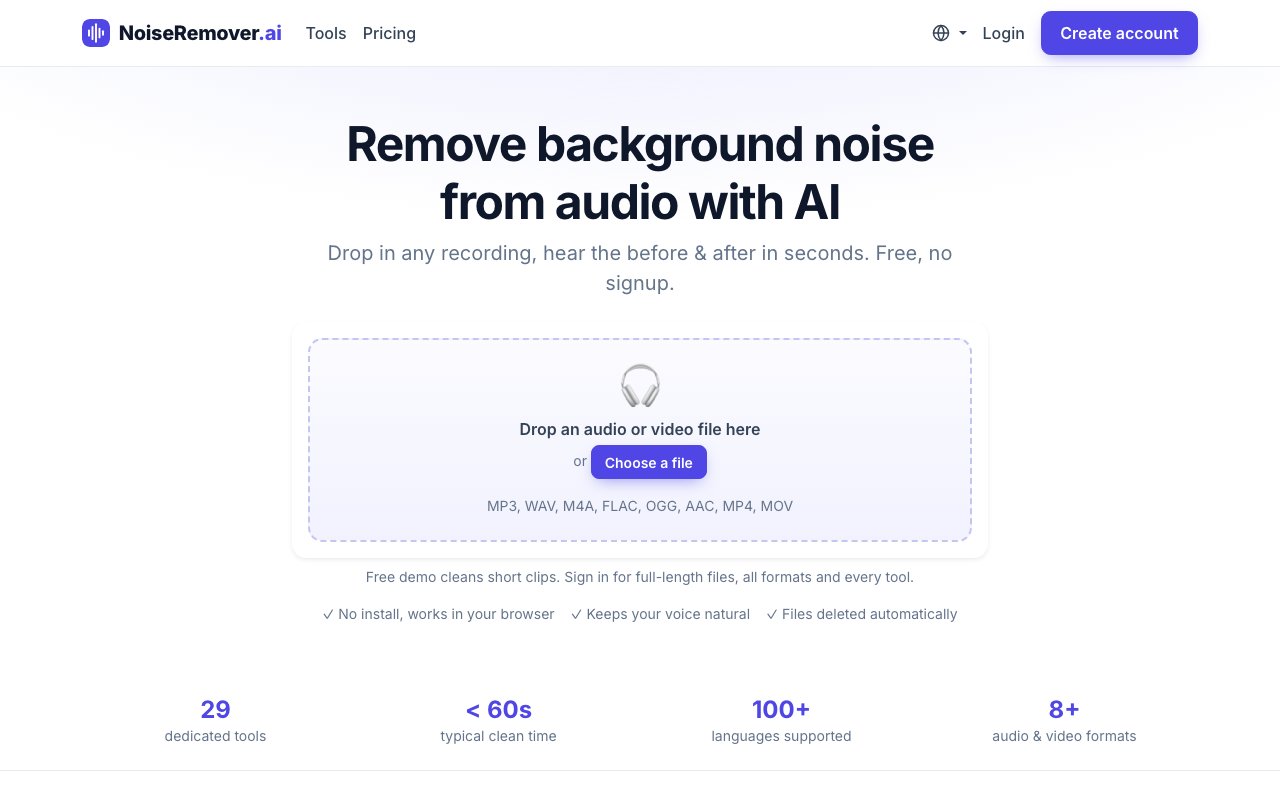
NoiseRemover.ai is a browser-based tool that strips background noise out of audio and video recordings using AI. You upload a file, the models clean it, and a clearer version comes back usually in well under a minute, with a real-time before-and-after player so you can hear exactly what changed before you download anything. There is nothing to install, so it works the same whether you open it on a laptop or a phone, and typical processing finishes in under sixty seconds.
The problem it tackles is the messy audio almost everyone records at some point. Air conditioning hum, a fan in the background, street noise bleeding through a window, a fifty or sixty hertz mains buzz, wind across a microphone, echo and reverb in an untreated room, or the pops, clicks, and crackle of an old vinyl transfer. Fixing any of that by hand in a full audio editor takes real skill and patience, and most people who need clean audio are not trained sound engineers. NoiseRemover.ai aims to do the same job in a couple of clicks, without asking you to learn a new tool first. Most of these problems also stack, so a single recording can carry hum, room echo, and a little wind all at once, and cleaning them one by one in a manual editor is exactly the slog it is built to skip.
It works through a simple three-step flow. You upload your file, AI models process the audio on dedicated GPUs, and the cleaned result comes back in seconds. Rather than one generic cleanup button, the site splits the work into twenty-nine specialized tools, each tuned for a specific problem such as hum removal, wind reduction, de-reverb, click and crackle repair, vocal isolation, or general voice enhancement. You pick the tool that matches what is actually wrong with your recording, which tends to give a cleaner result than a single one-size-fits-all filter that has to guess at the problem.
The engine behind it is refreshingly transparent about what it uses. It runs established open-source models, with DeepFilterNet handling denoising, Demucs taking care of vocal and stem separation, and VoiceFixer doing restoration, and it layers the service's own signal-processing filters on top. Everything runs on the company's own GPUs rather than in your browser, which the site frames as on-device-grade quality without needing a powerful local machine. Because separation is built in, you can do more than just clean a recording. You can pull a vocal out of a full mix or split a track into stems, which is useful for musicians and remixers as well as podcasters. Because the tools are named and single-purpose, cleanup can be aggressive on the exact problem you chose, like a fan or a mains hum, without smearing the voice you actually want to keep, which is the usual tradeoff with one blunt denoiser.
The audience is broad on purpose. Podcasters cleaning up an episode, video creators salvaging a noisy take, musicians isolating vocals, and researchers cleaning field recordings can all use it without any audio engineering background. It accepts a wide range of formats, including MP3, WAV, M4A, FLAC, OGG, AAC, MP4, and MOV, so both audio-only and video files work, and it supports voice content in over a hundred languages, which matters for creators who do not work in English. The pitch is professional-grade audio cleaning without any technical expertise, so someone recording a first podcast episode reaches a usable result on the same tool a musician might use to prep stems.
Privacy is handled in a way that suits sensitive recordings. Uploaded files are used only to produce the cleaned result and are deleted automatically afterward, and the service says it does not train models on user data. For anyone processing interviews, research audio, or unreleased music, that automatic deletion is a meaningful detail rather than a throwaway line, and it removes a common worry about uploading raw material to a web tool.
Access is freemium. Short clips can be cleaned for free with no signup at all, which makes it easy to test the quality on your own audio before paying anything. Beyond that, subscriptions run from around nine dollars a month for ten hours of audio, through a nineteen-dollar tier for thirty hours, up to forty-nine dollars a month for a hundred hours with batch processing and priority support. For people who would rather not subscribe, there are one-time credit packs starting at five dollars, and those credits never expire. Higher tiers also unlock full-length files, every output format, and developer API access, and the paid plans come with a thirty-day money-back guarantee. For a lot of creators the free tier plus a five-dollar credit pack covers the occasional bad recording, while regular podcasters and agencies get steadier value from a monthly plan sized to their hours.
Key Features
- AI background noise removal
- DeepFilterNet, Demucs, and VoiceFixer models
- 29 specialized cleanup tools
- Vocal and stem separation
- Echo, hum, and reverb reduction
- Browser-based with no install
Pros & Cons
What we like
- Free tier works with no signup
- Runs on dedicated GPUs, results in seconds
- Handles many audio and video formats
- Files deleted automatically after processing
Room for improvement
- Free tier limited to short clips
- No offline or on-device option
- API access only on higher paid plans
- Focused on cleanup, not full editing
Frequently Asked Questions
What is NoiseRemover.ai?
Is NoiseRemover.ai free?
What file formats does it support?
How is it different from other audio cleaners?
Best For
Featured in
Alternatives to NoiseRemover.ai

Reviews (11)
It just works
Found NoiseRemover.ai on a Show HN thread and I am glad I clicked. The defaults are sensible, so I was not fighting settings on day one. It does what it says, which is rarer than it should be. Mostly using it for restoring old recordings with clicks and crackle.
Pulled its weight from week one
NoiseRemover.ai has quietly become part of my daily flow. What stands out is how it handles free tier works with no signup. What stands out is how little babysitting it needs. No regrets so far.
Does the job, a few gripes
Picked NoiseRemover.ai for the price, stayed for the quality. Their take on runs on dedicated gpus, results in seconds is genuinely good. My only gripe is api access only on higher paid plans. Recommending it to people in a similar spot.
It just works
Found NoiseRemover.ai on a Show HN thread and I am glad I clicked. The ai background noise removal is more useful than I expected. Would sign up again without thinking twice.
Worth a look
Came to NoiseRemover.ai after getting frustrated with what I had before. Where it really wins is vocal and stem separation. It earns its place in my stack.
Decent with some rough edges
Came to NoiseRemover.ai after getting frustrated with what I had before. The interface stays out of my way, which I appreciate. Found it works best for cleaning up podcast recordings before publishing. My only gripe is focused on cleanup, not full editing. Would sign up again without thinking twice.
Genuinely impressed
Have been running NoiseRemover.ai for a while, here is where I land. Setup was painless and I was productive the same day. Mostly using it for cleaning up podcast recordings before publishing. No regrets so far.
Finally something that fits
Found NoiseRemover.ai on a Show HN thread and I am glad I clicked. Their take on browser-based with no install is genuinely good. The defaults are sensible, so I was not fighting settings on day one. Recommending it to people in a similar spot.
Two months in, no regrets
Three months of NoiseRemover.ai later, here is what holds up. Their take on ai background noise removal is genuinely good. Mostly using it for cleaning up podcast recordings before publishing. Glad I made the switch.
Finally something that fits
Hadn't planned on switching, but NoiseRemover.ai was hard to ignore. Setup was painless and I was productive the same day. Glad I made the switch.
Recommended without reservation
Hadn't planned on switching, but NoiseRemover.ai was hard to ignore. The ai background noise removal is more useful than I expected. Mostly using it for restoring old recordings with clicks and crackle. It earns its place in my stack.
Badge builder
Add NoiseRemover.ai to your website
Choose a badge style and size, preview it here, then copy the generated HTML. Badge images are self-contained SVGs and do not require an external script.

<a href="https://toolindex.net/tools/noiseremover-ai?ref=badge" target="_blank" rel="noopener">
  <img src="https://toolindex.net/badge/noiseremover-ai/medium.svg" alt="NoiseRemover.ai - Listed on Tool Index" width="180" height="50" />
</a>How to use the badge
- 1. Pick the style, size, and theme that fit your layout.
- 2. Copy the generated HTML from the code block.
- 3. Paste it into your footer, homepage, or press page.
Standard badge available
The standard listing badge is available now. Score and circle badges are limited to tools currently ranked in the top 10 of a category.
Badge clicks return visitors to this profile with a referral tag so the source remains identifiable.
Related Tools

Apatero AI
The creator studio for AI image, video, audio, 3D, and avatars, now at apatero.ai.
Kevin Gabeci Toolkits
Seven AI toolkits for writing books, making music, cutting video, and building agents.

Warp
The modern terminal reimagined with AI and collaboration

Bolt.new
Prompt-to-deployed full-stack app inside the browser
Work on NoiseRemover.ai? Request listing access or correction