
Skillburst
Sync and govern your team's AI skills across Claude, ChatGPT and Cursor
Gallery
About Skillburst
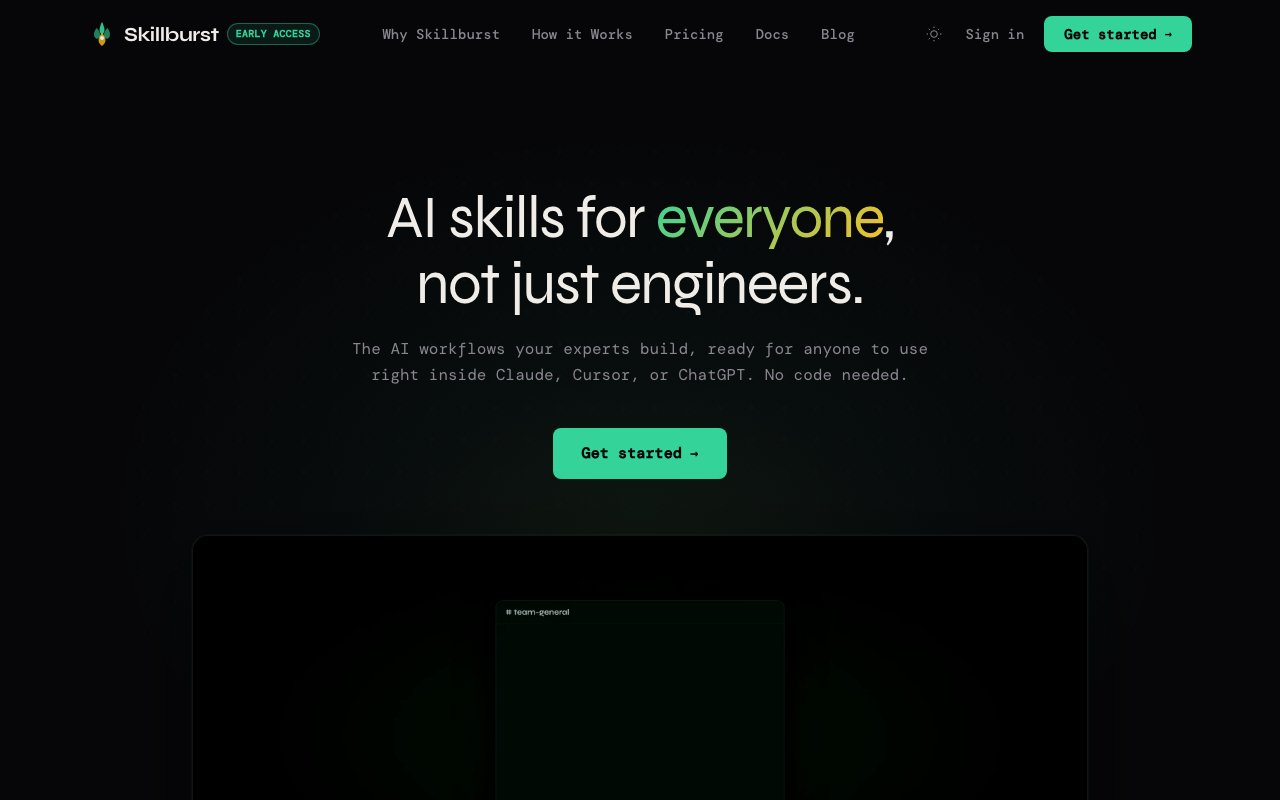
Skillburst is a layer that keeps an organization's AI skills in sync, governed, and up to date across the assistants people already use. The idea is that you connect it once, and every skill your team has approved shows up directly inside Claude, ChatGPT, or Cursor. There are no installs to chase, no long prompts to memorize, and no copying and pasting instructions between tools, because the skills travel with the assistant. For the person on the receiving end, the right capability is simply there when they open their AI of choice. That removes the usual friction where a great internal prompt lives in a wiki nobody reads, since the skill follows the person into the tool they were already going to use anyway.
The problem it targets is the mess that shows up once a company gets serious about AI. Useful prompts and skills end up scattered across docs, chat threads, and personal setups, they quietly drift out of date, and nobody can tell which ones are trusted or current. When one person improves a workflow, everyone else keeps running the old version. Skillburst puts a managed layer in between, so the good skills are the ones that actually reach people and the stale or risky ones don't keep circulating in the background. It's the difference between hoping everyone happens to find the current version and knowing that the version they get is the one the team has actually vetted and blessed.
The division of labor is deliberate. Technical teammates curate and maintain the skills, and engineers can manage them in GitHub, the workflow they already live in, while everyone else simply gets the result inside their assistant without touching any of that machinery. A non-technical employee never sees a repository or a config file. They just find that the right skill is available when they open Claude or ChatGPT, which means the people who are good at building skills and the people who only want to use them each stay in their own lane. Engineers get to work in version control with pull requests and review, the habits they already trust, while a marketer or an analyst just benefits from that rigor without having to learn any of it.
Governance is a core part of the pitch rather than a bolt-on. Team leads approve new skills and updates, and there's full version history with semantic versioning and one-click rollback if a change causes trouble. Skills stay inside your organization with no data shared across companies, and access is role-based with an audit-ready trail. That's the kind of control a security or compliance team tends to ask for before AI use spreads across a whole workforce, and it's baked in rather than something you assemble yourself after the fact.
Skillburst also treats skills as more than plain text. A skill can bundle context files, scripts, and its own version control, and when someone improves it, that update propagates across the organization instead of living in one person's private copy. On top of that, usage analytics show which skills get used, which gather dust, and where the gaps are, so leads can retire stale skills before they turn into liabilities and see where the team could use something new that doesn't exist yet. That feedback loop is what turns a skill library from a static folder into something that improves over time, since the data shows which investments paid off and which ones nobody ended up needing.
The audience is any team rolling AI out past a handful of early adopters. It fits an organization that has capable engineers who can build good skills but also a wider staff that just wants those skills to work without a lesson. Rather than trying to teach everyone to prompt well, Skillburst tries to make the curated, approved version of a task the default thing that appears in the tools people already open. That framing is aimed squarely at the company that has moved from a few enthusiasts to wanting AI used consistently across departments, where the gap between the best internal user and the average one is exactly the gap it's trying to close.
On access, every plan connects to Claude, Cursor, and ChatGPT through MCP, so the delivery mechanism is consistent across assistants rather than a different bolt-on for each. There's a fourteen-day free trial on the paid plans with no credit card required, which is the way in before committing. The exact plan tiers aren't spelled out publicly, so it reads as a team and organization product rather than a free consumer tool, priced around the number of people involved and the level of governance a company actually needs.
Key Features
- Approved skills synced into Claude, ChatGPT, Cursor
- MCP connection across assistants
- GitHub-based skill curation for engineers
- Approval workflow with version history and rollback
- Usage analytics on skill adoption
- Role-based access and audit trail
Pros & Cons
What we like
- Skills reach non-technical staff with no setup
- Central approval keeps stale or risky skills out
- Version history and one-click rollback reduce risk
- Skill data stays inside your organization
Room for improvement
- Built for teams, not solo individuals
- Public pricing tiers aren't clearly listed
- Value depends on having people to curate skills
- No permanent free tier, only a trial
Frequently Asked Questions
What is Skillburst?
Who manages the skills?
Is Skillburst free?
How is Skillburst different from a shared prompt doc?
Best For
Featured in
Alternatives to Skillburst

Reviews (13)
Two months in, no regrets
Have been running Skillburst for a while, here is where I land. Got real value out of skills reach non-technical staff with no setup. Would sign up again without thinking twice.
Pulled its weight from week one
Skillburst has quietly become part of my daily flow. Their take on skills reach non-technical staff with no setup is genuinely good. It fits well for rolling out approved ai skills across a whole company.
Solid but not perfect
Found Skillburst on a Show HN thread and I am glad I clicked. Where it really wins is approval workflow with version history and rollback. It just works, day after day, without surprises. One thing that bugs me is public pricing tiers aren't clearly listed. Would sign up again without thinking twice.
Worth a look
Three months of Skillburst later, here is what holds up. Where it really wins is github-based skill curation for engineers. Setup was painless and I was productive the same day. It fits well for keeping shared prompts current instead of drifting. It earns its place in my stack.
Quietly excellent
Three months of Skillburst later, here is what holds up. The core workflow is smooth once you are set up. It handles the boring parts so I can focus on the work that matters.
Genuinely impressed
Started using Skillburst casually, now it is pinned in my dock. Where it really wins is github-based skill curation for engineers. It earns its place in my stack.
Recommended without reservation
Found Skillburst on a Show HN thread and I am glad I clicked. What stands out is how it handles central approval keeps stale or risky skills out. It has shaved real time off my week. It fits well for keeping shared prompts current instead of drifting. Would sign up again without thinking twice.
It just works
Found Skillburst on a Show HN thread and I am glad I clicked. It has shaved real time off my week. It does what it says, which is rarer than it should be. No regrets so far.
Solid but not perfect
Tried Skillburst on a side project first, then rolled it out everywhere. Where it really wins is github-based skill curation for engineers. Found it works best for keeping shared prompts current instead of drifting. One thing that bugs me is public pricing tiers aren't clearly listed. Hard to imagine going back to my old setup.
Pulled its weight from week one
Skillburst solves a real problem for me without making a fuss about it. It handles the boring parts so I can focus on the work that matters. Found it works best for keeping shared prompts current instead of drifting. Worth it for what I get out of it.
Two months in, no regrets
Picked Skillburst for the price, stayed for the quality. What stands out is how it handles role-based access and audit trail. It has shaved real time off my week. It earns its place in my stack.
Does the job, a few gripes
Picked Skillburst for the price, stayed for the quality. Their take on approved skills synced into claude, chatgpt, cursor is genuinely good. It fits well for governing which ai skills staff can use. My only gripe is value depends on having people to curate skills.
Exactly what I needed
Have been running Skillburst for a while, here is where I land. Got real value out of mcp connection across assistants. It slotted into my routine without much fuss. Found it works best for governing which ai skills staff can use. Worth it for what I get out of it.
Badge builder
Add Skillburst to your website
Choose a badge style and size, preview it here, then copy the generated HTML. Badge images are self-contained SVGs and do not require an external script.

<a href="https://toolindex.net/tools/skillburst?ref=badge" target="_blank" rel="noopener">
  <img src="https://toolindex.net/badge/skillburst/medium.svg" alt="Skillburst - Listed on Tool Index" width="180" height="50" />
</a>How to use the badge
- 1. Pick the style, size, and theme that fit your layout.
- 2. Copy the generated HTML from the code block.
- 3. Paste it into your footer, homepage, or press page.
Standard badge available
The standard listing badge is available now. Score and circle badges are limited to tools currently ranked in the top 10 of a category.
Badge clicks return visitors to this profile with a referral tag so the source remains identifiable.
Related Tools

Apatero AI
The creator studio for AI image, video, audio, 3D, and avatars, now at apatero.ai.
Kevin Gabeci Toolkits
Seven AI toolkits for writing books, making music, cutting video, and building agents.

Warp
The modern terminal reimagined with AI and collaboration

Bolt.new
Prompt-to-deployed full-stack app inside the browser
Work on Skillburst? Request listing access or correction