Sponsored editorial review. agentacct purchased Tool Index's Launch Bundle, which includes this article alongside a featured placement on Tool Index. Payment covers the work and placement; it does not purchase a favorable verdict, an organic ranking, or a traffic guarantee. Links to agentacct in this article are qualified as sponsored.
Review scope: We inspected the public agentacct repository homepage and docs directory on September 30, 2026, along with the captured GitHub pricing, Copilot, and teams pages, in a desktop browser. We did not create an account, install the software, make a purchase, connect an agent, or enter a private dashboard. The screenshots show the actual public interface from that visit, while the repository says its own product images use a synthetic demo workspace.
A local record of coding agent work
agentacct is a local activity and accounting layer for coding agents. It reads session records from tools including Claude Code, Codex, Kimi Code, OpenCode, and Hermes, then organizes recent tasks, tool calls, recorded steps, checks, tokens, and estimated cost. It doesn't write code itself, and that narrow role makes the product easier to understand.
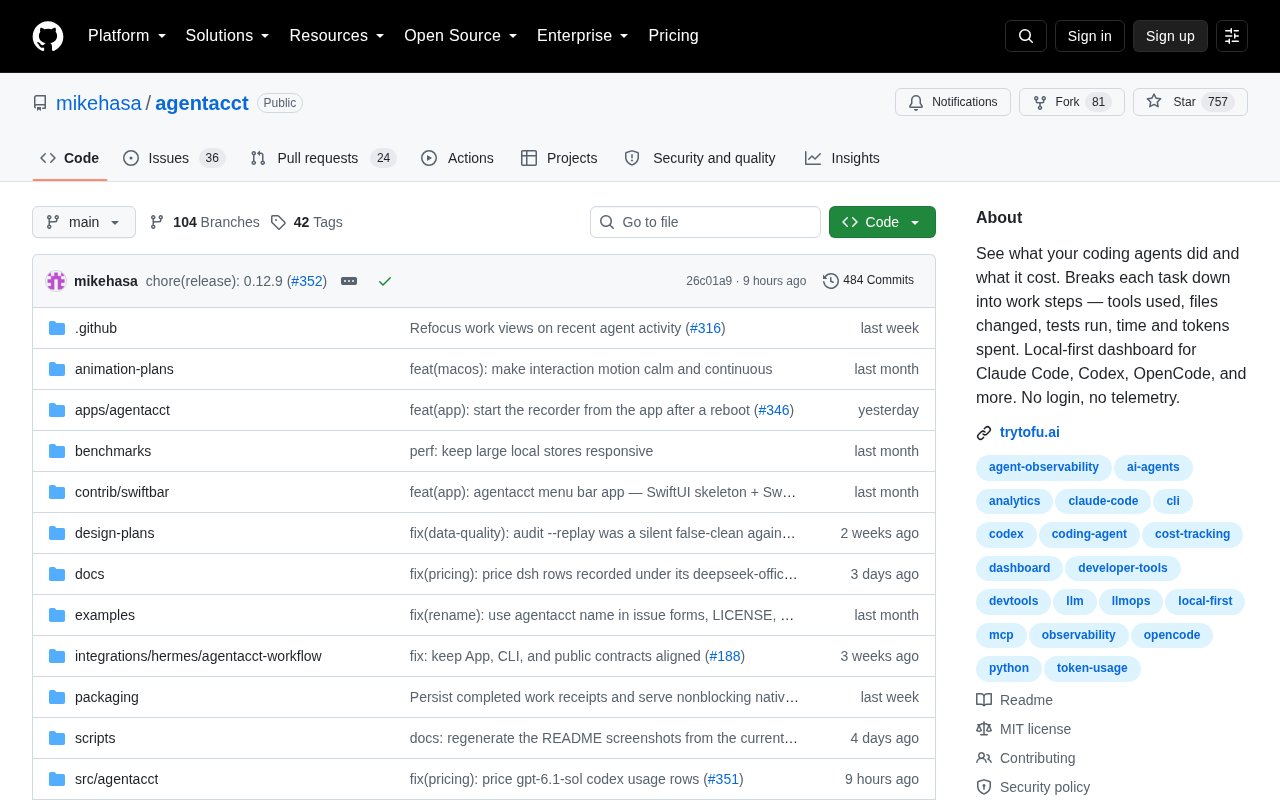
The project is published in a public GitHub repository under the mikehasa account. The repository showed an MIT license, active issue and pull request areas, hundreds of commits, and release 0.12.9 in the captured view. That is enough to establish a real open source project, though the public page doesn't establish a company, support staff, or formal service commitment behind it.
There are graphical and terminal paths. The repository describes a browser based local dashboard, a terminal interface, and a signed native macOS app, all centered on data stored on the user's computer. That local boundary is a product decision rather than a small technical detail because it shapes privacy, collaboration, installation, and maintenance.
agentacct has a crisp purpose because it observes agent work instead of pretending to be another agent.
Best suited to people running several coding agents
The strongest audience is a developer who regularly moves between coding agents, projects, and model providers. Native session history can answer what happened in one tool, but it gets harder to reconstruct a day when Codex handled one repository, Claude Code handled another, and a third client attempted the same task twice. agentacct offers one place to inspect that mixed activity without first sending the records to a hosted account.
Independent developers and consultants may get particular value from project grouping, activity time, token totals, and estimated cost. Those fields can support a conversation about effort across clients, but they are not billing records and should not be treated as such. Engineering leads may also value the distinction between an agent saying it is done and a result backed by current passing checks.
It is less naturally suited to a team that wants a managed shared service with centralized identity, remote access, permissions, and guaranteed support. The captured pages emphasize one local store and no cloud account, not organization wide administration. The platform requirements also narrow the audience to Python capable macOS or Linux users, Windows users comfortable with WSL, or macOS users who choose the native app.
- Developers switching among several coding agent clients
- Consultants reviewing work across projects or clients
- Technical leads who want claims separated from check evidence
- Privacy conscious users who prefer local records over a hosted account
From installation to a work receipt
The documented Python route starts with installing agentacct through pipx, then running an onboarding command once per machine. Onboarding finds supported agents, creates a local store, and starts the recorder. A new agent session must be opened afterward because hooks and MCP servers bind when a session starts, which is an important setup detail that could otherwise make an apparently successful install look empty.
The repository requires Python 3.11 or newer on macOS or Linux and directs Windows users to WSL. A signed and notarized native app is offered for macOS 14 or newer when a user doesn't want the Python route. The public docs also mention project scoped installation plus uv and virtual environment alternatives, so there are reasonable paths for users who don't want a machine wide pipx install.
Once records exist, the Sessions view starts with the most recently active tasks. A user can search by task or project, change the sort, and open a work receipt that combines participating sessions, the recorded outcome, estimated cost, claims, checks, and an activity timeline. Failed attempts remain beside later results, which preserves the path to an outcome instead of presenting only the clean final state.
For broader review, work groups collect sessions associated with a project folder and place them on a shared cross agent timeline. The dashboard covers recent activity across projects, while the terminal interface exposes receipts, usage, capacity, and a work view navigated from the keyboard. We could verify that workflow in the public description and documentation structure, but we didn't install it or test ingestion against a live agent session.
Pricing is open source, not fully cost free
No agentacct specific pricing page was captured on the inspection date. The public repository identifies the project as MIT licensed and gives direct installation commands without presenting an agentacct subscription, checkout, paid tier, or license fee. It is fair to call the software open source, but the captured material doesn't support a claim about paid support, future hosted plans, or any commercial terms beyond the license shown.
The separate pricing page in the capture is GitHub pricing, not agentacct pricing. Its Free, Team, and Enterprise amounts apply to GitHub services and should not be assigned to this product merely because its repository is hosted there. A person can read or install the public project without treating a GitHub Team plan as an agentacct requirement.
There can still be practical costs. Users provide the computer and storage, maintain the installation, and continue paying whatever their coding agents or model providers charge. agentacct estimates model usage cost from a pricing table, and the repository explicitly says those figures are approximate rather than invoices. That makes the cost view useful for orientation and comparison, not for financial reconciliation without checking provider records.
The honest pricing story is an open source install with no captured product fee, plus operating costs that remain outside agentacct.
Where the product holds up
The receipt model is the best part of the public design. An agent's own completion is labeled Reported, while Verified requires current passing checks recorded after the last change. Claims and checks stay separate, and an earlier failed attempt remains visible even when a later attempt succeeds. That vocabulary resists a common observability mistake where confident agent text is mistaken for proof.
The usage view also appears unusually careful about what its numbers mean. Filters for date, agent, model, and provider can be combined independently, and tables separate fresh tokens, cache reads, cache writes, and total tokens. The interface reports how fresh the local data is and notes that sessions spanning several days are assigned by activity date rather than divided into exact daily consumption.
Project grouping addresses a real problem for people using several clients on the same codebase. Each session keeps its own evidence, group totals sum the participating sessions, and the interface labels partial coverage and overlap. That is more credible than collapsing every event into a single total without warning about double counting or missing sources.
The product also keeps historical trouble in context. Recorded issues retain failed checks and blockers without automatically turning every old failure into a current action item or pushing it to the top of the default view. A user can copy a brief from recorded facts, which gives the history a practical use without pretending that every recorded problem is still active.
The most convincing feature is not the charting but the care taken to label evidence, freshness, overlap, and estimates.
- Cross agent task receipts with attempts and outcomes
- Separate Reported and Verified result states
- Combined filters for client, model, provider, and date
- Visible cache, fresh token, and total token accounting
- Local storage with no product account or telemetry claim
Where it falls short
Local first operation creates the clearest tradeoff. The captured pages don't describe a hosted workspace, remote synchronization, organization roles, or a shared review queue, so a team cannot assume that several people will see the same receipts from different machines. Keeping records local reduces exposure, but it also leaves backup, access, and collaboration practices to the user.
Coverage is only as strong as the source records and integrations. The repository itself warns that grouped totals may have partial coverage and overlap, while token data comes from client records and costs come from a pricing table. If a client omits an event, changes its log format, or reports incomplete token data, the dashboard cannot recreate facts that were never captured.
Setup has more moving parts than a passive web service. The Python route needs version 3.11 or newer, onboarding modifies local agent integration, and new sessions are required before hooks and MCP servers take effect. Native Windows isn't listed, and the no Python desktop option is limited to recent macOS, leaving Linux and WSL users with more environment management.
The public presentation also stops short of proving daily reliability. The repository screenshots use synthetic data, and our visit did not include a live install, a large log import, or a comparison against provider invoices. The project includes benchmarks, tests, security documentation, and a public issue tracker, but those artifacts do not replace hands on validation with a user's exact mix of agents.
- No captured hosted sharing or centralized team administration
- Totals can be partial or overlapping across recorded sources
- Estimated costs are not provider invoices
- Python, hooks, and session restart requirements add setup work
- Native desktop support is presented only for macOS
How it compares with obvious alternatives
The first alternatives are the history and usage views already present in each coding agent. Those native views require no extra recorder and are usually the quickest place to inspect one session. agentacct becomes more useful when work is spread across clients or when a user wants a consistent receipt format, shared terminology for evidence, and one usage view across local records.
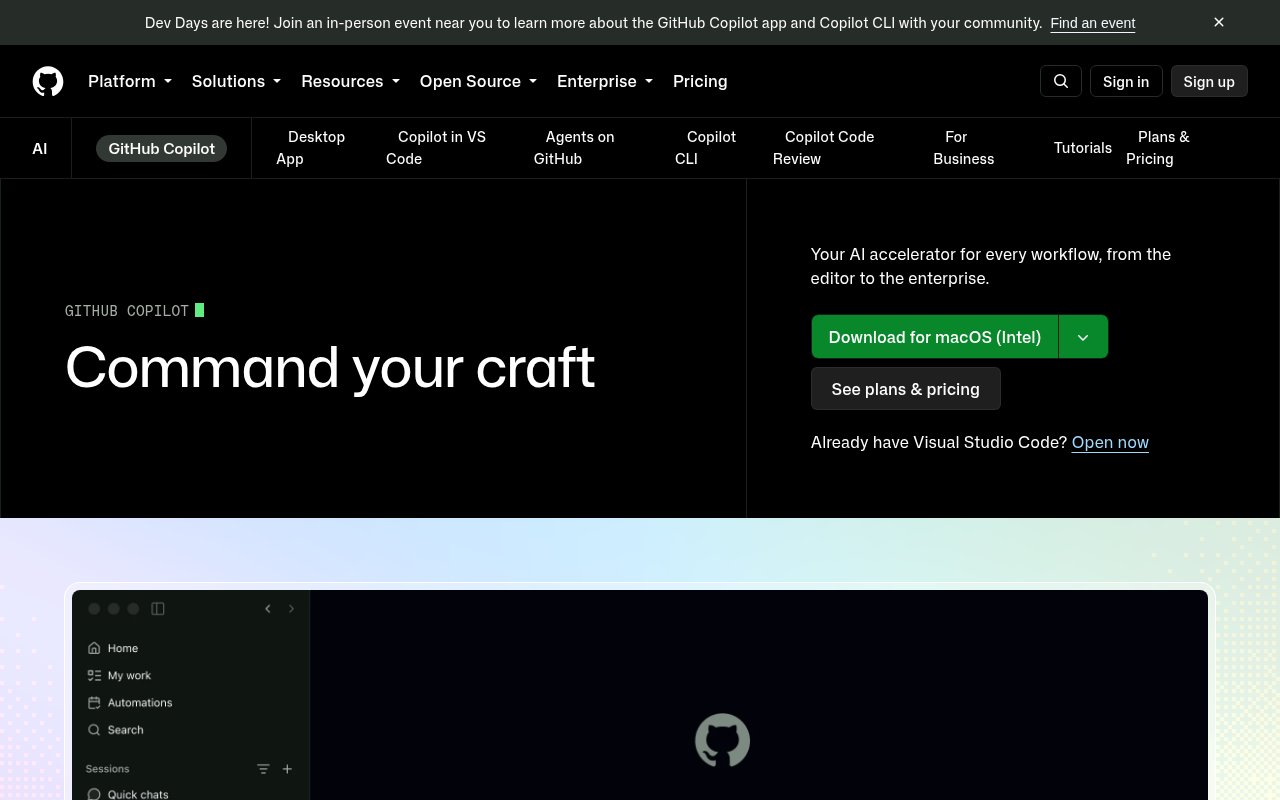
GitHub Copilot is an adjacent but different option. Its captured product page describes launching work, tracking several agents, reviewing changes, and merging completed work from a GitHub centered desktop workspace, with organization controls on business plans. agentacct is narrower and more independent because it observes supported local clients, while Copilot is the stronger fit for teams that want agent execution tied directly to GitHub workflow and administration.
Langfuse and Arize Phoenix are better comparisons for teams building and evaluating their own LLM applications. They focus on instrumented traces, prompts, evaluations, and application observability, whereas agentacct is aimed at reconstructing the work of existing coding agent clients from local session records. Those platforms offer deeper application level analysis, but they demand an instrumentation mindset that may be excessive for someone who simply wants to understand yesterday's coding tasks.
A spreadsheet, shell history, or provider billing page can cover fragments of the same need. Those options may be enough for one developer using one client, especially when the main question is monthly spend. They won't naturally connect a task outcome to tool calls, failed attempts, checks, and claims, which is the useful gap agentacct is trying to fill.
Documentation sets useful boundaries
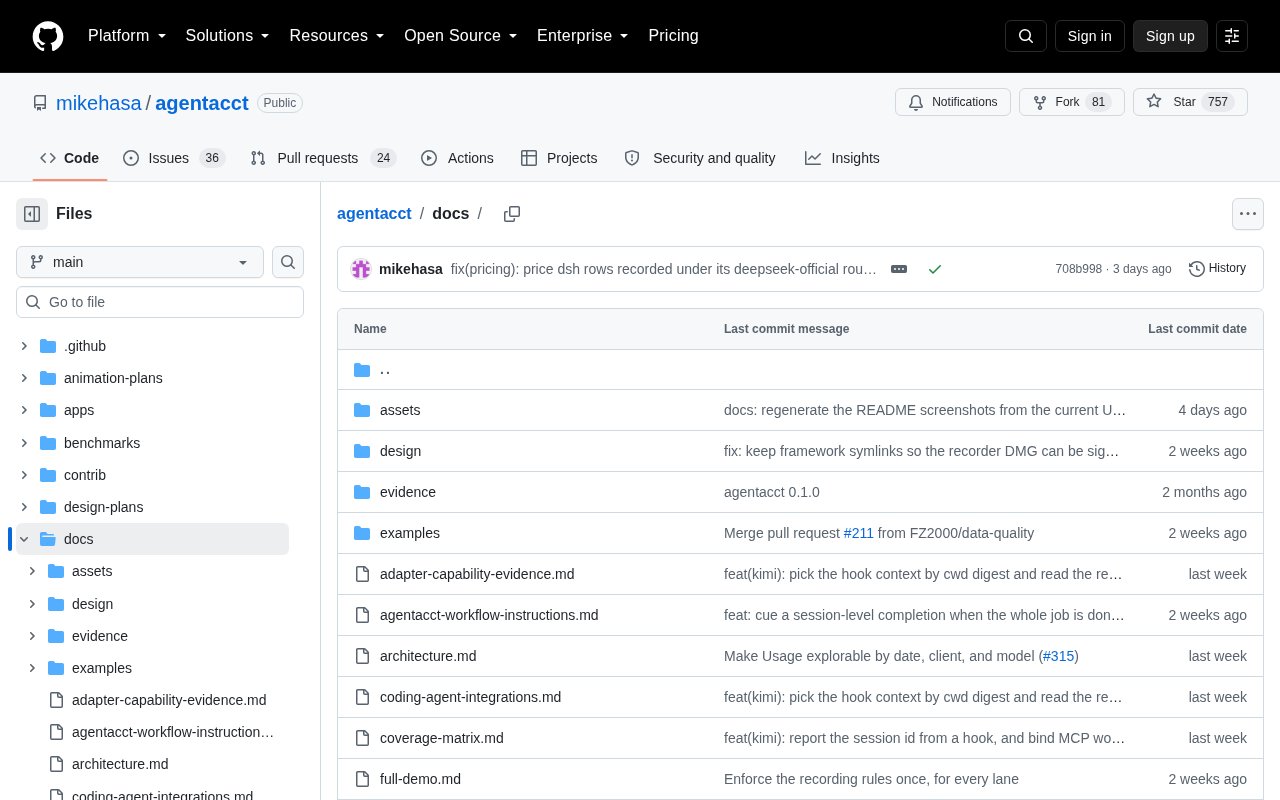
The public repository does more than list features. Its docs directory includes architecture, integration coverage, evidence design, privacy threats, safety boundaries, a usage truth table, and reference material. Even without opening every document, that structure shows attention to the difficult parts of agent accounting rather than only the visual dashboard.
The homepage is also direct about several caveats. Demo screenshots are synthetic, costs are estimates, session totals are not split into exact daily consumption, and a recorded failure doesn't necessarily require intervention. Those qualifications make the product easier to trust because they define where interpretation is still required.
Users should still read the installation and coverage material for their exact client before relying on the dashboard. Support for an agent name doesn't prove that every field, hook, or historical session will be equally complete. agentacct looks most credible as an evidence organizer whose labels invite verification, not as an unquestionable ledger.
Pros and cons
- Receipts connect sessions, attempts, checks, claims, outcomes, and estimated cost.
- Reported and Verified states distinguish agent assertions from current passing checks.
- Local storage and no required product account suit privacy conscious workflows.
- Usage views separate fresh, cached, and total tokens across several filters.
- The public repository documents architecture, coverage, privacy, and evidence boundaries.
- No captured hosted workspace, synchronization, or centralized team permissions.
- Coverage and totals depend on what each supported client records locally.
- Cost figures are pricing table estimates and cannot replace provider invoices.
- Python setup, onboarding hooks, and new session requirements add operational work.
- Native desktop support is limited to macOS, with Windows directed to WSL.
agentacct is best for developers, consultants, and technical leads who run multiple coding agents locally and want auditable task history, check evidence, token usage, and approximate cost without sending those records to a product account.
Verdict
agentacct has a stronger point of view than a generic agent activity dashboard. Its receipts, evidence states, and explicit accounting caveats address real gaps in cross agent work, while local storage keeps the trust boundary easy to explain. It is a good fit for a technically comfortable individual or small group, but teams needing shared cloud administration or finance grade cost records should choose a different layer or pair it with one.
You can look at agentacct yourself at github.com, or read what other builders say on its Tool Index listing. This review reflects what the public site showed on 2026-09-30; products change, so treat the details as a snapshot.