
Amika
Run coding agents and developers together in shareable cloud workstations
Gallery
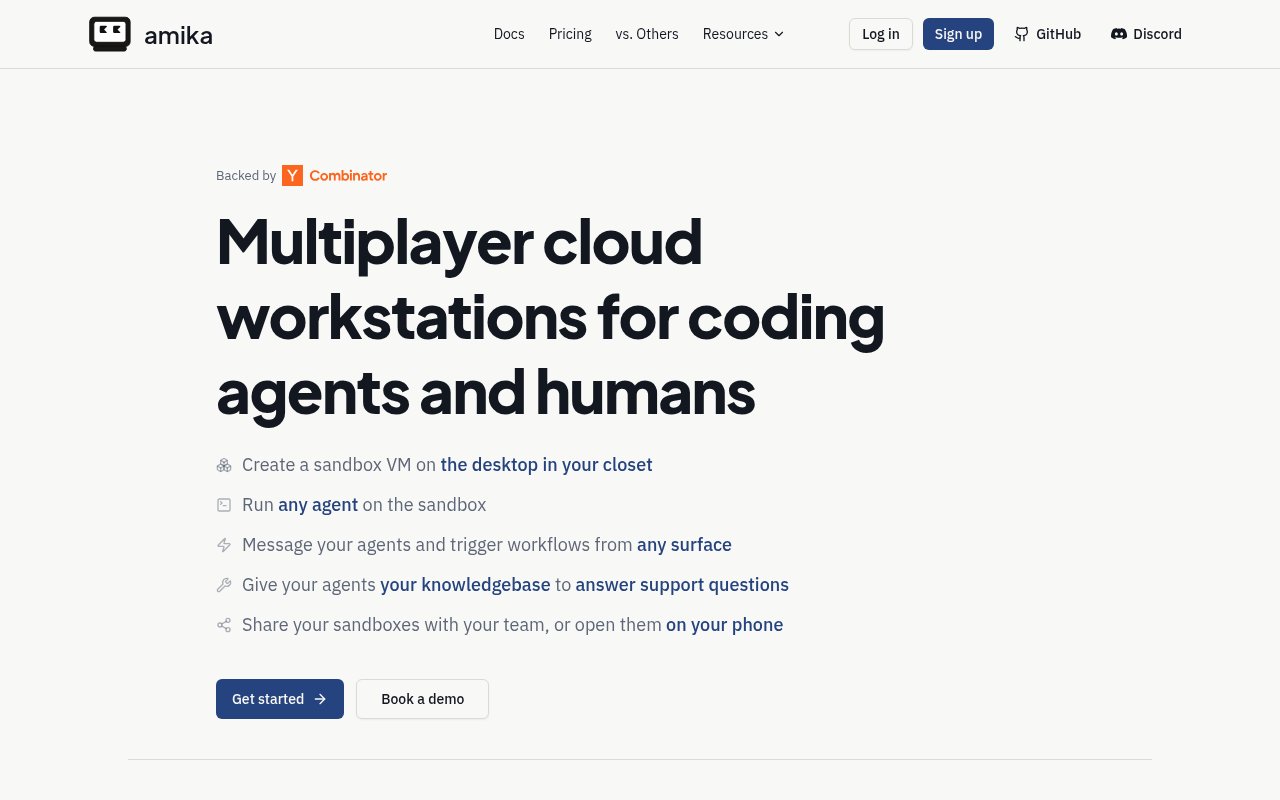
About Amika
Amika is infrastructure for running coding agents and human developers inside the same cloud workstations. It gives each job a sandboxed virtual machine with the repository, services, tools, seeded data, and coding agent it needs already in place. Those workstations can serve as everyday cloud devboxes, interactive spaces where a team steers background agents, or execution environments for automated software workflows. The practical goal is to replace fragile local worktrees and one-off agent setups with repeatable environments that a person or an agent can open from anywhere.
Amika calls these environments Rigs or sandboxes, depending on the part of the product. Their configuration lives alongside the code in a repository, so the base image, services, startup behavior, and agent choices can be reviewed and versioned like other project files. A Rig can clone one or more repositories and run supporting services such as a database or web server. It can also expose ports through HTTPS preview URLs. Snapshots preserve the installed tools, running services, and warm caches, which lets a stopped environment resume without rebuilding the whole development stack each time.
Developers can connect over SSH, place a sandbox on a VPN, or work through Amika's web interface. The same environment can be controlled from the CLI, HTTP API, and supported work tools. The site shows entry points through Slack, Linear, and GitHub, including assigning a ticket, responding to a failed check, or asking an agent to address review comments. Codex, Claude Code, and OpenCode are named as supported agent harnesses, and customers bring their own model credentials. Amika does not add a markup to the model tokens those providers bill.
Collaboration is a central part of the product. Teammates can enter the same live sandbox, inspect an application through a preview URL, watch an agent session, redirect it, or take over the work. That is useful when a background agent reaches a judgment call or when a change needs hands-on verification before it moves forward. Sessions can be retained, while higher plans add more storage and access to past sessions. The environment can also run on Amika-managed infrastructure, a compatible cloud or Kubernetes setup, or hardware a customer controls, although bring-your-own infrastructure is positioned as an Enterprise capability in the current pricing.
The strongest fit is an engineering team that already uses coding agents and needs them to operate against a realistic stack. A background agent can pick up a ticket, reproduce a production issue with logs, run tests and type checks, then prepare a pull request if the checks pass. A team can also standardize a development environment once and give it to both people and agents. Amika is different from an agent editor or model provider because it concentrates on the machine, network access, reproducibility, orchestration, and collaboration around the agent. It can use several agent harnesses instead of replacing them with a proprietary coding interface.
For deeper automation, Amika lets teams define event-driven workflows in code and start them from webhooks, schedules, or API calls. The examples include responding to Sentry alerts, collecting matching logs from GCP or AWS, reproducing a failure, running checks, and opening a pull request only when the result is ready. Teams can make tests, type checks, or custom validators part of that path and keep a person available to review or redirect the run. The product also records agent sessions with their transcripts, tool activity, and token costs, which gives a team material to inspect when it is refining prompts, rules, budgets, or rate limits. This is more operational work than opening a coding assistant in an editor, but it supports repeatable jobs that continue in the background.
Amika has a free plan for one seat with two concurrent sandboxes, 25 stored agent sessions, and a small amount of sandbox credit. Paid Developer and Team plans raise concurrency and session limits, add multiplayer and organization features, and include more compute credit. Sandbox compute, memory, and storage are metered, so a subscription does not make infrastructure usage unlimited. Enterprise customers can request custom infrastructure, security controls, support, and deployment options. The open-source CLI can also run local Docker-based coding agent containers, but the hosted control plane and its collaboration features are the broader commercial product.
Key Features
- Preconfigured cloud development sandboxes
- Multiplayer agent sessions
- CLI and API control
- SSH and VPN access
- Fast environment snapshots
- Slack Linear GitHub triggers
Pros & Cons
What we like
- Keeps agents and developers in the same reproducible environment
- Works with several coding agents and model providers
- Supports interactive work and automated background jobs
- Offers hosted and customer-controlled deployment paths
Room for improvement
- Sandbox resources are metered beyond included credits
- Bring-your-own infrastructure requires an Enterprise arrangement
- Teams must configure repositories and development services
- The product is still in beta
Frequently Asked Questions
What is Amika?
Which coding agents work with Amika?
Can Amika run on infrastructure I control?
Is Amika free?
Best For
Featured in
Alternatives to Amika
View allCursor
VS Code fork built around an AI pair-programmer

Replit
Browser IDE plus Replit Agent that builds and deploys apps from a prompt
Windsurf
Codeium's AI editor with Cascade agent and deep IDE integration

Vibe Built
Building real apps with agentic AI. What worked, what broke, what shipped.
Our take
Tool Index Editorial · Sep 2026· 4.0/5
Amika gives coding agents and developers shared cloud workstations with repositories, services, previews, SSH access, and repeatable snapshots. We found a serious product for engineering teams that want agents to work in a realistic stack, not an isolated prompt box. The free plan includes two concurrent sandboxes and $5 of compute credit, while paid plans start at $30 per user each month.
Its collaboration, API access, and integrations with GitHub, Slack, and Linear hold up well on paper. Costs need watching because CPU, memory, storage, and model tokens are metered separately, and customer controlled infrastructure sits on the enterprise tier. Setup will also reward teams that already have disciplined environment definitions.
Editorial opinion from the Tool Index team, written from the public product pages. Not a user review.
Reviews (0)
Badge builder
Add Amika to your website
Choose a badge style and size, preview it here, then copy the generated HTML. Badge images are self-contained SVGs and do not require an external script.

<a href="https://toolindex.net/tools/amika?ref=badge" target="_blank" rel="noopener">
  <img src="https://toolindex.net/badge/amika/medium.svg" alt="Amika - Listed on Tool Index" width="180" height="50" />
</a>How to use the badge
- 1. Pick the style, size, and theme that fit your layout.
- 2. Copy the generated HTML from the code block.
- 3. Paste it into your footer, homepage, or press page.
Standard badge available
The standard listing badge is available now. Score and circle badges are limited to tools currently ranked in the top 10 of a category.
Badge clicks return visitors to this profile with a referral tag so the source remains identifiable.
Related Tools

Bolt.new
Prompt-to-deployed full-stack app inside the browser

Tabnine
Privacy-first enterprise AI code assistant you control, with SaaS, VPC, on-prem, or fully air-gapped deployment
Cursor
VS Code fork built around an AI pair-programmer

Skeezo
Agent-native macOS IDE for coordinating Claude Code and AI agents
Work on Amika? Request listing access or correction