
Bolt.new
Prompt-to-deployed full-stack app inside the browser
Gallery
About Bolt.new
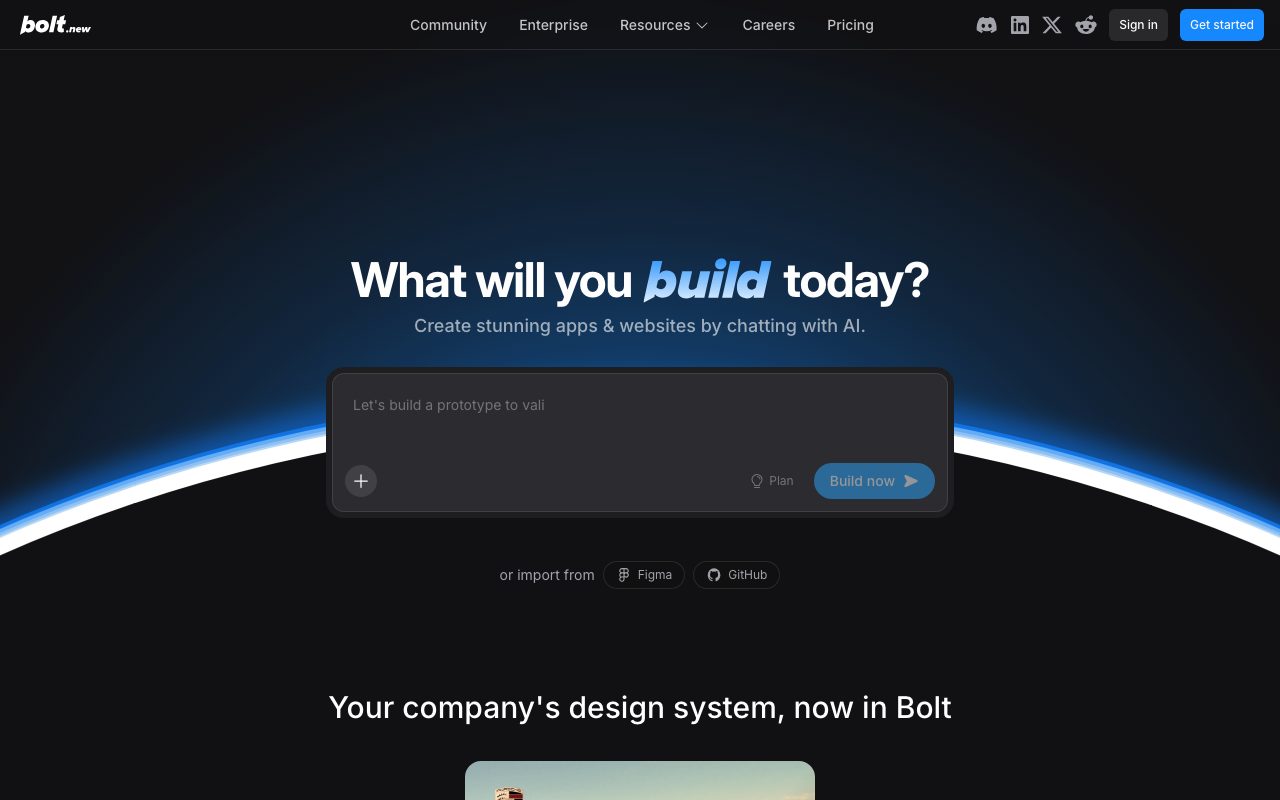
Bolt.new is the StackBlitz team's bet on AI-driven app building inside the browser. You type a prompt, and an agent scaffolds, edits, and runs a full-stack app in a live WebContainer. No local install. No git pull. Just type and watch.
It feels like magic the first time. By the third session, you'll see exactly where it shines and where it pretends to be smarter than it is. That's a fair tradeoff.
What Bolt.new actually does
Bolt.new spins up a Node runtime in your browser via WebContainers. The agent picks a framework based on your prompt: Next, Astro, Svelte, Remix, Vite, whatever fits. Then it scaffolds files, installs dependencies, and starts the dev server.
You can edit any file by hand or keep prompting. The agent reads diffs and runs commands as you watch. Deploys go to Netlify with a single click.
Who Bolt.new is built for
Non-coder founders prototyping ideas. Designers who want a working demo before pulling in engineers. Teachers who want students building apps without setup pain. Bolt.new clears all those hurdles.
It's also handy for engineers who want a sandbox for a new framework. Spin up a fresh Astro project to test something, throw it away when done. No local clutter.
Bolt.new pricing breakdown
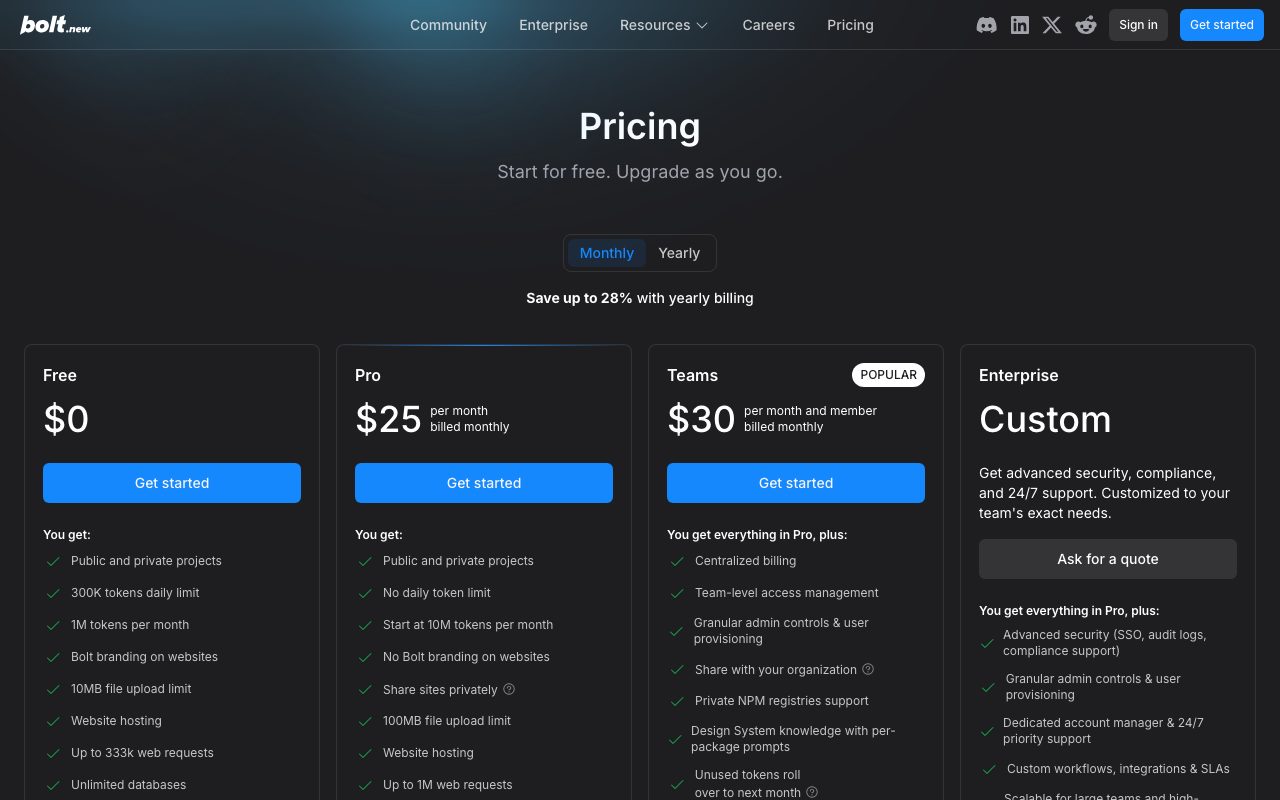
There's a free daily token allotment. Enough to try a few prompts. Heavier users push into paid tiers fast.
Pro starts around $20 per month with millions of tokens. Higher Bolt.new tiers run $50, $100, and beyond. Token consumption is the variable to watch, not seats.
Iteration burns tokens. A long debugging session can chew through your monthly budget in an afternoon. Teams that prompt cleanly and commit working code stretch the same plan further.
Standout Bolt.new features
Watching the agent run real shell commands is the part that sells you. It's not just generating code. It's literally running npm install, then handling the error, then trying again. That feedback loop is uniquely useful.
One-click Netlify deploys feel like cheating. You go from "make me a landing page" to a live URL in under five minutes. The GitHub import and export keep you from being locked in.
Multi-framework support means you don't have to commit upfront. The agent picks Next.js for an SSR app, Astro for a content site, or Remix for nested routing.
Honest tradeoffs
Token costs are the real ceiling. Long iteration cycles get expensive. Bolt.new makes more financial sense for short prototypes than long-running production apps.
The browser runtime has limits. Native dependencies, system-level tools, and certain database drivers don't play well in WebContainers. You'll hit the wall on more complex projects.
Generated code quality varies. The agent gets the scaffolding right but sometimes invents APIs that don't exist. Always review before deploying anything user-facing.
Bolt.new is best at the first 80% of an app. The last 20%, where bugs hide, still needs a real engineer.
Bolt.new vs the alternatives
The closest peer is v0 by Vercel. V0 leans toward UI components and React-heavy output. Bolt.new is broader, full-stack, and runs the actual server.
Lovable is the other obvious comparison. Lovable focuses on full apps with Supabase backends. Bolt.new lets you pick your stack instead.
For pure code generation without the runtime, Cursor or GitHub Copilot are stronger choices. Those tools assume you have a local environment already.
See also best AI app builders, Bolt.new alternatives, and tools for non-coder founders.
Bottom line on Bolt.new
Bolt.new is the most fun way to prototype right now. Founders shipping MVPs, designers showing clients, teachers running workshops, all win here. Engineers can use it for throwaway sandboxes too.
Just budget for tokens. And review the code before you call it done.
Bolt.new in practice
Most users start with a single prompt: "build me a SaaS landing page with a waitlist form." Bolt.new scaffolds Astro or Next.js, drops in a Tailwind hero section, wires the form, and deploys to Netlify in under three minutes. That first demo is what hooks people.
Iterations get harder. The agent sometimes invents library APIs that don't exist. It also sometimes refactors working code into broken code while trying to "fix" something else. Treat each iteration as a code review.
The right mental model is "junior dev with infinite energy." Useful, fast, but needs supervision.
Bolt.new tips that actually help
Be explicit about your stack. Saying "use Next.js 14 App Router with Tailwind" beats letting the agent pick. The output will hew closer to current best practices.
Commit working code to GitHub before iterating. Bolt.new's built-in undo is fine but a real git history is better. The GitHub export feature exists for a reason.
Keep prompts focused. "Add a contact form to the homepage" works better than "improve the homepage." The narrower the ask, the cleaner the output.
Watch your token budget. Long debugging conversations burn tokens fast. If the agent gets stuck, restart with a fresh prompt and a clean state.
Bolt.new common questions
"Can I use my own AI API key?" Not directly. Bolt.new bundles the model behind a flat token-based pricing.
"What about a real backend with a database?" Bolt.new handles light serverless backends. For real Postgres, wire in Supabase or Neon manually after export.
"Is the code production-ready?" Sometimes. Always review. Bolt.new outputs are starting points, not shipping code.
"Can I deploy somewhere besides Netlify?" Yes, via GitHub export. Vercel, Cloudflare Pages, and Railway all work for the typical Bolt.new stack.
Final word on Bolt.new
Bolt.new is the most fun way to start a new web project right now. The browser-based runtime is a real innovation, not just a demo. The agent's ability to actually run commands closes the gap between "AI suggests code" and "AI ships code."
Use it for prototypes, learning, and the first 80 percent of an MVP. Then graduate to a real environment when the project gets serious.
Bolt.new for non-engineers
The headline audience for Bolt.new is people who don't write code. Founders prototyping investor demos. Designers showing what an interaction could feel like. Subject-matter experts building internal tools without engineering bandwidth.
The flow that works for non-engineers: describe what you want in plain English. Watch Bolt.new build it. Iterate by describing changes. Deploy when it looks right.
Code review is the gap. Non-engineers can't always tell when Bolt.new generated something subtly broken. The deployed app might work for ten users and fall over at fifty. Plan to involve an engineer before scaling beyond demo usage.
Bolt.new for engineering teams
Engineers use Bolt.new differently. It's a sandbox for trying frameworks, generating starting templates, or showing teammates a quick proof of concept. Less about shipping production apps; more about exploring ideas faster.
The browser runtime is faster than spinning up local environments for one-off experiments. Need to test how Astro handles Server Islands? Type a prompt, see it running, learn what you needed, close the tab.
Engineering teams also use Bolt.new for client demos. Shows up to a meeting, generates a working prototype while the client describes what they want, walks out with a deployed link. That's a powerful sales motion.
Bolt.new with frameworks
Next.js support is solid for marketing sites and basic apps. Some bleeding-edge App Router features have gaps.
Astro works cleanly. Content sites, blogs, and documentation portals build naturally.
SvelteKit support is decent. The framework's simpler mental model fits Bolt.new well.
Remix works but isn't the most-prompted framework. The agent occasionally picks Next.js when Remix would have been cleaner.
Vite plain projects ship fast. Plain React apps generate cleanly without Next.js overhead.
Bolt.new in the AI app builder market
The AI app builder category exploded in 2024 and 2025. Bolt.new, v0, Lovable, Replit Agent, and several others all launched within months of each other.
Each tool found a slightly different niche. Bolt.new emphasized full-stack browser-runtime apps. v0 focused on UI components. Lovable bundled with Supabase. Replit leveraged its existing IDE.
For most users, the right answer is "try two and pick whichever clicks." The capabilities overlap enough that personal preference matters more than feature comparisons.
Bolt.new's WebContainers approach remains technically impressive. Running a full Node runtime in the browser eliminates the friction of local setup. That alone justifies the niche.
The category is still maturing. Tools that exist today might consolidate, get acquired, or pivot. Don't lock yourself into any single one.
Bolt.new for learners
Coding bootcamps and educators have started using Bolt.new in curriculum. Students see real running apps without setup pain. The feedback loop accelerates learning.
The agent's habit of explaining its choices ("I'll use Tailwind for styling because...") doubles as a teaching moment. Beginners learn patterns by watching the agent apply them.
For self-taught developers, Bolt.new bridges the gap between tutorials and real projects. Generate a starter, modify it, learn what each piece does, ship it.
The tradeoff: Bolt.new can hide complexity that learners eventually need to understand. Use it as a starting point, not a substitute for foundational knowledge.
Tutorial / Demo
Key Features
- In-browser WebContainers Node runtime
- Multi-framework scaffolds (Next, Astro, Svelte, Remix)
- Live edit and run as the agent works
- One-click deploy to Netlify
- GitHub import and export
- Token-based pricing
Pros & Cons
What we like
- Truly zero-install and works on any machine
- Watching the agent run real terminal commands is uniquely useful
- Great for non-coder founders prototyping
- Deploys are genuinely one click
Room for improvement
- Token costs spike on iteration-heavy work
- Browser runtime has limits vs. a real local env
- Generated code quality varies and needs review
- Long sessions can hit performance walls
Frequently Asked Questions
Does Bolt.new have a free tier?
Bolt.new vs v0 vs Lovable, what's the difference?
Can I export the code Bolt generates?
What stack does Bolt produce?
Is Bolt good for production apps?
Best For
Featured in
Tags
Alternatives to Bolt.new
View all
Lovable
Chat your way to a full-stack web app: Lovable turns plain-English prompts into React plus Supabase projects.
Cursor
VS Code fork built around an AI pair-programmer

Replit
Browser IDE plus Replit Agent that builds and deploys apps from a prompt
Windsurf
Codeium's AI editor with Cascade agent and deep IDE integration
Our take
Tool Index Editorial · May 2026· 4.4/5
Bolt.new sits in a crowded category, differentiating itself as prompt-to-deployed full-stack app inside the browser.
On the strengths side: Truly zero-install and works on any machine, Watching the agent run real terminal commands is uniquely useful, and Great for non-coder founders prototyping. Honest gripes: Token costs spike on iteration-heavy work and Browser runtime has limits vs. a real local env.
In short: Bolt.new is a solid pick when you need mVP and prototype building without setup, and a harder sell if token costs spike on iteration-heavy work would be a dealbreaker.
Editorial opinion from the Tool Index team, written from the public product pages. Not a user review.
Reviews (3)
Good for most of what we need
Came to Bolt.new after frustration with what I had before. Genuine strength: deploys are genuinely one click. Worth a trial if you're in the same boat.
Pros
- Deploys are genuinely one click
- Truly zero-install — works on any machine
Cons
- Token costs spike on iteration-heavy work
- Generated code quality varies — needs review
The kind of tool you forget you're paying for
Tried half a dozen options before landing on Bolt.new. Honestly impressed by how watching the agent run real terminal commands is uniquely useful. Worth calling out the live edit and run as the agent works too. Found it works best for spinning up a test repo to play with a new framework. One thing that bugs me: generated code quality varies — needs review.
Cons
- Browser runtime has limits vs. a real local env
- Token costs spike on iteration-heavy work
Worth the price of admission
Got Bolt.new on the recommendation of someone I trust. Where it really wins is truly zero-install — works on any machine. The live edit and run as the agent works is more useful than I expected. Glad I made the switch.
Pros
- Great for non-coder founders prototyping
- Watching the agent run real terminal commands is uniquely useful
- Truly zero-install — works on any machine
Badge builder
Add Bolt.new to your website
Choose a badge style and size, preview it here, then copy the generated HTML. Badge images are self-contained SVGs and do not require an external script.

<a href="https://toolindex.net/tools/bolt-new?ref=badge" target="_blank" rel="noopener">
  <img src="https://toolindex.net/badge/bolt-new/medium.svg" alt="Bolt.new - Listed on Tool Index" width="180" height="50" />
</a>How to use the badge
- 1. Pick the style, size, and theme that fit your layout.
- 2. Copy the generated HTML from the code block.
- 3. Paste it into your footer, homepage, or press page.
Score badge available
Bolt.new qualifies for the score and circle badges based on its current top-10 positionin AI Coding Assistants.
Badge clicks return visitors to this profile with a referral tag so the source remains identifiable.
Related Tools

Kevin Gabeci
Solo developer building web apps, cozy browser games, and AI creator toolkits.

Coolify
Self-hostable, open source alternative to Heroku and Netlify

Apatero AI
The creator studio for AI image, video, audio, 3D, and avatars, now at apatero.ai.
Kevin Gabeci Toolkits
Seven AI toolkits for writing books, making music, cutting video, and building agents.
Work on Bolt.new? Request listing access or correction