
Linear
Streamline software projects, sprints, and bug tracking
Gallery
About Linear
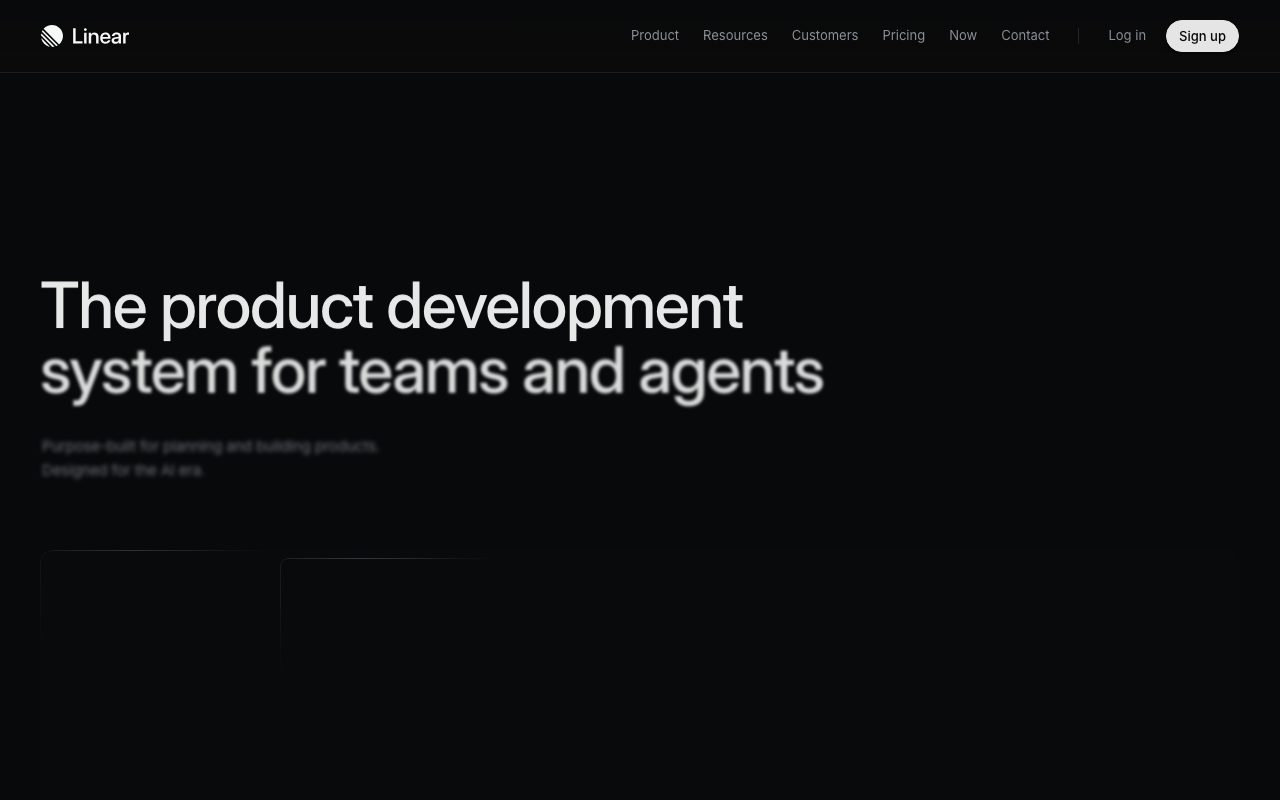
Linear is the project management tool for software teams who treat speed as a feature. It's opinionated, fast, and visibly designed by people who've shipped product themselves.
The market told everyone Atlassian had won. Linear didn't read the memo. It rebuilt issue tracking from scratch, with keyboard shortcuts and synced views, and a generation of engineers said yes.
If you've used Jira and felt your soul leave your body, Linear is the tool people switch to. Same job, completely different feel.
What Linear actually does
Linear handles issues, sprints (they call them cycles), projects, and roadmaps. Issues are the unit. Cycles are how you batch work. Projects span cycles.
The defaults are sane. Statuses, priorities, labels, and triage queues all come pre-set, but they're easy to customize without breaking the model. You're not redesigning the system before you can ship.
Cycles instead of sprints
Linear's cycle model is more flexible than rigid two-week sprints. You can roll over unfinished work, adjust velocity, and reprioritize without ceremony. Engineering managers like this.
Who Linear is for
Software teams. That's it. Linear isn't trying to be the project management tool for marketing or operations. It's built for engineers and the PMs who work with them.
The smaller and tighter your team, the more Linear feels like home. Larger orgs sometimes hit limits on hierarchy and reporting, though Linear keeps closing those gaps.
Why product teams love it
Linear's roadmap and project views connect strategic work to tactical issues without making either feel like an afterthought. The chain from "quarterly goal" to "PR open" is short.
Pricing breakdown
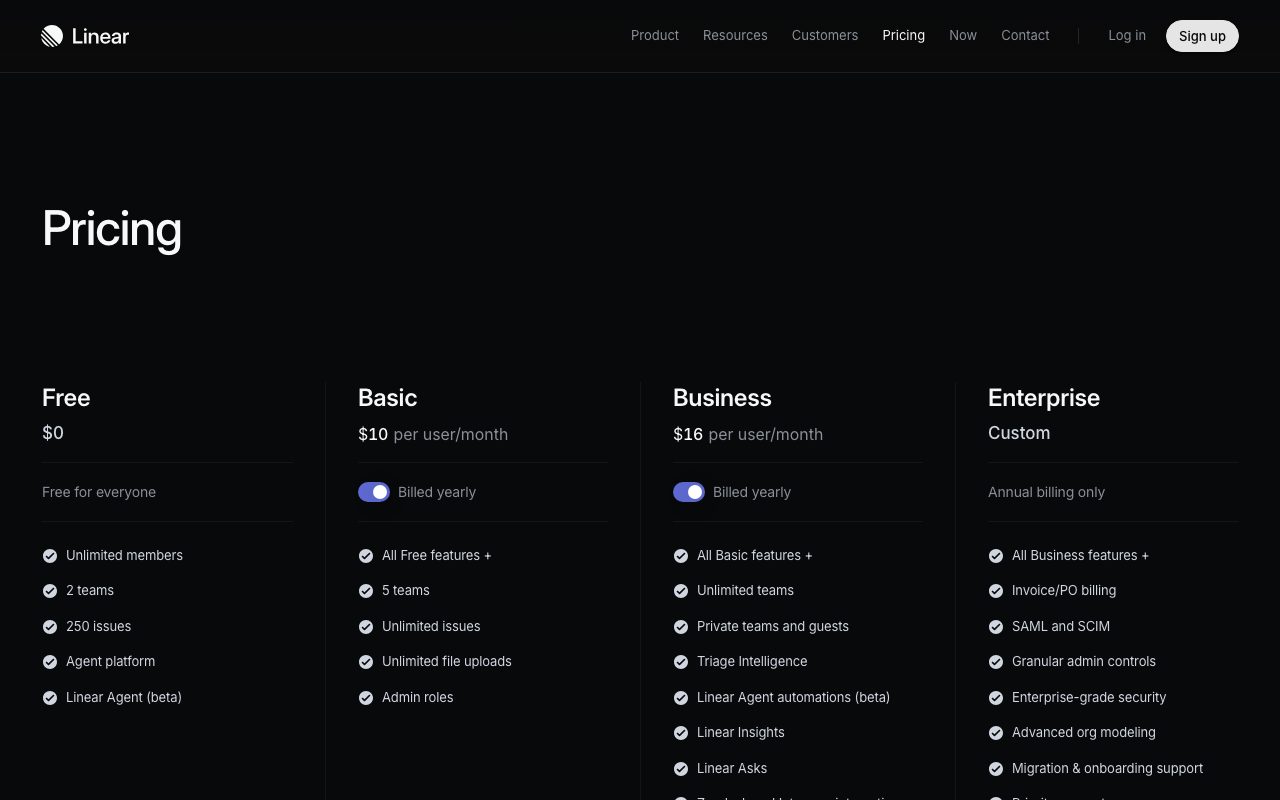
Free for small teams. Standard, Plus, and Enterprise tiers above that. Pricing is per active user per month and Linear doesn't charge for view-only members.
It's reasonable. Linear isn't cheap-cheap, but it's priced where Jira would be after you've added the necessary plugins. Net cost often comes out lower.
What you get for free
Up to a generous user count, unlimited issues, basic integrations. The free tier is genuinely workable for small startups.
Standout features of Linear
Speed. Linear ships keyboard shortcuts that work, instant search, and an offline-capable client. Most competitors can't match the latency story.
The triage inbox is a quiet superpower. New issues land there, you sort them once, and they flow into the right project. It's a small thing that compounds.
Linear's API
The GraphQL API is excellent. Teams build custom dashboards, sync issues to docs, and automate workflows without fighting the platform. This is rare in PM tools.
Honest tradeoffs with Linear
It's not for non-engineers. Marketing teams, ops teams, and external stakeholders find Linear's vocabulary and density confusing. Don't try to make it everyone's tool.
The customization story is intentionally limited. If you love wild custom workflows, Linear's opinions will frustrate you. The constraint is the feature.
Linear is what happens when a team builds the project tool they wished they had, instead of the one a procurement department would buy. The difference shows.
Linear vs alternatives
Linear vs Jira: Jira is more configurable and slower. Linear is more opinionated and fast. Different philosophies.
Linear vs ClickUp: ClickUp is the everything-app. Linear is the focused engineering tool.
Linear vs Shortcut: Shortcut is the closest competitor in spirit. Both are engineering-focused. Linear has more polish.
For the broader category, see the best issue trackers or check Jira alternatives and Linear vs Jira.
When Linear wins
You're a software team. You value speed. You're tired of Jira's ceremony.
Bottom line on Linear
Linear is the engineering project management tool that earned its hype. It's fast, opinionated, and built for software teams. If your team writes code, you should at least try it.
If you need a project tool for marketing, ops, or HR, look elsewhere. Linear knows its lane and stays in it. See tools for engineering teams for adjacent picks.
Why Linear feels different to use
The first time you press a Linear keyboard shortcut and the action happens instantly, something clicks. You realize how much friction you'd been absorbing in other tools. That feeling is the entire reason Linear exists.
Speed isn't a feature, it's a posture. Linear treats every interaction as a target for sub-second response. Other tools optimize for breadth and accept latency as a tradeoff. Linear refuses that tradeoff.
The triage discipline
Linear's triage queue is the unsung hero. Every team gets one. New issues land there. A triage owner reviews, assigns, and routes them daily. This sounds simple but it's the discipline that keeps Linear from becoming a graveyard.
Linear's roadmap and projects
Issues are tactical. Projects group issues toward outcomes. Roadmaps group projects toward strategy. The chain from "quarterly goal" down to "open PR" is short and visible.
This is what makes Linear feel coherent. Most tools treat strategy and tactics as separate worlds with separate UIs. Linear keeps them in one tool, with cross-references that work.
Cycles versus sprints
Cycles are Linear's flexible answer to sprints. They have start and end dates, but unfinished work flows naturally to the next cycle. You don't ceremoniously close a sprint and grieve unfinished tickets. Work just continues.
Common Linear questions
Is Linear good for non-engineers? Not really, it's built for software teams. Does Linear have a free tier? Yes, generous for small teams. Does Linear integrate with GitHub? Yes, natively and well.
For broader views, see tools for product managers and Linear vs Shortcut.
Final take on Linear
Linear is the project tool for software teams that take their craft seriously. The keyboard-first UX, the speed, and the opinionated defaults add up to something worth paying for. If you write code, you owe yourself the trial.
Linear's keyboard-first philosophy
Almost every action in Linear has a keyboard shortcut. Create issue, assign, change status, add label, link to project. Once you learn them, you're moving through the app at speeds other tools can't match. This sounds minor and it isn't.
For engineers especially, keyboard speed translates to actual time saved. Linear respects that. The mouse becomes optional, not mandatory. Most other tools force you back to the mouse for common actions.
Command palette as a primary surface
The command palette (cmd-K) is your jumping-off point for most actions. Search anything, navigate anywhere, perform any operation. It's the same UX pattern that VS Code and Slack popularized, and Linear executes it well.
Linear's GitHub integration
Linear connects to GitHub bidirectionally. Issues link to PRs. PRs auto-update issue status. Branch names follow a Linear-specific convention that ties code to issue. This integration is the gold standard among project management tools.
Engineers working in Linear-plus-GitHub feel the integration immediately. They write code, push branches, and the project tool stays in sync without manual updates. That's how it should always have worked.
Cycles, projects, and roadmaps in detail
Cycles are time-boxed work periods, usually two weeks. Projects span cycles and group issues toward outcomes. Roadmaps span projects and tie to strategic goals. The hierarchy is shallow but coherent.
This shallowness is intentional. Deeper hierarchies create administrative overhead. Linear's three layers cover most software team needs without becoming a maze.
Triage as a daily ritual
The triage queue is where new issues land before being routed. A team's triage owner reviews them, assigns them to projects, and sets priorities. Done daily, this keeps the issue tracker clean. Skipped, it becomes a graveyard. Linear nudges you toward the discipline.
Linear for product managers
PMs use Linear for spec writing, roadmap planning, and cycle review. The roadmap view shows project status across cycles. The project pages hold context, links, and discussions. PMs don't have to bounce between Linear and Notion for most work.
Linear's docs feature has improved enough that some PMs consolidate their planning docs there. Not everyone, but enough that the docs feature counts as legitimate.
Linear's API and automations
The GraphQL API is genuinely good. Teams build custom dashboards, integrate Linear with internal tools, and automate cross-tool workflows. The native automations cover common cases like auto-assigning labels or moving issues based on conditions.
The Linear migration story
Coming from Jira, Linear feels like decompressing. The vocabulary is simpler. The clicks are fewer. The defaults are saner. Most engineering teams that migrate from Jira to Linear don't go back. The friction reduction is too obvious.
Linear wrap-up
The platform's fanbase among software teams is genuinely earned. Engineers who've worked in both Jira and Linear rarely want to go back. The friction reduction is too obvious. The quality bar is too clearly higher.
For teams locked into Jira through corporate procurement, Linear's path is harder. The technical migration is fine. The political battle for tool budget is the real obstacle. Building a small Linear pilot with a willing team often proves the case faster than any pitch deck could.
The keyboard test
The fastest way to feel Linear's difference is to use the keyboard shortcuts for ten minutes. Create issues with C, navigate with G, change status with shortcuts. Most engineers feel the speed difference within the first day. That speed compounds across thousands of small interactions per week.
Tutorial / Demo
Key Features
- Sub-100ms performance everywhere
- Keyboard-first navigation
- Cycles, projects, and roadmaps
- GitHub/GitLab integration with auto-linking
- Slack and Figma integrations
- Automatic issue prioritization
- Custom workflows and automations
- Comprehensive API
Pros & Cons
What we like
- Incredibly fast and responsive
- Beautiful, minimal interface
- Opinionated but flexible workflows
- Great GitHub/GitLab sync
- Excellent keyboard shortcuts
Room for improvement
- Less customizable than Jira
- Can be too opinionated for some teams
- Limited reporting compared to enterprise tools
- No free tier for teams
Frequently Asked Questions
What is Linear used for?
Is Linear free to use?
What are the pros and cons of Linear?
Who should use Linear?
Best For
Featured in
Tags
Alternatives to Linear

Our take
Tool Index Editorial · May 2026· 4.4/5
If you're evaluating Linear, the headline is simple: streamline software projects, sprints, and bug tracking, and most teams will get value out of the box.
Worth highlighting: Incredibly fast and responsive, Beautiful, minimal interface, and Opinionated but flexible workflows. The friction points: Less customizable than Jira and Can be too opinionated for some teams.
Verdict: Linear cleanly earns its spot in the category — a smart default when you need software development teams.
Editorial opinion from the Tool Index team, written from the public product pages. Not a user review.
Reviews (4)
Best decision this quarter
First impression of Linear was 'huh, this is actually thought through.' Genuine strength: opinionated but flexible workflows. Worth calling out the comprehensive API too. It fits well for startups. Wish they'd address how limited reporting compared to enterprise tools. Still recommending it to people in similar setups.
Pros
- Great GitHub/GitLab sync
- Excellent keyboard shortcuts
Solid product, even better support
First impression of Linear was 'huh, this is actually thought through.' Honestly impressed by how incredibly fast and responsive. The comprehensive API is more useful than I expected.
Pros
- Incredibly fast and responsive
- Great GitHub/GitLab sync
- Opinionated but flexible workflows
Underrated honestly
Found Linear on a Reddit thread, glad I clicked. The thing I keep coming back to: great GitHub/GitLab sync. Got real value out of sub-100ms performance everywhere. Still recommending it to people in similar setups.
Pros
- Excellent keyboard shortcuts
- Opinionated but flexible workflows
Half a star away from a wholehearted yes
Got Linear on the recommendation of someone I trust. Real selling point: opinionated but flexible workflows. The cycles, projects, and roadmaps is more useful than I expected. It fits well for startups. Wish they'd address how no free tier for teams. Not perfect but better than the alternatives I tried.
Badge builder
Add Linear to your website
Choose a badge style and size, preview it here, then copy the generated HTML. Badge images are self-contained SVGs and do not require an external script.

<a href="https://toolindex.net/tools/linear?ref=badge" target="_blank" rel="noopener">
  <img src="https://toolindex.net/badge/linear/medium.svg" alt="Linear - Listed on Tool Index" width="180" height="50" />
</a>How to use the badge
- 1. Pick the style, size, and theme that fit your layout.
- 2. Copy the generated HTML from the code block.
- 3. Paste it into your footer, homepage, or press page.
Standard badge available
The standard listing badge is available now. Score and circle badges are limited to tools currently ranked in the top 10 of a category.
Badge clicks return visitors to this profile with a referral tag so the source remains identifiable.
Related Tools

Kevin Gabeci
Solo developer building web apps, cozy browser games, and AI creator toolkits.

Coolify
Self-hostable, open source alternative to Heroku and Netlify

Confluence
Atlassian's long-running team wiki that anchors many enterprise knowledge stacks
Asana
Project management for teams that live in projects, tasks and dependencies
Work on Linear? Request listing access or correction