monday.com
A flexible work OS built around colorful, spreadsheet-like boards
Gallery
About monday.com
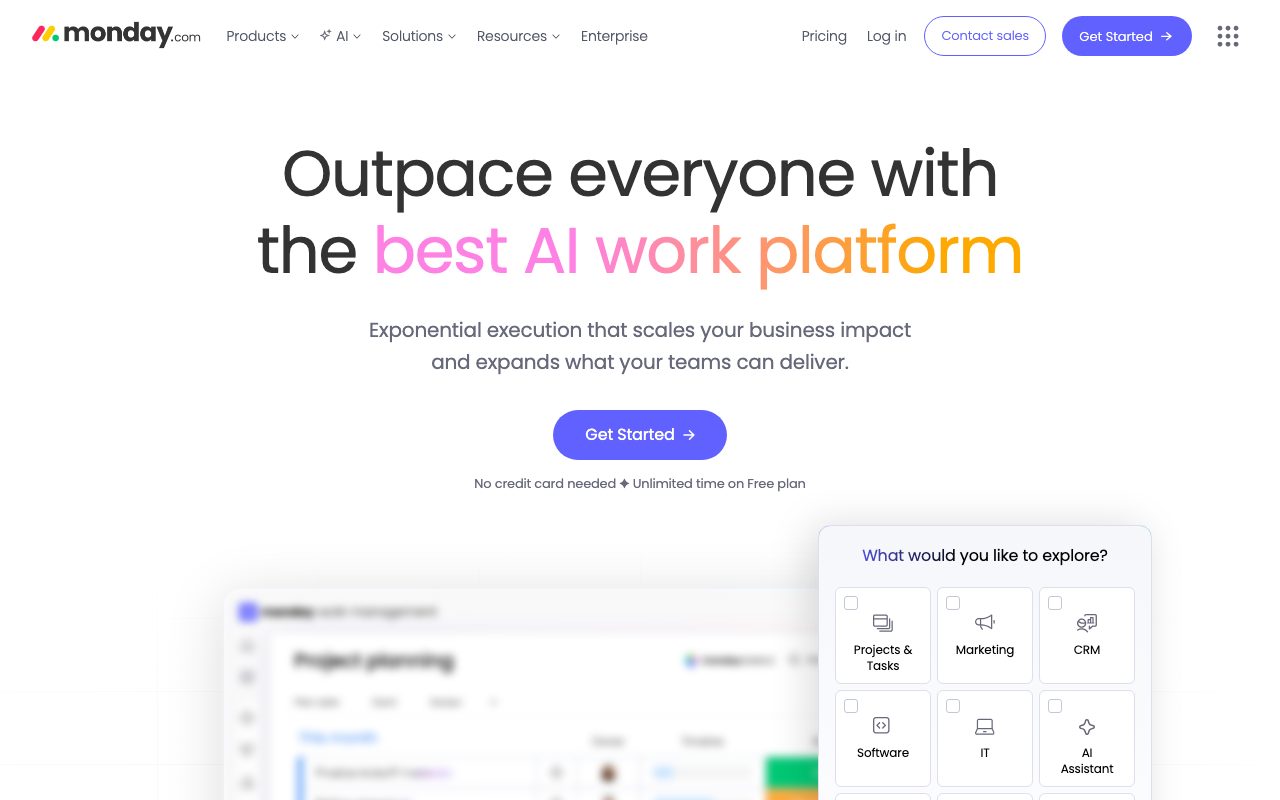
monday.com is the work management platform that turned colorful boards into a $10B public company. It started as a project tracker and grew into a Work OS covering CRM, dev tools, and HR.
You build boards with columns, rows, and statuses. Tasks have owners, due dates, files, comments, and dependencies. Teams use boards for sprints, content calendars, hiring pipelines, and almost anything tabular.
Customers include Coca-Cola, Hulu, and tens of thousands of mid-market teams. monday is one of the few work management tools whose brand is genuinely recognized.
What monday.com actually does
monday gives you customizable boards with 30+ column types: status, person, date, text, formula, dropdown, and more. You can build any tracking workflow without code.
Above boards sit dashboards, automations, integrations, and apps. Automations cover "when status changes to Done, notify channel #marketing." Integrations connect to Slack, GitHub, Salesforce, and dozens more.
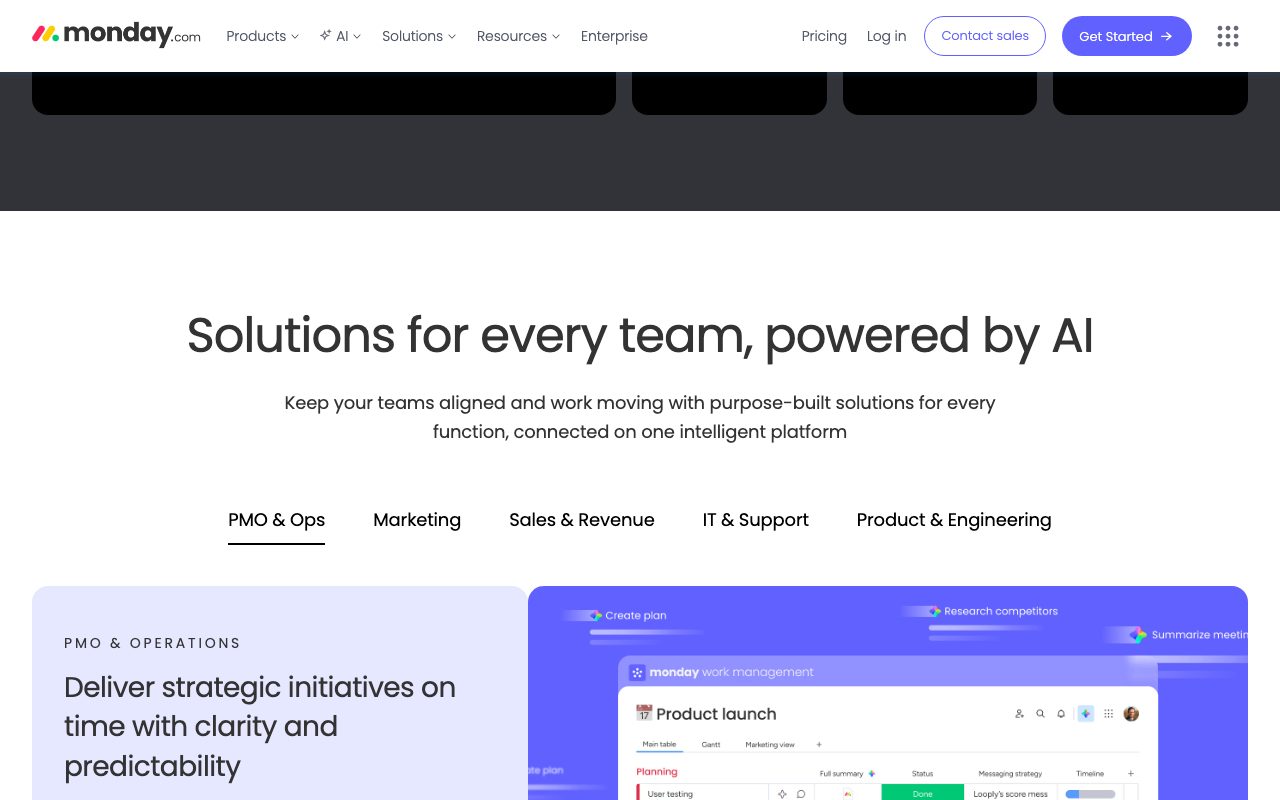
Recently monday split into product lines: Work Management, monday CRM, monday Dev, and monday Service. Each one ships purpose-built templates and views on top of the same engine.
Who monday.com is for
Cross-functional teams in mid-market companies are monday's heart. Marketing, ops, project management, and people teams who want one tool with shared visibility.
Agencies use monday to track client work across multiple projects. The board-of-boards view and high-level reporting work well for client-services shops.
Engineering teams running tight git-driven sprints often prefer Linear or Jira. monday Dev exists, but it competes against tools that are more dev-native.
Pricing breakdown
monday.com has a free tier for up to 2 users. Paid plans start at Basic around $9/seat/month, then Standard ($12), Pro ($19), and Enterprise (quote).
Pricing is per seat with a 3-seat minimum on most paid tiers. Annual billing saves around 18%. The CRM, Dev, and Service products price separately.
Compared to Asana and ClickUp, monday's mid-tiers are similar. Per-seat math gets steep at large scale, which is normal for the category.
Standout features
The visual board UX is the brand. Color-coded statuses, smart drag-and-drop, and views (kanban, timeline, gantt, calendar) feel polished and fast.
Automations are a real productivity multiplier. "When date arrives, set status to Late and notify owner" runs without a Zapier hop.
Dashboards aggregate data across boards. You can build a CEO dashboard showing pipeline, hiring, and project health from boards each team owns separately.
Honest tradeoffs
Pricing tiers are paywalled. Useful features (timeline, dashboards with multiple boards, automations limit) gate behind Pro or Enterprise.
The platform can feel busy. Power users love the customizability. New hires need a guided tour.
Engineering-specific features (sprint burndown, GitHub PR integration depth) lag behind tools like Linear and Jira. monday Dev is closing the gap but isn't there yet.
monday wins on visual clarity and breadth. Whether you want all that breadth in one tool is the real question.
monday.com vs Asana vs ClickUp
Asana has cleaner project hierarchy (portfolios, projects, tasks, subtasks) and stronger engineering buy-in. ClickUp is more feature-dense and cheaper. monday wins on visual UX and the breadth of its Work OS positioning.
See best project management tools, monday.com alternatives, and our monday vs Asana comparison.
Other monday alternatives: Notion, Trello, Smartsheet, and Wrike. Each tool stakes out a different shape of work.
Bottom line on monday.com
monday.com is the visual Work OS for mid-market teams that want one shared system across functions. It's not the cheapest. It's not the most engineering-focused. It's the most universally usable.
Browse tools for operations teams and the Asana profile. Pick monday when you need cross-functional visibility and you don't want to assemble a stack of single-purpose tools.
Try the 14-day trial on Pro. Most teams know within a week if monday clicks.
monday Work Management for cross-functional teams
The Work Management product is monday's foundation. It covers project planning, task tracking, resource management, and team-wide visibility across departments.
Cross-board automations let you trigger updates across multiple boards. When a marketing campaign closes on the marketing board, a finance task auto-creates on the finance board.
For agencies and consultancies, the workspace structure (workspaces, folders, boards) maps cleanly to clients, projects, and deliverables. Permissions cascade so clients see only their own boards.
monday CRM for sales teams
monday CRM is purpose-built for sales pipelines. Lead capture, deal stages, contact management, and email sync (Gmail and Outlook) all work out of the box.
It's not as deep as HubSpot Sales Hub or Pipedrive, but it's natively integrated with monday's project management. Closed deals can spawn project boards automatically.
For SMBs running sales-and-delivery in one platform, monday CRM is a real time-saver. Bigger sales teams usually want a dedicated CRM.
monday Dev for engineering teams
monday Dev positions itself as a Jira competitor. Sprint boards, bug tracking, GitHub PR sync, and roadmap planning are all included.
Adoption among pure engineering teams is mixed. Linear's polish and Jira's depth still win for code-first orgs. But hybrid product+ops teams find monday Dev fits their cross-functional needs.
The integration story (GitHub, GitLab, Bitbucket, Jenkins) covers most stacks. Custom workflows can mirror your team's specific dev process.
Final word on monday.com
monday.com keeps growing because it's the most universally usable Work OS in mid-market. The visual UX, breadth of templates, and automation engine combine into a tool that any team can adopt.
Start with a 14-day Pro trial. Build the most visible team's board first. Expansion happens organically once one team is hooked.
monday automations and integrations deep dive
The automations engine is one of monday's most-loved features. "When status changes," "every day at 9am," and "when item created" triggers cover most workflow needs.
Multi-step automation chains let you build complex flows: when status hits Done, set due date, notify Slack, create dependent items on another board, and email the customer.
The integration list is long. Slack, Microsoft Teams, Gmail, Outlook, Zoom, GitHub, Jira, Salesforce, HubSpot, Mailchimp, Stripe, Shopify, and dozens more all have native connections.
For custom integrations, the monday API and apps SDK let developers build private integrations or marketplace apps. Many large customers run private apps that surface internal tools inside monday.
The dashboard widgets aggregate data across boards. CEOs build company-wide dashboards. Department heads build team rollups. ICs see their own task lists.
For ops teams running cross-functional projects, this aggregation is the whole reason monday wins over single-purpose tools.
For more options, browse our best project management tools, Asana profile, and ClickUp comparison.
monday.com FAQ
Is monday better than Asana? Different strengths. Asana has cleaner project hierarchy and stronger engineering buy-in. monday wins on visual UX and the breadth of templates and use cases.
Can I use monday for free? The free tier covers up to 2 users, which is too tight for most teams. Real adoption typically starts on the Basic plan ($9/seat) or higher.
How does monday handle scale? Boards can hold up to 10,000 items. Mirror columns and dashboards stitch larger datasets together. Most teams stay productive within these limits, though billion-row reporting needs different tools.
What about mobile apps? monday has solid iOS and Android apps. Most board operations work cleanly. Heavy editing still feels better on desktop, but mobile coverage is good for on-the-go updates.
Does monday have AI features? monday AI shipped in 2024 with workflow automation suggestions, content generation, and natural-language formula building. The features are improving with each release.
monday.com remains the cross-functional Work OS that mid-market companies love. The visual UX, automation engine, and breadth of use cases combine into a tool that any team can adopt and grow with.
Tips for getting team-wide adoption of monday
Pilot with one or two teams before company-wide rollout. The lessons from a pilot save weeks of mistakes during full deployment. Pick teams with visible pain that monday clearly addresses.
Train champions, not just users. Each team needs one person who knows monday deeply enough to help others. Champions accelerate adoption far more than centralized training.
Build templates for repeated workflows. Sprint planning, content calendars, hiring funnels, and project kickoffs all benefit from reusable board templates.
Set up dashboards for executives. Leaders who see monday data weekly become advocates for monday usage. Without that visibility, adoption stalls.
Don't recreate Slack inside monday. Use comments for board-relevant decisions. Use Slack or email for general team chatter. Keep tools focused.
Audit unused boards quarterly. Inactive boards clutter searches and confuse new joiners. Archive or delete them.
Browse our best project management tools roundup and Asana and ClickUp profiles for related options.
Tutorial / Demo
Key Features
- Customizable boards with typed columns
- Automations and recipes
- Multiple views including timeline and kanban
- Dashboards with widgets
- Sub-items and dependencies
- Vertical products for CRM, dev and service
Pros & Cons
What we like
- Approachable for non-technical teams
- Visual feedback makes status obvious at a glance
- Good for cross-functional reporting
- Strong template gallery
Room for improvement
- Pricing tiers can be confusing
- Some power features locked behind higher plans
- Can feel cluttered with many automations
Frequently Asked Questions
Is monday.com worth it for a small team?
monday.com vs Asana vs ClickUp, which?
Can monday.com run a CRM?
Does monday.com have automations?
Is monday.com good for software teams?
Best For
Featured in
Alternatives to monday.com
View allAsana
Project management for teams that live in projects, tasks and dependencies

ClickUp
One workspace that tries to absorb every other project tool you use
Trello
The kanban board that taught the rest of the industry what a card was
Kibu
Vertical software for disability service providers covering compliance, documentation, and programming
Our take
Tool Index Editorial · May 2026· 4.8/5
What monday.com is really selling — beyond the marketing copy — is a flexible work os built around colorful, spreadsheet-like boards.
What it actually does well: Approachable for non-technical teams, Visual feedback makes status obvious at a glance, and Good for cross-functional reporting. Less impressive: Pricing tiers can be confusing and Some power features locked behind higher plans.
In short: monday.com is a strong pick when you need operations teams modeling structured workflows, and a harder sell if pricing tiers can be confusing would be a dealbreaker.
Editorial opinion from the Tool Index team, written from the public product pages. Not a user review.
Reviews (7)
Wanted to love it, couldn't
monday.com solves a real problem for me, but it's not magic. Real selling point: strong template gallery. Multiple views including timeline and kanban works the way you'd hope. It fits well for sales pipelines on the CRM product. Might revisit when they iterate further.
Best decision this quarter
Came to monday.com after frustration with what I had before. Genuine strength: good for cross-functional reporting. Mostly using it for project portfolios with status reporting. Hard to imagine going back to my previous setup.
Hit the monday.com sweet spot
monday.com is one of those tools you stop noticing because it just works. Genuine strength: strong template gallery. Their take on sub-items and dependencies is solid.
Pros
- Approachable for non-technical teams
- Visual feedback makes status obvious at a glance
- Strong template gallery
Did exactly what I needed
Skeptical at first because monday.com looked too simple. It's not. The thing I keep coming back to: approachable for non-technical teams. Worth the price for what I get out of it.
Pros
- Good for cross-functional reporting
- Visual feedback makes status obvious at a glance
- Strong template gallery
Honest take after almost a year
Adopted monday.com for one project, ended up using it for more. What stands out is how visual feedback makes status obvious at a glance. Their take on dashboards with widgets is solid. Found it works best for operations teams modeling structured workflows. Still recommending it to people in similar setups.
Pros
- Approachable for non-technical teams
Solid product, even better support
Have been using monday.com for a while, here's where I land. Genuine strength: strong template gallery. Worth calling out the automations and recipes too. Mostly using it for project portfolios with status reporting.
Stuck the landing for our team
Started using monday.com casually, now it's pinned in my dock. Real selling point: strong template gallery. Automations and recipes works the way you'd hope. Mostly using it for project portfolios with status reporting. Not perfect: some power features locked behind higher plans. Worth the price for what I get out of it.
Badge builder
Add monday.com to your website
Choose a badge style and size, preview it here, then copy the generated HTML. Badge images are self-contained SVGs and do not require an external script.

<a href="https://toolindex.net/tools/monday?ref=badge" target="_blank" rel="noopener">
  <img src="https://toolindex.net/badge/monday/medium.svg" alt="monday.com - Listed on Tool Index" width="180" height="50" />
</a>How to use the badge
- 1. Pick the style, size, and theme that fit your layout.
- 2. Copy the generated HTML from the code block.
- 3. Paste it into your footer, homepage, or press page.
Standard badge available
The standard listing badge is available now. Score and circle badges are limited to tools currently ranked in the top 10 of a category.
Badge clicks return visitors to this profile with a referral tag so the source remains identifiable.
Related Tools

Confluence
Atlassian's long-running team wiki that anchors many enterprise knowledge stacks
Asana
Project management for teams that live in projects, tasks and dependencies
Kevin Gabeci Toolkits
Seven AI toolkits for writing books, making music, cutting video, and building agents.

Logseq
An open-source outliner notes app where every bullet is a first-class block
Work on monday.com? Request listing access or correction