Notion
All-in-one workspace for notes, docs, and collaboration
Gallery
About Notion
Notion is the workspace that ate Confluence, killed half the wikis, and became where most modern teams document, plan, and collaborate. It started as a personal notes app and grew into a database, project tracker, knowledge base, and lightweight CRM in one window.
That breadth is both why Notion wins and why it sometimes loses. For teams that want one tool to cover docs, tasks, and structured data, Notion is the obvious answer. For teams that want each tool to be best in class, Notion is mid on each.
What Notion does
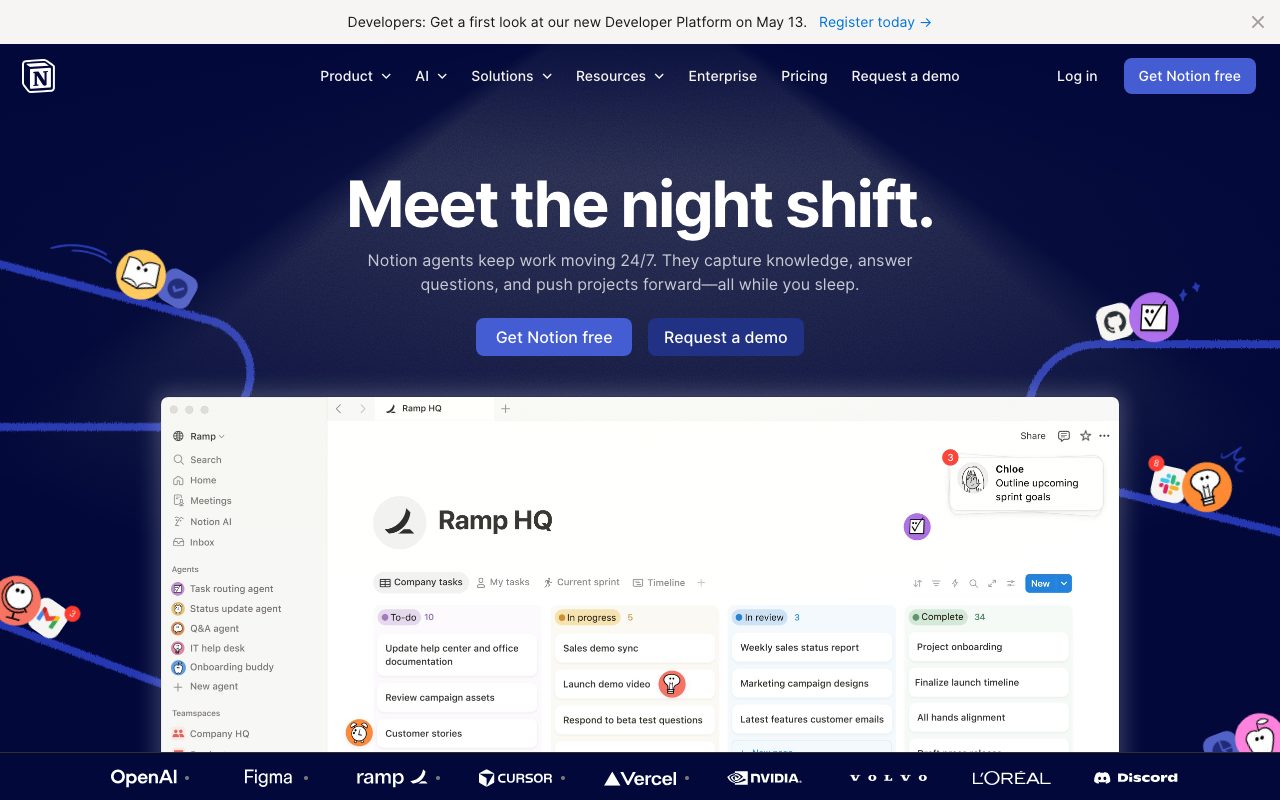
Notion treats every page as a tree of blocks. A block can be text, a heading, a database, an embed, or another page. Pages can contain databases. Databases can be filtered, grouped, and viewed as table, board, calendar, gallery, or timeline. The model is simple but composes into nearly anything.
Most teams use Notion for company wikis, meeting notes, project trackers, OKR documents, and onboarding guides. Some use it as a lightweight CRM or a content publishing pipeline. The model bends to whatever shape you push it into.
Databases as the secret sauce
Notion databases are where the real power lives. A database is a collection of pages with shared properties. You can view the same database as a kanban board for engineering, a timeline for design, and a list for the CEO. The data is one source, the views are many.
Who Notion fits
Notion fits early stage startups, mid-size companies, and remote-first teams. Solo creators and freelancers also do well with the free or Plus tier. Anyone whose work is mostly knowledge work and document collaboration finds value.
Notion isn't ideal for high-velocity engineering bug tracking or large enterprise compliance use cases. Linear or Jira will outperform Notion on engineering throughput. Confluence with formal governance still wins in regulated enterprises. For everything in between, Notion is competitive.
Notion pricing
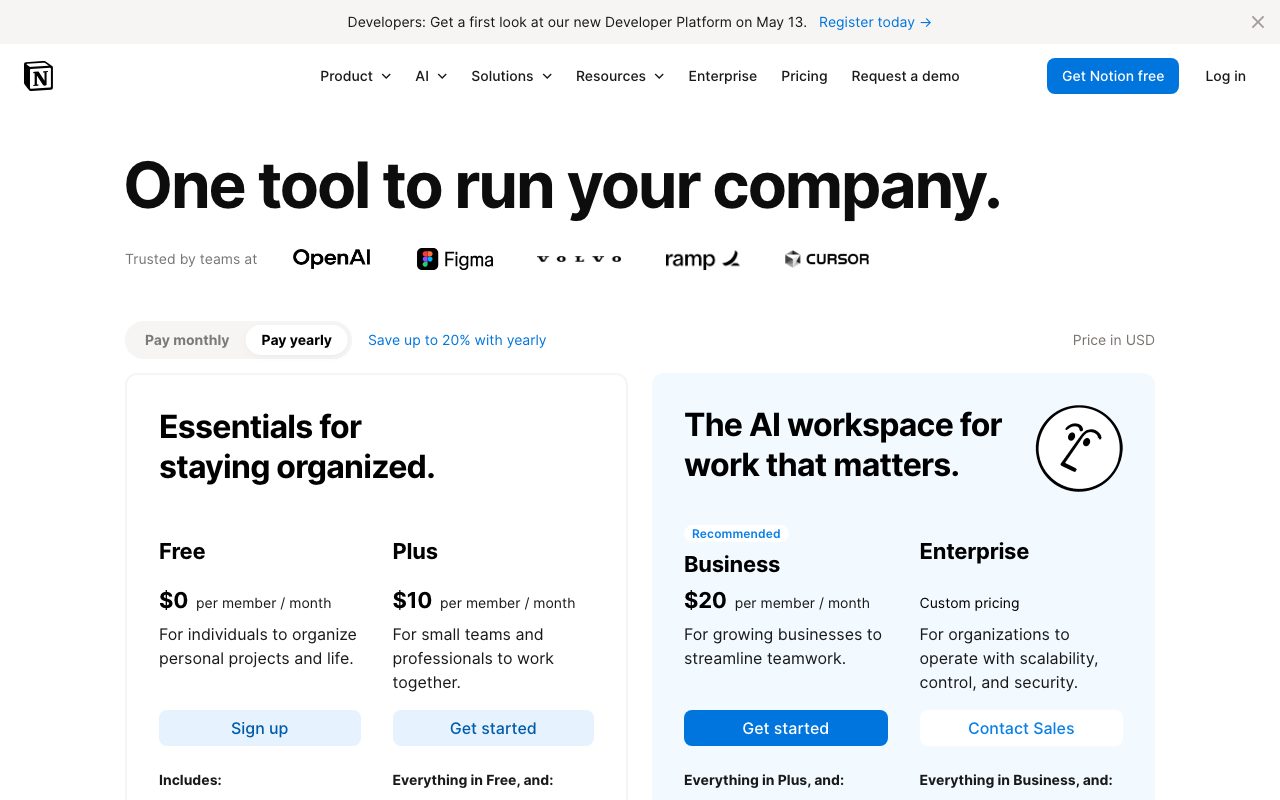
Notion has a real free tier for individuals and small teams. The Plus plan at $10 per user per month adds unlimited file uploads and longer history. Business at $18 includes private team spaces and SSO. Enterprise adds advanced security, audit logs, and SLA.
Notion AI is a separate add-on at $10 per user per month, or bundled at higher tiers. Education accounts get most features free with a school email. The pricing is competitive against Confluence and on par with Coda.
Notion features that matter
The block-based editor is the daily-use surface. Slash commands, drag-to-reorder, and rich embeds work fluidly. The mention system pulls in pages, people, dates, and database items inline. Templates accelerate repeated structures like meeting notes and project briefs.
Synced blocks let one piece of content live in multiple pages. Relations and rollups connect databases across spaces. Formulas in databases handle calculations, conditionals, and date math. The combination is closer to a spreadsheet plus wiki plus task tracker than any single category.
Notion AI
Notion AI handles writing assistance, summarization, translation, and Q&A across your workspace. It runs on top of OpenAI and Anthropic models. The Q&A feature can answer questions like "what was the budget for Project X?" by pulling from your actual workspace pages. Quality is good but not magic.
Tradeoffs
Notion is slow at scale. Workspaces with thousands of pages and many active users feel sluggish. Search has improved but still misses things you'd expect it to find. Mobile is functional, not delightful. Offline support is partial.
Notion's flexibility is also its weakness. Teams build elaborate setups that nobody else understands. New hires spend their first week learning the team's custom Notion conventions. Discipline and templates help, but the freeform nature means every team rebuilds the same patterns slightly differently.
Notion is the right default workspace for most teams under 500 people. The flexibility tax is real but smaller than the cost of stitching five separate tools together.
Notion vs alternatives
Compared to Confluence, Notion is friendlier and more flexible but less governed. Confluence wins for regulated enterprises with formal documentation requirements. Compared to Coda, Notion is broader on adoption while Coda is deeper on automation and formulas.
Compared to Obsidian, Notion is collaborative while Obsidian is local-first and single-player. Different tools for different jobs. See our best team wikis roundup, Notion alternatives guide, and Notion vs Confluence breakdown.
Bottom line on Notion
Notion is the safe default for any team that wants documentation, light project management, and structured data without buying three separate tools. The free tier is generous enough to start. The Business tier covers most growing companies.
If you've used Notion poorly in the past, that was probably a structure problem, not a Notion problem. Investing a day in templates and a clear page hierarchy makes the difference. Most teams that leave Notion eventually come back, because the alternatives have their own gravity issues at scale.
Notion patterns that scale
The Notion setups that survive past 100 employees share a few patterns. There's a clear top-level structure: Company Wiki, Teams, Projects, Resources. Each section has owners. Templates exist for the most common page types: meeting notes, project briefs, retrospectives, decision records. New pages start from templates.
The opposite anti-pattern is a free-for-all where every team builds its own structure. After two years, finding anything requires asking three people. The cost of that disorganization compounds with headcount. A weekend invested in defining structure during the first 50 hires saves enormous time later.
Database design for the long term
Notion databases are the leverage point. A well-designed Tasks database with clear properties (status, owner, project, priority, due date) replaces task tracking in a project management tool. A Customers database with properties for stage, value, and contact replaces a lightweight CRM.
The trick is fewer databases, more views. One Tasks database with kanban view for engineering, list view for the CEO, and calendar view for everyone has a clean schema and stays useful. Five separate task databases per team turns into chaos. Resist the urge to fragment.
Notion versus dedicated tools
The honest tradeoff: Notion is good enough at many things and best at none. For team wikis, it's near best in class. For lightweight project tracking, it's adequate. For engineering ticket tracking, Linear is significantly better. For complex relational data, Airtable wins. For documents alone, Google Docs is faster.
The case for Notion is that the cost of stitching specialized tools usually exceeds the cost of using one tool that's pretty good at all of them. Information lives where you wrote it. Cross-references work. Search hits across everything. That convenience compounds even when individual features are weaker.
Common Notion questions
How is Notion's offline support? Improving but still limited. Recent updates added partial offline editing. Large workspaces still struggle with reliable offline access. For users who often work without connectivity, Obsidian or Logseq remain better choices for primary note-taking.
Can Notion replace Asana or Linear for project management? Notion can handle simple project management for non-technical teams. Engineering teams almost always prefer Linear for issue tracking due to its speed, keyboard shortcuts, and developer-friendly UX. The right pattern is often Notion for documentation and Linear for engineering issues.
What about Notion AI in 2026? Notion AI uses GPT-4 and Claude under the hood for writing assistance, summarization, and Q&A across the workspace. The Q&A feature is genuinely useful for finding things across a sprawling workspace. The writing assistance is competent but not differentiated from using Claude or ChatGPT directly. The integration is what makes it valuable.
Notion migration considerations
Migrating to Notion is straightforward for most sources. Confluence, Coda, Roam, and Google Docs all have decent import paths. The friction is usually in deciding the new structure rather than moving the bytes. Plan a few days for restructuring, not just import.
Migrating off Notion is harder. The export gives you HTML or Markdown but loses much of the structure. Database relations don't survive export cleanly. Embeds break. Synced blocks become duplicates. Teams that migrate away usually rebuild from scratch in the new tool rather than trying to preserve everything. Plan accordingly when committing to Notion at scale.
Final take on Notion
Notion remains the most flexible workspace tool for teams that don't want to assemble a stack of specialized products. The platform has matured significantly. Performance has improved. Database features have deepened. AI integration is functional. For most teams under a few hundred employees, Notion can carry the load that used to require Confluence plus Asana plus a wiki plus a CRM.
The criticisms remain valid. Notion still gets slow at scale. Search still misses things. Mobile still trails desktop. The flexibility tax is real and shows up most painfully when teams build elaborate setups that nobody else understands. None of these are showstoppers, but they're persistent enough to drive some teams to alternatives.
For new companies starting in 2026, Notion is the safe default for documentation and lightweight project tracking. The free tier is real, the Plus tier covers most growing companies, and the Business tier handles serious team scale. The best practices for keeping Notion useful long-term are well-established now. Investing a day in templates and structure during onboarding prevents most of the long-term mess. For teams willing to make that investment, Notion remains the right answer.
Tutorial / Demo
Key Features
- Flexible documents with drag-and-drop blocks
- Powerful database system with multiple views
- Real-time collaboration and commenting
- Template gallery with 1000+ templates
- API and integrations with 100+ tools
- Offline mode for mobile and desktop
- Version history and page analytics
- Custom domains for public pages
Pros & Cons
What we like
- Extremely flexible - adapts to any workflow
- Replaces multiple tools (docs, wikis, project management)
- Beautiful, clean interface
- Generous free tier for individuals
- Active community sharing templates
Room for improvement
- Can feel overwhelming at first
- Performance can lag with large databases
- Offline mode has limitations
- No native Gantt charts
Frequently Asked Questions
What is Notion used for?
Is Notion free to use?
What are the pros and cons of Notion?
Who should use Notion?
Best For
Featured in
Tags
Alternatives to Notion
Kibu
Vertical software for disability service providers covering compliance, documentation, and programming

Coda
Documents that grew up to become apps, with tables, buttons and formulas baked in
Obsidian
A powerful knowledge base that works on local Markdown files

Confluence
Atlassian's long-running team wiki that anchors many enterprise knowledge stacks
Our take
Tool Index Editorial · May 2026· 4.6/5
What Notion is really selling — beyond the marketing copy — is all-in-one workspace for notes, docs, and collaboration.
What it actually does well: Extremely flexible - adapts to any workflow, Replaces multiple tools (docs, wikis, project management), and Beautiful, clean interface. Less impressive: Can feel overwhelming at first and Performance can lag with large databases.
Verdict: Notion comfortably earns its spot in the category — a smart default when you need product teams.
Editorial opinion from the Tool Index team, written from the public product pages. Not a user review.
Reviews (5)
Surprised how much we use this
Found Notion on a Reddit thread, glad I clicked. The biggest win has been extremely flexible - adapts to any workflow. Real-time collaboration and commenting works the way you'd hope.
Pros
- Generous free tier for individuals
Finally something that fits
Tried Notion on a side project first. The biggest win has been extremely flexible - adapts to any workflow. The real-time collaboration and commenting is more useful than I expected. Found it works best for remote teams. Worth the price for what I get out of it.
Two months in, no regrets
Adopted Notion for one project, ended up using it for more. The biggest win has been beautiful, clean interface. Worth the price for what I get out of it.
Pros
- Active community sharing templates
Stuck the landing for our team
Got Notion on the recommendation of someone I trust. The thing I keep coming back to: generous free tier for individuals. Main use case: content creators. Sticking with Notion.
Pros
- Extremely flexible - adapts to any workflow
Good for most of what we need
Notion is one of those tools you stop noticing because it just works. Real selling point: active community sharing templates. Worth a trial if you're in the same boat.
Pros
- Beautiful, clean interface
- Active community sharing templates
Badge builder
Add Notion to your website
Choose a badge style and size, preview it here, then copy the generated HTML. Badge images are self-contained SVGs and do not require an external script.

<a href="https://toolindex.net/tools/notion?ref=badge" target="_blank" rel="noopener">
  <img src="https://toolindex.net/badge/notion/medium.svg" alt="Notion - Listed on Tool Index" width="180" height="50" />
</a>How to use the badge
- 1. Pick the style, size, and theme that fit your layout.
- 2. Copy the generated HTML from the code block.
- 3. Paste it into your footer, homepage, or press page.
Standard badge available
The standard listing badge is available now. Score and circle badges are limited to tools currently ranked in the top 10 of a category.
Badge clicks return visitors to this profile with a referral tag so the source remains identifiable.
Related Tools
Confluence
Atlassian's long-running team wiki that anchors many enterprise knowledge stacks
Asana
Project management for teams that live in projects, tasks and dependencies
Kevin Gabeci Toolkits
Seven AI toolkits for writing books, making music, cutting video, and building agents.

Logseq
An open-source outliner notes app where every bullet is a first-class block
Work on Notion? Request listing access or correction