
Coda
Documents that grew up to become apps, with tables, buttons and formulas baked in
Gallery
About Coda
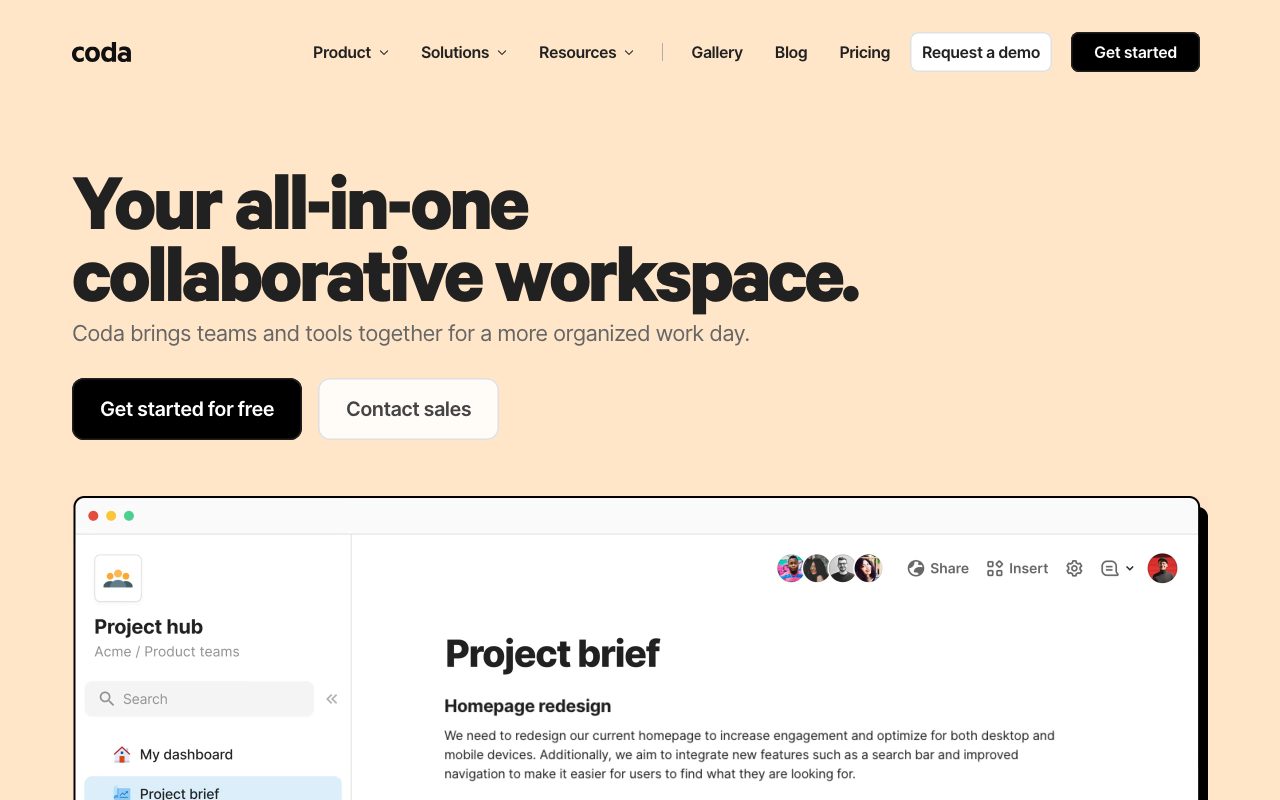
Coda is the document tool that decided documents should be apps. That sounds like a marketing pitch, but it's actually the product thesis, and it changes what you can do.
Founded by Shishir Mehrotra (ex-YouTube) and Alex DeNeui in 2014, Coda spent four years in stealth before launching publicly. The investor pedigree is heavy: Greylock, General Catalyst, Khosla Ventures.
If you've used Notion and felt the formula engine was too anemic, Coda is what you're looking for. Here's the full picture.
What Coda actually does
A Coda doc starts looking like a wiki page. Then you embed a table. The table is a real database, not a styled list, with columns that have types: text, number, date, lookup, formula.
You can write a formula that references rows in another table on a different page. You can add buttons that mutate data when clicked. You can build a "Pack" (Coda's word for integrations) that pulls data from Slack, Jira, Salesforce, or 600+ other services.
The result is documents that feel like Airtable wrapped in Notion's writing experience, with formula power closer to Excel than either of them.
Who Coda is for
Power users in operations, product, and HR roles love Coda. The classic use case is a team that outgrows Google Docs but doesn't want to wire together Notion plus Airtable plus Zapier.
It's also a favorite for small companies that want one tool to be their wiki, their lightweight CRM, their OKR tracker, and their meeting notes app. The flexibility lets you avoid SaaS bloat for a while.
Coda isn't for everyone. If you write code, Notion's simpler model is faster. If you need real database power, Airtable or PostgreSQL is the answer. Coda lives in the middle, and you have to actually want the middle.
Pricing breakdown
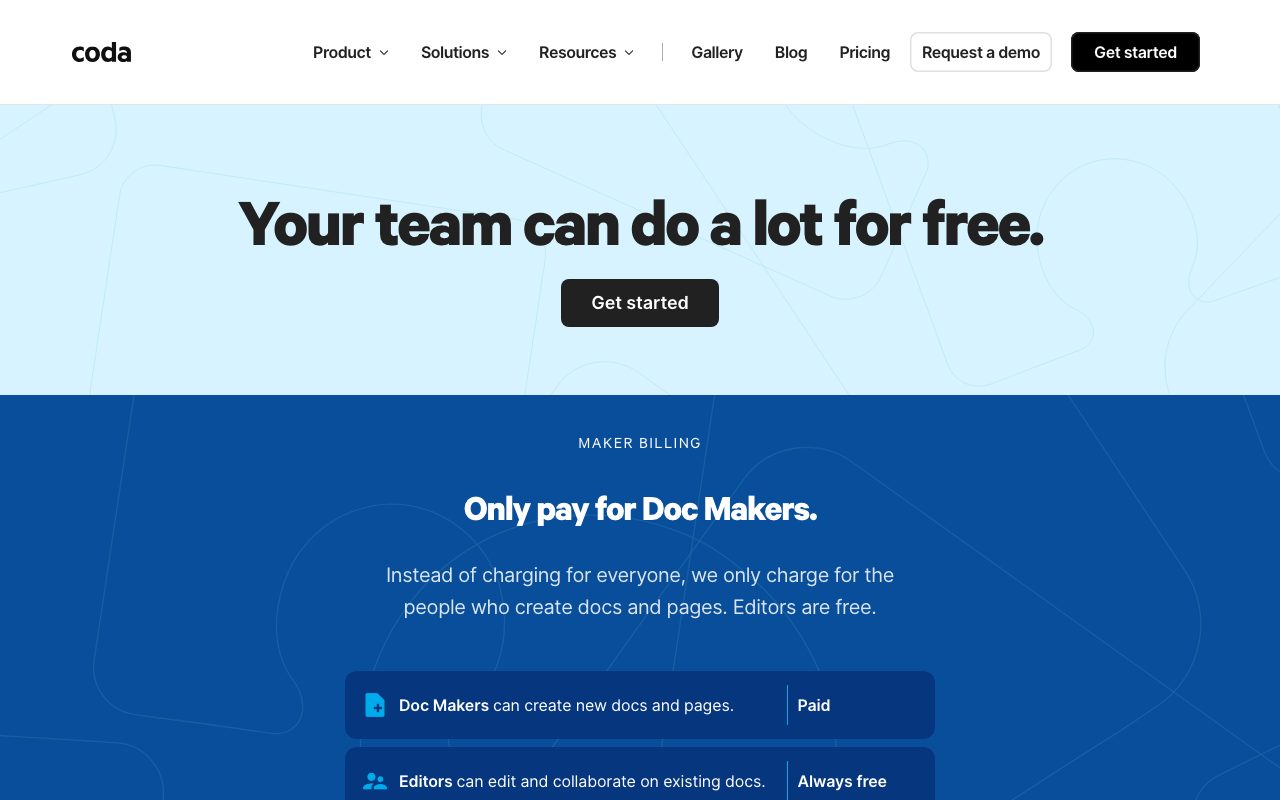
Free tier includes unlimited doc creators and viewers but caps at 50 objects per doc. Sounds restrictive; in practice, it's enough to evaluate seriously.
Pro is $10/month per Doc Maker, billed yearly. Team is $30/month per Doc Maker, adding cross-doc syncing and version history. Enterprise is custom and includes SSO, audit logs, and admin controls.
The pricing model is unusual. You pay per Doc Maker (people who can edit), not per viewer. A team of 50 with 5 Doc Makers pays for 5. That's friendly to read-heavy organizations.
Standout features
Formulas that actually work
Coda's formula language is the closest thing to "Excel for the web" I've used. You can do `Tasks.Filter(Status="Open").Sort(Due).First()` and it just works. Notion's formulas can't touch this.
Cross-doc references mean you can have a master "OKRs" doc that pulls from "Engineering Roadmap" and "Sales Targets" docs. Updates propagate automatically.
Buttons and automations
Buttons in Coda execute formulas, post to Slack, send emails, create rows, or trigger Packs. You can build approval workflows where a click in a doc updates Salesforce and pings the requester.
This is the feature that turns docs into apps. It also turns Coda into a low-code platform for anyone who can write formulas.
The Pack ecosystem
Packs are Coda's integrations. Notable ones: Salesforce, Jira, GitHub, Slack, Google Calendar, OpenAI. You can write your own Packs in JavaScript using Coda's SDK.
Coda's Packs make it the only "doc tool" that can actually replace Zapier for simple workflows. Most users don't realize this until they try.
Honest tradeoffs
The learning curve is real. Notion you can pick up in an hour. Coda takes a week to feel comfortable. The power is real, but you have to invest to access it.
Performance gets sluggish on huge docs. If you have 10,000 rows across multiple tables with cross-references, expect lag. The team has improved this significantly, but it's still a ceiling.
Mobile experience is functional. Editing a complex doc on phone is painful. Read-only access works fine. Notion's mobile is better polished.
Coda vs alternatives
Versus Notion: Notion is faster to learn, better for writing, and has stronger note-taking. Coda has dramatically better databases and formulas. Use Notion if writing is the primary task. Use Coda if data and automation matter.
Versus Airtable: Airtable is purer database, better for project trackers and CRMs that need spreadsheet ergonomics. Coda is better when you want to mix prose and data. Different shapes of the same vague problem.
Versus Microsoft Loop or ClickUp Docs: Loop is the Microsoft answer that works inside Teams. ClickUp Docs is project-management adjacent. Both are weaker on formula depth than Coda.
Compare directly via Coda vs Notion or browse best note-taking tools.
Bottom line
Coda is the tool I recommend when someone says "we tried Notion and outgrew it" or "we don't want a tool for every workflow." It rewards investment and pays back in flexibility.
The bet is whether your team has the patience to learn it. If yes, Coda saves you from buying three SaaS tools. If no, stick with Notion or whatever you have. Tool sophistication only helps if humans actually use it.
Also see tools for operations for adjacent workflow tools.
Real Coda use cases
Some patterns repeat across Coda's most successful customers. Product roadmaps with synced dependencies. OKR trackers that pull from team-specific docs. Hiring pipelines with calculated days-in-stage. Content calendars with auto-status from Slack.
One pattern that particularly suits Coda: building approval workflows. A doc has a table of requests, a button that submits to a Pack (Slack notification), conditional formatting based on approver status, and email triggers when status changes. All in one doc, no Zapier required.
Another sweet spot: meeting templates with persistent state. Weekly leadership meetings where action items from last week's doc auto-populate this week. The cross-doc references handle this elegantly.
Coda for personal use
Beyond teams, Coda has a quiet following among power users running personal systems. Reading lists, habit trackers, project journals, recipe collections. The flexibility appeals to the same people who built elaborate Notion templates.
The Free tier (50 objects per doc) limits how far you can go without paying. For most personal use, it's enough. For comprehensive life management, the Pro tier at $10/month is reasonable.
Coda's mobile experience for personal use is acceptable. The desktop or browser experience is much better. If you're a phone-first user, Notion might fit better.
Coda Packs ecosystem
Packs are Coda's integrations system. The Pack Studio lets developers (or technical users) build custom Packs in JavaScript. The Pack registry has 600+ public Packs covering common SaaS tools.
Notable Packs: Slack (read messages, post messages, manage channels), Salesforce (read/write opportunities and contacts), Jira (sync issues), GitHub (manage PRs and issues), OpenAI/Anthropic (generate text via formulas).
The OpenAI Pack opened a new use case: AI-powered formulas. You can write `OpenAI.Complete("summarize this", [text column])` and Coda generates summaries on demand. Useful for content workflows.
Building custom Packs
The Pack SDK uses TypeScript. The development experience is decent: local CLI, type-checked manifests, deploy with one command. Packs can be private (single workspace) or public (Coda Pack store).
If your team has unique internal APIs you want to surface in Coda, building a Pack takes a day or two. The result is a clean integration that all your docs can use.
Common Coda questions
Can Coda replace my Notion + Airtable + Zapier stack?
Often, yes. The combination of writing, databases, and automation in one tool eliminates the SaaS sprawl problem. The trade-off is consolidated power vs specialized depth.
Notion has stronger AI features and pure note-taking. Airtable has stronger database administration and views. Zapier has wider integration coverage. Coda lands in the middle and fits 80% of teams.
How does Coda handle data privacy?
Coda is SOC 2 Type II compliant. Data is encrypted at rest and in transit. Enterprise plans include workspace-level audit logs and SAML SSO. GDPR compliance is documented.
For sensitive data, Coda is acceptable for most use cases but isn't HIPAA-compliant out of the box. Healthcare and financial services should evaluate carefully.
What happens if Coda shuts down?
Realistic question. The data export tool produces JSON for tables and Markdown for pages. You won't lose your data, but the formula logic and Pack integrations don't transfer. The UX you built doesn't survive.
This is the no-code platform risk. Mitigate by keeping critical workflows simple enough to rebuild elsewhere.
For more options, see best no-code platforms or tools for product managers.
Tips for getting the most from Coda
Start small. Don't try to migrate your entire workflow on day one. Pick one workflow that hurts (project tracker, OKR doc, content calendar) and rebuild it in Coda. Learn the patterns. Expand from there.
Use templates. Coda's gallery has hundreds of public templates covering common use cases. Borrow from them rather than starting blank. The first viable template usually exists.
Invest in the formula language. Two hours of learning Coda formulas pays back many times over. The power compounds with practice.
For more workflow inspiration, see tools for operations.
Tutorial / Demo
Key Features
- Tables, views and formulas inside docs
- Buttons and automations
- Packs for external integrations
- Multiple views of the same table
- Templates for OKRs, hiring, launches
- Real-time collaboration and comments
Pros & Cons
What we like
- Real database power inside a writing surface
- Strong template gallery
- Formulas approachable for spreadsheet users
- Free plan supports unlimited makers
Room for improvement
- Pricing model based on doc makers takes adjustment
- Performance can lag on very large docs
- Steeper than a pure docs tool
Frequently Asked Questions
Does Coda have a free tier?
Coda vs Notion, what's the real difference?
Can I build internal tools in Coda?
Does Coda have integrations?
What are the deal-breakers?
Best For
Featured in
Tags
Alternatives to Coda

Notion
All-in-one workspace for notes, docs, and collaboration

Airtable
Spreadsheet-database hybrid with linked records, multiple views, automations, and an interface designer for internal apps.

Heptabase
Visual knowledge base for research, learning, and connected note cards

Bear
A beautiful Markdown notes app for Apple devices that doubles as a writing tool
Our take
Tool Index Editorial · May 2026· 4.8/5
Coda sits in a crowded category, differentiating itself as documents that grew up to become apps, with tables, buttons and formulas baked in.
Worth highlighting: Real database power inside a writing surface, Strong template gallery, and Formulas approachable for spreadsheet users. The friction points: Pricing model based on doc makers takes adjustment and Performance can lag on very large docs.
Verdict: Coda comfortably earns its spot in the category — a smart default when you need internal team operating systems.
Editorial opinion from the Tool Index team, written from the public product pages. Not a user review.
Reviews (7)
Best decision this quarter
Tried half a dozen options before landing on Coda. The thing I keep coming back to: formulas approachable for spreadsheet users. Worth calling out the buttons and automations too. Still recommending it to people in similar setups.
Pros
- Strong template gallery
Cancelled after a month
Hadn't planned on switching, but Coda was hard to ignore. Where it really wins is strong template gallery. Main use case: internal team operating systems. Wish they'd address how performance can lag on very large docs. Might revisit when they iterate further.
Glad I tried it, not sure I'd renew
Picked Coda for the lower price, stayed for the actual quality. Real selling point: free plan supports unlimited makers. Worth calling out the buttons and automations too. It fits well for internal team operating systems.
Coda has been a quiet upgrade
First impression of Coda was 'huh, this is actually thought through.' Real selling point: strong template gallery. Worth calling out the buttons and automations too. Main use case: internal team operating systems. That said, pricing model based on doc makers takes adjustment is a real gripe. Would buy again without thinking twice.
Pros
- Free plan supports unlimited makers
- Formulas approachable for spreadsheet users
Beautiful demo, painful reality
Skeptical at first because Coda looked too simple. It's not. Where it really wins is strong template gallery. Worth calling out the packs for external integrations too. Found it works best for lightweight CRMs and trackers. That said, performance can lag on very large docs is a real gripe.
Coda is fine, here's the real take
Coda solves a real problem for me, but it's not magic. What stands out is how formulas approachable for spreadsheet users. Their take on multiple views of the same table is solid. Not perfect: performance can lag on very large docs. Decent value once you accept the rough edges.
Easy 5 from me
Took a few weeks for Coda to click, then it stuck. What stands out is how real database power inside a writing surface. Worth calling out the packs for external integrations too. Mostly using it for internal team operating systems. Honest gripe: steeper than a pure docs tool. Would buy again without thinking twice.
Pros
- Strong template gallery
- Real database power inside a writing surface
- Free plan supports unlimited makers
Cons
- Steeper than a pure docs tool
Badge builder
Add Coda to your website
Choose a badge style and size, preview it here, then copy the generated HTML. Badge images are self-contained SVGs and do not require an external script.

<a href="https://toolindex.net/tools/coda?ref=badge" target="_blank" rel="noopener">
  <img src="https://toolindex.net/badge/coda/medium.svg" alt="Coda - Listed on Tool Index" width="180" height="50" />
</a>How to use the badge
- 1. Pick the style, size, and theme that fit your layout.
- 2. Copy the generated HTML from the code block.
- 3. Paste it into your footer, homepage, or press page.
Standard badge available
The standard listing badge is available now. Score and circle badges are limited to tools currently ranked in the top 10 of a category.
Badge clicks return visitors to this profile with a referral tag so the source remains identifiable.
Related Tools

Confluence
Atlassian's long-running team wiki that anchors many enterprise knowledge stacks
Asana
Project management for teams that live in projects, tasks and dependencies
Kevin Gabeci Toolkits
Seven AI toolkits for writing books, making music, cutting video, and building agents.

SoloDevStack
A solo developer blog built on head-to-head tool comparisons, 580+ posts deep.
Work on Coda? Request listing access or correction