
Slack
Where work communication happens
Gallery
About Slack
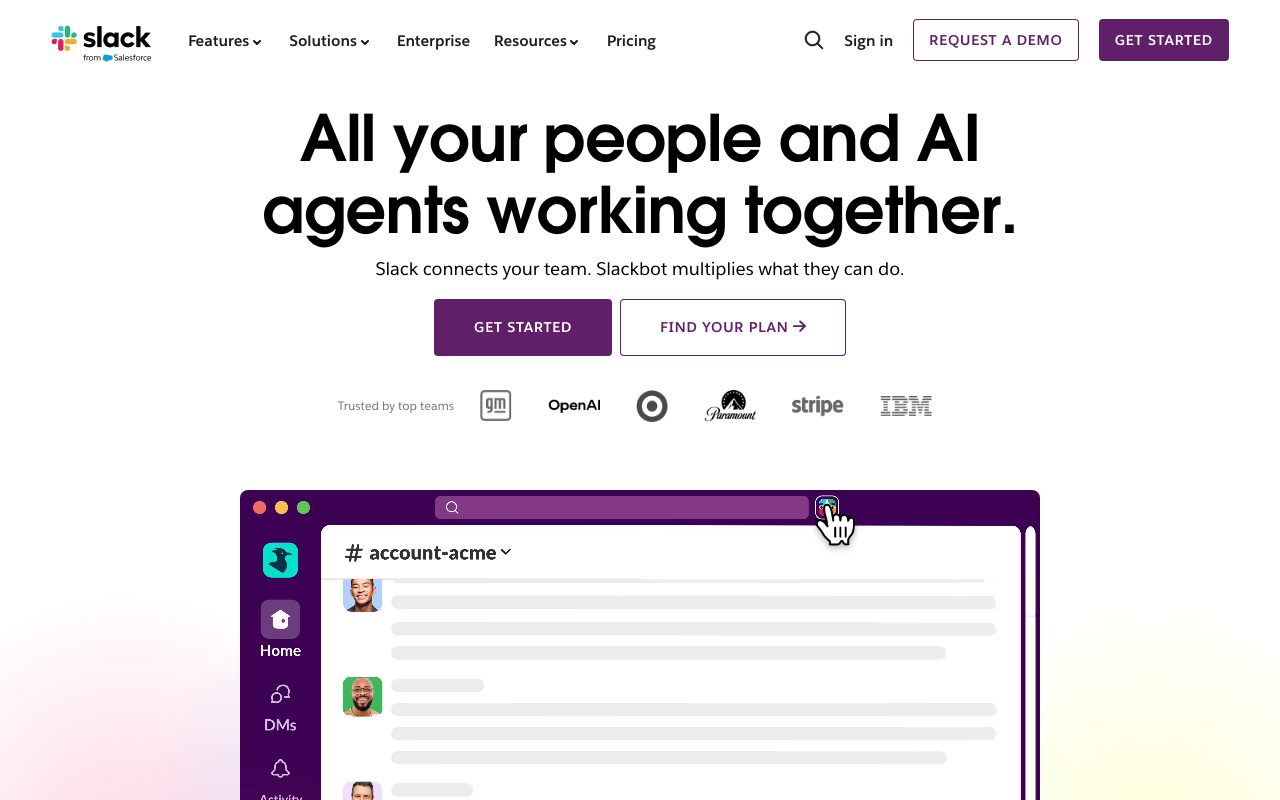
Slack is the messaging app that became infrastructure. Founded in 2013, acquired by Salesforce in 2021, used by basically every modern company. If your job involves a computer and other humans, you probably have Slack open right now.
It's loved and hated in equal measure. Loved for replacing email; hated for replacing focused work with constant pings. Both reactions are correct.
What Slack actually does
Slack organizes team communication into channels. Each channel is a topic, a project, or a team. Messages thread inside channels. DMs cover one-on-one and small group chats.
Beyond messages, Slack hosts file uploads, shared search, voice and video huddles, and a deep app directory. Workflows let non-engineers automate routine tasks. Slack Connect extends channels across companies.
The search is genuinely good. Years-old conversations resurface in seconds. That's a reason teams resist switching even when they want to.
Who Slack is for
Daily team communication. Cross-departmental collaboration in remote-first companies. Developer operations with GitHub, Jira, and CI/CD alerts. Customer support coordination. Open-source community building.
The breadth is the moat. Slack works for two-person teams and 100,000-person enterprises. Few products span that range.
Slack pricing breakdown
The free plan caps message history at 90 days. You keep all your messages, but only the last 90 days are searchable. That's the upgrade pressure.
Pro runs $7.25 per user per month billed annually. Business+ runs $12.50 per user per month. Enterprise Grid is custom-quoted.
Pro removes the message history limit, adds Slack Connect with up to 250 partners, and unlocks unlimited apps. Business+ adds compliance, exports, and SAML SSO.
At 100 paid seats on Pro, you're spending around $9,000 per year. The bills become real at scale.
Standout Slack features
Channels reduce email volume meaningfully. The structure encourages topic-based threads instead of CC-everyone email chains. The first month of replacing email with channels is genuinely freeing.
Search across years of message and file history is the killer feature. Onboarding new hires gets dramatically easier when they can search past discussions.
Third-party integrations cover nearly every business tool. GitHub, Jira, Notion, Salesforce, Zendesk, AWS, the list goes on. Most actions can happen inside Slack.
Slack Connect for cross-company channels is underrated. Vendor relationships, customer-success channels, and partner collaborations all work better than email.
Free tier remains generous enough for small teams to use indefinitely if they don't need history.
Honest tradeoffs
Channels can become overwhelming with too many notifications. Default settings are loud. Most heavy users spend an afternoon configuring DND and notification filters before Slack stops feeling oppressive.
Message history on the free plan is limited to 90 days. Anything older becomes invisible. For new teams, that hits faster than you'd expect.
Paid plans get expensive at scale. Enterprise Grid pricing especially. Larger orgs sometimes evaluate Microsoft Teams just for the bundle savings.
Real-time chat culture pressures employees into always being available. Slack didn't invent that pressure but it sure amplified it. Set norms or burn out.
Slack is what your team makes of it. The defaults are noisy. Configured well, it's the best work tool you have.
Slack vs the alternatives
The headline peer is Microsoft Teams. Teams comes free with Microsoft 365 and dominates Office-bundled enterprises. Slack remains stronger on standalone polish and integrations.
Discord rules communities and gaming. Some startups use it for team comms too. The voice quality is excellent.
Google Chat exists. Most Google Workspace shops still pick Slack alongside it.
For developer-focused alternatives, Element and Mattermost offer self-hosted Matrix-based options.
See best team chat tools, Slack alternatives, and Slack vs Teams.
Bottom line on Slack
Slack is the default for good reason. The integrations, the search, and the network effect make it the path of least resistance. The pricing stings at scale, but most teams pay it.
If your team isn't on Slack yet and isn't on Teams, sign up. The first week of replacing email is worth the seats alone.
Slack for engineering teams
Engineering teams use Slack as the central notification surface. GitHub events, CI/CD alerts, error monitoring, and on-call pages all funnel into channels. The integrations turn Slack into a developer dashboard.
Channel naming conventions matter at scale. The pattern most teams adopt: #team-X for team channels, #project-Y for project work, #help-Z for help desks, #ops-alerts for monitoring. Consistency reduces cognitive overhead.
Threads keep channels readable. Reply in thread on long discussions. Post the summary back to the channel when resolved. Most teams enforce this culturally rather than technically.
Slack workflow automation
Workflow Builder lets non-engineers automate routine tasks without code. Form submissions, scheduled reminders, and approval flows all build with a visual editor.
The Slack API and bots cover anything Workflow Builder can't. Custom slash commands, interactive messages, and event handlers enable rich integrations. Most engineering teams have one or two custom Slack bots.
Slack Connect with external organizations replaces email for vendor and partner relationships. Joint channels keep context in one place across companies.
Slack common questions
"How do I tame notifications?" Configure DND aggressively. Mute channels you don't need. Use keywords to surface only the messages that matter.
"Is Slack secure?" Generally yes. Enterprise Grid adds compliance features. Smaller plans include basic encryption and access controls.
"What's the message history limit?" 90 days on the free plan. Unlimited on paid plans.
"How does Slack compare to Microsoft Teams?" Slack wins on polish, integrations, and developer love. Teams wins on price for Microsoft 365 customers and corporate IT acceptance.
Final word on Slack
Slack is the default for good reasons. The integrations, the search, and the network effects make it the path of least resistance. The pricing stings at scale, but most teams pay it.
If your team isn't on Slack and isn't on Teams, sign up. The first week of replacing email is worth the seats alone.
Configure it well. Default Slack is loud and overwhelming. Configured Slack is the best work tool many teams have.
Slack channel patterns
Topic-based channels (#topic-x) work better than role-based channels (#engineering) at scale. Topics are findable; roles aren't.
Help-desk channels (#help-z) consolidate questions about specific tools or domains. New hires ask questions in one place. Answers become searchable for future hires.
Announcement channels with limited posting rights keep noise down. Only managers post. Everyone else reads.
Social channels (#random, #pets, #food) build culture. Optional but valuable, especially for remote teams.
Project channels (#project-y) wrap up when projects end. Archive instead of letting them rot.
Slack notification hygiene
Default settings are loud. Most heavy users spend an afternoon configuring DND, channel mute settings, and keyword alerts before Slack feels manageable.
Mute channels you don't need to read in real time. Check them when convenient instead.
Use keyword notifications for the things that matter. Your name, your team's project codes, critical product names. Skip the irrelevant.
Threading discipline matters. Reply in thread on long discussions. Post the conclusion back to the channel when resolved.
Set DND for focus time and after work. Slack defaults assume always-on availability; you don't have to live that way.
Slack for remote teams specifically
Async-first culture beats real-time-first culture for distributed teams. Slack supports both. The norms determine which one wins in practice.
Document important decisions in writing. Slack messages decay; docs don't. Use Slack to discuss, doc to memorialize.
Use voice notes and Loom for tone-sensitive discussions. Pure text loses nuance. The tools coexist.
Time zone awareness matters. Don't expect responses outside someone's working hours. Schedule sends or wait.
Slack pricing strategy
Most teams start free, hit the 90-day history limit, and upgrade to Pro. The history is the upgrade trigger more often than feature requests.
Annual billing saves 15-20 percent over monthly. Worth it for teams that have committed to Slack.
Enterprise Grid pricing requires a sales conversation. Larger orgs sometimes get reasonable discounts; smaller orgs sometimes don't.
Review usage annually. Inactive seats add up. Removing them at renewal saves real money.
Slack long-term outlook
Salesforce ownership has stabilized the product. Pricing has been incrementally increased. The core experience remains recognizable.
Microsoft Teams continues to grow, especially in Office-bundled enterprises. Slack maintains its lead in standalone tech and creative companies.
The integration ecosystem is the moat. 2,600 apps in the directory create switching costs that pure messaging features can't match.
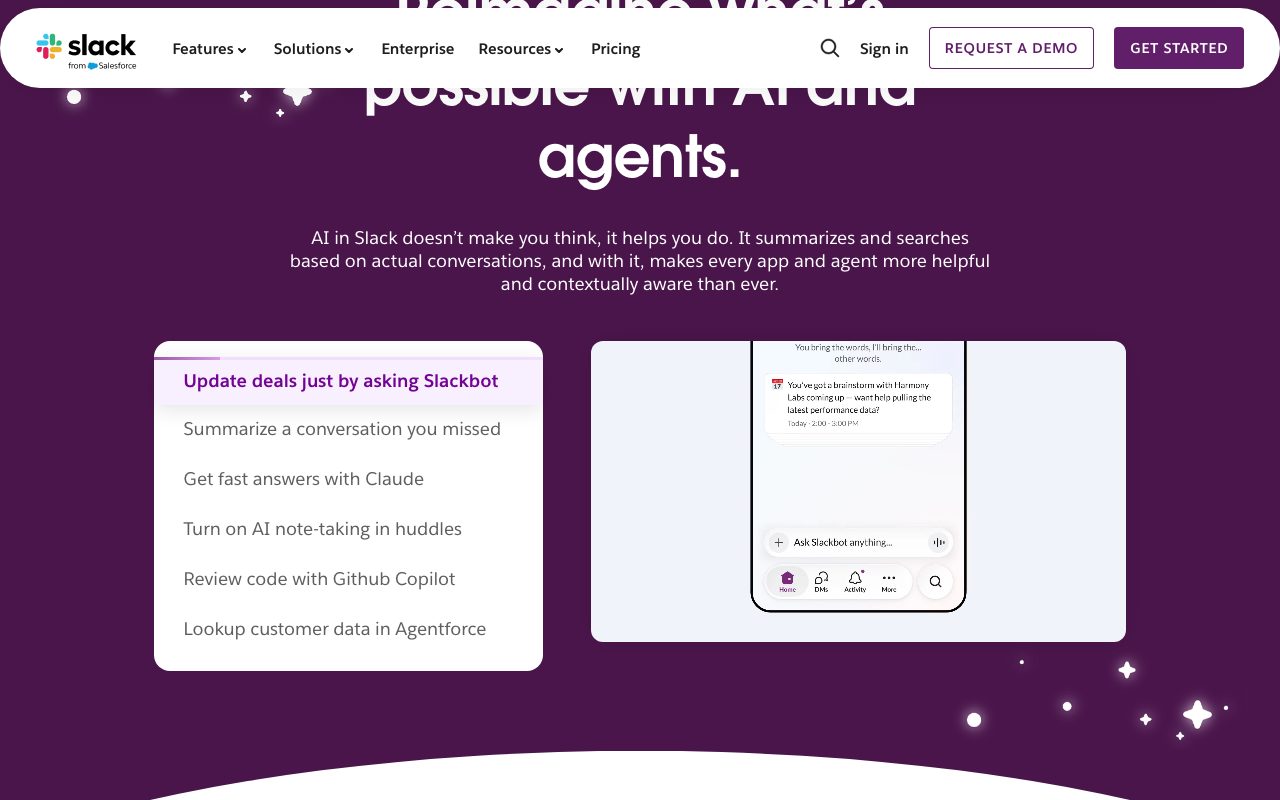
AI features (Slack AI) add summarization, search, and recap capabilities. Adoption is steady but not transformational. The fundamental value is still real-time messaging plus searchable history.
For new teams choosing today, Slack remains the safe pick unless you're deeply committed to Microsoft 365. The network effects, the integrations, and the developer love all reinforce each other.
Tutorial / Demo
Key Features
- Organized channels for teams, projects, and topics
- Threaded conversations to keep discussions focused
- Huddles for quick audio and video calls without scheduling
- Workflow Builder for automating routine tasks without code
- Slack Connect for messaging with external organizations
- Extensive app directory with 2,600+ integrations
- Searchable message and file history across the workspace
Pros & Cons
What we like
- Reduces email volume significantly and speeds up team communication
- Excellent third-party integrations with nearly every business tool
- Powerful search makes finding past conversations and files easy
- Free tier is generous enough for small teams to use indefinitely
- Available on every platform including desktop, web, and mobile
Room for improvement
- Can become overwhelming with too many channels and constant notifications
- Message history on the free plan is limited to 90 days
- Paid plans get expensive at scale, especially for large organizations
- Real-time chat culture can pressure employees into always being available
Frequently Asked Questions
What is Slack used for?
Is Slack free to use?
What are the pros and cons of Slack?
Who should use Slack?
Best For
Featured in
Tags
Alternatives to Slack

Zulip
Threaded team chat that treats topics as a first-class concept

Element
Secure team messaging built on the open Matrix protocol

Discord
Voice, video and text chat that started in gaming and now hosts every kind of community

Twist
Calmer team messaging where threads replace the firehose of channels
Our take
Tool Index Editorial · May 2026· 4.6/5
If you're evaluating Slack, the headline is simple: where work communication happens, and most teams will get value out of the box.
The standout points: Reduces email volume significantly and speeds up team communication, Excellent third-party integrations with nearly every business tool, and Powerful search makes finding past conversations and files easy. The friction points: Can become overwhelming with too many channels and constant notifications and Message history on the free plan is limited to 90 days.
In short: Slack is a strong pick when you need daily team communication and project coordination, and a harder sell if can become overwhelming with too many channels and constant notifications would be a dealbreaker.
Editorial opinion from the Tool Index team, written from the public product pages. Not a user review.
Reviews (7)
Did exactly what I needed
Slack solves a real problem for me, but it's not magic. Genuine strength: excellent third-party integrations with nearly every business tool. The workflow Builder for automating routine tasks without code is more useful than I expected. That said, message history on the free plan is limited to 90 days is a real gripe.
Pros
- Available on every platform including desktop, web, and mobile
- Reduces email volume significantly and speeds up team communication
Cons
- Real-time chat culture can pressure employees into always being available
- Paid plans get expensive at scale, especially for large organizations
Solid daily driver
Slack solves a real problem for me, but it's not magic. The thing I keep coming back to: excellent third-party integrations with nearly every business tool. Main use case: community building for open-source projects and user groups. Worth the price for what I get out of it.
Pros
- Reduces email volume significantly and speeds up team communication
The kind of tool you forget you're paying for
Came to Slack after frustration with what I had before. Where it really wins is free tier is generous enough for small teams to use indefinitely. Mostly using it for customer support coordination and escalation workflows. Wish they'd address how message history on the free plan is limited to 90 days. Hard to imagine going back to my previous setup.
Pros
- Excellent third-party integrations with nearly every business tool
Hit the Slack sweet spot
The pitch for Slack sounded too good to be true. Mostly true. What stands out is how excellent third-party integrations with nearly every business tool.
Recommended without reservation
Hadn't planned on switching, but Slack was hard to ignore. Genuine strength: available on every platform including desktop, web, and mobile.
Pros
- Excellent third-party integrations with nearly every business tool
Beautiful demo, painful reality
Adopted Slack for one project, ended up using it for more. Real selling point: powerful search makes finding past conversations and files easy. Found it works best for developer operations with integrations for GitHub, Jira, and CI/CD alerts. Not perfect: can become overwhelming with too many channels and constant notifications. Looking at alternatives but not in a rush.
Pros
- Available on every platform including desktop, web, and mobile
Worth the price of admission
Skeptical at first because Slack looked too simple. It's not. The biggest win has been powerful search makes finding past conversations and files easy. Got real value out of huddles for quick audio and video calls without scheduling. Mostly using it for daily team communication and project coordination.
Pros
- Free tier is generous enough for small teams to use indefinitely
- Powerful search makes finding past conversations and files easy
- Excellent third-party integrations with nearly every business tool
Badge builder
Add Slack to your website
Choose a badge style and size, preview it here, then copy the generated HTML. Badge images are self-contained SVGs and do not require an external script.

<a href="https://toolindex.net/tools/slack?ref=badge" target="_blank" rel="noopener">
  <img src="https://toolindex.net/badge/slack/medium.svg" alt="Slack - Listed on Tool Index" width="180" height="50" />
</a>How to use the badge
- 1. Pick the style, size, and theme that fit your layout.
- 2. Copy the generated HTML from the code block.
- 3. Paste it into your footer, homepage, or press page.
Score badge available
Slack qualifies for the score and circle badges based on its current top-10 positionin Communication.
Badge clicks return visitors to this profile with a referral tag so the source remains identifiable.
Related Tools

Confluence
Atlassian's long-running team wiki that anchors many enterprise knowledge stacks
Asana
Project management for teams that live in projects, tasks and dependencies
Kevin Gabeci Toolkits
Seven AI toolkits for writing books, making music, cutting video, and building agents.

Substack
Hosted newsletter and publication platform with built-in payments, recommendations, and an audience network for writers.
Work on Slack? Request listing access or correction