
Element
Secure team messaging built on the open Matrix protocol
Gallery
About Element
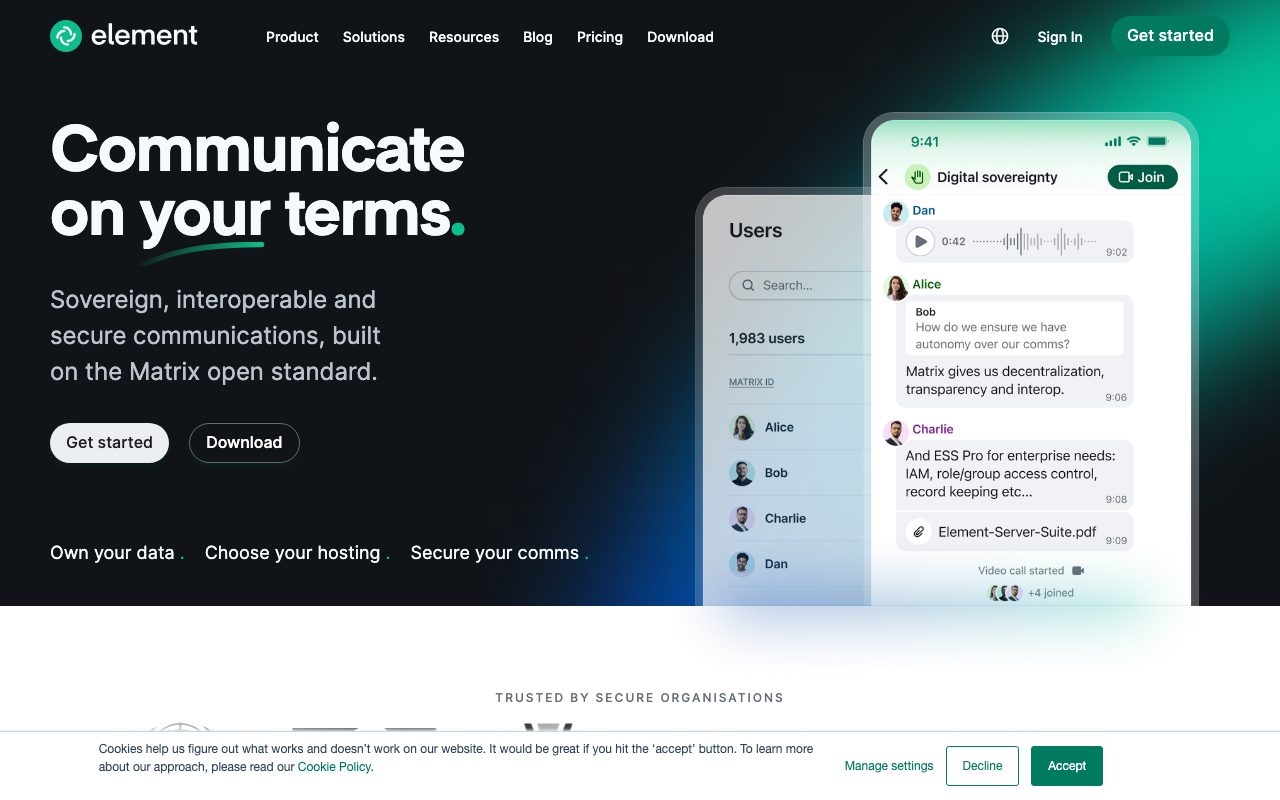
Element is the secure team chat app built on Matrix, the open protocol for decentralized messaging. If Slack and Discord feel like surveillance dressed up as productivity, Element is the alternative. End-to-end encryption, federation, and self-hosting are all baseline.
The team behind Element also stewards Matrix itself. That dual role matters because it means Element isn't just an app, it's the reference client for an entire open ecosystem. Governments, NGOs, and privacy-conscious companies use Element for that reason.
The pitch is simple. You get team chat that works like Slack but doesn't lock you in. You can self-host it. You can federate with other Matrix servers. Your messages are encrypted by default. That's a different value prop than "fastest message delivery."
What Element actually does
Element is a Matrix client. You sign up on Element's hosted servers, on a self-hosted Matrix server, or on someone else's federated server. From there you join rooms, DM people, run video calls, and share files. The familiar chat patterns all work.
What's different is the protocol underneath. Matrix federates. Two users on different servers can chat in the same room. Encryption is end-to-end by default for direct messages and optional for rooms. You own your data because, ultimately, the data lives on a Matrix server you can control.
Encryption that actually works
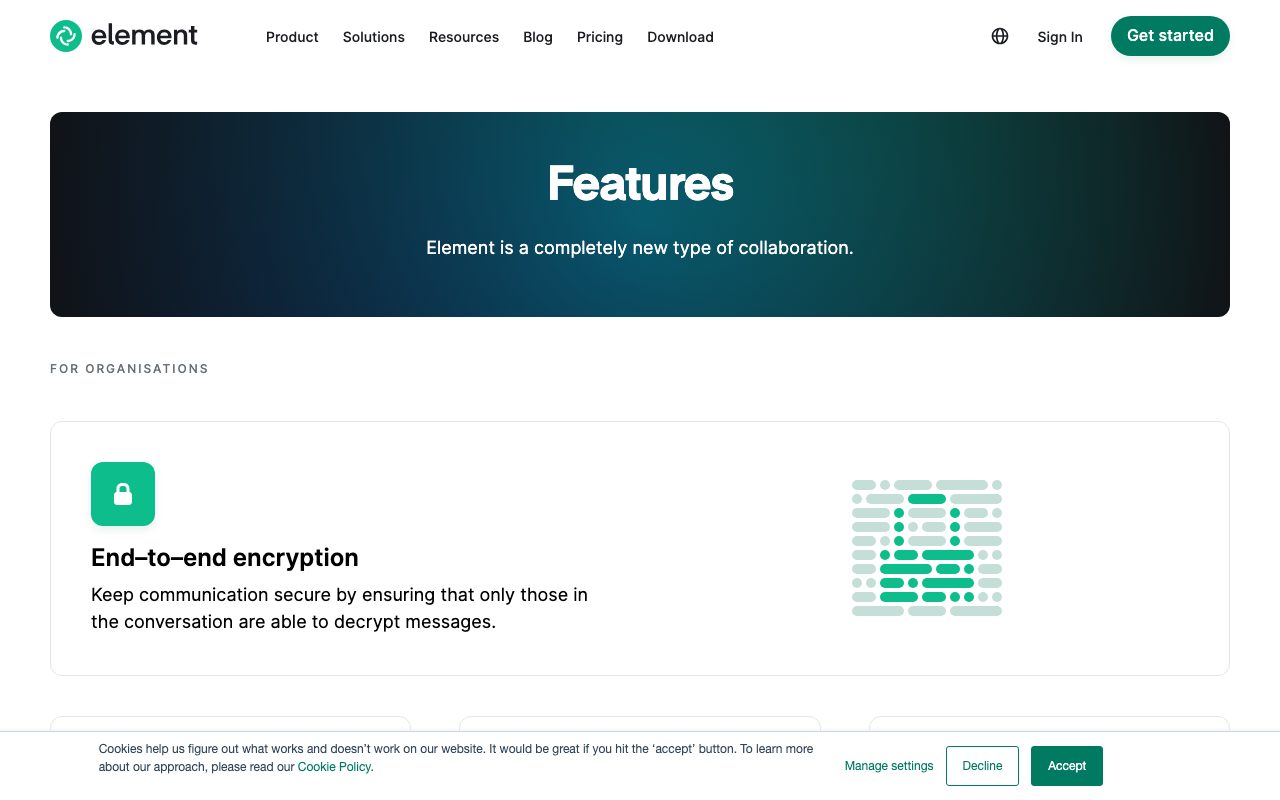
Element uses the Olm and Megolm libraries, both audited. E2E encryption is on by default for DMs and small rooms. The cross-signing UX got much better in the last two years, so verifying devices doesn't feel like a chore anymore.
For sensitive conversations, this is meaningful. Your server admin can't read your messages. Element can't read your messages. The crypto is solid.
Federation and self-hosting
Element runs Synapse and Dendrite, the two main Matrix server implementations. You can self-host either, run your own homeserver, and federate with the rest of the Matrix universe. No other major team chat product does this.
Element is the chat product that takes "your data" literally. If you've ever lost a Slack channel because the workspace got archived, the Matrix model feels overdue.
Who Element is for
Privacy-focused teams, governments, NGOs, open-source communities, and anyone who needs federation or self-hosting. Mozilla, KDE, and several European governments run Element. So do plenty of small infosec firms.
It's not for everyone. If you're a marketing team that lives in Slack, switching to Element will feel like a downgrade in places. The polish gap is real. Element wins on principle, not on every interaction.
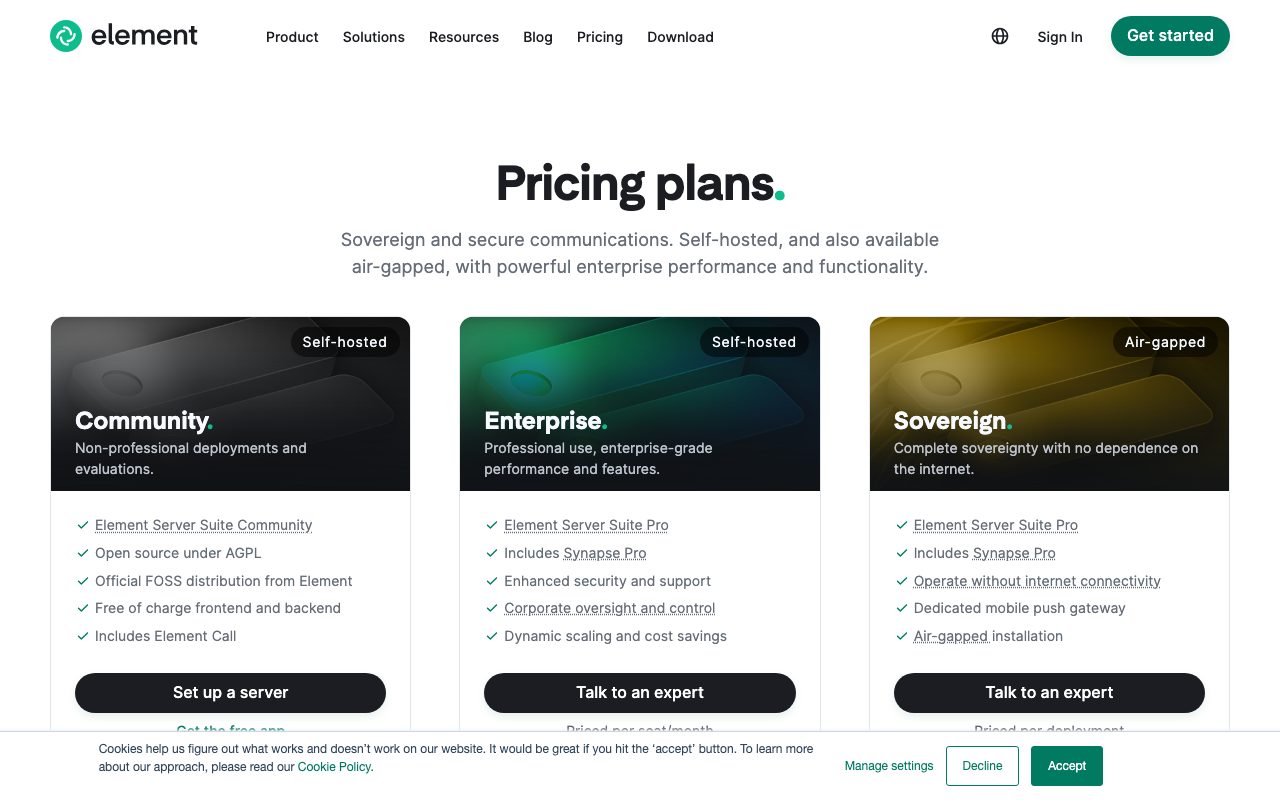
Element pricing
Element on matrix.org and Element home servers is free for personal use. Element Server Suite (the enterprise self-hosted product) starts around $5 per user per month for cloud hosting. Self-hosting Synapse yourself is free aside from your infrastructure.
For nonprofits and OSS communities, Element offers discounts and grants. The hosted Element Pro tier is competitive with Slack pricing for teams that don't want to self-host.
Features worth knowing
Voice and video calls
Element ships Element Call, a Matrix-native video conferencing tool that competes with Zoom for small calls. End-to-end encryption is on by default. Quality is good for teams under 20 on a call.
Spaces (Element's workspaces)
Spaces group rooms together like Slack workspaces or Discord servers. You can have public spaces, private spaces, or nested spaces. They're more flexible than Slack channels but take a minute to learn.
Bridges to other platforms
Matrix has bridges to Slack, Discord, IRC, Telegram, Signal, and WhatsApp. You can talk to Slack users from Element. The bridges are functional but lossy in places, and they require setup.
Open source clients
Element ships clients for web, desktop (Mac, Windows, Linux), iOS, and Android. All open source. You can also use other Matrix clients like FluffyChat or SchildiChat with the same account.
The tradeoffs
Element's UI is improving but still trails Slack on polish. Search is functional but not great. Threads work but feel bolted on. The mobile app eats battery if you're in many rooms.
Onboarding non-technical users is harder. Encryption verification, server choice, and federation all add cognitive load. For a team that just wants to chat, Slack is easier. For a team that values data ownership, Element is the only real option.
Element vs alternatives
The honest comparisons are Element vs Slack, Element vs Mattermost, and Element vs Rocket.Chat. Mattermost is self-hostable and slick but proprietary. Rocket.Chat is open source but doesn't federate. Slack is polished but a walled garden.
Element is the only major option that combines self-hosting, federation, and end-to-end encryption. See Element alternatives or browse the best team chat tools.
Bottom line on Element
Element is the chat tool you pick when sovereignty matters more than gloss. It's not as polished as Slack. It's the only product in the category that's truly open and federated.
For privacy-conscious teams, regulated industries, and OSS communities, Element keeps winning bids. The Matrix protocol underneath gives it staying power that walled-garden chat tools can't match.
Common Element questions
Should I self-host Synapse? Only if you have ops capacity. Synapse is a real piece of infrastructure. It runs Postgres, scales with users, and needs maintenance. For 10-50 users, hosted Element is easier. For sovereignty-critical use cases, self-hosting earns its complexity.
Does federation actually work? Yes, but the experience varies. Server-to-server federation is solid for messages. Voice and video federate. Some advanced features (Spaces, search) work better when both users are on the same server. Plan for the simple federation case to be smooth and the complex case to require care.
Can Element replace Slack for a typical startup? It can, but the polish gap matters. Channels are rooms. DMs are E2E by default. Threads work. Search is okay. The honest answer is that switching costs are real and the productivity differences are small either way. Pick based on your sovereignty priorities.
What about compliance?
Element offers compliance-ready hosting for regulated industries. The product is used by governments, healthcare orgs, and defense contractors. EU data residency, audit logs, and retention policies are all available. The enterprise plans cover what auditors expect.
Bridges to Signal and WhatsApp?
Yes. Bridges exist for Signal, WhatsApp, Telegram, Discord, Slack, IRC, and a few others. They require setup and run as separate processes. The maintenance is non-trivial but the result is one Element client for many networks.
Workflow tips for Element
Verify your devices. Cross-signing makes encryption work without manual key exchange. Verify each device once on initial setup. After that, encryption is invisible.
Use Spaces for org structure. A Space per team or department. Rooms inside spaces for projects or topics. The hierarchy mirrors how teams actually work.
Don't bridge everything at once. Start with one bridge, get used to it, then add more. Each bridge has its own quirks. Spreading the learning curve helps.
For self-hosted Synapse, run with Postgres (not SQLite) from day one. Scaling SQLite is painful. Postgres handles real loads. Browse tools for privacy-conscious teams for related picks.
Real-world Element scenarios
A government ministry runs Element on a self-hosted Synapse server. Sovereignty requirement met. Internal communication stays in-country. End-to-end encryption protects sensitive discussions. Federation lets them communicate with other ministries on their own Matrix servers.
An open-source project uses Element on matrix.org. Public rooms for community chat. Private rooms for maintainers. Bridges to IRC for legacy contributors. Free, open, federated. Matches the project's values.
A privacy-focused startup runs Element for internal team chat. Self-hosted Synapse on their Kubernetes cluster. Encryption by default. They escape the Slack data dependency. Operations cost is real but manageable for a tech-savvy team.
Setup considerations
Decide self-hosted versus hosted early. Self-hosted means Postgres, Synapse, regular updates, monitoring. Hosted means a known monthly cost and Element's team handles the backend. Most teams should start hosted.
Plan your room structure with Spaces. Don't dump everyone in a flat list of rooms. Spaces handle hierarchy. Train new users on how Spaces work; the model isn't obvious from Slack.
Verify cross-signing on every device. The verification UX is much better in 2026 but it still requires user action. Walk new team members through it on their first day.
For teams who care about data sovereignty, Element is the leading product. The polish gap with Slack matters less than the fundamental property of owning your communication. Browse the Element page for community reviews.
Why Element matters in 2026
The case for Element gets stronger as Big Tech communication tools get more locked-in. Slack changes pricing. Teams force you into Microsoft's stack. WhatsApp limits API access. Element and Matrix offer an alternative model where users own their communication.
For governments, regulated industries, and privacy-conscious organizations, the alternative isn't optional. They need data sovereignty and end-to-end encryption with a clear ownership story. Element delivers both. The polish gap with Slack is acceptable when you're protecting national security communications.
For OSS projects and decentralized communities, Element's federation lets them communicate without depending on a central server. If matrix.org goes down, the project moves to another homeserver and keeps going. That resilience matters more than it sounds.
For most companies, Element is harder than Slack. That's fine; most companies don't need what Element offers. For the companies that do need it, Element is one of the only viable options. The product fills a specific need with minimal compromise.
Tutorial / Demo
Key Features
- End-to-end encryption by default
- Federated Matrix protocol
- Voice and video calls
- Spaces for organizing rooms
- Bridges to Slack, Telegram, IRC and more
- Self-hosted or managed hosting
Pros & Cons
What we like
- Open standard with no vendor lock-in
- Strong encryption story
- Self-hosting is a real, supported path
- Cross-org federation built in
Room for improvement
- UX still rougher than Slack or Teams
- Bridges to other networks need setup
- E2E encryption complicates search and history
Frequently Asked Questions
Is Element free?
Element vs Slack, what's the trade?
Can I self-host Element?
Is Element really end-to-end encrypted?
What's the catch?
Best For
Featured in
Tags
Alternatives to Element
View all

Our take
Tool Index Editorial · May 2026· 4.6/5
If you're evaluating Element, the headline is simple: secure team messaging built on the open matrix protocol, and most teams will get value out of the box.
What it actually does well: Open standard with no vendor lock-in, Strong encryption story, and Self-hosting is a real, supported path. Where it stumbles: UX still rougher than Slack or Teams and Bridges to other networks need setup.
In short: Element is a strong pick when you need security-sensitive teams, and a harder sell if uX still rougher than Slack or Teams would be a dealbreaker.
Editorial opinion from the Tool Index team, written from the public product pages. Not a user review.
Reviews (3)
Two months in, no regrets
Element has quietly become part of my daily flow. Where it really wins is open standard with no vendor lock-in. Found it works best for security-sensitive teams.
Works, but I expected more polish
Have been using Element for a while, here's where I land. Where it really wins is open standard with no vendor lock-in. The self-hosted or managed hosting is more useful than I expected. Mostly using it for security-sensitive teams. Honest gripe: bridges to other networks need setup. Worth a trial if you're in the same boat.
Pros
- Cross-org federation built in
- Self-hosting is a real, supported path
Hit the Element sweet spot
Element is one of those tools you stop noticing because it just works. Real selling point: cross-org federation built in. It fits well for open-source communities. Sticking with Element.
Pros
- Strong encryption story
Badge builder
Add Element to your website
Choose a badge style and size, preview it here, then copy the generated HTML. Badge images are self-contained SVGs and do not require an external script.

<a href="https://toolindex.net/tools/element?ref=badge" target="_blank" rel="noopener">
  <img src="https://toolindex.net/badge/element/medium.svg" alt="Element - Listed on Tool Index" width="180" height="50" />
</a>How to use the badge
- 1. Pick the style, size, and theme that fit your layout.
- 2. Copy the generated HTML from the code block.
- 3. Paste it into your footer, homepage, or press page.
Standard badge available
The standard listing badge is available now. Score and circle badges are limited to tools currently ranked in the top 10 of a category.
Badge clicks return visitors to this profile with a referral tag so the source remains identifiable.
Related Tools

Substack
Hosted newsletter and publication platform with built-in payments, recommendations, and an audience network for writers.
MailerLite
Friendly, affordable email marketing tool with newsletters, automations, landing pages, and a growing creator toolkit.

Twist
Calmer team messaging where threads replace the firehose of channels

Zulip
Threaded team chat that treats topics as a first-class concept
Work on Element? Request listing access or correction