
CalendHub
FeaturedSmart scheduling and calendar management for teams
Gallery
About CalendHub
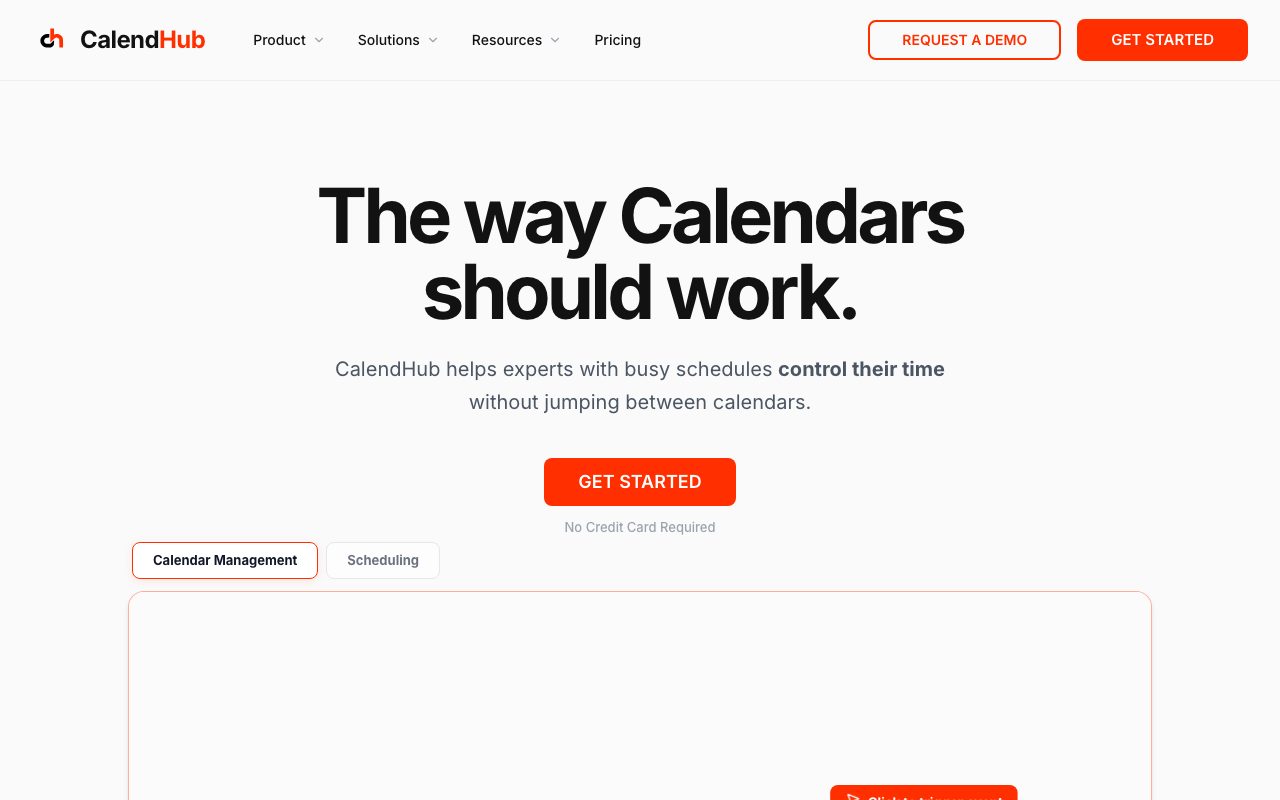
CalendHub is a scheduling tool built for teams that have outgrown simple booking links but don't want a giant enterprise calendar suite. It sits in the same space as Calendly, just with more focus on group workflows.
The product treats calendaring as a team problem, not a solo problem. That's a meaningful framing change once you've ever tried to coordinate eight people across time zones with a single Calendly link.
If you've used Calendly and felt the pain when round-robin or pooled scheduling came up, CalendHub is the kind of upgrade you'd consider.
What CalendHub actually does
CalendHub generates booking pages, manages availability across multiple calendars, and handles routing logic for teams. You set rules, and the platform figures out who should take which meeting.
It connects to Google Calendar and Microsoft 365 on the input side, then surfaces a clean public link for clients or candidates to book against. The backend is doing the heavy lifting around conflicts and rules.
Group scheduling without the chaos
Round-robin, collective, and pooled bookings all work. CalendHub knows when to suggest a single rep versus when to require everyone present, and you don't have to manually toggle.
Who CalendHub is for
Sales teams running discovery calls. Recruiting teams pooling interviewer availability. Customer success teams routing renewal calls. Any team where booking is a shared activity rather than an individual one.
It's not for the freelancer who just needs a basic 30-minute booking link. CalendHub's value shows up once coordination across humans becomes the bottleneck.
The "we're too small for an enterprise tool" niche
Most team scheduling tools jump straight from solo plans to enterprise sales motions. CalendHub keeps a sane middle tier. Mid-sized teams feel served, not patronized.
Pricing breakdown
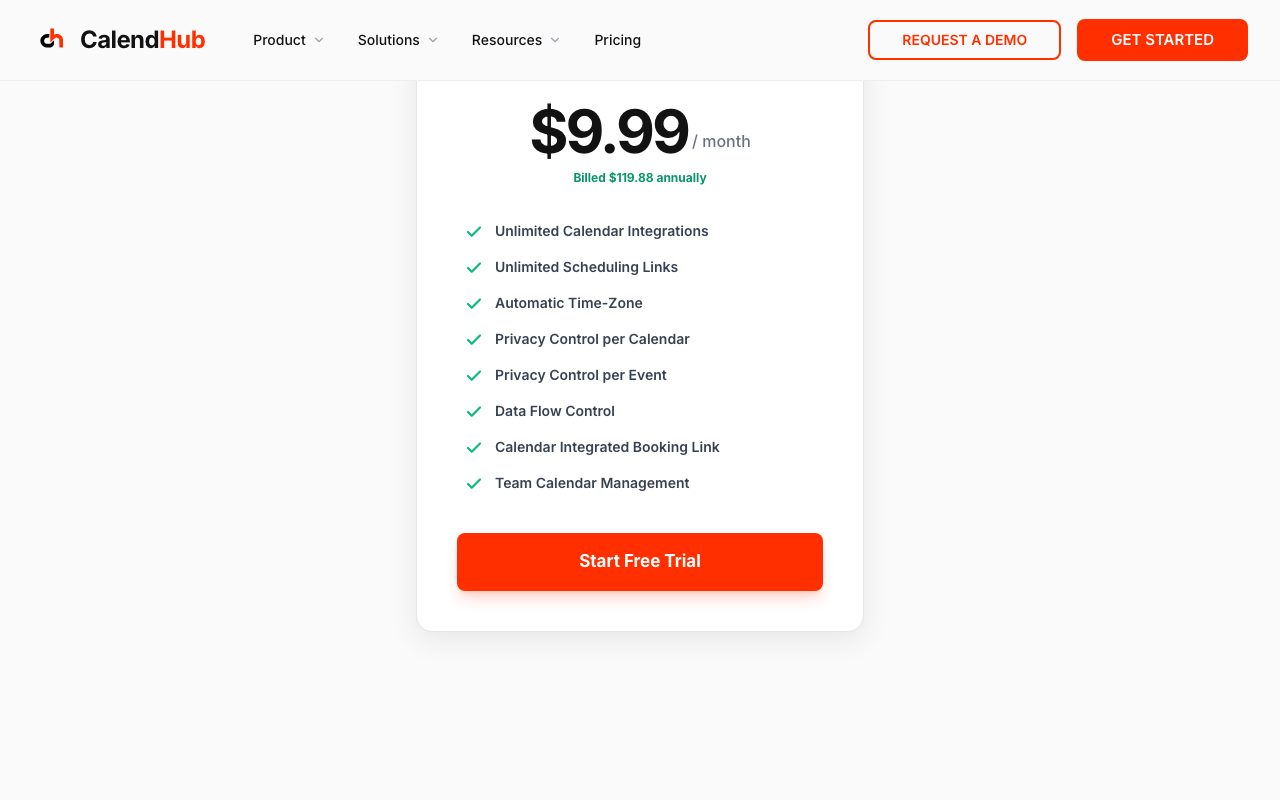
Free tier for individuals, paid plans per user for teams, and an enterprise tier for larger setups. The team plan is where CalendHub really differentiates from cheaper alternatives.
What you'll notice: features that are paywalled in Calendly's higher tiers tend to show up earlier in CalendHub's stack. Reminders, custom branding, and basic routing aren't held hostage.
What costs extra
Custom integrations, advanced workflow automation, and SSO sit in the higher tiers. Most teams won't need them on day one.
Standout features of CalendHub
The team-first defaults are the headline. You don't have to bend the product to make group bookings work. They're built into the core flow.
The conflict detection is also surprisingly thorough. CalendHub watches for double-booking across personal and work calendars without forcing you to merge them.
Native automations
Reminders, follow-ups, and post-meeting tasks can be triggered automatically. You don't need a separate Zapier subscription to chain calendar events into your CRM.
Honest tradeoffs with CalendHub
The brand recognition isn't there yet. If you're booking external clients, "schedule with me on CalendHub" doesn't carry the same instant trust as "schedule with me on Calendly."
The integration ecosystem is also smaller. CalendHub covers the core stuff, but if you're chasing a niche CRM or industry-specific tool, double-check before committing.
CalendHub is the scheduling tool you'd build if you were tired of paying enterprise prices to unlock features that should've been included in the team plan.
CalendHub vs alternatives
CalendHub vs Calendly: Calendly has more polish and brand. CalendHub has more team features at lower tiers.
CalendHub vs SavvyCal: SavvyCal nails the polite-overlay UX for one-on-one. CalendHub is stronger when scheduling becomes a team operation.
For more options, see the best scheduling tools or check Calendly alternatives.
When CalendHub wins
You're booking on behalf of a team. You hate hitting paywalls for basic team features. You want routing logic without writing code.
Bottom line on CalendHub
CalendHub is a focused, team-oriented scheduling tool that doesn't try to be everything. If your scheduling pain is "coordinating multiple people," it's worth a look.
If you're a solo operator who just needs a booking page, simpler tools will do. For teams stuck patching together Calendly Pro plus a routing tool plus reminders, CalendHub is a cleaner answer. See tools for sales teams for related options.
How CalendHub handles real team complexity
The tricky part of team scheduling isn't booking one meeting. It's handling the seventeen edge cases. Out-of-office overrides. PTO. Different time zones. Customer-success rotation. CalendHub handles most of these without forcing you into hacks.
Round-robin with weighting lets you bias bookings toward newer reps or away from over-loaded ones. Collective bookings find slots when everyone's free. Pooled bookings let any qualified rep grab the slot.
Routing forms
You can put a form in front of a booking link to qualify leads or interviews. Based on answers, the booking routes to the right team member. This is the kind of feature you'd otherwise stitch together with HubSpot Workflows.
CalendHub for specific industries
Recruiting teams use CalendHub to coordinate panel interviews where multiple interviewers need to be available together. Customer success teams use it for renewal calls that pull a CSM, a sales rep, and an executive. Sales teams use it for round-robin demo bookings.
The common thread is that the booking represents real coordination, not a solo calendar opening. CalendHub's value scales with the complexity of who needs to be in the room.
Integrations that matter
Salesforce, HubSpot, Zoom, Google Meet, Microsoft Teams. The basics are covered. Niche CRM tools or vertical-specific systems may require Zapier or webhooks rather than native connections.
Common CalendHub questions
Does CalendHub work with Google Workspace? Yes, fully. Microsoft 365? Yes. Can you embed booking forms on your site? Yes, via iframe or a popup widget. Is there a free tier? Yes, with limits on team features.
For more, see tools for recruiters and CalendHub vs Calendly.
Final take on CalendHub
CalendHub is the underdog scheduler that earns its position by understanding teams better than the bigger players. If your scheduling is a coordination problem, this is the tool you'd build. Worth a serious trial before renewing your Calendly Teams plan.
CalendHub's automation surface
The automations let you trigger actions before, during, and after meetings. Send a prep document the day before. Add a Zoom link automatically. Drop a recap into your CRM after the call. None of this is novel, but CalendHub keeps it accessible without separate Zapier subscriptions.
What you'll appreciate: the automation builder uses plain conditions and actions rather than a code-like interface. Non-technical team leads can set up reminders without help from engineering.
Cancellation and rescheduling flow
The cancellation experience matters more than people think. CalendHub gives invitees a clean way to reschedule without exchanging emails. Hosts can set policies for last-minute changes. The whole loop respects everyone's time.
CalendHub for global teams
Time zones are where most schedulers fall apart. CalendHub handles them well. Both host and guest see times in their local zones. Round-robin across continents picks reps with appropriate working hours. Daylight savings transitions don't break links.
For teams with reps across multiple regions, this matters every day. The tool that gets time zones right saves hours of manual fixing per week.
Onboarding new team members
Adding a rep takes a few minutes. Connect their calendar, assign them to the right routing rules, and they're live. Larger teams can use templates to ensure new reps get the right defaults without manual setup.
The admin experience scales decently. Twenty-rep teams are still manageable. Past fifty reps you'll want SSO and group-based permissions, which sit in higher tiers.
Reporting and analytics
CalendHub's analytics show booking rates, no-show rates, and rep utilization. Useful for sales managers tracking pipeline conversion or recruiting leads tracking interview pull-through. The reporting isn't deep enough to replace BI tools but it covers the common questions.
The migration question
If you're considering moving from Calendly Teams or another scheduler, the migration cost is real but bounded. Templates, routing rules, and integrations need to be rebuilt. Most teams complete migration in a week, with some training time for end users.
CalendHub wrap-up
The scheduling category has gotten crowded but most tools still treat coordination as an afterthought. CalendHub's team-first defaults stand out specifically because the rest of the field still treats group bookings as a power-user feature. That positioning is honest and defensible.
For teams currently running Calendly Teams or Google Workspace's native scheduler, the migration question comes down to feature gaps and per-seat costs. Run a parallel evaluation: connect both tools to the same calendar, share booking links with internal testers, and see which produces fewer scheduling mistakes over a month. Real usage beats feature-list comparison every time.
The integration depth will keep mattering as your stack grows. Verify that your CRM, video conferencing tool, and notification stack all connect cleanly before committing. The cost of a missing integration shows up in manual data entry, not in the trial period.
One last note on CalendHub: the team's responsiveness to feedback is a real differentiator. Smaller scheduling tools often outperform incumbents on feature responsiveness because they're hungrier for customer wins. CalendHub fits that pattern. If you have an unusual scheduling requirement, it's worth asking whether they support it before assuming you'll need a workaround. The answer is often yes, and the timeline to add features that aren't there yet tends to be measured in weeks, not quarters. For teams that want to influence their tools rather than be influenced by them, that responsiveness is genuinely valuable.
For broader scheduling category research, the best team scheduling tools roundup covers more options including Cal.com, SavvyCal, and Calendly. Each has its sweet spot, and CalendHub's is the team-coordination case where multiple humans need to agree on times.
Tutorial / Demo
Key Features
- Multi-calendar sync (Google, Outlook, iCloud)
- Customizable booking pages
- Team scheduling (round-robin, collective)
- Automatic video conferencing links
- Buffer times and working hours
- Intake forms and custom questions
- Reminder emails and SMS
- CRM and Zapier integrations
Pros & Cons
What we like
- Clean, intuitive interface
- Excellent team scheduling features
- Reliable calendar sync
- Good free tier
- Fast customer support
Room for improvement
- Fewer integrations than Calendly
- Limited customization on free plan
- No native payment collection
Frequently Asked Questions
What is CalendHub used for?
Is CalendHub free to use?
What are the pros and cons of CalendHub?
Who should use CalendHub?
Best For
Featured in
Tags
Alternatives to CalendHub


Our take
Tool Index Editorial · May 2026· 4.5/5
CalendHub positions itself as smart scheduling and calendar management for teams, and on the whole it earns the framing.
Where it wins: Clean, intuitive interface, Excellent team scheduling features, and Reliable calendar sync. Honest gripes: Fewer integrations than Calendly and Limited customization on free plan.
In short: CalendHub is a solid pick when you need sales teams, and a harder sell if fewer integrations than Calendly would be a dealbreaker.
Editorial opinion from the Tool Index team, written from the public product pages. Not a user review.
Reviews (8)
Finally something that fits
Picked CalendHub for the lower price, stayed for the actual quality. The thing I keep coming back to: fast customer support. It fits well for customer success. Easy yes for anyone weighing the same trade-offs.
Pros
- Fast customer support
Hit the CalendHub sweet spot
Came to CalendHub after frustration with what I had before. The thing I keep coming back to: good free tier. Worth the price for what I get out of it.
Pros
- Excellent team scheduling features
- Fast customer support
Worth the price of admission
Took a few weeks for CalendHub to click, then it stuck. Honestly impressed by how fast customer support. Reminder emails and sms works the way you'd hope. Main use case: customer success. Glad I made the switch.
Quietly excellent
First impression of CalendHub was 'huh, this is actually thought through.' Honestly impressed by how excellent team scheduling features. Team scheduling (round-robin, collective) works the way you'd hope. Not perfect: no native payment collection. Easy yes for anyone weighing the same trade-offs.
Pros
- Reliable calendar sync
Cons
- Fewer integrations than Calendly
- No native payment collection
CalendHub has been a quiet upgrade
Been using CalendHub for a month now. The biggest win has been clean, intuitive interface. The CRM and Zapier integrations is more useful than I expected. Main use case: freelancers. Still recommending it to people in similar setups.
Solid daily driver
Hadn't planned on switching, but CalendHub was hard to ignore. What stands out is how fast customer support. Worth calling out the multi-calendar sync (Google, Outlook, iCloud) too. Mostly using it for recruiters.
Pros
- Fast customer support
- Reliable calendar sync
Did exactly what I needed
Picked CalendHub for the lower price, stayed for the actual quality. The biggest win has been excellent team scheduling features. Their take on buffer times and working hours is solid. Worth the price for what I get out of it.
Pros
- Fast customer support
- Good free tier
Bought it for one feature, stayed for ten
Took a few weeks for CalendHub to click, then it stuck. The biggest win has been fast customer support.
Pros
- Fast customer support
- Good free tier
Badge builder
Add CalendHub to your website
Choose a badge style and size, preview it here, then copy the generated HTML. Badge images are self-contained SVGs and do not require an external script.

<a href="https://toolindex.net/tools/calendhub?ref=badge" target="_blank" rel="noopener">
  <img src="https://toolindex.net/badge/calendhub/medium.svg" alt="CalendHub - Listed on Tool Index" width="180" height="50" />
</a>How to use the badge
- 1. Pick the style, size, and theme that fit your layout.
- 2. Copy the generated HTML from the code block.
- 3. Paste it into your footer, homepage, or press page.
Score badge available
CalendHub qualifies for the score and circle badges based on its current top-10 positionin Communication.
Badge clicks return visitors to this profile with a referral tag so the source remains identifiable.
Related Tools

Confluence
Atlassian's long-running team wiki that anchors many enterprise knowledge stacks
Asana
Project management for teams that live in projects, tasks and dependencies
Kevin Gabeci Toolkits
Seven AI toolkits for writing books, making music, cutting video, and building agents.

Substack
Hosted newsletter and publication platform with built-in payments, recommendations, and an audience network for writers.
Work on CalendHub? Request listing access or correction