Otter.ai
A meeting assistant that turns conversations into searchable transcripts and summaries
Gallery
About Otter.ai
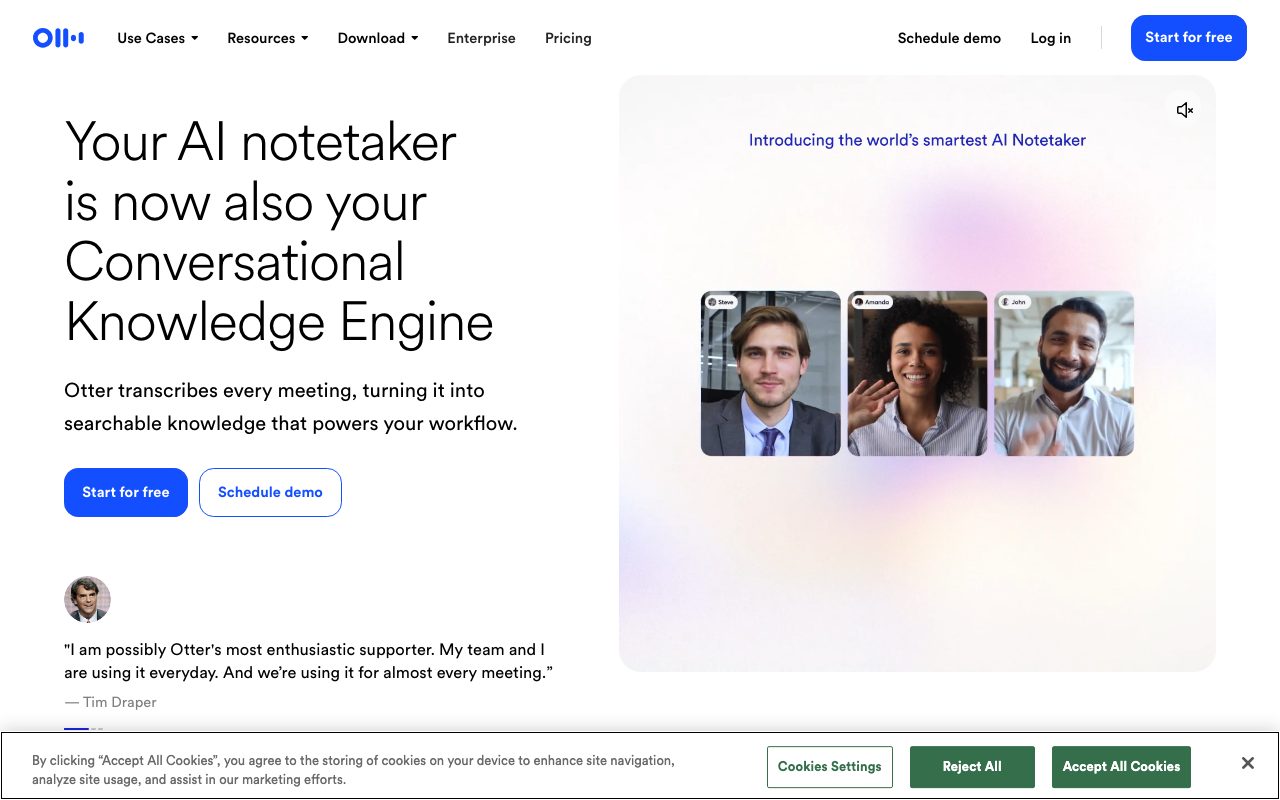
Otter.ai turns meetings into searchable transcripts and summaries. The product has been around since 2016, which makes it ancient by AI-era standards, and the longevity has built up a transcription quality lead that's hard to match.
Founded by Sam Liang (ex-Google) and Yun Fu (ex-Facebook), Otter raised from Tiger Global, NTT DOCOMO, and Horizons Ventures. The product is now a default for distributed teams, journalists, and researchers.
If you're comparing AI meeting tools, you're likely looking at Otter, Fathom, Fireflies, and the built-in features in Zoom and Teams. Here's where Otter fits.
What Otter.ai actually does
Otter joins your meetings (Zoom, Google Meet, Teams) as a bot. It transcribes the conversation in real time, identifies speakers, and generates AI summaries with action items.
You can also record meetings via the mobile or desktop app without bots. Useful for in-person conversations, voice memos, and lectures. The transcript syncs to your Otter account immediately.
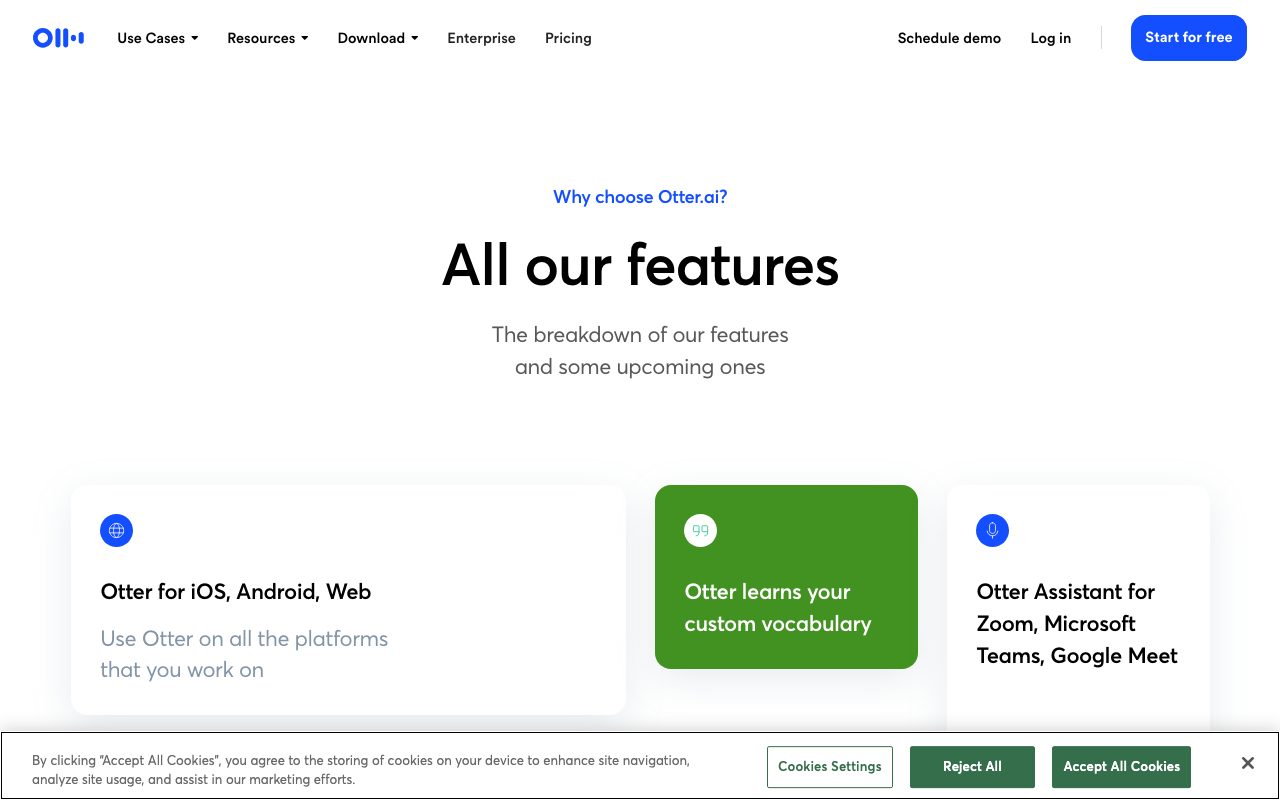
Beyond transcription, Otter offers AI Chat (ask questions about meeting content), automatic email follow-ups, CRM integration (Salesforce, HubSpot), and channel summaries that bundle related meetings.
Who Otter.ai is for
Knowledge workers in meeting-heavy roles benefit most. Product managers, sales reps, customer success, executives. Anyone who attends 15+ meetings a week and needs notes they can search later.
Journalists and researchers love Otter for interview transcription. The mobile app records well, the transcript is editable, and the export options work for archive workflows.
It's less useful for environments where AI bots aren't allowed (legal, healthcare, classified work). For those cases, manual recording with locally-processed tools is the answer.
Pricing breakdown
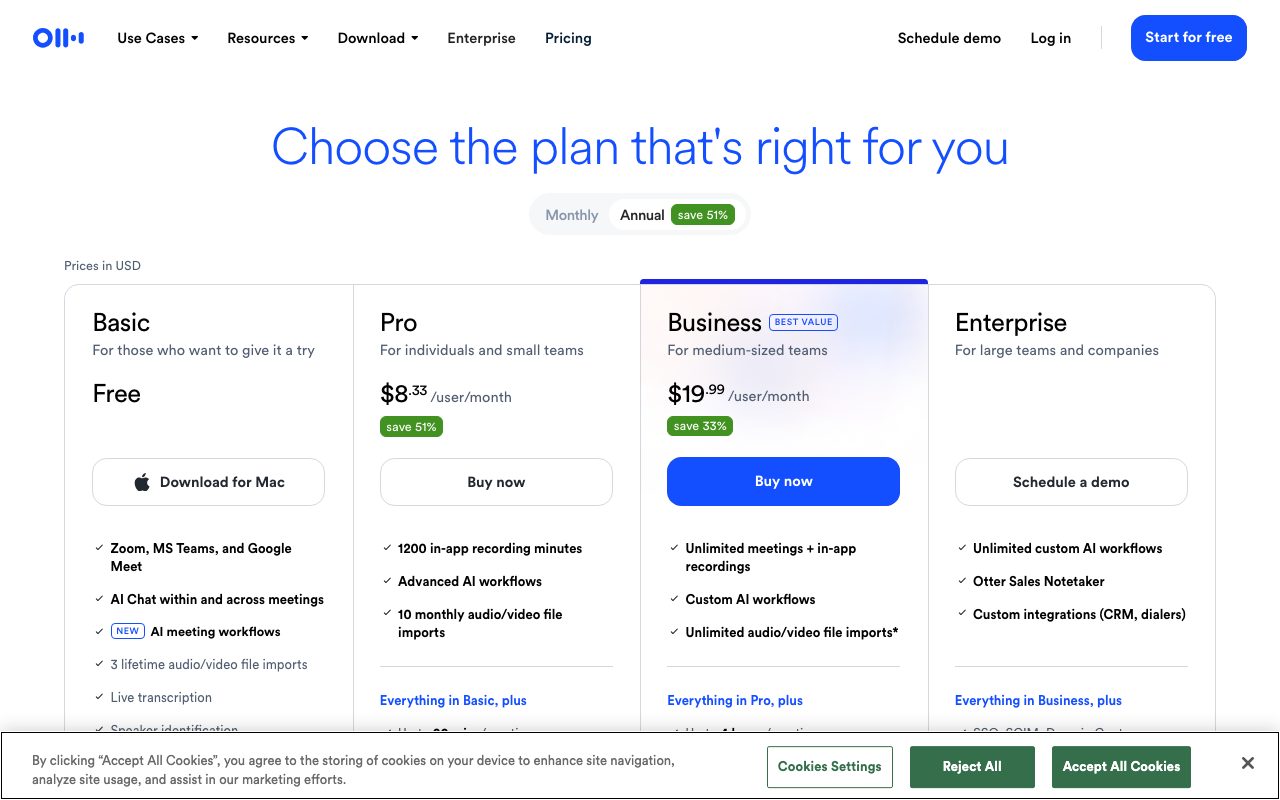
Free tier includes 300 transcription minutes/month with 30 minutes per session. Enough to evaluate but tight for daily use.
Pro is $16.99/month annual ($8.33 if you grab promo pricing) with 1,200 minutes/month and 90-min sessions. Business is $30/month with 6,000 minutes, advanced features, and team admin.
Enterprise pricing is custom and includes SSO, advanced security, and unlimited storage. Educational discounts apply with verification.
Standout features
Real-time transcription with speaker ID
Otter transcribes live. You see words appearing as people speak. Speaker diarization (identifying who said what) works well for clear audio with distinct voices.
Transcription accuracy on clean audio is around 90-95% for English. Background noise, accents, and overlapping speech reduce quality, as with any transcription tool.
AI summaries and action items
Each transcript gets an AI-generated summary with key points and action items. Quality varies by meeting type. Sales calls and structured discussions summarize well. Free-form brainstorms produce mushier summaries.
Otter AI Chat
Ask questions about your meeting content. "What did Sarah say about the Q3 budget?" "Did anyone commit to the launch date?" The AI searches your transcripts and returns relevant moments.
Otter's transcription quality is the moat. The AI features are now table stakes. The real question is which tool transcribes accents and noisy rooms best, and Otter has years of training data others lack.
Honest tradeoffs
The bot-joining-meetings approach can be awkward. Some meetings host don't want bots. Some attendees don't realize they're being recorded. You need to be clear about Otter's presence.
Privacy concerns are real. Otter stores your meetings on their servers and uses them (anonymized) for model improvement. If your meetings cover sensitive topics, read the data policy carefully.
The Pro tier minute caps surprise heavy users. 1,200 minutes is 20 hours/month, which sounds generous but maps to 4-5 hours/week. Power users hit the limit fast and need Business.
Otter.ai vs alternatives
Versus Fathom: Fathom focuses on free with unlimited recording (different monetization model). The transcription quality is comparable. Otter has the longer track record and better speaker ID. Fathom has the better free experience.
Versus Fireflies: Fireflies is sales-team-focused with stronger CRM integration and conversational analytics. Otter is broader and works for any meeting context. Choose Fireflies if sales is your primary use case.
Versus Zoom AI Companion / Teams Premium: Built-in features are improving. They lack cross-platform support (Zoom AI doesn't summarize Teams meetings) and have less mature AI features. Otter wins on flexibility.
Versus Krisp: Krisp's meeting notes feature overlaps with Otter. Krisp's value is noise cancellation; notes are a bonus. Otter's transcription is more accurate.
For more options, see best meeting transcription tools or tools for remote workers.
Bottom line
Otter.ai is the safe default for AI meeting transcription. The accuracy is good, the workflow integrations work, and the longevity means the model has seen every kind of meeting audio.
It's not the cheapest. It's not the newest. But for "I need a tool that reliably transcribes my meetings and lets me search them later," Otter is hard to beat. The free tier is enough to evaluate. The Pro tier is enough for most users.
If you're sensitive about data, evaluate Fathom (better free) or local-only tools. For everyone else, Otter remains the default.
Otter integrations and workflow
OtterPilot is the bot that joins meetings automatically. Connect your calendar, OtterPilot joins scheduled meetings on Zoom, Google Meet, or Teams without manual setup.
The integration with Zoom is deepest. OtterPilot can replace Zoom's built-in transcription with Otter's higher-quality version. Teams that have used Zoom AI Companion and switched to Otter usually report better summaries.
Salesforce and HubSpot integrations write call summaries to opportunity records. Sales teams especially value this. CRM hygiene improves automatically without rep work.
Otter's mobile app
The mobile app handles in-person meetings, voice memos, and lectures. Tap record, transcription happens in the cloud, transcript syncs to all your devices.
Audio quality matters. The mobile mic does best when you're 1-3 feet from speakers. Conference rooms with bad acoustics produce muddier transcripts.
For interviews and journalism, the mobile app is reliable. Many journalists transcribe sources via Otter as a workflow standard.
Real-time collaboration features
Multiple participants can join an Otter live transcript and contribute. Annotations, highlights, and inline comments work in real time.
Useful for shared note-taking during meetings. Less useful than it sounds for most teams since the AI summary covers most needs anyway.
Shared workspaces (Business tier) allow team-level transcript libraries. Sales teams build a searchable corpus of customer calls. Product teams build a corpus of user research interviews.
Search across transcripts
Otter's search indexes every word of every transcript you have access to. Search "pricing objection," see every customer call where pricing came up. Game-changer for team knowledge.
The Business tier extends search across team transcripts. Good for organizations where multiple reps are talking to similar customers.
Common Otter questions
How accurate is the transcription?
For clean audio with native English speakers, expect 90-95% accuracy. For accented English or noisy audio, drop to 80-90%. Multiple overlapping speakers degrade quality further.
Otter's accuracy is consistently among the best in the industry. The training data advantage from years of operation shows.
Can I edit transcripts?
Yes. The transcript editor lets you fix mistranscriptions, correct speaker labels, and add formatting. Edits sync across devices.
For published content (podcasts, articles based on interviews), expect to spend time cleaning up the transcript regardless of source. AI transcription gets you 90% there, not 100%.
What about non-English languages?
Otter's primary focus is English. Some other languages are supported with lower accuracy. For serious non-English transcription, evaluate language-specific tools or providers like Trint or Sonix.
For more transcription options, see best transcription tools or Otter vs Fathom.
Otter.ai for specific industries
Sales teams: integrate with Salesforce or HubSpot, auto-summarize calls, populate CRM fields. The ROI is measured in rep hours saved per week.
Education: students use Otter for lecture transcription. Universities have institutional pricing. Accessibility benefits for hearing-impaired students.
Journalism: interview transcription is a classic use case. The mobile app handles in-person recording well. Editing tools support the journalism workflow.
Legal and healthcare: caution. Privacy and compliance requirements often rule out cloud transcription. Local-only tools fit better in regulated industries.
For more transcription comparisons, see best meeting transcription.
Otter for power users
Heavy Otter users develop workflows that maximize the product's value. Custom vocabulary lists improve transcription on technical or industry-specific terms. Speaker training improves diarization accuracy.
Folder organization keeps transcript libraries usable at scale. Tag transcripts by client, project, or meeting type. The search benefits compound as the library grows.
Power users also lean on the API. Programmatic access to transcripts enables custom integrations: dump transcripts into Notion, sync action items to Asana, push speaker stats to internal dashboards.
For more meeting tools, see best meeting transcription.
One last consideration on Otter
Free trials cost you nothing. If you're considering Otter, sign up, run the bot in five real meetings, and judge the output. The decision becomes obvious within a week.
For most knowledge workers, the answer turns out to be yes. The minute caps determine whether you stay free or upgrade. Either way, you're better off than not having transcripts.
Browse best transcription tools for more options if Otter doesn't fit your specific workflow.
Tutorial / Demo
Key Features
- Live transcription in meetings
- Auto-generated summaries and action items
- OtterPilot bot that joins calls
- Search across meeting history
- Slack and CRM integrations
- Mobile recording for in-person meetings
Pros & Cons
What we like
- Summaries are genuinely usable, not just transcripts
- Free tier covers light personal use
- Works across the major meeting platforms
- Action items reduce post-meeting follow-up
Room for improvement
- Privacy implications need team agreement
- Accuracy drops on heavy accents or noisy rooms
- Premium needed for serious volume
Frequently Asked Questions
Does Otter.ai have a free plan?
Otter vs Fireflies vs Read AI, which?
Does Otter join my Zoom and Google Meet calls?
Is Otter accurate for non-English speakers?
Can I export Otter transcripts?
Best For
Featured in
Tags
Alternatives to Otter.ai
View allAssemblyAI
Speech-to-text API with diarization, summarization, and LLM features

Krisp
AI noise cancellation that strips background noise out of any meeting app

rilev
Structured psychological insights for people, professionals, teams, and AI.

CalendHub
Smart scheduling and calendar management for teams
Our take
Tool Index Editorial · May 2026· 4.6/5
If you're evaluating Otter.ai, the headline is simple: a meeting assistant that turns conversations into searchable transcripts and summaries, and most teams will get value out of the box.
What it actually does well: Summaries are genuinely usable, not just transcripts, Free tier covers light personal use, and Works across the major meeting platforms. Less impressive: Privacy implications need team agreement and Accuracy drops on heavy accents or noisy rooms.
Verdict: Otter.ai comfortably earns its spot in the category — a smart default when you need sales reps capturing call notes automatically.
Editorial opinion from the Tool Index team, written from the public product pages. Not a user review.
Reviews (5)
Wanted to love it, couldn't
First impression of Otter.ai was 'huh, this is actually thought through.' The biggest win has been free tier covers light personal use. Mostly using it for sales reps capturing call notes automatically. It would be a 5 if not for accuracy drops on heavy accents or noisy rooms. Might revisit when they iterate further.
Pros
- Works across the major meeting platforms
- Action items reduce post-meeting follow-up
- Free tier covers light personal use
Best decision this quarter
Skeptical at first because Otter.ai looked too simple. It's not. The thing I keep coming back to: works across the major meeting platforms. It fits well for anyone who wants searchable meeting history.
Two months in, no regrets
Picked Otter.ai for the lower price, stayed for the actual quality. Where it really wins is summaries are genuinely usable, not just transcripts. Easy yes for anyone weighing the same trade-offs.
Pros
- Free tier covers light personal use
- Summaries are genuinely usable, not just transcripts
- Action items reduce post-meeting follow-up
Cons
- Accuracy drops on heavy accents or noisy rooms
Two months in, no regrets
The pitch for Otter.ai sounded too good to be true. Mostly true. What stands out is how summaries are genuinely usable, not just transcripts. The mobile recording for in-person meetings is more useful than I expected. Mostly using it for researchers transcribing interviews. One thing that bugs me: accuracy drops on heavy accents or noisy rooms.
Pros
- Works across the major meeting platforms
Useful but pricey
Adopted Otter.ai for one project, ended up using it for more. What stands out is how works across the major meeting platforms. Otterpilot bot that joins calls works the way you'd hope. Mostly using it for sales reps capturing call notes automatically. That said, accuracy drops on heavy accents or noisy rooms is a real gripe. Not perfect but better than the alternatives I tried.
Badge builder
Add Otter.ai to your website
Choose a badge style and size, preview it here, then copy the generated HTML. Badge images are self-contained SVGs and do not require an external script.

<a href="https://toolindex.net/tools/otter-ai?ref=badge" target="_blank" rel="noopener">
  <img src="https://toolindex.net/badge/otter-ai/medium.svg" alt="Otter.ai - Listed on Tool Index" width="180" height="50" />
</a>How to use the badge
- 1. Pick the style, size, and theme that fit your layout.
- 2. Copy the generated HTML from the code block.
- 3. Paste it into your footer, homepage, or press page.
Standard badge available
The standard listing badge is available now. Score and circle badges are limited to tools currently ranked in the top 10 of a category.
Badge clicks return visitors to this profile with a referral tag so the source remains identifiable.
Related Tools
Confluence
Atlassian's long-running team wiki that anchors many enterprise knowledge stacks
Asana
Project management for teams that live in projects, tasks and dependencies
Kevin Gabeci Toolkits
Seven AI toolkits for writing books, making music, cutting video, and building agents.
Substack
Hosted newsletter and publication platform with built-in payments, recommendations, and an audience network for writers.
Work on Otter.ai? Request listing access or correction