
Krisp
AI noise cancellation that strips background noise out of any meeting app
Gallery
About Krisp
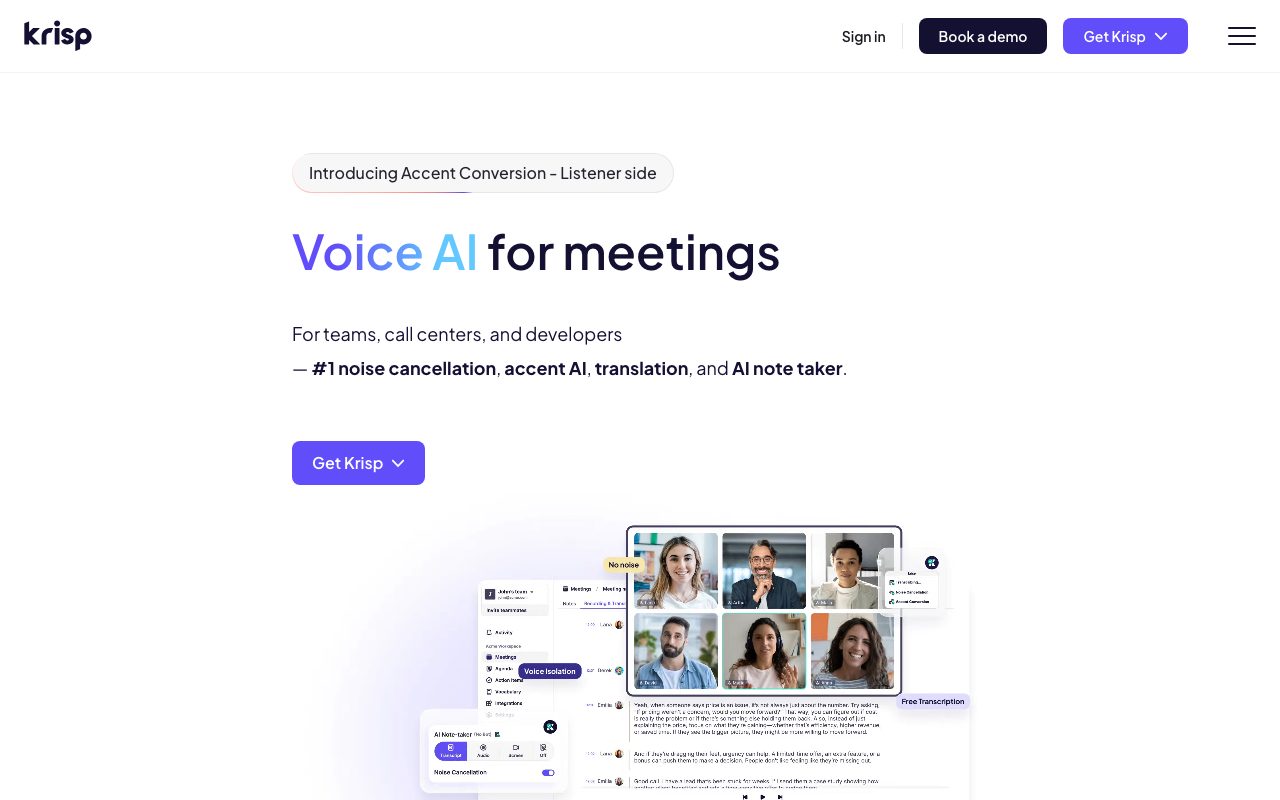
Krisp strips background noise out of any meeting app. Your dog barks, your toddler screams, your neighbor mows the lawn, and the people on your call hear none of it.
Founded in 2017 in Armenia, Krisp pivoted from earlier products into noise cancellation as remote work exploded. The company is now a default tool for distributed teams that take audio quality seriously.
If you're comparing AI noise cancellation tools, Krisp is the established leader. NVIDIA Broadcast and built-in features in Zoom and Teams are real competitors. Here's the full picture.
What Krisp actually does
Krisp installs as a virtual microphone (and speaker) on your machine. Any app, Zoom, Teams, Slack, Discord, OBS, can route audio through Krisp instead of your hardware mic.
The AI runs locally. No audio leaves your machine. The processing strips background noise (typing, dogs, lawnmowers) and echo (room reverb, second-speaker pickup) in real time.
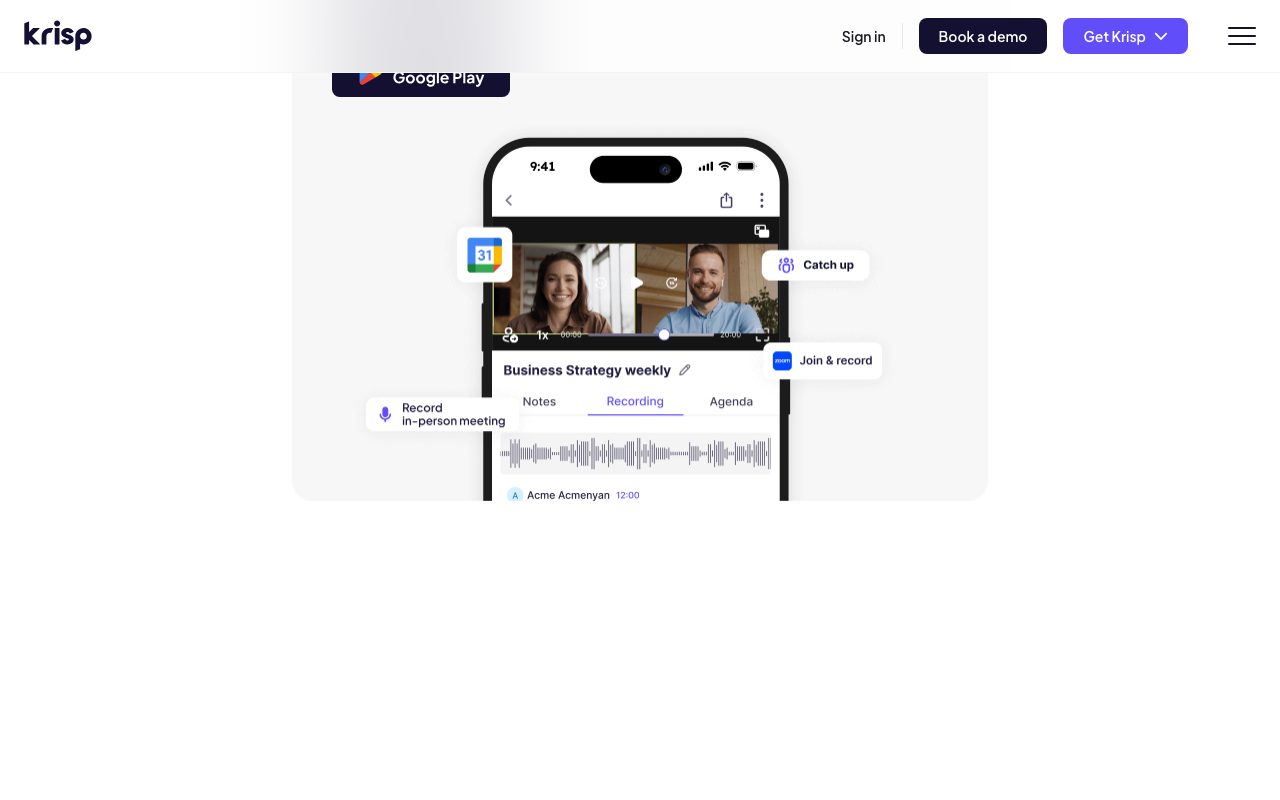
Beyond core noise cancellation, Krisp has expanded into meeting notes (transcription + summary), voice modulation (accent translation in beta), and call intelligence for sales teams. The core product is noise cancellation; the rest is layer.
Who Krisp is for
Anyone who takes calls from environments with background noise. Coffee shops, home offices with kids, open offices, call centers. The use case is universal once you've experienced it.
Sales and customer success teams gain extra value from the call intelligence layer. Krisp can transcribe, score, and summarize calls. Gong and Chorus do this too, with deeper analytics.
Where Krisp matters less: if you have a great USB mic in a quiet room, Krisp's noise cancellation is invisible because there's nothing to cancel. The value emerges when the environment is messy.
Pricing breakdown
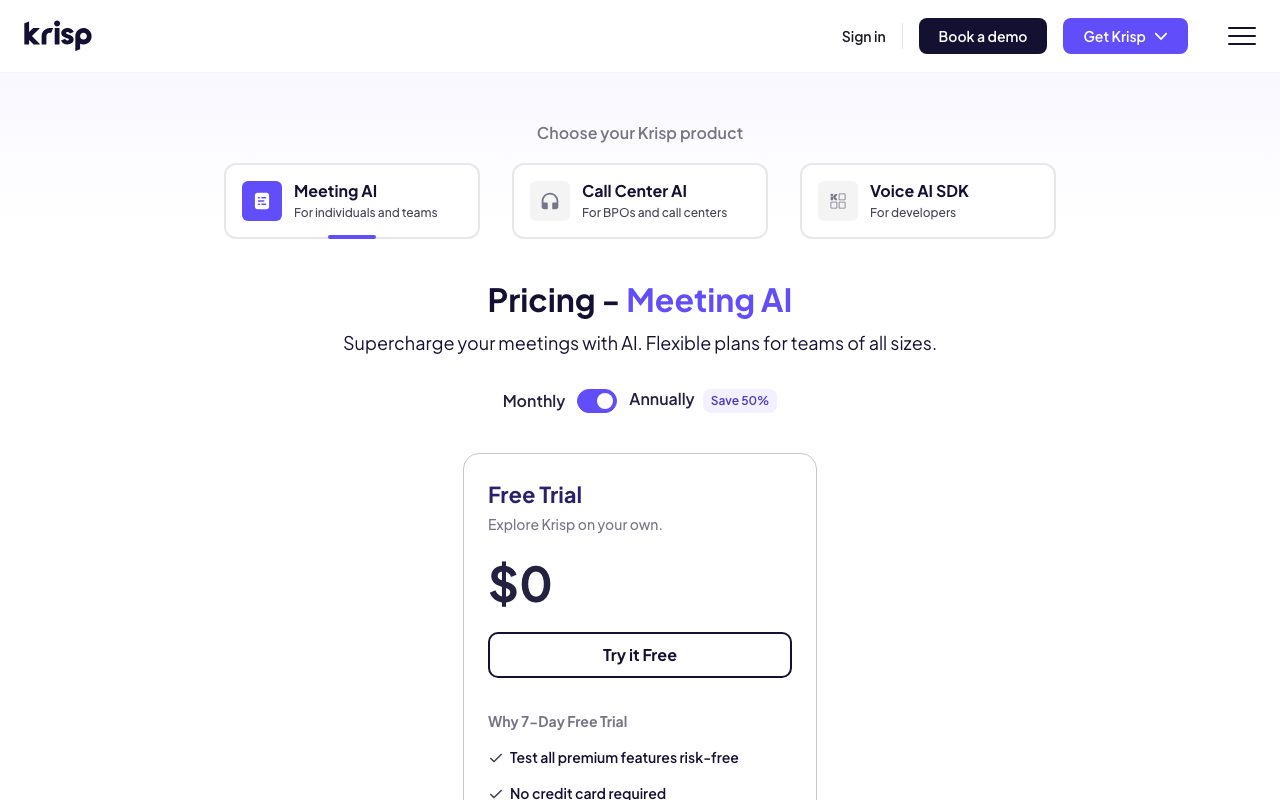
Free tier includes 60 minutes/day of noise cancellation. That's enough for casual users with one or two calls a day. Heavy users hit the limit fast.
Pro is $8/month annual with unlimited noise cancellation, plus AI meeting notes, transcription, and summary features. Business is custom-quoted for teams.
Enterprise tier includes admin controls, SSO, and team rollout support. Most users land on Pro because the free tier limit is the only meaningful constraint.
Standout features
Local AI processing
The noise cancellation runs on your CPU/GPU, not in the cloud. This matters for privacy (audio never leaves your machine) and latency (no round-trip delay).
The CPU usage is non-trivial. Older laptops feel it. Modern M1/M2/M3 Macs and recent Windows laptops handle it without breaking a sweat.
Echo cancellation
Krisp removes echo from speakerphones and rooms with hard surfaces. This is harder than noise cancellation and Krisp does it better than Zoom's built-in echo reducer.
Meeting notes
Pro and above get AI meeting notes. Transcription, summary, action items, all auto-generated. Quality is comparable to Otter.ai and Fathom.
Krisp's positioning is shifting from "noise cancellation app" to "voice productivity platform." The pivot is real, the noise cancellation is still the killer feature.
Honest tradeoffs
CPU usage on older machines is real. If you're on a 2015 ThinkPad, expect fan noise and reduced battery. Modern hardware handles it gracefully.
Voice quality after processing sounds slightly compressed. Audiophiles and podcasters notice it. Most call participants don't. For podcast recording, you'd still want a real mic and treated room.
The price has crept up over time. Krisp used to have a more generous free tier. The squeeze is gentle but real, especially for casual users who can't quite justify $8/month.
Krisp vs alternatives
Versus NVIDIA Broadcast: NVIDIA Broadcast is free if you have an RTX GPU. The quality is comparable to Krisp on top-tier audio. Limitation: requires NVIDIA hardware. If you have an RTX card, NVIDIA Broadcast is hard to argue against.
Versus Zoom's built-in noise suppression: Zoom's "high" suppression is decent. Teams' noise suppression is similar. Both work in their app only. Krisp works across every meeting app, which matters if your day spans Zoom, Slack huddles, and Discord.
Versus RTX Voice (older, NVIDIA): NVIDIA Broadcast superseded it. Don't use RTX Voice if NVIDIA Broadcast is available.
Compare alternatives in best noise cancellation tools or browse tools for remote workers.
Bottom line
Krisp is the universal solution for "the people on this call don't need to hear my environment." It works across every app, processes locally, and the quality is excellent.
If you're on Zoom only, Zoom's built-in suppression is good enough. If you bounce across multiple meeting apps and live in a noisy environment, Krisp's $8/month is one of the best ROI subscriptions in software.
The meeting notes layer is a bonus. Don't pay for Krisp because of it. Pay for Krisp because of noise cancellation, then enjoy the notes when they show up.
Krisp for different environments
Coffee shop calls: Krisp removes ambient chatter, dishes clattering, espresso machines. The result sounds like you're in a quiet room. The processing is aggressive enough that even loud cafes work.
Open office calls: Reduces colleague conversations, keyboard typing, HVAC noise. Useful when you can't grab a quiet room. Side effect: you'll hear yourself more clearly than usual because Krisp's processing tightens your voice.
Home office with kids/pets: This is the heavy use case. Krisp handles toddler screams, dog barks, washing machines, doorbells. The technology has gotten genuinely good at distinguishing voice from non-voice audio.
Microphone choice still matters
Krisp can't fix bad input. A laptop microphone with noise cancellation is better than a laptop microphone without it, but it's still a laptop microphone.
The real upgrade is a USB or wireless headset mic close to your mouth. Even a $50 wired headset plus Krisp produces excellent audio. The headset captures clean voice; Krisp removes residual room noise.
For studio-quality calls (podcasts, video recording), use a real mic and skip Krisp. The processing artifacts show up in critical listening environments.
Krisp for sales and support teams
The Business and Enterprise tiers add features for revenue and support teams: call analytics, accent translation (real-time, beta), team-level admin, SSO.
Accent translation is the headline experimental feature. Krisp can shift speech patterns in real time so non-native English speakers sound more neutral to listeners. Controversial in concept, surprisingly effective in execution.
Sales teams find the call recordings and AI summaries useful for coaching and CRM updates. Less powerful than dedicated tools (Gong, Chorus) but bundled with the noise cancellation that's the primary purchase driver.
Privacy considerations
Krisp's noise cancellation runs locally. No audio leaves your machine. This is a strong privacy posture.
The meeting notes feature requires sending audio to Krisp's servers for transcription. If your meetings are sensitive, evaluate carefully or stick to noise cancellation only.
Common Krisp questions
Will Krisp slow down my computer?
Modern hardware: not noticeably. M1/M2/M3 Macs and recent Windows laptops handle Krisp's processing in the background. CPU usage hovers around 5-15% during active calls.
Older hardware: yes, possibly significantly. Pre-2018 laptops can struggle, especially with simultaneous video and noise cancellation. The fans will let you know.
Does Krisp work with all meeting apps?
Yes. Krisp installs as a virtual microphone and speaker. Any app that can select audio devices (Zoom, Teams, Slack, Discord, Google Meet, OBS, etc.) can use Krisp.
The exception is some browser-based meeting tools that bypass system audio devices. These are rare but worth checking before relying on Krisp.
What about background blur for video?
Krisp doesn't do video. For background blur, use your meeting app's built-in feature or NVIDIA Broadcast (which does both video and audio).
Audio-only is a deliberate choice. Krisp focuses deeply on voice processing rather than spreading thin across video too.
For more remote work tools, see best remote work tools or tools for podcasters.
Krisp's competitive position
Built-in noise cancellation in Zoom, Teams, and Meet keeps improving. The gap between Krisp and built-ins is narrower than it was three years ago.
Krisp's lead is in cross-platform consistency and edge cases. The same processing across every meeting app, the same handling of unusual noise types. For users who bounce between apps, this matters.
The future may see Krisp's value shift more toward the meeting-intelligence layer (notes, summaries, analytics) as the noise cancellation becomes commoditized. The transition is already underway.
For comparison, see Krisp vs NVIDIA Broadcast.
Krisp for content creators
Streamers, podcasters, and YouTubers use Krisp for cleaner audio without studio investment. The processing is good enough for casual content; not good enough for premium audio podcasts.
For Twitch streamers, Krisp removes keyboard noise and ambient sounds during gameplay. Combined with OBS audio filters, the output is broadcast-quality.
For interview-format podcasts where guests have varying audio quality, Krisp normalizes the noise floor. The audio still won't be NPR-quality, but it's listenable.
For dedicated audio tools, see best podcast tools.
Tutorial / Demo
Key Features
- Real-time AI noise cancellation
- Works with any meeting app
- Echo cancellation in shared rooms
- Meeting recorder and transcript
- AI summaries and action items
- Voice cancellation removes other speakers nearby
Pros & Cons
What we like
- Removes ambient noise so well it feels like cheating
- App-agnostic: works with whatever meeting tool you use
- Free tier covers limited daily use
- Adds transcripts on top of audio cleanup
Room for improvement
- Higher CPU use on older machines
- Free minutes can run out fast
- Some users find aggressive cleanup affects voice quality
Frequently Asked Questions
Is Krisp really free?
Does Krisp work in Zoom and Google Meet?
Krisp vs NVIDIA RTX Voice?
Does Krisp affect call quality?
Can Krisp transcribe meetings?
Best For
Featured in
Tags
Alternatives to Krisp
View allOtter.ai
A meeting assistant that turns conversations into searchable transcripts and summaries

Zoom
The default video meeting tool of the post-2020 internet

Loom
Async video messages that replace meetings with a quick screen recording

Descript
AI video and podcast editor that lets you edit recordings by editing the transcript like a text document
Our take
Tool Index Editorial · May 2026· 4.8/5
What Krisp is really selling — beyond the marketing copy — is ai noise cancellation that strips background noise out of any meeting app.
Where it wins: Removes ambient noise so well it feels like cheating, App-agnostic: works with whatever meeting tool you use, and Free tier covers limited daily use. Less impressive: Higher CPU use on older machines and Free minutes can run out fast.
Verdict: Krisp comfortably earns its spot in the category — a smart default when you need working from cafes, co-working spaces or busy homes.
Editorial opinion from the Tool Index team, written from the public product pages. Not a user review.
Reviews (5)
Finally something that fits
Krisp solves a real problem for me, but it's not magic. What stands out is how removes ambient noise so well it feels like cheating. Works with any meeting app works the way you'd hope. Found it works best for sales calls from open-plan offices. Would buy again without thinking twice.
Pros
- Adds transcripts on top of audio cleanup
- Free tier covers limited daily use
Krisp, better than expected
Picked Krisp for the lower price, stayed for the actual quality. The biggest win has been adds transcripts on top of audio cleanup. Main use case: sales calls from open-plan offices. Hard to imagine going back to my previous setup.
Pros
- App-agnostic: works with whatever meeting tool you use
- Adds transcripts on top of audio cleanup
The kind of tool you forget you're paying for
The pitch for Krisp sounded too good to be true. Mostly true. Real selling point: free tier covers limited daily use. Echo cancellation in shared rooms works the way you'd hope. Glad I made the switch.
Pros
- Adds transcripts on top of audio cleanup
Hit the Krisp sweet spot
Skeptical at first because Krisp looked too simple. It's not. Real selling point: free tier covers limited daily use. The meeting recorder and transcript is more useful than I expected. Mostly using it for podcasters cleaning up live recordings.
Pros
- Free tier covers limited daily use
Bought it for one feature, stayed for ten
Honest take: Krisp delivers most of what the marketing promises. Honestly impressed by how removes ambient noise so well it feels like cheating. Still recommending it to people in similar setups.
Pros
- Adds transcripts on top of audio cleanup
- Free tier covers limited daily use
- App-agnostic: works with whatever meeting tool you use
Badge builder
Add Krisp to your website
Choose a badge style and size, preview it here, then copy the generated HTML. Badge images are self-contained SVGs and do not require an external script.

<a href="https://toolindex.net/tools/krisp?ref=badge" target="_blank" rel="noopener">
  <img src="https://toolindex.net/badge/krisp/medium.svg" alt="Krisp - Listed on Tool Index" width="180" height="50" />
</a>How to use the badge
- 1. Pick the style, size, and theme that fit your layout.
- 2. Copy the generated HTML from the code block.
- 3. Paste it into your footer, homepage, or press page.
Standard badge available
The standard listing badge is available now. Score and circle badges are limited to tools currently ranked in the top 10 of a category.
Badge clicks return visitors to this profile with a referral tag so the source remains identifiable.
Related Tools

Substack
Hosted newsletter and publication platform with built-in payments, recommendations, and an audience network for writers.

MailerLite
Friendly, affordable email marketing tool with newsletters, automations, landing pages, and a growing creator toolkit.

Twist
Calmer team messaging where threads replace the firehose of channels

Zulip
Threaded team chat that treats topics as a first-class concept
Work on Krisp? Request listing access or correction