Kevin Gabeci Toolkits
Seven AI toolkits for writing books, making music, cutting video, and building agents.
Gallery
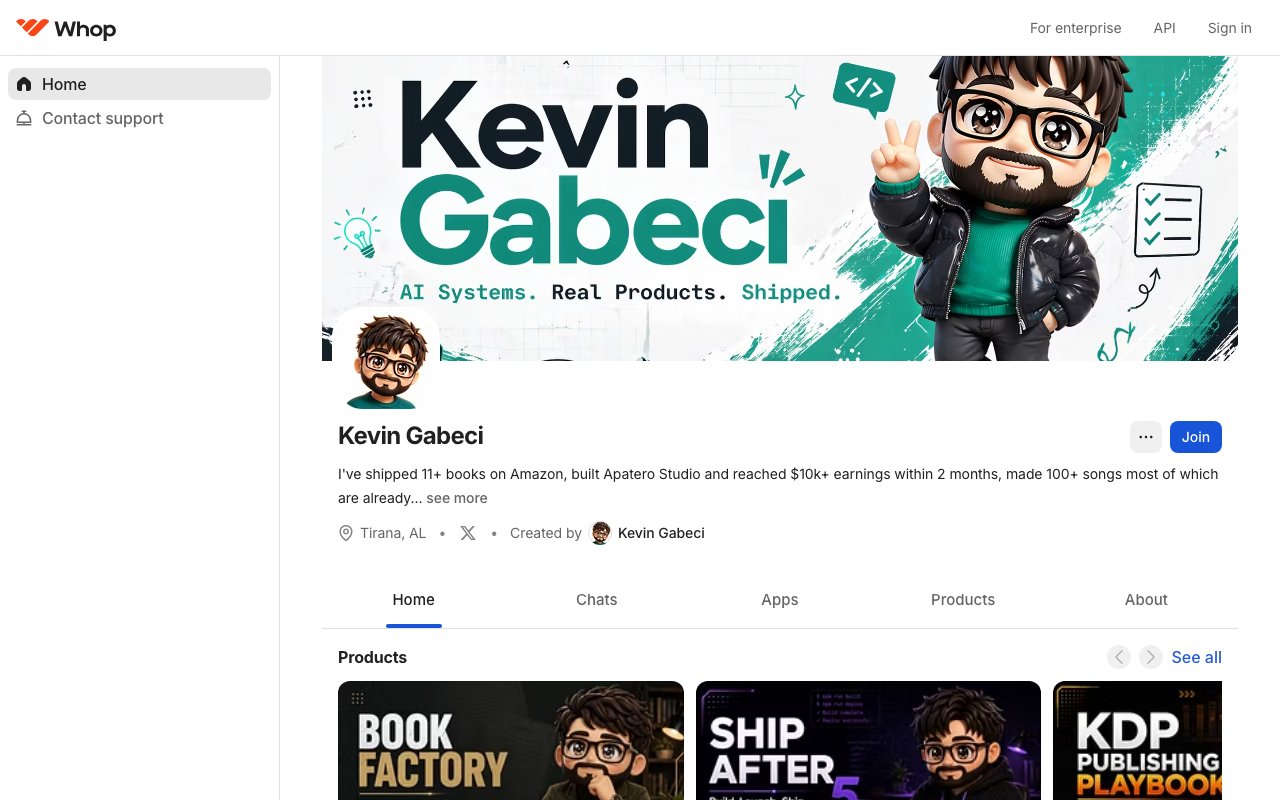
About Kevin Gabeci Toolkits
Kevin Gabeci Toolkits is a collection of digital products sold through Whop that teach AI-assisted workflows for specific creative and technical tasks. The lineup spans book creation, publishing, audio production, video, and automation, with each toolkit focusing on a single pipeline from start to finish. These aren't general AI tutorials covering broad concepts. Each product walks through a specific process using a defined stack of tools, with the assumption that the buyer wants to produce real output rather than just learn theory. The toolkits are designed for people who already know what they want to make and need the exact steps to get there using current AI capabilities.
The collection includes seven products that connect into a coherent system. The KDP Publishing Playbook at $29 covers how to take a manuscript through Amazon's Kindle Direct Publishing process from formatting through launch, handling the tedious details of metadata, categories, keywords, and cover specifications that trip up first-time self-publishers. The AI Book Factory at $49 teaches manuscript creation using AI assistance, covering the full arc from idea through finished draft with frameworks for maintaining quality across longer works. Ship After 5 Toolkit at $49 focuses on building side projects while holding a day job, with frameworks for managing limited time, prioritizing what matters, and actually shipping instead of endlessly planning. These first three products address the pipeline of going from nothing to a published book while working around the constraints of a real life.
The remaining four products extend into adjacent creative domains. AI Music Toolkit at $49 walks through producing original music using AI generation tools, organized around a twelve-stage pipeline that covers everything from initial concept through final mastering. AI Video Pipeline Toolkit at $49 covers video creation from planning through final render, with workflows for book trailers, app demos, and social content. AI Audiobook Toolkit at $49 handles the narration and production side for authors who want audio versions of their books, covering both DIY approaches and AI-assisted narration that meets platform specifications. AI Agents Toolkit at $49 teaches how to build your own AI assistants and automation, which ties the other toolkits together by showing how to create the kind of workflows they rely on. A buyer who works through the full collection would have covered the entire chain from writing a book to publishing it in multiple formats to promoting it with video and audio content.
Each toolkit follows a similar structure. There's a main guide that walks through the complete process, usually organized into stages that mirror a real production workflow. Supplementary materials include prompts, templates, and example projects that show the workflow applied to real output. The toolkits also include Claude Code skills and slash commands, which are pre-built AI interactions that buyers can load into their own coding environments to replicate the workflows demonstrated in the guides. This technical component means the products work both as educational material and as actual tooling that speeds up production once learned.
The target audience is indie creators who want to produce professional-grade output without hiring specialists or spending months on trial and error. Authors who want audiobooks but can't afford voice actors. Musicians who want original tracks for their projects. Developers who want to build AI assistants for their own workflows. The toolkits assume some technical comfort but don't require deep expertise. They're positioned as shortcuts for people who would otherwise spend months figuring out the same processes by experimenting alone. The pitch is that Kevin already did the experimenting, documented what worked, and packaged the results into repeatable processes.
What makes this collection different from typical digital courses is the emphasis on tooling over theory. Each product centers on specific software and AI services rather than abstract principles. The guides show exactly which tools to use, how to configure them, and how to chain them together into working pipelines. This means the content ages faster than conceptual education would, since the AI landscape changes rapidly, but it also means buyers can start producing immediately rather than translating theory into practice. The tradeoff is explicit: these are practical workflows for today's tools, not timeless principles that will be relevant in five years.
Pricing runs at $29 for the publishing playbook and $49 for the other toolkits. All products are available through Whop with immediate access after purchase. There's no subscription model. Buyers own what they buy and keep access to updates as the workflows evolve. The collection can be purchased piecemeal based on what's relevant or as a set for someone who wants the complete pipeline.
Key Features
- AI Book Factory manuscript pipeline
- KDP Publishing Playbook
- AI Audiobook Toolkit
- AI Music Toolkit
- AI Video Pipeline Toolkit
- AI Agents Toolkit
- Ship After 5 methodology
Pros & Cons
What we like
- Real pipelines a working indie maker actually uses
- Claude Code Skills and slash commands included
- Covers the full create-to-publish path
- Priced for solo creators
Room for improvement
- Paid products, not free tools
- Built around Claude and AI workflows
- Best value if you use more than one
Frequently Asked Questions
What are Kevin Gabeci Toolkits?
How much do they cost?
Where do I buy them?
Do I need Claude Code?
Best For
Featured in
Alternatives to Kevin Gabeci Toolkits
PingClass
Manage students, attendance, fees, teachers, and parents from one tuition dashboard

CalendHub
Smart scheduling and calendar management for teams

SelfAssay
Evidence-graded research and personal tracking for supplements, peptides, and longevity stacks

PrimeTask
Offline-first work OS with tasks, CRM, and canvas views you buy once and own forever
Reviews (6)
The AI Book Factory toolkit paid for itself
I had been stuck on a manuscript for a year. The pipeline gave me an actual repeatable process with the Skills and commands laid out step by step. Shipped a finished draft in a few weeks.
Actual pipelines, not motivational fluff
These are real systems with the Claude Code Skills and slash commands included, not another course of talking-head videos. You follow the steps and you get output. That is the whole difference.
Ship After 5 rewired how I work
The methodology one is the sleeper hit. It is built for people shipping around a day job, which is exactly me. Changed how I use my evenings.
Bought the music toolkit, shipped a real track
Used it to make an original song for a launch trailer and it came out genuinely good. Clear stages, nothing hand-wavy. Docking one star only because you really do need Claude Code to get the full value.
Worth it if you live in Claude Code
If you already use Skills and slash commands, these hand you battle-tested ones for real creative work. Bought two, both earned their keep.
Practical and honest, no hype
No inflated promises, just working pipelines a real maker actually uses. Priced fairly for what you get.
Badge builder
Add Kevin Gabeci Toolkits to your website
Choose a badge style and size, preview it here, then copy the generated HTML. Badge images are self-contained SVGs and do not require an external script.

<a href="https://toolindex.net/tools/kevin-gabeci-toolkits?ref=badge" target="_blank" rel="noopener">
  <img src="https://toolindex.net/badge/kevin-gabeci-toolkits/medium.svg" alt="Kevin Gabeci Toolkits - Listed on Tool Index" width="180" height="50" />
</a>How to use the badge
- 1. Pick the style, size, and theme that fit your layout.
- 2. Copy the generated HTML from the code block.
- 3. Paste it into your footer, homepage, or press page.
Score badge available
Kevin Gabeci Toolkits qualifies for the score and circle badges based on its current top-10 positionin Productivity.
Badge clicks return visitors to this profile with a referral tag so the source remains identifiable.
Related Tools

Confluence
Atlassian's long-running team wiki that anchors many enterprise knowledge stacks
Asana
Project management for teams that live in projects, tasks and dependencies

Apatero AI
The creator studio for AI image, video, audio, 3D, and avatars, now at apatero.ai.

Warp
The modern terminal reimagined with AI and collaboration
Work on Kevin Gabeci Toolkits? Request listing access or correction