
Basecamp
All-in-one project management and team communication tool
Gallery
About Basecamp
Basecamp is a project management and team communication tool from 37signals, the company behind Ruby on Rails. It's been around since 2004 and has stayed deliberately opinionated the entire time. The app bundles to-dos, message boards, schedules, docs, chat, and check-ins in one place.
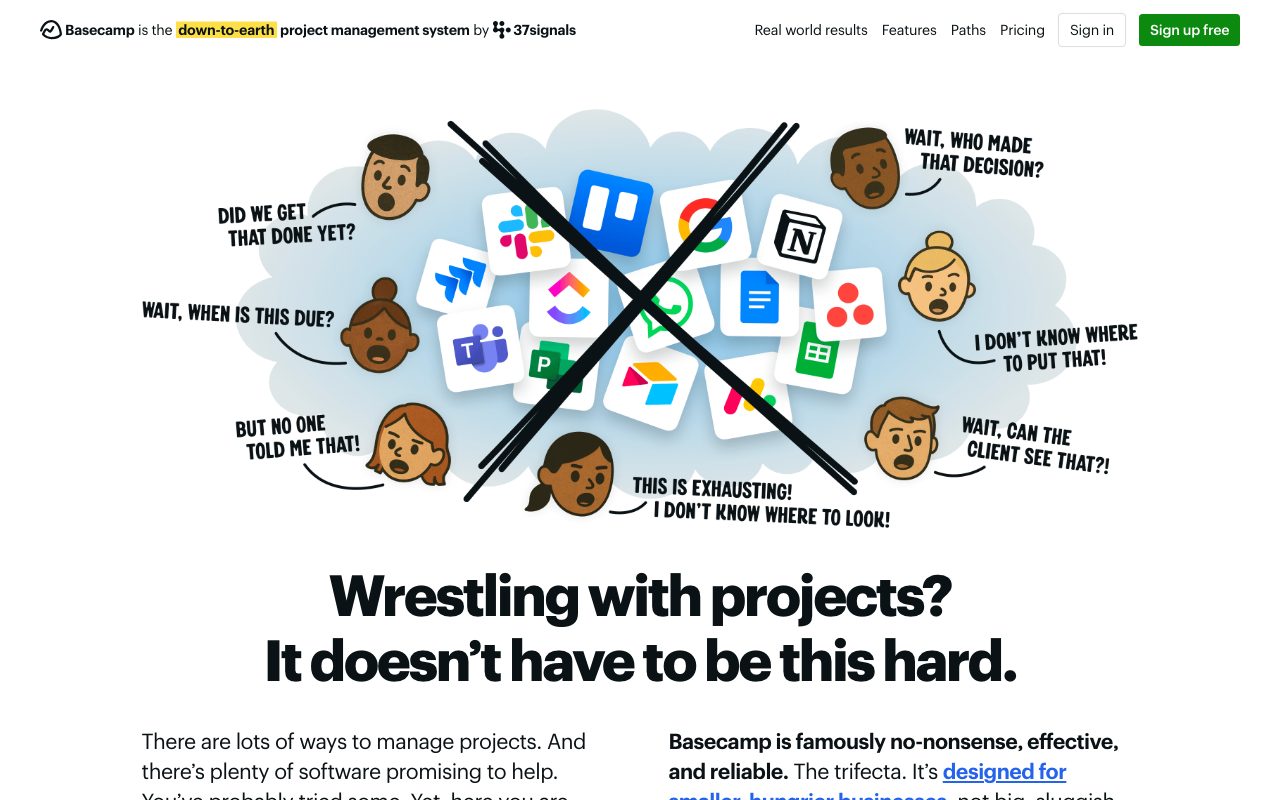
Basecamp's pitch is that it replaces a stack of separate tools with a single calmer one. Instead of Slack plus Asana plus Google Docs plus Zoom chat, you run a project on Basecamp. The opinion is that the modern stack is too noisy and too fragmented.
What Basecamp actually does
Each Basecamp project is a self-contained workspace. It has a message board for long form posts, a to-do list section, a schedule, a docs and files area, a real-time chat called Campfire, and an automatic check-ins feature. Everything lives under one project header so the team always knows where to look.
The Hill Charts feature is one of the more distinctive bits. Tasks are plotted on a curve showing whether you're still figuring something out or actively executing. It's a visual way to track work that doesn't fit a simple percentage complete bar.
Who Basecamp is built for
Basecamp targets small to mid-sized teams that prefer async work. Agencies, consultancies, remote-first startups, and small in-house teams are the typical customers. If your culture leans toward written updates and fewer meetings, Basecamp fits naturally.
It's not a fit for engineering-heavy teams that need granular sprint tracking. There's no kanban with custom statuses, no dependency graph, and no Gantt chart in the traditional sense. Basecamp is opinionated against those things on purpose.
Basecamp pricing
Basecamp's pricing is famously simple. The standard plan is a flat monthly fee for unlimited users, and the Pro Unlimited plan adds a higher storage cap and priority support for an annual fee. There's no per-seat math to do.
For a team of more than a handful of people, that flat fee is a real edge. A 30 person team pays the same as a 5 person team. Compare that math to Basecamp alternatives and the savings can be meaningful.
Features that define Basecamp
Automatic check-ins ask the team a recurring question, like what they worked on today. Replies thread under the question and reduce the need for stand-ups. Many teams use it as a daily async ritual.
Campfire is a per-project chat that keeps casual messages out of the message board. Pings are direct messages between people. Together they cover the chat surface without needing a separate Slack workspace.
Docs and files are version-tracked and searchable. The schedule integrates with Google Calendar and iCal. Client access lets you invite outside people into specific projects without giving them everything.
Basecamp's biggest strength is also its limit. The opinion that fewer features beat more features only works if your team agrees.
Tradeoffs and rough edges
Reporting is light. There's no native time tracking, no resource view, and no deep analytics. Teams that want roll-up dashboards across many projects usually layer in another tool.
The to-do system is intentionally simple. You can't set custom statuses, build sprint boards, or wire up automations. Power users coming from Linear or Jira often find it too plain.
Basecamp vs alternatives
The frequent comparisons are Basecamp versus Asana, Trello, ClickUp, and Notion. Asana and ClickUp are heavier with views, automations, and reporting. Trello is lighter and board-first. Notion is a docs-first canvas with project tracking bolted on.
Basecamp's edge is the bundle and the flat pricing. You get chat, docs, tasks, and schedule under one roof with no per-seat fee. See Basecamp vs Asana for a deeper breakdown.
Common questions about Basecamp
Is Basecamp still relevant? Yes, especially for teams that want fewer tools. It updated significantly in recent versions with a cleaner UI.
Does Basecamp have a free plan? There's a free tier for personal use with limits. The team plans are paid.
Can Basecamp replace Slack? It can for small async teams. If you live in real-time channels, Campfire feels lighter than Slack.
Bottom line on Basecamp
Basecamp is the calm, opinionated alternative to a fragmented modern stack. It rewards teams that value writing, async, and simplicity over feature density. Pair it with tools for agencies if client work is your main use case.
Try the trial, run a real project through it, and see if your team adapts. Compare options at the best project management tools.
Setting up a Basecamp project
A new Basecamp project starts with the six tools toggled on or off. Most teams keep all six and adjust later. Adding people is a click, and clients can be invited to specific projects without seeing the rest of your account.
The default workflow is async first. Post updates on the message board, leave to-dos with assignees, and use Campfire for quick chats. Meetings become the exception rather than the default.
Basecamp's philosophy in practice
37signals literally wrote books about how they work. Shape Up describes their cycle methodology, and Rework challenges modern startup conventions. Basecamp is the practical expression of those books.
If your team buys into shorter, scoped cycles instead of constant sprint planning, Basecamp fits naturally. The Hill Charts feature comes from this exact methodology. Teams that don't share the philosophy sometimes find Basecamp's lack of ceremony confusing.
Tutorial / Demo
Key Features
- Project-based to-do lists and task management
- Message boards for asynchronous discussions
- Campfire group chat
- Automatic check-ins for team status updates
- File and document storage per project
- Hill Charts for tracking project progress
- Schedule and milestone tracking
Pros & Cons
What we like
- Simple and opinionated, avoids feature overload
- Flat pricing regardless of team size
- Promotes asynchronous communication over meetings
- Hill Charts are a unique way to visualize progress
- Stable product from a profitable, bootstrapped company
Room for improvement
- No Gantt charts or advanced project views
- Limited customization compared to Jira or Asana
- Flat structure may not suit complex project hierarchies
- No free tier, only a free trial
Frequently Asked Questions
How much does Basecamp cost?
Basecamp vs Asana, which should I pick?
Does Basecamp have Gantt charts or dependencies?
Is Basecamp still relevant?
Does Basecamp integrate with the rest of my stack?
Best For
Featured in
Tags
Alternatives to Basecamp
monday.com
A flexible work OS built around colorful, spreadsheet-like boards

Zulip
Threaded team chat that treats topics as a first-class concept
Asana
Project management for teams that live in projects, tasks and dependencies

ClickUp
One workspace that tries to absorb every other project tool you use
Our take
Tool Index Editorial · May 2026· 4.6/5
If you're evaluating Basecamp, the headline is simple: all-in-one project management and team communication tool, and most teams will get value out of the box.
What it actually does well: Simple and opinionated, avoids feature overload, Flat pricing regardless of team size, and Promotes asynchronous communication over meetings. Where it stumbles: No Gantt charts or advanced project views and Limited customization compared to Jira or Asana.
Bottom line: pick Basecamp when you need managing projects for small to mid-sized teams; look elsewhere if no Gantt charts or advanced project views would be a dealbreaker.
Editorial opinion from the Tool Index team, written from the public product pages. Not a user review.
Reviews (9)
Pulled its weight from week one
Picked Basecamp for the lower price, stayed for the actual quality. Honestly impressed by how simple and opinionated, avoids feature overload. Main use case: teams that value simplicity over feature richness. That said, no free tier, only a free trial is a real gripe.
Almost perfect, almost
Adopted Basecamp for one project, ended up using it for more. Honestly impressed by how promotes asynchronous communication over meetings. Worth calling out the project-based to-do lists and task management too. Solid pick for my use case, your mileage may vary.
Basecamp, better than expected
A few weeks of using Basecamp, here's what holds up. Real selling point: stable product from a profitable, bootstrapped company. The project-based to-do lists and task management is more useful than I expected.
Basecamp, better than expected
Basecamp has quietly become part of my daily flow. Genuine strength: flat pricing regardless of team size. Message boards for asynchronous discussions works the way you'd hope. Main use case: asynchronous team communication across time zones. Glad I made the switch.
Pros
- Simple and opinionated, avoids feature overload
- Stable product from a profitable, bootstrapped company
- Flat pricing regardless of team size
Bought it for one feature, stayed for ten
Started using Basecamp casually, now it's pinned in my dock. Real selling point: simple and opinionated, avoids feature overload. The project-based to-do lists and task management is more useful than I expected. Main use case: client project management with external access. Would buy again without thinking twice.
Pros
- Promotes asynchronous communication over meetings
Genuinely impressed
Basecamp has quietly become part of my daily flow. Where it really wins is stable product from a profitable, bootstrapped company. Worth calling out the message boards for asynchronous discussions too. Still recommending it to people in similar setups.
Quietly excellent
Hadn't planned on switching, but Basecamp was hard to ignore. Genuine strength: hill Charts are a unique way to visualize progress. Campfire group chat works the way you'd hope. Main use case: replacing scattered tools with one unified platform. Glad I made the switch.
Pros
- Simple and opinionated, avoids feature overload
- Stable product from a profitable, bootstrapped company
- Promotes asynchronous communication over meetings
Cancelled after the past year
Started using Basecamp casually, now it's pinned in my dock. The thing I keep coming back to: stable product from a profitable, bootstrapped company. Mostly using it for managing projects for small to mid-sized teams. Honest gripe: no free tier, only a free trial. Might revisit when they iterate further.
Pros
- Stable product from a profitable, bootstrapped company
- Promotes asynchronous communication over meetings
- Hill Charts are a unique way to visualize progress
Cons
- No Gantt charts or advanced project views
Basecamp has been a quiet upgrade
Hadn't planned on switching, but Basecamp was hard to ignore. Real selling point: simple and opinionated, avoids feature overload. Got real value out of schedule and milestone tracking. Mostly using it for teams that value simplicity over feature richness. Easy yes for anyone weighing the same trade-offs.
Badge builder
Add Basecamp to your website
Choose a badge style and size, preview it here, then copy the generated HTML. Badge images are self-contained SVGs and do not require an external script.

<a href="https://toolindex.net/tools/basecamp?ref=badge" target="_blank" rel="noopener">
  <img src="https://toolindex.net/badge/basecamp/medium.svg" alt="Basecamp - Listed on Tool Index" width="180" height="50" />
</a>How to use the badge
- 1. Pick the style, size, and theme that fit your layout.
- 2. Copy the generated HTML from the code block.
- 3. Paste it into your footer, homepage, or press page.
Standard badge available
The standard listing badge is available now. Score and circle badges are limited to tools currently ranked in the top 10 of a category.
Badge clicks return visitors to this profile with a referral tag so the source remains identifiable.
Related Tools

Confluence
Atlassian's long-running team wiki that anchors many enterprise knowledge stacks
Asana
Project management for teams that live in projects, tasks and dependencies
Kevin Gabeci Toolkits
Seven AI toolkits for writing books, making music, cutting video, and building agents.

Substack
Hosted newsletter and publication platform with built-in payments, recommendations, and an audience network for writers.
Work on Basecamp? Request listing access or correction