Trello
The kanban board that taught the rest of the industry what a card was
Gallery
About Trello
Trello is the kanban board that taught the rest of the industry what a card was. It's been around since 2011 and it's still one of the easiest project tools to pick up in five minutes.
Atlassian acquired Trello in 2017 and has been slowly evolving it. The core idea hasn't changed. Lists hold cards. Cards represent work. You drag them across lists. That's most of it.
If you've used Asana or ClickUp and felt overwhelmed, Trello is the simpler tool you remember loving.
What Trello actually does
Trello gives you boards. Each board has lists. Each list has cards. Cards have titles, descriptions, attachments, comments, due dates, checklists, and labels. That's the model.
Power-Ups extend the basics: calendars, automations, integrations with Slack, Google Drive, GitHub, and dozens of others. You add what you need rather than getting them all by default.
Butler automations
Trello's built-in automation engine. You can write rules in plain English: "when a card is added to Done, archive it after 7 days." It's surprisingly powerful for a tool this simple.
Who Trello is for
Small teams. Personal projects. Cross-functional groups that aren't full-time using a project tool. Anyone who needs a visual way to track work without learning a new app.
It's not for serious software project tracking. Trello hits limits fast once you need sprints, cycles, dependencies, and reporting. Linear or Jira fit better there.
The "we just need to see what's happening" team
Trello shines for groups that want visibility without process. Wedding planning, content calendars, simple sales pipelines. The tool stays out of the way.
Pricing breakdown
Free plan that's genuinely useful. Standard, Premium, and Enterprise tiers add automation runs, board views, advanced features, and admin controls.
The free tier is one of the most generous in project management. You can run small teams on it indefinitely. Paid tiers unlock things like timeline view, advanced checklists, and unlimited automation.
Per-Power-Up costs
Some Power-Ups have their own pricing. Watch for it when you start adding integrations. The bill can grow if you're not paying attention.
Standout features of Trello
Speed of onboarding. Trello is one of the fastest tools to onboard non-technical users. The kanban metaphor is universal and the UI doesn't fight you.
Board templates. Marketplace of pre-built boards for use cases like content calendars, project intake, and OKRs. You can clone a working setup instead of building from scratch.
The mobile app
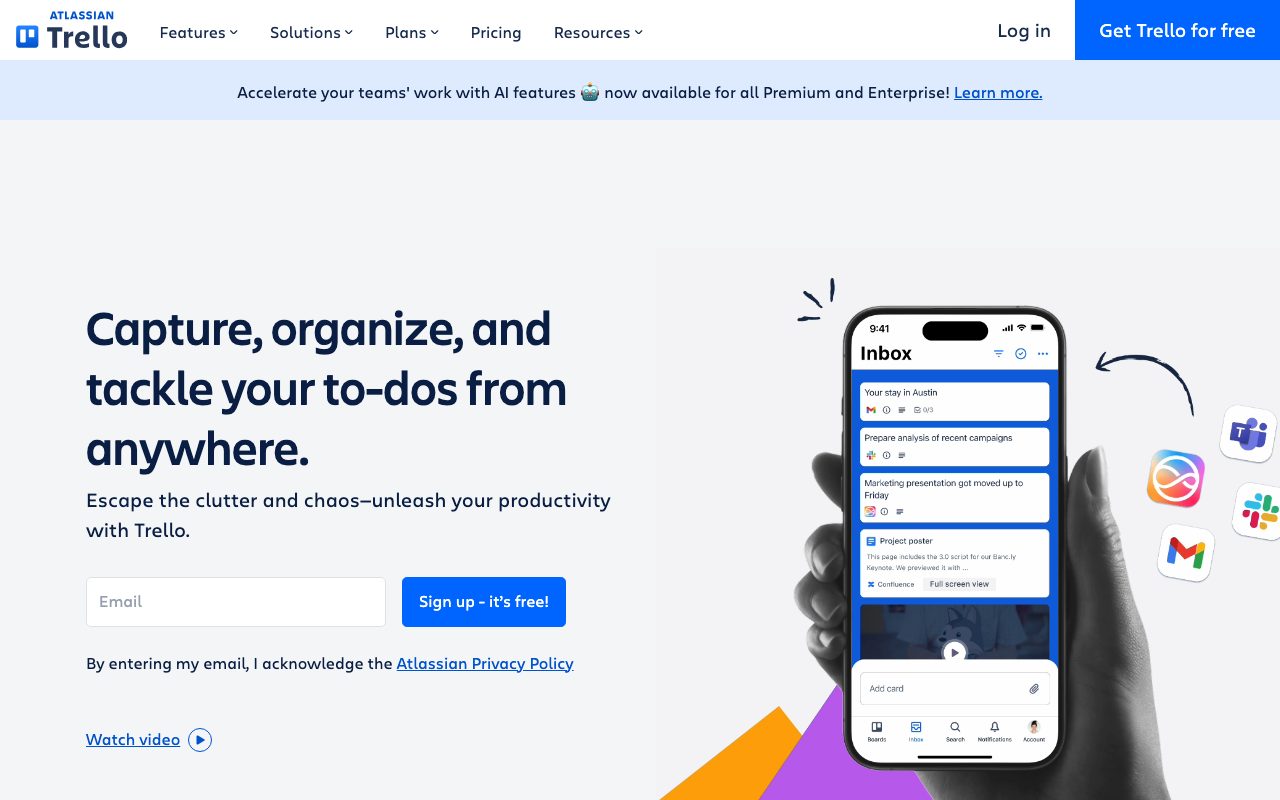
Trello's mobile experience is genuinely good. Drag cards, add comments, snap photos as attachments. Many competitors have weaker mobile stories.
Honest tradeoffs with Trello
It hits a ceiling. Once you have hundreds of cards across many boards, navigation becomes painful. The simple model that's a strength early becomes a weakness at scale.
Reporting is limited. There's no built-in deep analytics. Power-Ups help but you'll be patching together what other tools include natively.
Trello is the project tool that proved simple wins more often than complete. It's still worth defending against the kitchen-sink alternatives.
Trello vs alternatives
Trello vs Asana: Asana is more structured, more grown-up. Trello is more casual, more flexible.
Trello vs Notion: Notion has docs and databases. Trello has focus and speed. Different jobs.
Trello vs Jira: Jira is for engineering. Trello is for everyone else.
For broader views, see the best kanban tools or check Asana alternatives and Trello vs Asana.
When Trello wins
You want zero-friction adoption. Your team isn't technical. You need a board, not a system.
Bottom line on Trello
Trello is still the best answer for small teams that want a kanban board without the overhead of a full project management platform. It hasn't lost its charm.
If you're running a complex software project, look at Linear or Jira. For everything lighter, Trello probably still works. See tools for small teams for related picks.
Why Trello hasn't been killed by competitors
By feature count, every modern competitor has more. ClickUp, Asana, Monday, Notion, Linear all do more things. Yet Trello's user base is enormous and stable. The reason is onboarding speed.
You can teach a non-technical person to use Trello in five minutes. That same person needs an hour with most competitors. For cross-functional teams with mixed technical skill, that gap matters more than any feature comparison.
The kanban metaphor wins
Lists and cards are universal. Most humans understand them on sight. The metaphor doesn't require training, doesn't require process, and doesn't require buy-in. It just works.
Trello for different teams
Marketing teams use it for content calendars and campaign tracking. HR teams use it for hiring pipelines. Operations teams use it for SOPs. Personal users use it for everything from wedding planning to home renovation projects.
The breadth of use cases is part of Trello's identity. It's not specialized. It's general-purpose. That's a strength when your needs are simple, a weakness when they're not.
Power-Ups in practice
Power-Ups extend boards with custom fields, calendar views, time tracking, integrations, and more. Each board can use up to a free-tier limit, with unlimited Power-Ups on paid plans. The ecosystem is mature with hundreds of options.
Common Trello questions
Is Trello free? Yes, the free tier is genuinely usable. Does Trello replace project management software? For simple teams, yes. For complex ones, no. Can Trello scale to large companies? It can, with limitations.
For more, see tools for marketing teams and Trello vs Asana.
Final take on Trello
Trello is the eternal default for kanban-style work that doesn't need more. It's free, fast to adopt, and surprisingly powerful with Power-Ups. For small teams and personal projects, it's still the right answer most of the time.
Trello Power-Ups in detail
Power-Ups extend boards with custom functionality. Calendar view, time tracking, voting, custom fields, integrations with external tools. The Power-Up marketplace has hundreds of options. Free plan limits you to a few per board, paid plans unlimit.
Some Power-Ups are made by Atlassian. Some are third-party. Some have their own subscription costs on top of Trello's. Watch the bill creep if you add many.
Butler automation language
Butler is Trello's automation engine. You write rules in plain English: "every Monday at 9 AM, archive all cards in Done that have been there more than 14 days." The natural language input is friendly to non-technical users while being powerful enough for serious workflows.
Trello for personal productivity
Personal Trello boards are a category unto themselves. People manage reading lists, hobby projects, household tasks, fitness goals, and life milestones on boards. The kanban metaphor scales down to one-person use as easily as it scales up to team use.
The free tier is more than enough for personal use. Most personal Trello users never pay. Atlassian seems fine with this, treating personal use as a top-of-funnel for team adoption.
Trello and Confluence integration
If you're already in the Atlassian ecosystem, Trello connects with Confluence and Jira. Cross-references work. You can pull Confluence pages into Trello cards as attachments, and Jira issues can sync with Trello cards. The integration depth is real.
For non-Atlassian shops, this matters less. Trello stands alone fine. But for Atlassian-committed teams, the integration story is a real plus.
Mobile experience
The mobile apps for iOS and Android are genuinely good. You can drag cards, snap photos as attachments, dictate comments, and review notifications. Many users do most of their Trello work on mobile, which speaks to the app quality.
Trello at company scale
Enterprise Trello adds SSO, admin controls, and security features. Larger organizations standardize on Trello for cross-functional work that doesn't fit specialized tools. Marketing, HR, operations, and finance teams often live on Trello while engineering uses Linear or Jira.
The boundary between Trello and more specialized tools matters. Trello is the lowest common denominator. Once a team's needs exceed Trello's capabilities, they migrate to a specialized tool. That's the pattern, and it's healthy.
Custom fields and formulas
The Custom Fields Power-Up adds typed data to cards. Numbers, dates, dropdowns, and checkboxes all work. Combined with Butler automation, you can build mini-databases inside Trello boards. It's not Airtable but it's enough for many use cases.
The Trello community
The Trello community is huge and old. Tutorials, templates, and best-practice guides are everywhere. Stack Overflow answers exist for almost any Trello question. The ecosystem maturity matters when you're trying to do something unusual.
This community depth is a moat that newer tools haven't matched. Linear's community is sharp but small. ClickUp's is large but chaotic. Trello's is large and seasoned, which is the right kind of large.
Trello wrap-up
The platform's persistence speaks to the kanban metaphor's enduring power. Despite a decade of more feature-rich competitors, Trello's user base remains enormous. The reason is the same reason it's been successful from day one: nothing else is this fast to learn and this hard to misuse.
For teams considering whether to upgrade from Trello to a more powerful tool, the question to ask is whether the additional features will actually be used. Most teams that migrate from Trello to ClickUp or Asana don't use most of what they pay for. Some end up moving back to Trello within a year.
The personal use case
Beyond team use, Trello remains one of the best personal productivity tools in existence. Free, fast, mobile-friendly, and infinitely flexible for any kanban-shaped problem. Many people who don't use Trello at work use it for life management, reading lists, hobby projects, and creative work. That's a quiet success that newer tools haven't matched.
Tutorial / Demo
Key Features
- Kanban boards with drag-and-drop cards
- Power-Ups for calendars, automations and integrations
- Butler automation engine
- Cards with checklists, attachments and members
- Templates for common workflows
- Mobile apps with offline support
Pros & Cons
What we like
- Easiest project tool to onboard a non-technical team to
- Free tier is more than enough for personal use
- Plays well with the wider Atlassian stack
- Visual model maps directly to physical sticky notes
Room for improvement
- Hits a ceiling for complex multi-project orgs
- Reporting is thin without Power-Ups
- Not great as a single source of truth at scale
Frequently Asked Questions
Is Trello still free?
Trello vs Notion, which one wins?
Trello vs Linear for engineering teams?
Does Trello support automation?
Can I import Trello data into another tool?
Best For
Featured in
Tags
Alternatives to Trello
View allAsana
Project management for teams that live in projects, tasks and dependencies
monday.com
A flexible work OS built around colorful, spreadsheet-like boards
Todoist
A friendly, fast personal task manager that grows up gracefully into a team tool

ClickUp
One workspace that tries to absorb every other project tool you use
Our take
Tool Index Editorial · May 2026· 4.8/5
What Trello is really selling — beyond the marketing copy — is the kanban board that taught the rest of the industry what a card was.
On the strengths side: Easiest project tool to onboard a non-technical team to, Free tier is more than enough for personal use, and Plays well with the wider Atlassian stack. Honest gripes: Hits a ceiling for complex multi-project orgs and Reporting is thin without Power-Ups.
In short: Trello is a strong pick when you need personal task management on a single board, and a harder sell if hits a ceiling for complex multi-project orgs would be a dealbreaker.
Editorial opinion from the Tool Index team, written from the public product pages. Not a user review.
Reviews (6)
It just works
Honest take: Trello delivers most of what the marketing promises. Genuine strength: easiest project tool to onboard a non-technical team to. Worth calling out the butler automation engine too. Main use case: editorial calendars and content pipelines. Easy yes for anyone weighing the same trade-offs.
Pros
- Plays well with the wider Atlassian stack
- Free tier is more than enough for personal use
Genuinely impressed
Trello is one of those tools you stop noticing because it just works. The thing I keep coming back to: free tier is more than enough for personal use. Their take on kanban boards with drag-and-drop cards is solid. Worth the price for what I get out of it.
Pros
- Easiest project tool to onboard a non-technical team to
- Visual model maps directly to physical sticky notes
Surprised how much we use this
Skeptical at first because Trello looked too simple. It's not. The biggest win has been plays well with the wider Atlassian stack. Worth calling out the templates for common workflows too. Still recommending it to people in similar setups.
Pros
- Visual model maps directly to physical sticky notes
Trello has been a quiet upgrade
A few weeks of using Trello, here's what holds up. Genuine strength: visual model maps directly to physical sticky notes. Worth calling out the power-Ups for calendars, automations and integrations too.
Pros
- Plays well with the wider Atlassian stack
- Free tier is more than enough for personal use
- Easiest project tool to onboard a non-technical team to
It just works
Tried half a dozen options before landing on Trello. Genuine strength: plays well with the wider Atlassian stack. Cards with checklists, attachments and members works the way you'd hope. Glad I made the switch.
Pros
- Visual model maps directly to physical sticky notes
Recommended without reservation
Trello isn't perfect but it's the best I've used in this category. Where it really wins is free tier is more than enough for personal use. Cards with checklists, attachments and members works the way you'd hope. Still recommending it to people in similar setups.
Pros
- Visual model maps directly to physical sticky notes
Badge builder
Add Trello to your website
Choose a badge style and size, preview it here, then copy the generated HTML. Badge images are self-contained SVGs and do not require an external script.

<a href="https://toolindex.net/tools/trello?ref=badge" target="_blank" rel="noopener">
  <img src="https://toolindex.net/badge/trello/medium.svg" alt="Trello - Listed on Tool Index" width="180" height="50" />
</a>How to use the badge
- 1. Pick the style, size, and theme that fit your layout.
- 2. Copy the generated HTML from the code block.
- 3. Paste it into your footer, homepage, or press page.
Score badge available
Trello qualifies for the score and circle badges based on its current top-10 positionin Productivity.
Badge clicks return visitors to this profile with a referral tag so the source remains identifiable.
Related Tools

Confluence
Atlassian's long-running team wiki that anchors many enterprise knowledge stacks
Asana
Project management for teams that live in projects, tasks and dependencies
Kevin Gabeci Toolkits
Seven AI toolkits for writing books, making music, cutting video, and building agents.

Logseq
An open-source outliner notes app where every bullet is a first-class block
Work on Trello? Request listing access or correction