
Airtable
Spreadsheet-database hybrid with linked records, multiple views, automations, and an interface designer for internal apps.
Gallery
About Airtable
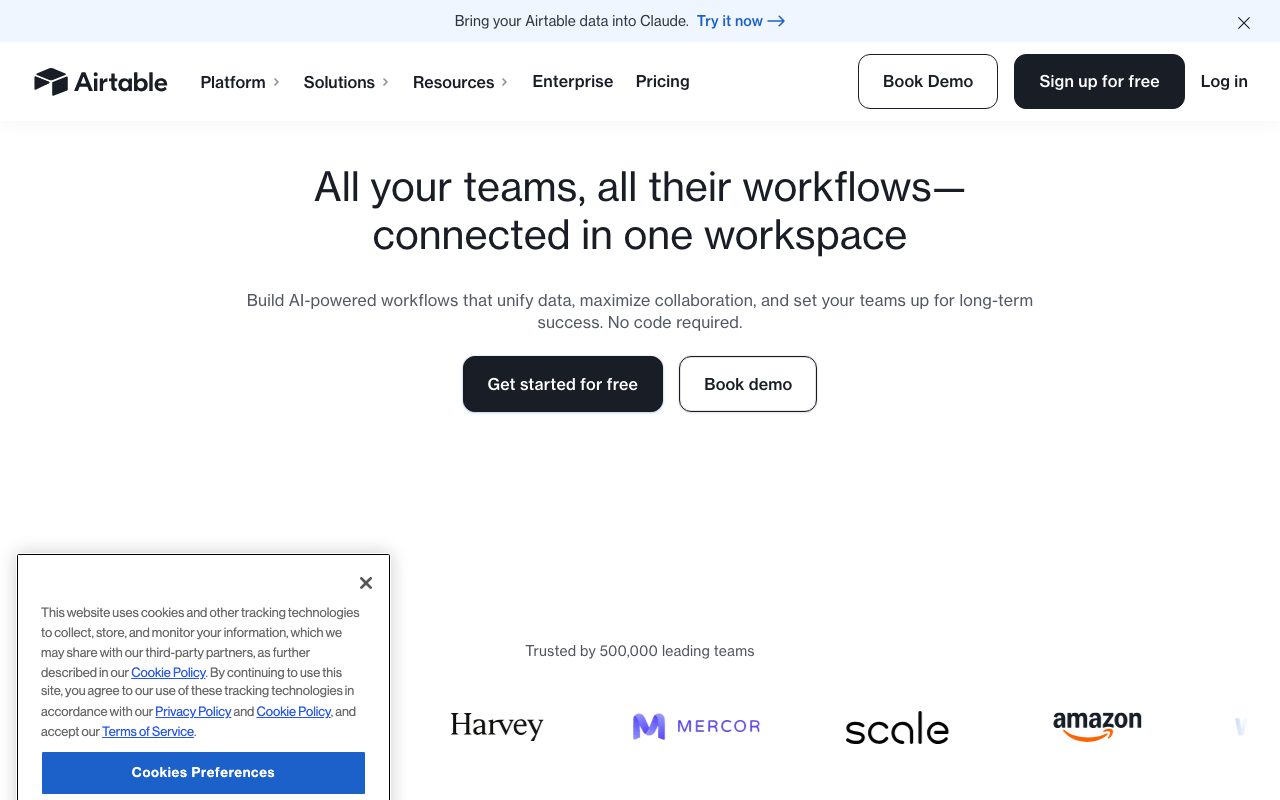
Airtable is the spreadsheet that grew up. It looks like a grid, behaves like a database, and ships with views, forms, and automations baked in. Teams use Airtable to track projects, content calendars, CRM pipelines, and product roadmaps without writing a line of SQL.
I've watched marketing teams replace four separate tools with one Airtable base. That's the pitch in a sentence. You get the spreadsheet's friendliness with the relational power that makes data actually useful.
It's not perfect. Pricing climbs fast once you cross 50,000 records, and the JavaScript scripting block has limits. But for the messy middle between Excel and a custom app, Airtable still wins.
What Airtable does
Airtable stores your data in bases. Each base contains tables. Each table has typed fields like text, number, attachment, link to another record, formula, lookup, rollup, and rating.
You can view the same table as a grid, kanban board, calendar, gallery, timeline, or gantt. That flexibility is the magic. The marketing lead sees a calendar. The PM sees a kanban. The exec sees a dashboard. One source of truth.
Airtable also includes interfaces, which are no-code apps built on top of your base. Forms collect data. Automations trigger actions on changes. Sync brings in data from Salesforce, Jira, and Google Drive.
Who Airtable is for
Operations leads love it. So do agencies, content teams, event planners, and product managers who outgrew Trello but don't need Notion's docs-first vibe.
Engineers tolerate it. Sometimes they build small internal tools on top of it via the API. Often they migrate off once data crosses a few million rows.
If you're choosing between Airtable and a real database, the question is who maintains it. Non-engineers can update an Airtable base on Tuesday afternoon. Updating a Postgres schema requires a migration.
Pricing in 2026
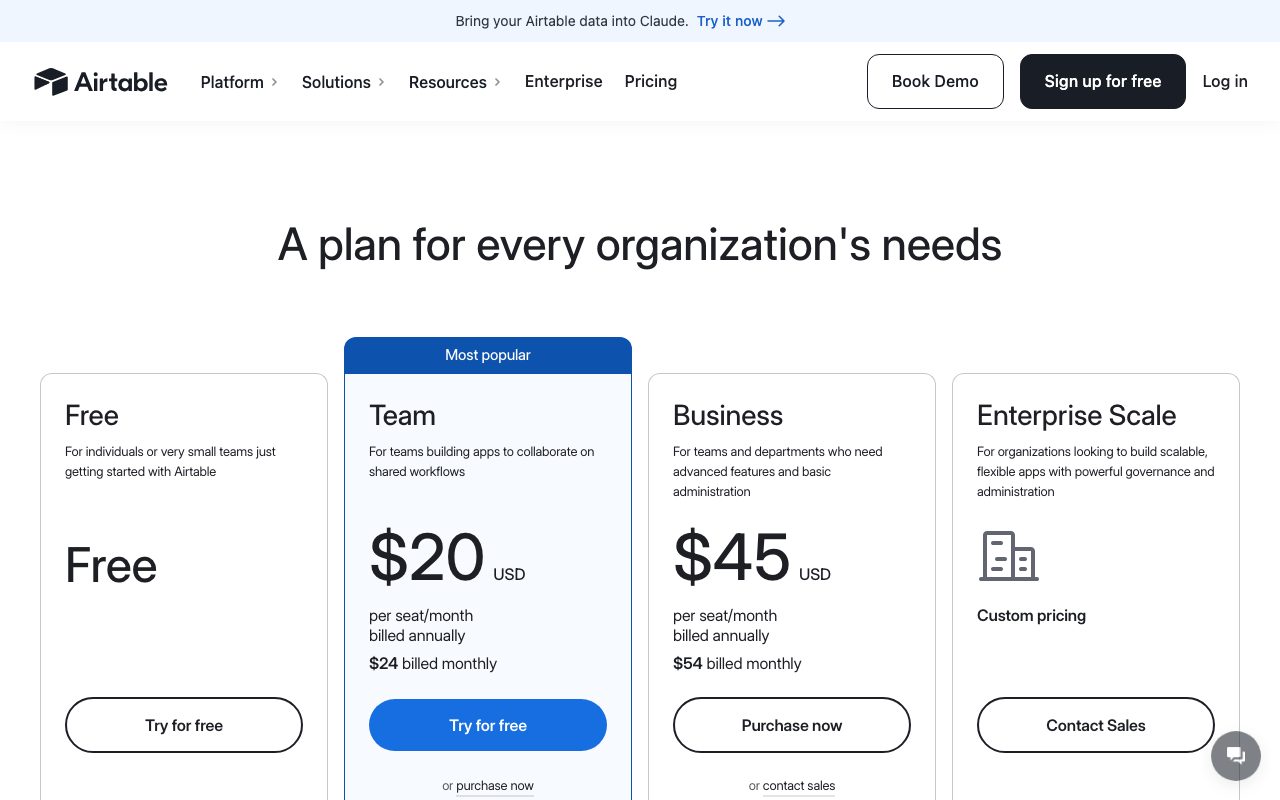
The free tier gives unlimited bases with 1,000 records per base. That's enough for personal use or tiny teams.
Team starts around $20 per user per month with 50,000 records and richer automations. Business doubles that for advanced sync and admin controls. Enterprise is custom and includes audit logs, SSO, and HIPAA.
Features that actually matter
Linked records are the big one. You can connect a project to its tasks, a contact to their company, a campaign to its assets. The links work both ways.
Formulas pull from linked records via lookups and rollups. Automations send Slack pings, post to webhooks, or trigger scripts. The API is clean and lets you build dashboards or sync data elsewhere.
Interfaces are surprisingly polished. You drag in charts, filters, and forms. End users get a focused view without seeing the messy underlying tables.
Tradeoffs you should know
Performance dies past around 100,000 rows. Filters get sluggish. Sorts take seconds. If you need millions of rows, look elsewhere.
Per-seat pricing punishes large teams. A 50-person ops crew on Business runs north of $2,500 per month. That's real money for what's still a glorified spreadsheet.
The free tier dropped from 1,200 to 1,000 records and lost some automation runs. Airtable has been tightening the funnel for years. Expect more.
Airtable vs the alternatives
NocoDB is the open source alternative everyone benchmarks against. It connects to Postgres or MySQL directly. You self-host. Free if you ignore your time. Check our Airtable alternatives roundup for a full comparison.
Notion handles the docs-and-database hybrid better. Airtable handles pure structured data better. We lay out the differences in Airtable vs Notion.
Smartsheet wins for project portfolio management at the enterprise tier. Coda wins for docs that compute. Baserow is the open source contender to watch.
If your team has more than three spreadsheets that reference each other, you've already outgrown Google Sheets. Airtable buys you another two years before you need a real backend.
Common questions about Airtable
Is Airtable a real database? Sort of. It's a database with training wheels. Good enough for most ops work, not good enough to power a production app at scale.
Does Airtable replace Notion? Not really. Pick Airtable for structured data. Pick Notion for docs that occasionally need a table. We cover this in our spreadsheet alternatives guide.
Can you self-host Airtable? No. It's cloud only. That's the trade. If self-hosting matters, NocoDB or Baserow is your path. See no-code database tools for more.
The bottom line on Airtable
Airtable is the default for teams who need structure beyond a spreadsheet without committing to engineering. The pricing has gotten aggressive but the product still leads.
If you're starting a new ops workflow tomorrow, try Airtable first. You'll know within an hour whether it fits. If you hit the record cap or the per-seat math, that's when you go shopping.
For most teams Airtable hits the sweet spot. It's flexible enough to model anything, friendly enough that non-engineers stick with it, and powerful enough that you won't outgrow it for years. Browse the full toolindex catalog if you want to see how it stacks up against fresher alternatives.
How teams actually adopt Airtable
The pattern repeats. Someone on the ops team builds a base over a weekend. Two coworkers ask for access. A month later three departments are running on it. Six months in, an admin tries to consolidate workspaces.
That bottom up adoption is Airtable's growth engine. It's also the failure mode. Without admin governance, you end up with seven copies of the customer list and no source of truth.
Smart teams designate one owner per base. That owner manages permissions, schema changes, and integrations. Without that role, Airtable bases drift fast.
Airtable templates worth starting from
The template gallery has hundreds of pre built bases. Project trackers. Editorial calendars. Bug trackers. CRMs. Event planners. Most are decent starting points but assume you'll customize.
The marketing campaign tracker, the content calendar, and the product roadmap are the most reused. You can copy them in 30 seconds and adapt the fields to your team's vocabulary.
Don't fall in love with a template. Templates are scaffolding. The real work is matching fields to your actual workflow. That work cannot be skipped.
The Airtable API and integrations
The REST API is clean. Every base has a unique key. You can read, write, and update records. Rate limits are reasonable. The official SDKs (JavaScript, Python) cover most languages.
Webhooks fire on record changes. Useful for syncing to other systems or triggering external workflows. Combined with Zapier or Make, Airtable becomes the central nervous system for a small operations stack.
Internal scripting in the scripting block handles light automation inside Airtable. JavaScript runtime with limits. Good for batch operations that touch many records at once.
Migration paths from Airtable
Eventually some teams outgrow Airtable. The migration story matters. Most go to Postgres or BigQuery for analytics, plus a custom front end for the operational side.
NocoDB is the open source alternative that lets you keep the Airtable feel on top of your own Postgres. Useful if the data model still works but the pricing or scale doesn't.
Tools like Stacker and Softr build custom apps on top of Airtable. They extend the lifespan before a real migration is needed.
Airtable security and admin
Workspace level admin controls in Airtable Business and Enterprise let you manage users, SSO, and audit logs. The Free and Team plans don't get the deeper admin features.
SCIM provisioning syncs users from Okta or Azure AD on the Enterprise plan. Useful when your IT team requires central identity management.
Per base sharing controls let you limit who can edit, who can view, and who can comment. Field level permissions add another layer for sensitive columns. Use them.
What real teams build in Airtable
An ops team tracks vendor contracts. Each row is a contract. Linked records connect to vendors and to renewal dates. Automations remind owners 60 days before renewal.
A content team runs an editorial calendar. Each row is a piece of content. Status field moves through draft, review, published. Calendar view shows the week ahead at a glance.
A founder runs a customer pipeline. Each row is a deal. Linked to contacts, to companies, to product fit notes. Kanban view shows pipeline stages. The founder closes deals from a phone.
Airtable beyond the basics
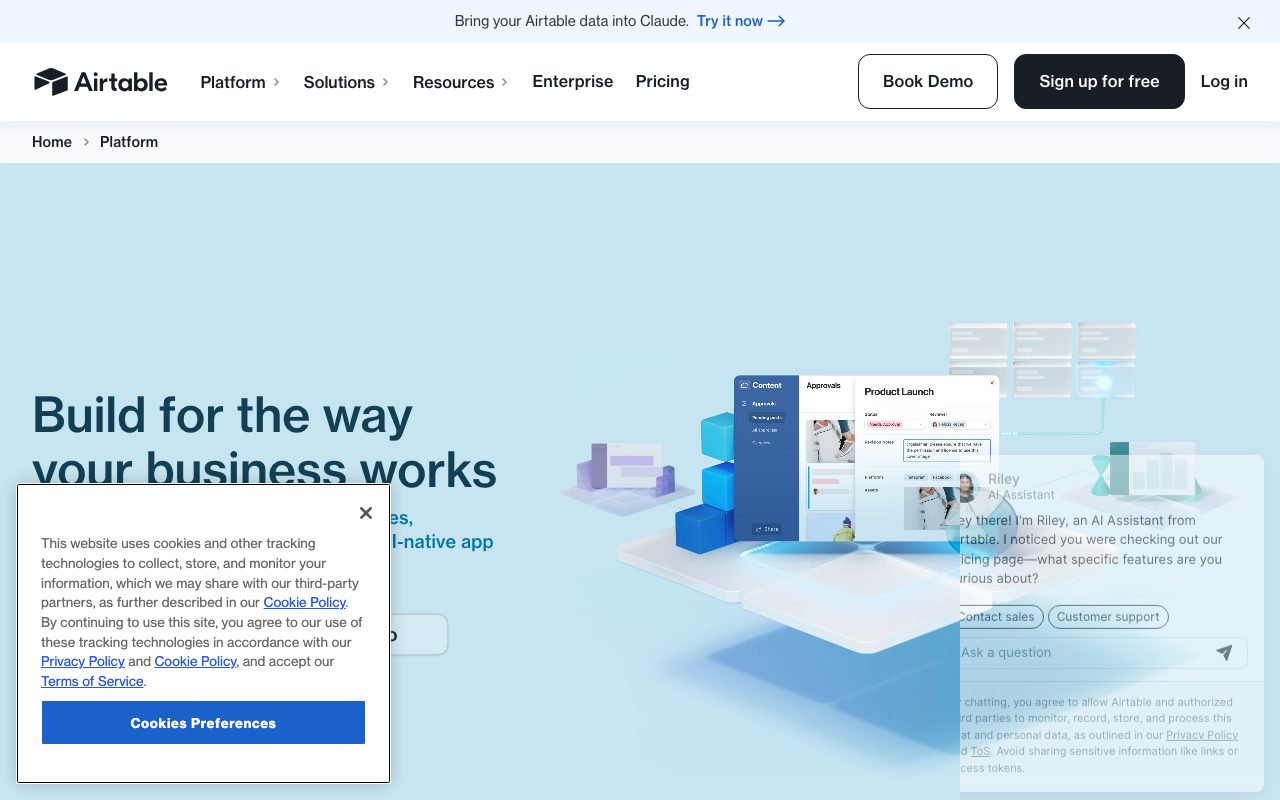
The interface designer is where Airtable evolves into something closer to a real internal app. You drag together pages with charts, forms, and filtered tables. The end user sees a focused dashboard rather than the raw base.
Sync sources let you pull data from Salesforce, Jira, GitHub, and Google Drive. The synced data appears as a read only table you can join against. Useful for unified reporting without exporting to a warehouse.
The Airtable AI features (recently expanded) generate field values, summaries, and categorizations. Useful for tagging large datasets or extracting structured fields from text columns. Costs credits per action.
Airtable in 2026 vs 2018
The product looks similar on the surface. The depth has multiplied. Interfaces, automations, sync, AI, scripts. None of these existed in 2018.
The pricing has gotten more aggressive. The free tier is tighter. The paid tiers have more features but cost more.
The competitor landscape is stronger. Notion databases, Coda tables, Smartsheet, NocoDB, Baserow. Airtable still leads in many use cases but isn't the only choice.
Tutorial / Demo
Key Features
- Relational tables with linked records and rollups
- Multiple views over the same data (grid, kanban, calendar, gantt)
- Built-in automations with native and webhook actions
- Interface Designer for no-code internal apps
- Airtable AI fields for summarization and classification
- Marketplace of templates, apps, and integrations
Pros & Cons
What we like
- Genuine relational power without writing SQL
- Multiple views unlock different team workflows
- Mature ecosystem of integrations and apps
Room for improvement
- Per-editor pricing scales steeply with team size
- Performance and row limits push large bases to alternatives
Frequently Asked Questions
Does Airtable have a free tier?
Airtable vs Notion databases, which is better?
Can Airtable replace a real backend?
Does Airtable have an API?
Is Airtable getting expensive?
Best For
Featured in
Tags
Alternatives to Airtable
View all
Bubble
Full-stack no-code platform for building real web applications with visual programming, a database, and a workflow engine.
Softr
No-code platform that turns Airtable, Google Sheets, and HubSpot bases into client portals, internal tools, and member apps.
Kibu
Vertical software for disability service providers covering compliance, documentation, and programming

Glide
No-code platform that turns spreadsheets and databases into mobile and web apps, with computed columns and AI actions.
Our take
Tool Index Editorial · May 2026· 4.8/5
What Airtable is really selling — beyond the marketing copy — is spreadsheet-database hybrid with linked records, multiple views, automations, and an interface designer for internal apps.
Worth highlighting: Genuine relational power without writing SQL, Multiple views unlock different team workflows, and Mature ecosystem of integrations and apps. The friction points: Per-editor pricing scales steeply with team size and Performance and row limits push large bases to alternatives.
In short: Airtable is a strong pick when you need editorial and content calendars at marketing teams, and a harder sell if per-editor pricing scales steeply with team size would be a dealbreaker.
Editorial opinion from the Tool Index team, written from the public product pages. Not a user review.
Reviews (6)
Easy 5 from me
Airtable isn't perfect but it's the best I've used in this category. The biggest win has been genuine relational power without writing SQL. Worth calling out the built-in automations with native and webhook actions too. Main use case: lightweight CRMs and customer trackers. Hard to imagine going back to my previous setup.
Quietly excellent
The pitch for Airtable sounded too good to be true. Mostly true. What stands out is how mature ecosystem of integrations and apps.
Pros
- Genuine relational power without writing SQL
Best decision this quarter
Found Airtable on a Reddit thread, glad I clicked. Honestly impressed by how mature ecosystem of integrations and apps. Got real value out of interface Designer for no-code internal apps. Mostly using it for lightweight CRMs and customer trackers. Would buy again without thinking twice.
Pros
- Mature ecosystem of integrations and apps
Hit the Airtable sweet spot
Skeptical at first because Airtable looked too simple. It's not. What stands out is how mature ecosystem of integrations and apps. Found it works best for product and engineering roadmaps. Worth the price for what I get out of it.
Pros
- Genuine relational power without writing SQL
- Mature ecosystem of integrations and apps
Wanted to love it, couldn't
Adopted Airtable for one project, ended up using it for more. Honestly impressed by how mature ecosystem of integrations and apps. It fits well for editorial and content calendars at marketing teams. Not perfect: per-editor pricing scales steeply with team size.
Pros
- Multiple views unlock different team workflows
- Mature ecosystem of integrations and apps
- Genuine relational power without writing SQL
Airtable, better than expected
Picked Airtable for the lower price, stayed for the actual quality. Honestly impressed by how genuine relational power without writing SQL. It fits well for product and engineering roadmaps. Worth the price for what I get out of it.
Pros
- Mature ecosystem of integrations and apps
- Multiple views unlock different team workflows
Badge builder
Add Airtable to your website
Choose a badge style and size, preview it here, then copy the generated HTML. Badge images are self-contained SVGs and do not require an external script.

<a href="https://toolindex.net/tools/airtable?ref=badge" target="_blank" rel="noopener">
  <img src="https://toolindex.net/badge/airtable/medium.svg" alt="Airtable - Listed on Tool Index" width="180" height="50" />
</a>How to use the badge
- 1. Pick the style, size, and theme that fit your layout.
- 2. Copy the generated HTML from the code block.
- 3. Paste it into your footer, homepage, or press page.
Score badge available
Airtable qualifies for the score and circle badges based on its current top-10 positionin Database.
Badge clicks return visitors to this profile with a referral tag so the source remains identifiable.
Related Tools

Supabase
The open source Firebase alternative

Sleep Suivour
Track your sleep, improve your rest

Upstash
Serverless Redis, Kafka, and QStash for modern applications

Sanity
Composable content platform with a customizable studio, real-time collaboration, and a queryable structured content backend.
Work on Airtable? Request listing access or correction