n8n
Fair-code workflow automation with 400+ integrations
Gallery
About n8n
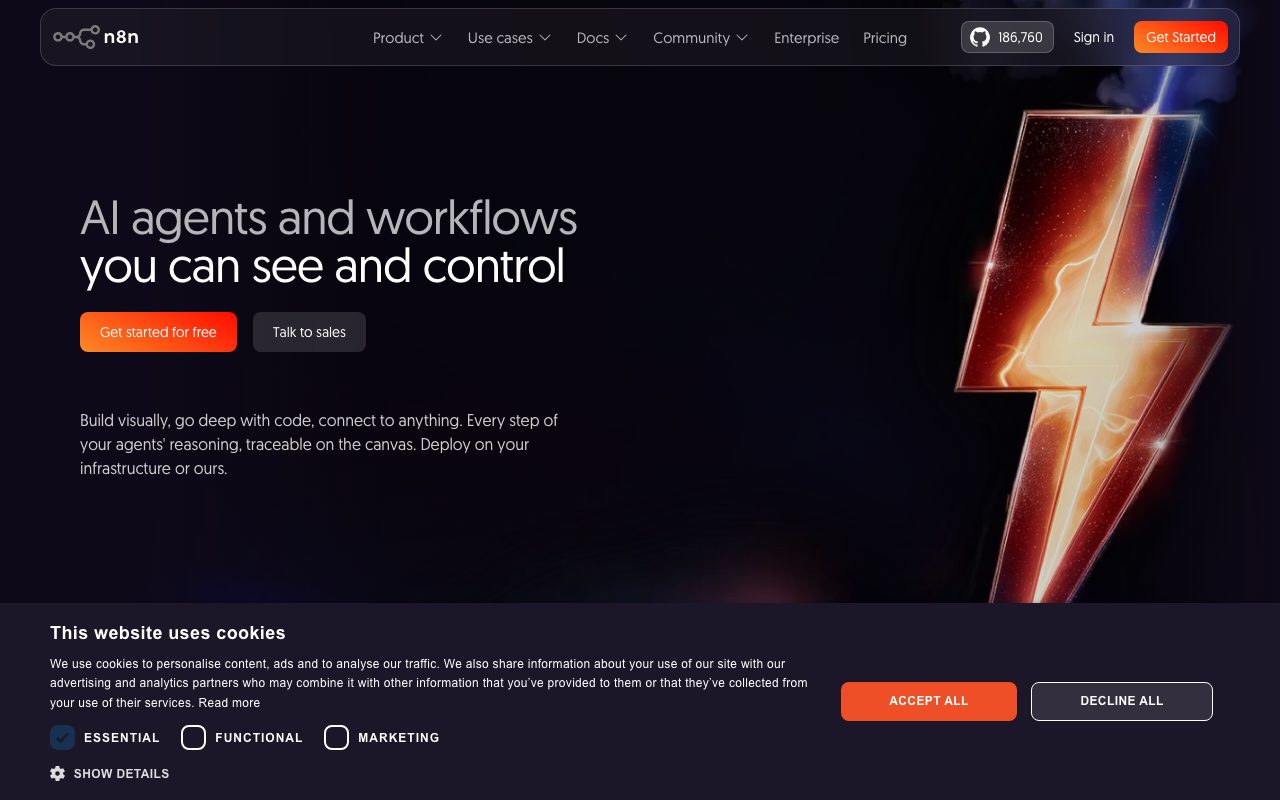
n8n is the open-source workflow automation tool that gave technical teams a real alternative to Zapier and Make. It is a node-based visual builder where you wire together triggers and actions across hundreds of services. n8n runs as a hosted SaaS or, more interestingly, on your own infrastructure.
The category was effectively a duopoly for years. n8n broke through by being self-hostable, technical without being intimidating, and aggressive about adding integrations. The pricing model also rewards real automation work in ways the seat-based competitors do not.
I have shipped production n8n for two companies. The honest take follows.
What n8n does
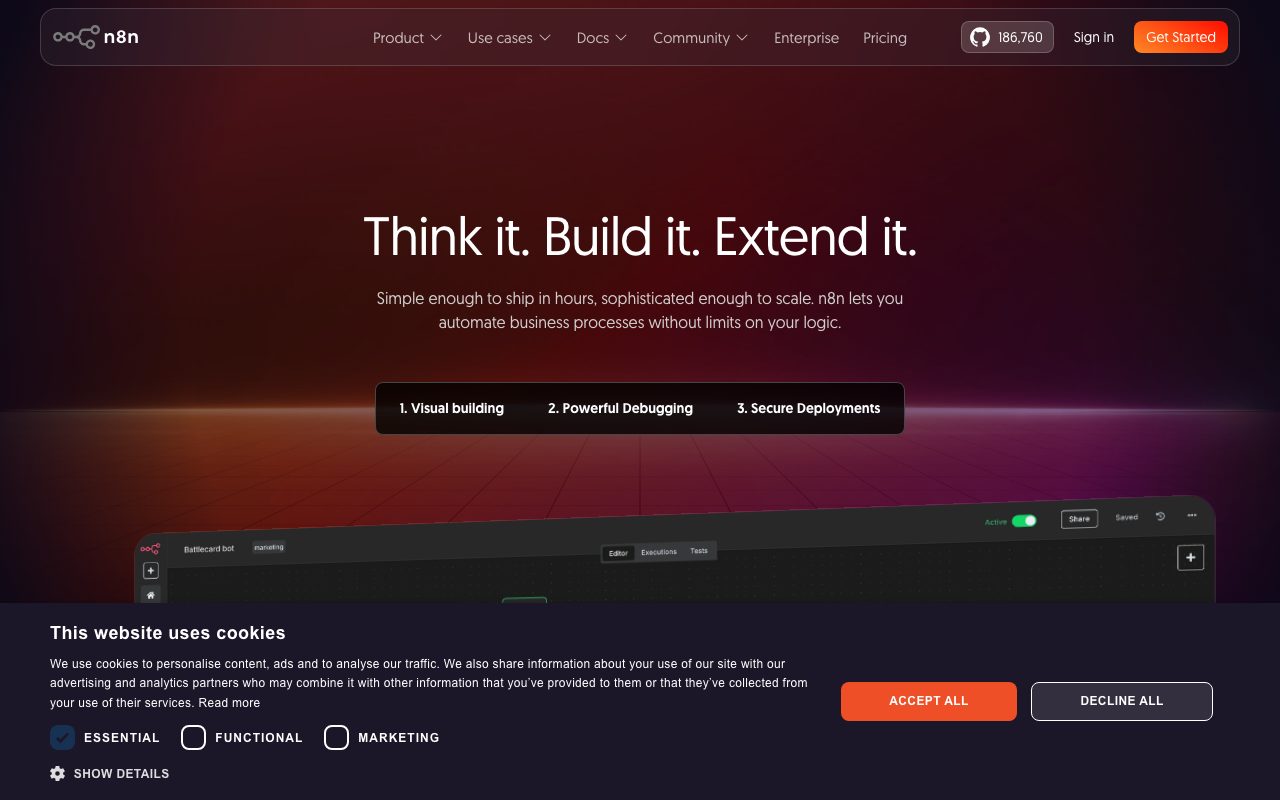
n8n connects services through a visual workflow editor. You drag in nodes (Gmail, Slack, Postgres, HTTP, code), wire them together with arrows, and the workflow executes when triggered. Triggers include schedules, webhooks, polling integrations, and inbound events.
Each node has a typed configuration with autocomplete from the previous node's output. You can drop in a code node when no integration exists. Code can be JavaScript or Python (in the latest versions), and the data flows in and out as JSON.
The integration count is in the high hundreds, with new ones added every release. Common patterns like ETL, lead enrichment, AI workflows, content pipelines, and CI helpers all have first-class support.
Who n8n is for
Engineering teams who want self-hosted automation. Ops teams who outgrew Zapier's pricing or hit complexity walls. Data teams using n8n as a lightweight ETL. AI teams chaining LLM calls into structured workflows.
It is less of a fit for non-technical teams. The visual builder is approachable, and operating a self-hosted n8n at scale is a real responsibility. Use the cloud version if you want the ease without the ops.
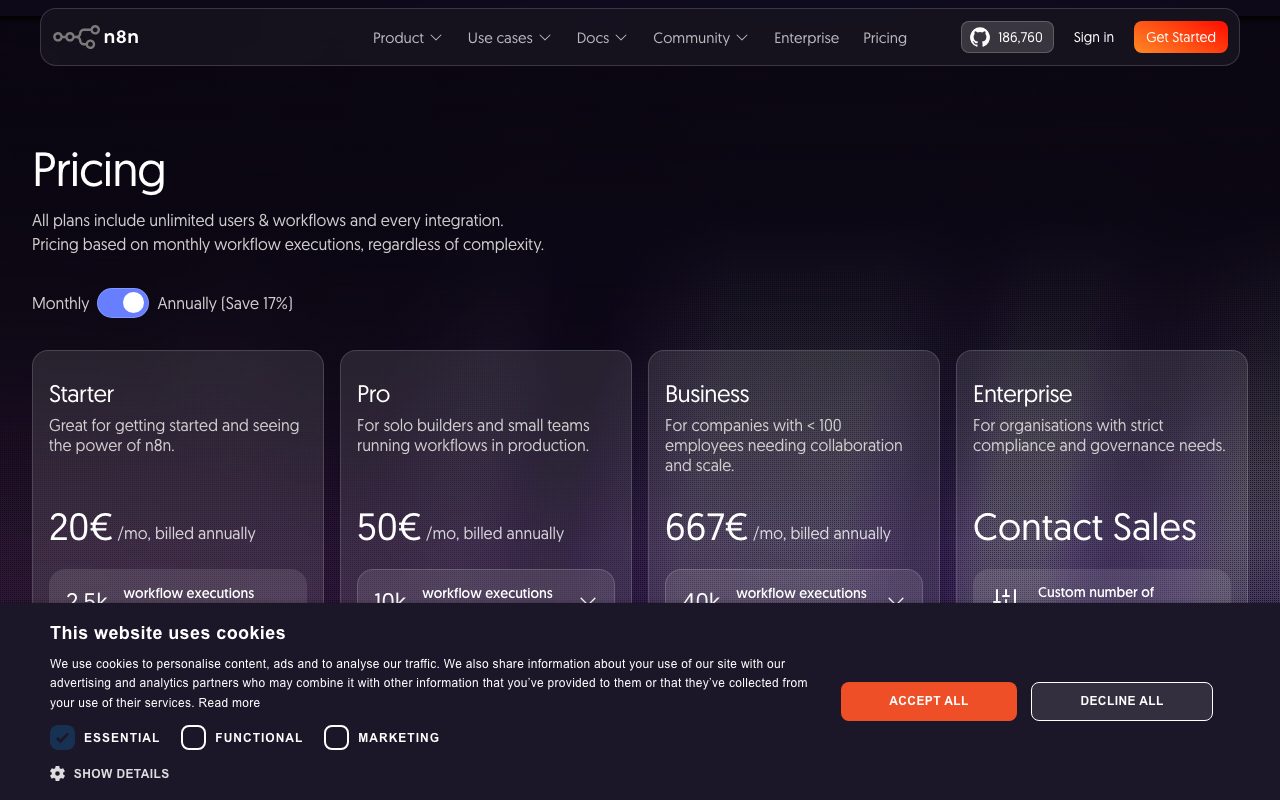
Pricing
The self-hosted version is free under a fair-code license. You run it on your hardware, you own your data, and the cost is your time and infrastructure. Most production deployments run on a single server with Postgres and Redis.
n8n Cloud is the managed version, billed by execution count and active workflows. Pricing is execution-based, which often beats Zapier's per-task model on automation-heavy work.
Enterprise tiers add SSO, audit logs, version control, and SLA guarantees.
Features worth highlighting
The expression editor is the differentiator. Every node field accepts JavaScript expressions referencing prior node output, with autocomplete. Once you internalize this, n8n is genuinely faster than dragging boxes in a less powerful tool.
The code node lets you drop into JavaScript or Python when integrations fall short. You can call any API, transform data with full language semantics, and return JSON to the next node.
Self-hosting gives you control over where data flows. Sensitive data can stay inside your VPC. This is the entire reason regulated industries adopt n8n.
The AI integrations are first-class now. Native nodes for OpenAI, Anthropic, vector databases, and embedding pipelines mean you can build retrieval and agent workflows in the visual editor.
Sub-workflows, error handling, and retry policies make production-grade automation realistic. The ergonomics are not perfect, and they are far ahead of the Zapier-style competitors.
Tradeoffs
The learning curve is real. The visual builder is approachable; production-grade workflows require thinking about idempotency, error handling, and state. Plan for an upskilling investment for non-technical operators.
The cloud version's pricing surprised some users when it shifted to execution-based. Model your usage carefully if you are evaluating cloud versus self-host.
The community is good but smaller than Zapier's. When you hit a niche issue, the answer may not already be on Stack Overflow. The official docs and Discord are active, and they are not Zapier-scale.
n8n is the obvious pick for technical teams that want automation without renting it from a US SaaS forever. It rewards the investment.
n8n vs alternatives
Versus Zapier, n8n is more powerful, cheaper at heavy use, self-hostable, and steeper to learn. Zapier is faster for non-technical users and simpler for one-off integrations.
Versus Make.com (formerly Integromat), n8n is more developer-flavored. Make has a slicker visual experience and a deeper free tier. Different audiences.
Versus Pipedream, n8n leans more visual; Pipedream leans more code. Both serve technical builders.
Versus building your own scripts on cron or Airflow, n8n is a faster path to production for many integration patterns. Airflow wins on complex DAGs and data pipelines at scale.
See best automation tools, Zapier alternatives, and n8n vs Zapier.
Common questions
Is n8n really self-hostable? Yes, with Docker or via cloud images. Is it open source? Fair-code licensed, source available, with restrictions on hosting commercial competitors. Does it support code? Yes, JavaScript and Python in code nodes. Can it replace Zapier? For technical teams, yes; for non-technical teams, sometimes.
Bottom line
n8n is the strongest open-source automation tool in the market and a serious contender against the SaaS incumbents. Pick it if you have technical chops and care about data control or pricing at scale. Stay with Zapier if simplicity and ecosystem breadth are more important than cost or ownership.
For modern automation work, n8n is on the short list of tools every engineering team should have evaluated. Browse tools for devops teams and the n8n profile for current pricing.
Common n8n workflows
Inbound webhook to multi-step processing: a service POSTs to your n8n webhook, n8n branches based on payload, calls APIs, writes to a database, posts to Slack. This pattern replaces a chunk of what Zapier or custom backend code does, with full visibility in the workflow editor.
ETL from API to warehouse: schedule a workflow to pull from a SaaS API every hour, transform the data, push to Postgres or BigQuery. n8n handles pagination, rate limits, and retries with first-class support.
AI content pipeline: trigger on RSS or schedule, fetch source content, call an LLM for summarization or rewriting, post to a CMS or social channel. The LangChain integration makes prompt engineering and retrieval workflows visual.
Customer-facing automations: a form submission triggers a sequence of API calls, emails, and CRM updates. With proper error handling, this is reliable enough for production lead routing.
Self-hosting n8n in production
The recommended setup is Docker with Postgres for data and Redis for the queue. Run on a small VPS for personal use; scale to a real cluster for high-volume team use. The official Docker image and docs cover both.
Worker mode separates the webhook receiver from the execution worker. This is the right setup once volume passes a few thousand executions per day; before that, single-process is fine.
Secrets management is a real consideration. n8n stores credentials in the database; use external KMS for sensitive values, and rotate regularly.
Backup strategy: Postgres dumps cover everything. Test restoration before you need it.
When n8n is overkill
Simple two-step automations (when X happens, do Y) are faster in Zapier. n8n's investment makes sense at three steps and beyond.
Non-technical operators sometimes drown in n8n's surface. The visual builder is approachable; production-grade workflows still want technical chops.
If your stack is fully Microsoft, Power Automate has procurement and integration advantages. Use what your IT department already pays for.
n8n nodes worth knowing
HTTP Request: the universal escape hatch. When no native integration exists, HTTP Request handles any REST or GraphQL API.
Code: JavaScript or Python for transformation logic that nodes cannot express cleanly. Use sparingly; visual flow is the n8n strength.
IF and Switch: branching logic. The workflow follows different paths based on conditions.
Set: shape data into the structure the next node needs. Underused; saves a lot of code.
Wait and Schedule: timing control. Wait for a delay; resume on schedule.
LangChain and AI nodes: LLM calls, vector store queries, agent orchestration. The newest first-class additions.
n8n workflow patterns
Webhook to action: external service POSTs, n8n processes and acts. The most common pattern.
Schedule to ETL: cron-style trigger pulls data, transforms, loads. ETL without an enterprise tool.
Polling to action: poll an API every few minutes for changes; act on new items. Useful for services without webhooks.
Approval flows: send a message, wait for human input, branch on the answer. Slack-mediated approvals work well in n8n.
Performance and scaling
Single-instance n8n handles thousands of executions a day on a small VPS. Most teams never need more.
Worker mode separates webhook receivers from execution workers. Adds resilience and throughput at the cost of complexity.
Database choice matters. SQLite for development, Postgres for production. The migration is documented.
n8n vs custom code
For one-off automation, custom code is fine. A bash script with cron does the job.
For three or more integration steps with branching and retries, n8n earns its keep. The visibility into what ran when matters during debugging.
For mission-critical pipelines with strict SLAs, dedicated systems (Airflow, Temporal, Dagster) may be the better fit. n8n is good; not the most rigorous.
n8n community and ecosystem
The community Discord and forum are active. Templates and shared workflows reduce the build time on common patterns.
Third-party node packages extend the integrations beyond the core list. Quality varies; vet before depending on community nodes for production.
The maintainers ship regularly with a clear changelog. The fair-code license keeps the project sustainable; some users prefer fully permissive licenses.
Tutorial / Demo
Key Features
- Visual workflow editor with drag-and-drop nodes
- 400+ built-in integrations
- Custom code nodes for JavaScript and Python
- Webhook triggers and scheduled execution
- Error handling and retry logic
- Self-hostable with Docker
- AI agent capabilities with LLM nodes
Pros & Cons
What we like
- Self-hostable for complete data control
- More flexible than Zapier with code nodes
- Fair-code license allows free self-hosting
- Visual editor is intuitive for complex workflows
- Active community sharing workflow templates
Room for improvement
- Fair-code license is not fully open source
- Cloud pricing can add up with many executions
- UI can feel laggy with very large workflows
- Some integrations are less polished than Zapier equivalents
Frequently Asked Questions
Is n8n really free?
n8n vs Zapier vs Make, which?
Can n8n run AI agents?
How hard is it to self-host n8n?
Does n8n have 400+ integrations?
Best For
Featured in
Tags
Alternatives to n8n
Gumloop
No-code canvas for building AI agents and automated workflows by connecting drag-and-drop nodes

Dify
Open-source platform for building LLM apps and AI agents with visual workflows, RAG, and 100+ model providers
Flowise
Open-source low-code platform to build LLM apps and AI agents visually with drag-and-drop chatflows and agentflows
Postiz
Open-source social media scheduling across 30-plus platforms with AI drafting and an MCP server
Our take
Tool Index Editorial · May 2026· 4.8/5
If you're evaluating n8n, the headline is simple: fair-code workflow automation with 400+ integrations, and most teams will get value out of the box.
The standout points: Self-hostable for complete data control, More flexible than Zapier with code nodes, and Fair-code license allows free self-hosting. Where it stumbles: Fair-code license is not fully open source and Cloud pricing can add up with many executions.
In short: n8n is a strong pick when you need automating repetitive business processes, and a harder sell if fair-code license is not fully open source would be a dealbreaker.
Editorial opinion from the Tool Index team, written from the public product pages. Not a user review.
Reviews (8)
Bought it for one feature, stayed for ten
Tried half a dozen options before landing on n8n. Real selling point: visual editor is intuitive for complex workflows. It fits well for syncing data between SaaS tools and databases.
Switched away after the last quarter
n8n is one of those tools you stop noticing because it just works. Honestly impressed by how self-hostable for complete data control. That said, fair-code license is not fully open source is a real gripe.
Did exactly what I needed
Tried n8n on a side project first. Where it really wins is self-hostable for complete data control. Their take on error handling and retry logic is solid.
Pros
- Visual editor is intuitive for complex workflows
Half a star away from a wholehearted yes
Tried half a dozen options before landing on n8n. Real selling point: fair-code license allows free self-hosting. Mostly using it for replacing Zapier or Make with a self-hosted solution. One thing that bugs me: fair-code license is not fully open source.
Pros
- Active community sharing workflow templates
Cons
- Some integrations are less polished than Zapier equivalents
Maybe in a year when they fix the basics
n8n isn't perfect but it's the best I've used in this category. The thing I keep coming back to: visual editor is intuitive for complex workflows. Worth calling out the error handling and retry logic too. Might revisit when they iterate further.
Cons
- Cloud pricing can add up with many executions
- Fair-code license is not fully open source
Glad I tried it, not sure I'd renew
Tried n8n on a side project first. Real selling point: self-hostable for complete data control. Main use case: automating repetitive business processes. Honest gripe: some integrations are less polished than Zapier equivalents. Not perfect but better than the alternatives I tried.
Cons
- Cloud pricing can add up with many executions
- Fair-code license is not fully open source
Quietly excellent
n8n is one of those tools you stop noticing because it just works. What stands out is how self-hostable for complete data control. Their take on visual workflow editor with drag-and-drop nodes is solid.
Pros
- More flexible than Zapier with code nodes
Solid daily driver
n8n solves a real problem for me, but it's not magic. Real selling point: self-hostable for complete data control. The AI agent capabilities with LLM nodes is more useful than I expected. Found it works best for creating custom webhook-based integrations. Wish they'd address how some integrations are less polished than Zapier equivalents.
Pros
- Self-hostable for complete data control
Badge builder
Add n8n to your website
Choose a badge style and size, preview it here, then copy the generated HTML. Badge images are self-contained SVGs and do not require an external script.

<a href="https://toolindex.net/tools/n8n?ref=badge" target="_blank" rel="noopener">
  <img src="https://toolindex.net/badge/n8n/medium.svg" alt="n8n - Listed on Tool Index" width="180" height="50" />
</a>How to use the badge
- 1. Pick the style, size, and theme that fit your layout.
- 2. Copy the generated HTML from the code block.
- 3. Paste it into your footer, homepage, or press page.
Score badge available
n8n qualifies for the score and circle badges based on its current top-10 positionin AI Agents.
Badge clicks return visitors to this profile with a referral tag so the source remains identifiable.
Related Tools

Confluence
Atlassian's long-running team wiki that anchors many enterprise knowledge stacks
Asana
Project management for teams that live in projects, tasks and dependencies
Kevin Gabeci Toolkits
Seven AI toolkits for writing books, making music, cutting video, and building agents.

Logseq
An open-source outliner notes app where every bullet is a first-class block
Work on n8n? Request listing access or correction