Flowise
Open-source low-code platform to build LLM apps and AI agents visually with drag-and-drop chatflows and agentflows
Gallery
About Flowise
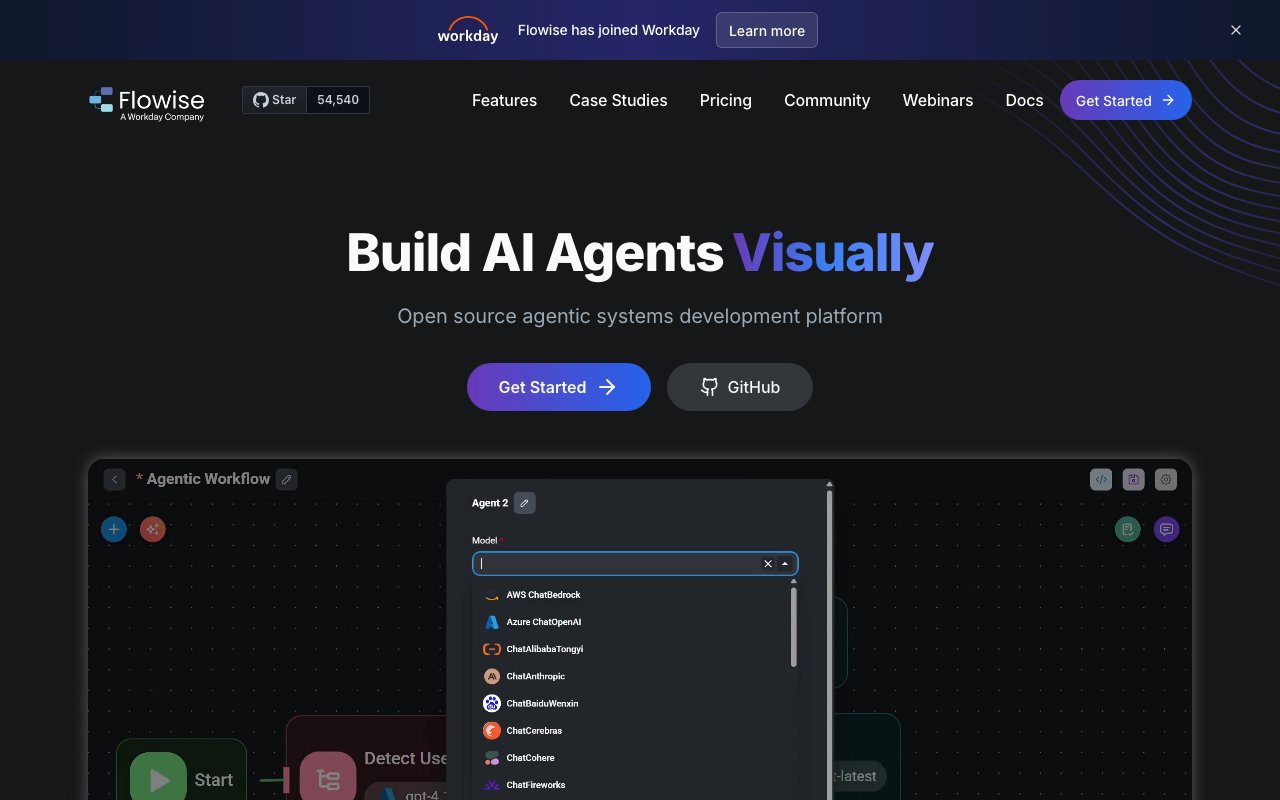
Flowise is an open-source platform for building AI agents and chatbots through a visual drag-and-drop interface. Instead of writing boilerplate code to wire up language models, vector databases, and tool integrations, you assemble workflows on a canvas by connecting pre-built components. The result is a working AI system you can test immediately and deploy to production without switching tools. The project has gained significant traction in the open-source community, with adoption at companies like AWS, Accenture, Priceline, and Deloitte for production applications where control over infrastructure matters.
The problem it tackles is the gap between understanding what you want an AI agent to do and actually building one. Modern AI development involves stitching together a surprising number of pieces: prompt templates, embedding models, retrieval pipelines, tool calls, memory systems, and orchestration logic. Each component has its own API, configuration quirks, and failure modes. Flowise packages these into reusable nodes that handle the integration work, so you spend less time on plumbing and more time on the behavior that matters to your use case. For teams that have been building agents in code and found themselves repeating the same patterns across projects, the visual abstraction offers a faster iteration loop without sacrificing the ability to customize when needed.
There are two main workflow types. Chatflow handles single-agent setups with tool calling and retrieval-augmented generation, which covers most conversational AI needs like customer support bots, internal knowledge assistants, and document Q&A systems. Agentflow supports multi-agent systems where several agents coordinate across a shared workflow, useful when you need specialized agents to handle different parts of a complex task or when you want agents to collaborate on research, analysis, or decision-making. Both workflow types support human-in-the-loop review, letting you add approval steps before agents take consequential actions. That matters in domains where autonomous AI decisions carry risk, and you need a person to sign off before the agent proceeds.
The platform connects to over a hundred language models, embedding models, and vector databases. You are not locked into any particular vendor, so you can swap OpenAI for Anthropic, switch from Pinecone to Weaviate, or test different embedding models as your needs change. The integrations run deep enough for production use, with APIs, SDKs in TypeScript and Python, embeddable chat widgets for adding conversational interfaces to existing applications, and support for horizontal scaling via message queues and workers. Observability is built in through Prometheus and OpenTelemetry integrations, which matters once your agents are handling real traffic and you need to debug latency issues, track token usage, or understand where workflows fail.
Flowise works for individual developers experimenting with AI, but the traction has come from larger organizations that need control over their AI infrastructure. The open-source core means you can self-host on your own servers, which satisfies compliance requirements that rule out sending sensitive data to third-party clouds. You can inspect the code, audit security, and modify behavior when the default components do not fit your needs. There is also a managed cloud option for teams that prefer not to run their own infrastructure, which handles scaling, updates, and reliability so you can focus on building agents rather than operating servers.
Pricing on the cloud side starts free with two flows, a hundred predictions per month, and five megabytes of storage. That is enough to experiment but not enough for production use. The Starter tier at thirty-five dollars per month unlocks unlimited flows, ten thousand predictions per month, and more storage. Pro at sixty-five dollars per month raises the prediction cap to fifty thousand, adds multi-user support for team collaboration, and provides ten gigabytes of storage. Self-hosting is free since the code is open source, though you bear the infrastructure cost yourself and need the technical capability to run and maintain the deployment.
The platform fits teams that want to move from prototype to production without rewriting everything in custom code. If you have experimented with language model APIs and found yourself rebuilding the same retrieval and orchestration patterns over and over, Flowise consolidates that into a visual layer that is easier to iterate on. The open-source model means you can inspect how it works, extend it when needed, contribute improvements back to the community, and avoid the lock-in that comes with proprietary agent builders. For organizations where data sovereignty, auditability, or compliance requirements matter, the self-hosted option makes Flowise viable in contexts where many competitors are ruled out by policy.
Key Features
- Drag-and-drop canvas for Chatflows and multi-agent Agentflows
- Connects 100-plus LLMs, embeddings, and vector stores across many providers
- Built-in RAG over TXT, PDF, DOC, CSV, and SQL sources
- Human-in-the-loop steps for review and approval inside a flow
- Deploy any flow as a REST API or an embeddable chat widget
- Self-host free via npm or Docker, or use managed Flowise Cloud
Pros & Cons
What we like
- Genuinely open source under Apache 2.0, so self-hosting is free
- Visual builder lets non-experts ship working LLM apps fast
- Broad model and vector-store support avoids lock-in to one vendor
- Large active community with 50k-plus GitHub stars and frequent releases
Room for improvement
- Self-hosting still needs your own model API keys and ongoing maintenance
- Cloud free tier is capped at 2 flows and 100 predictions a month
- Overage pricing past plan limits is not published, so costs are hard to predict
- Complex agent flows can get tangled and tricky to debug on the canvas
Frequently Asked Questions
What is Flowise?
Is Flowise free or open source?
Who is Flowise best for?
How does Flowise compare to LangChain?
Best For
Featured in
Alternatives to Flowise
View all
Dify
Open-source platform for building LLM apps and AI agents with visual workflows, RAG, and 100+ model providers
Gumloop
No-code canvas for building AI agents and automated workflows by connecting drag-and-drop nodes

LangChain
Open-source framework plus LangGraph and LangSmith for building, orchestrating, and observing LLM agents
CrewAI
Open-source Python framework for orchestrating role-playing multi-agent AI teams, with an enterprise platform
Reviews (16)
Good, with a few caveats
Started using Flowise casually, now it is pinned in my dock. Where it really wins is self-host free via npm or docker, or use managed flowise cloud. It fits well for standing up rag search over pdfs, spreadsheets, and knowledge bases. It would be a five if not for complex agent flows can get tangled and tricky to debug on the canvas.
Onboarded the team in a day
Picked Flowise for the price, stayed for the quality. Setup was painless and I was productive the same day. It fits well for self-hosting a private llm app stack to keep data in your own infrastructure. No regrets so far.
Good, with a few caveats
Flowise has quietly become part of my daily flow. The interface stays out of my way, which I appreciate. It has shaved real time off my week. Mostly using it for standing up rag search over pdfs, spreadsheets, and knowledge bases. It would be a five if not for self-hosting still needs your own model api keys and ongoing maintenance.
Genuinely impressed
Started using Flowise casually, now it is pinned in my dock. The defaults are sensible, so I was not fighting settings on day one. I expected to churn off it in a week and I am still here. Would sign up again without thinking twice.
Recommended without reservation
Started using Flowise casually, now it is pinned in my dock. Real selling point for me was genuinely open source under apache 2.0, so self-hosting is free. The core workflow is smooth once you are set up. It fits well for self-hosting a private llm app stack to keep data in your own infrastructure. Recommending it to people in a similar spot.
Quietly excellent
Hadn't planned on switching, but Flowise was hard to ignore. The connects 100-plus llms, embeddings, and vector stores across many providers is more useful than I expected. Mostly using it for prototyping agentic workflows that call tools and apis. Easy yes for anyone weighing the same trade offs.
Decent with some rough edges
Three months of Flowise later, here is what holds up. What stands out is how it handles drag-and-drop canvas for chatflows and multi-agent agentflows. Performance has been steady even when I lean on it hard. My only gripe is self-hosting still needs your own model api keys and ongoing maintenance. No regrets so far.
The kind of tool you forget you are paying for
Onboarded the whole team to Flowise in an afternoon. I expected to churn off it in a week and I am still here. It has been a fit for building ai chatbots and virtual assistants grounded in company docs.
Onboarded the team in a day
Almost a year on Flowise now, no plans to leave. Their take on drag-and-drop canvas for chatflows and multi-agent agentflows is genuinely good. Mostly using it for building ai chatbots and virtual assistants grounded in company docs. Recommending it to people in a similar spot.
It just works
Almost a year on Flowise now, no plans to leave. Genuine strength is that it gets out of the way and lets me work. I expected to churn off it in a week and I am still here. It fits well for standing up rag search over pdfs, spreadsheets, and knowledge bases. Glad I made the switch.
Good, with a few caveats
Onboarded the whole team to Flowise in an afternoon. What stands out is how it handles genuinely open source under apache 2.0, so self-hosting is free. My only gripe is overage pricing past plan limits is not published, so costs are hard to predict. Would sign up again without thinking twice.
Solid daily driver
Picked Flowise for the price, stayed for the quality. What stands out is how it handles deploy any flow as a rest api or an embeddable chat widget. The core workflow is smooth once you are set up. Found it works best for prototyping agentic workflows that call tools and apis.
Best decision this quarter
Tried Flowise on a side project first, then rolled it out everywhere. Real selling point for me was self-host free via npm or docker, or use managed flowise cloud. Would sign up again without thinking twice.
The kind of tool you forget you are paying for
Started using Flowise casually, now it is pinned in my dock. Their take on large active community with 50k-plus github stars and frequent releases is genuinely good. Mostly using it for self-hosting a private llm app stack to keep data in your own infrastructure. No regrets so far.
Genuinely impressed
Three months of Flowise later, here is what holds up. Where it really wins is broad model and vector-store support avoids lock-in to one vendor. The output quality holds up better than I expected. It has been a fit for building ai chatbots and virtual assistants grounded in company docs.
Recommended without reservation
Flowise has quietly become part of my daily flow. Their take on visual builder lets non-experts ship working llm apps fast is genuinely good. Nothing flashy, it simply pulls its weight every day.
Badge builder
Add Flowise to your website
Choose a badge style and size, preview it here, then copy the generated HTML. Badge images are self-contained SVGs and do not require an external script.

<a href="https://toolindex.net/tools/flowise?ref=badge" target="_blank" rel="noopener">
  <img src="https://toolindex.net/badge/flowise/medium.svg" alt="Flowise - Listed on Tool Index" width="180" height="50" />
</a>How to use the badge
- 1. Pick the style, size, and theme that fit your layout.
- 2. Copy the generated HTML from the code block.
- 3. Paste it into your footer, homepage, or press page.
Standard badge available
The standard listing badge is available now. Score and circle badges are limited to tools currently ranked in the top 10 of a category.
Badge clicks return visitors to this profile with a referral tag so the source remains identifiable.
Related Tools

OpenBenchmarks
Public, externally validated benchmarks that help agents pick SaaS APIs

Almanac
A hosted, source-cited wiki that turns your files into context your AI agents can use

Wizard
Self-extending Rust terminal AI agent that works with any model

Chariot
Elastic cloud infrastructure for deploying and scaling AI agent fleets with persistent storage
Work on Flowise? Request listing access or correction