
Webflow
Visual website builder that produces clean, semantic HTML and CSS, with a CMS, e-commerce, and a Webflow-hosted CDN.
Gallery
About Webflow
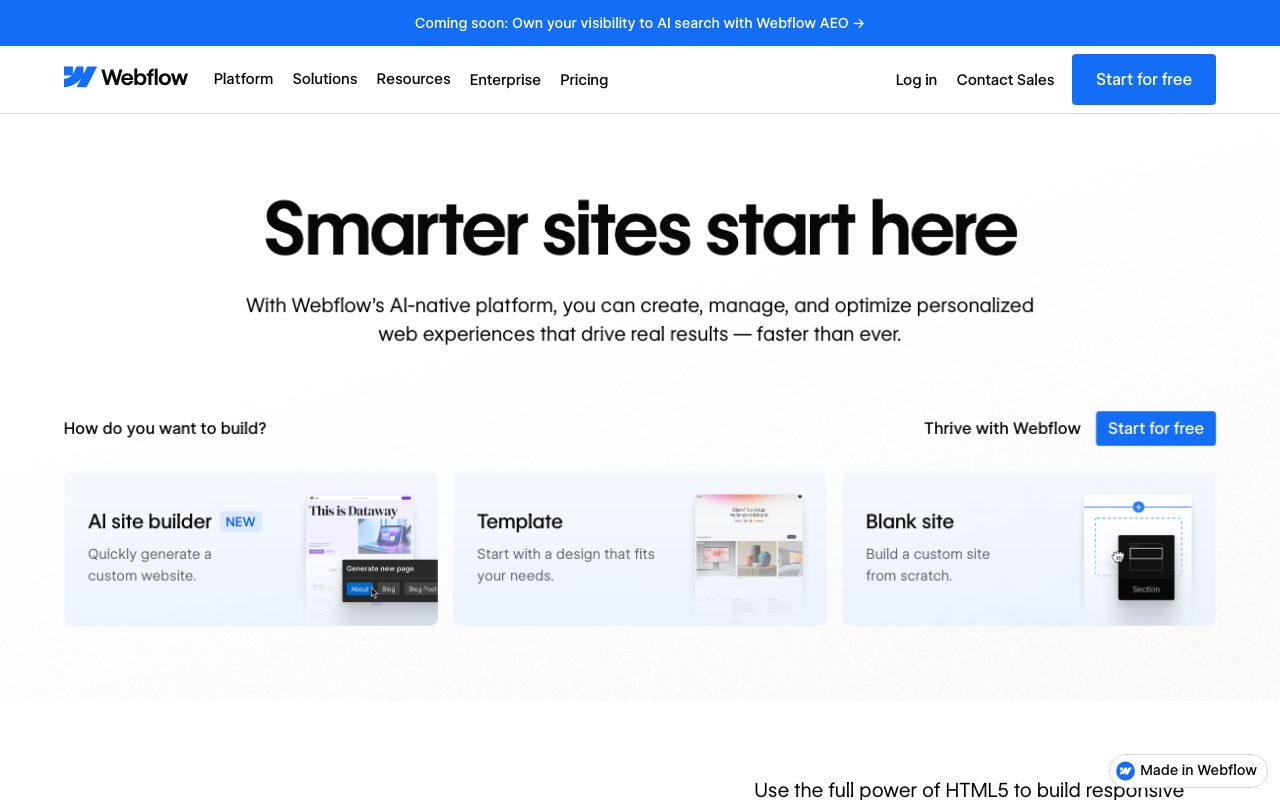
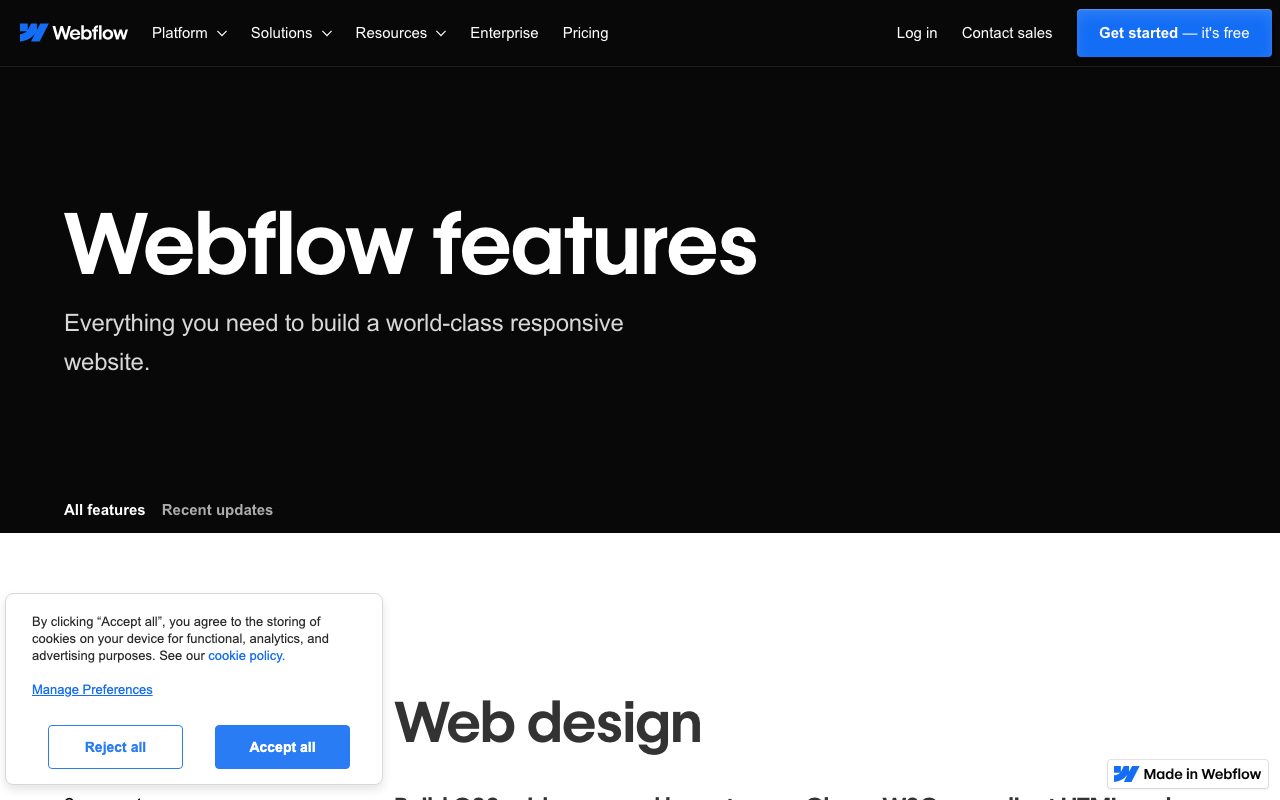
Webflow is the visual website builder that earned the trust of professional designers, marketing agencies, and venture-backed SaaS companies. Output is clean HTML and CSS, the CMS is structured and powerful, and the visual canvas maps directly to the underlying code. Designers fluent in CSS find their concepts translate cleanly; designers who aren't end up learning CSS in spite of themselves.
You don't pick Webflow because it's the easiest builder. You pick it because the output quality, animation depth, and CMS power justify the steeper curve. For marketing sites that need to feel premium, Webflow has been the consensus answer for nearly a decade.
Squarespace and Wix sit on one end of the spectrum (easier, less control). Custom React on the other (full control, no CMS). Webflow lives in the high-quality middle.
What Webflow actually does
The visual canvas lets you compose pages by dragging elements, applying CSS classes, and styling everything to pixel precision. Every action maps to clean HTML and CSS underneath; you can export the code if you ever leave.
The class-based styling system teaches transferable web design skills. Designers who use Webflow seriously become better at CSS by osmosis. The tool nudges you toward reusable patterns rather than one-off styles.
The CMS is structured. Define collections, fields, and reference relationships. Use them to build dynamic pages, blog templates, case study indexes, and product directories. It's not as powerful as a real headless CMS, but it covers most marketing-site needs.
E-commerce, interactions, and SEO controls round out the platform. The Webflow-hosted CDN delivers fast page loads without configuration.
Who Webflow is for
Marketing teams at venture-backed SaaS companies. Webflow earns its keep on the brand site that has to feel polished, animate cleanly, and update without engineering tickets.
Agencies building client websites. The handoff story is genuinely good. Designers ship the site, clients edit copy and images through the CMS, no agency calls required for typo fixes.
Portfolios and case study sites where animation and presentation matter. Webflow's interactions and scroll-driven effects produce work that holds up against custom React with much less effort.
Lightweight e-commerce stores with custom branding. Webflow Commerce handles small to mid-volume stores well; high-scale stores need Shopify.
Pricing breakdown
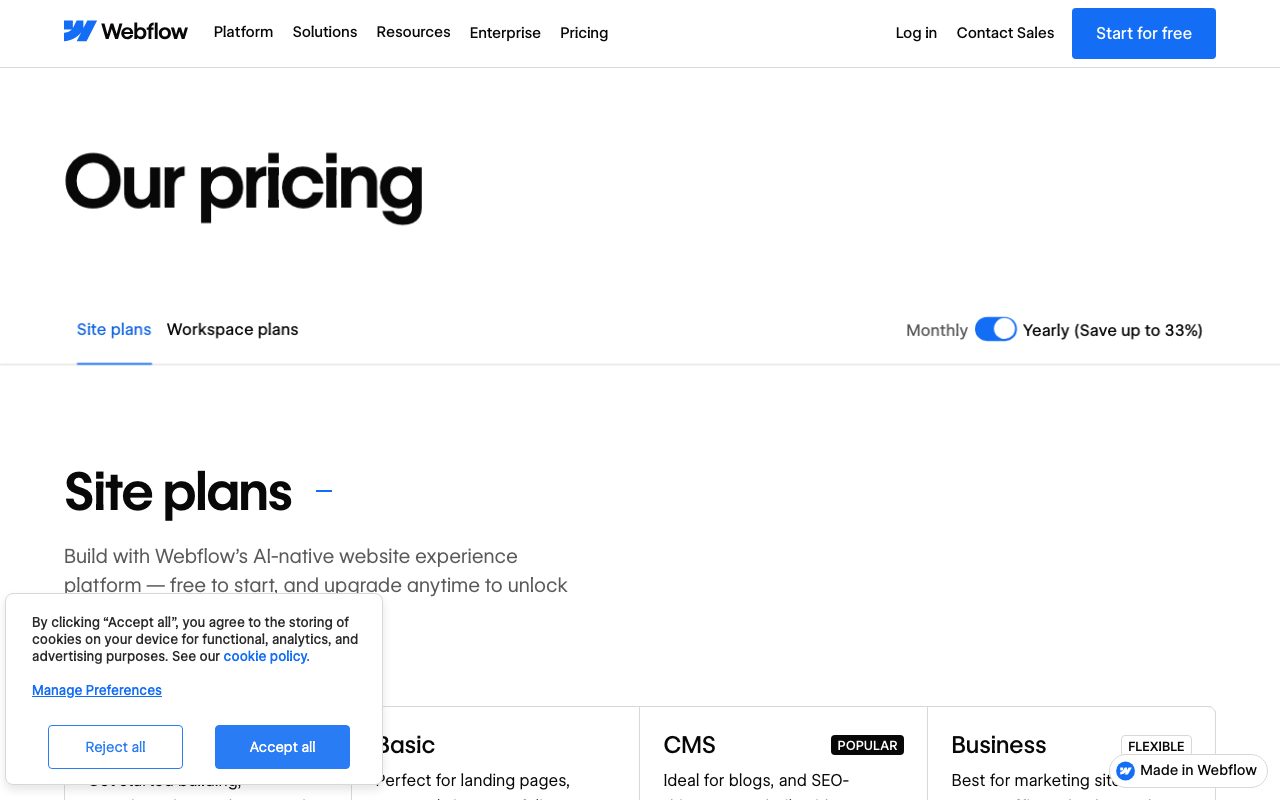
Webflow charges separately for site plans (per published site) and workspace plans (per team and seat). The combination can confuse first-time buyers.
Site plans for a basic site start around $14 per month. CMS-enabled sites move into the $23-$39 per month range. E-commerce sites start higher.
Workspace plans for designers and agencies layer on top. Free for hobbyists, scaling up for agencies needing seats and client billing. Total cost can climb fast for agencies running 20+ client sites.
Standout features in Webflow
The class-based styling system is genuinely educational. After six months in Webflow, your CSS instincts improve whether you wanted them to or not. Designers come out fluent in modern web layout.
The CMS is more capable than it looks. Reference fields, multi-reference fields, and template-based dynamic pages handle most marketing-site content modeling. The API extends it for custom integrations.
Built-in interactions and scroll animations produce sophisticated motion design without JavaScript. Designers who'd otherwise need a developer for parallax, reveal-on-scroll, or hover sequences can do it natively.
SEO and performance
Per-page meta controls, schema markup, sitemap generation, and 301 redirect management cover the SEO basics well. The Webflow-hosted CDN gives strong performance scores out of the box; tuning helps further.
Honest tradeoffs
The learning curve is real. New users coming from Squarespace stumble for a couple of weeks. Webflow rewards the investment, but the first month is steeper than the marketing materials suggest.
Pricing scales quickly. Multiple site plans, workspace seats, and add-ons combine into bills that surprise first-time buyers. Model the total cost realistically before committing.
The CMS has limits. For complex content modeling (deeply nested relationships, programmatic SEO at scale, headless multi-channel publishing), a real headless CMS like Sanity or Contentful is a better fit.
Webflow rewards designers willing to learn CSS by name. The output quality justifies the curve for serious marketing sites.
Webflow vs alternatives
Versus Framer, both produce high-quality marketing sites. Framer is faster for simple sites and stronger on animation primitives. Webflow wins on CMS depth and complex layouts. See the comparison.
Versus WordPress, Webflow wins on output cleanliness, hosting, and security. WordPress wins on plugin ecosystem and total cost flexibility. Different audiences.
Versus Squarespace and Wix, Webflow is for designers and Squarespace is for everyone else. The tradeoffs are exactly what you'd expect; pick based on team capability.
For more options, see the best website builders and Webflow alternatives.
Bottom line
Webflow is the right call for serious marketing sites where output quality, animation depth, and CMS-driven content matter. The learning curve is real and the pricing scales fast, but the work that comes out tends to justify both.
If you're a designer or have one on your team, Webflow expands what's possible. If you're a non-designer founder needing a quick landing page, Squarespace is faster. For the high-quality middle of the website-builder market, Webflow remains the consensus answer.
Building a Webflow site that scales
Class names matter. Use a system like Client First or BEM from the start. Renaming classes after a 60-page site exists is brutal; planning ahead is cheap.
Build components, not one-off styles. Webflow's Symbols and Components let you define reusable elements once. Updates propagate everywhere.
Use the CMS aggressively. Even content that "isn't really CMS content" benefits from being a CMS item. Future-you will thank current-you.
Webflow performance tips
Compress images before upload. Webflow's CDN serves them well, but your initial upload size still matters for storage and quality.
Lazy-load below-the-fold images. Webflow does this by default; verify it on critical pages. Page weight matters more than people pretend.
Audit interactions. Heavy scroll-driven animations look great and tank Lighthouse scores. Pick the visual moments that matter and trim the rest.
Webflow CMS in practice
Define collections before designing pages. The data model decides what's possible later. Get it right the first time.
Use reference fields for relationships. Author for blog posts, Category for case studies, Author for testimonials. Reference fields enable richer dynamic templates.
Limit the number of CMS items per collection if performance matters. Very large collections (10,000+ items) can slow the editor. Plan structure accordingly.
Common Webflow questions
Can Webflow handle complex e-commerce? For small-to-mid catalogs, yes. For high-scale stores with complex inventory, taxes, and fulfillment, Shopify is a better fit.
Is Webflow good for SEO? Yes. Per-page meta controls, schema markup, sitemap, and clean output cover the basics well.
Can I export Webflow code and self-host? Yes, on higher tiers. Some features (CMS dynamic pages) require Webflow's hosting; static pages export cleanly.
Browse more at tools for web design.
Webflow agency workflows
Agencies build dozens of Webflow sites a year. The patterns that scale: shared component libraries, standardized class systems, and templated CMS structures.
Client handoff matters. Train clients on the editor; document the structure; record short videos for common edits. Reduce post-launch support tickets dramatically.
Workspace plans for agencies bundle seat economics. Cheaper than per-site plans for high-volume agencies.
Webflow and the headless future
Webflow added headless API capabilities. You can build a Webflow CMS and consume it from a custom Next.js or Remix front-end. The hybrid model offers the best of both worlds for some use cases.
For pure performance use cases, custom Next.js with a headless CMS like Sanity or Contentful still wins. Webflow's edge as a hosted full-stack solution doesn't extend to that frontier.
Most teams don't need headless. The all-in-one Webflow stack is faster to ship and easier to maintain than a custom build.
Webflow performance optimization
Use built-in lazy loading. Compress images. Audit interactions and remove the ones not earning their performance cost. Lighthouse scores in the high 90s are achievable on most Webflow sites with care.
Final thoughts on Webflow
Webflow remains the consensus answer for high-quality marketing sites. The output is clean, the CMS is capable, the animation tooling is mature. Few competitors hit the same combination.
The learning curve is real and the pricing scales fast. Inside those constraints, Webflow produces work that holds up against custom React with much less effort. For most marketing teams, the tradeoff lands on the right side.
Browse other options at the best site builders and marketing site tools.
Quick recap
Webflow fits design-led marketing teams, agencies, and SaaS companies that need polished marketing sites without committing to custom React. The class-based styling and CMS depth are the standout features.
It struggles when content modeling gets complex. For deeply nested relationships or programmatic SEO at scale, headless CMS plus custom front-end is a better fit.
Pricing scales fast across multiple sites and seats. Model the full agency or company cost realistically before committing to a Webflow-everywhere strategy.
Browse more options at the best CMS tools, the marketing website category, and Webflow alternatives.
Tutorial / Demo
Key Features
- Visual canvas that maps directly to HTML and CSS
- Class-based styling for reusable patterns
- Structured CMS with collections and reference fields
- Native e-commerce with checkout and taxes
- Built-in interactions and scroll animations
- Per-page SEO controls and schema markup
Pros & Cons
What we like
- Output HTML and CSS are clean enough to export
- Class system teaches transferable web design skills
- Mature CMS and animation tooling in one platform
Room for improvement
- Pricing scales quickly with seats and per-site plans
- Steeper learning curve than drag-and-drop competitors
Frequently Asked Questions
How much does Webflow cost?
Webflow vs Framer, which one wins?
Webflow vs WordPress?
Can I export my site from Webflow?
Does Webflow have an API?
Best For
Featured in
Tags
Alternatives to Webflow
View all
Bubble
Full-stack no-code platform for building real web applications with visual programming, a database, and a workflow engine.

BigCommerce
Open-architecture e-commerce platform for mid-market and B2B brands

Carrd
Single-developer-built site builder for fast, single-page sites: link-in-bio pages, landing pages, and personal cards.

Shopify
Hosted commerce platform for storefronts of every size
Our take
Tool Index Editorial · May 2026· 4.8/5
What Webflow is really selling — beyond the marketing copy — is visual website builder that produces clean, semantic html and css, with a cms, e-commerce, and a webflow-hosted cdn.
Worth highlighting: Output HTML and CSS are clean enough to export, Class system teaches transferable web design skills, and Mature CMS and animation tooling in one platform. What to watch for: Pricing scales quickly with seats and per-site plans and Steeper learning curve than drag-and-drop competitors.
Bottom line: pick Webflow when you need marketing sites for venture-backed and SaaS companies; look elsewhere if pricing scales quickly with seats and per-site plans would be a dealbreaker.
Editorial opinion from the Tool Index team, written from the public product pages. Not a user review.
Reviews (10)
Easy 5 from me
The last quarter of using Webflow, here's what holds up. Where it really wins is class system teaches transferable web design skills. Found it works best for lightweight e-commerce stores with custom branding. Easy yes for anyone weighing the same trade-offs.
Pros
- Output HTML and CSS are clean enough to export
Surprised how much we use this
Came to Webflow after frustration with what I had before. Honestly impressed by how class system teaches transferable web design skills. The built-in interactions and scroll animations is more useful than I expected. Not perfect: steeper learning curve than drag-and-drop competitors. Glad I made the switch.
Onboarded the team in a day
Got Webflow on the recommendation of someone I trust. Genuine strength: mature CMS and animation tooling in one platform. Not perfect: steeper learning curve than drag-and-drop competitors. Easy yes for anyone weighing the same trade-offs.
Half a star away from a wholehearted yes
Tried half a dozen options before landing on Webflow. Genuine strength: output HTML and CSS are clean enough to export. The class-based styling for reusable patterns is more useful than I expected. Mostly using it for agency client work that requires ongoing visual edits. That said, pricing scales quickly with seats and per-site plans is a real gripe. Not perfect but better than the alternatives I tried.
Pros
- Output HTML and CSS are clean enough to export
- Class system teaches transferable web design skills
Cons
- Pricing scales quickly with seats and per-site plans
Webflow has been a quiet upgrade
A few weeks of using Webflow, here's what holds up. Genuine strength: mature CMS and animation tooling in one platform. Per-page seo controls and schema markup works the way you'd hope. It fits well for portfolios and case-study sites with rich animations. Sticking with Webflow.
Pros
- Class system teaches transferable web design skills
Did exactly what I needed
Webflow isn't perfect but it's the best I've used in this category. The biggest win has been output HTML and CSS are clean enough to export. Class-based styling for reusable patterns works the way you'd hope. Hard to imagine going back to my previous setup.
Pros
- Class system teaches transferable web design skills
- Output HTML and CSS are clean enough to export
- Mature CMS and animation tooling in one platform
Honest take after almost a year
The pitch for Webflow sounded too good to be true. Mostly true. What stands out is how class system teaches transferable web design skills. Worth calling out the per-page SEO controls and schema markup too. Found it works best for lightweight e-commerce stores with custom branding. Glad I made the switch.
Pros
- Mature CMS and animation tooling in one platform
Good for most of what we need
Started using Webflow casually, now it's pinned in my dock. The thing I keep coming back to: output HTML and CSS are clean enough to export. Native e-commerce with checkout and taxes works the way you'd hope. That said, steeper learning curve than drag-and-drop competitors is a real gripe.
Pros
- Mature CMS and animation tooling in one platform
- Class system teaches transferable web design skills
Cons
- Pricing scales quickly with seats and per-site plans
- Steeper learning curve than drag-and-drop competitors
Webflow, better than expected
Webflow solves a real problem for me, but it's not magic. Genuine strength: mature CMS and animation tooling in one platform. Mostly using it for lightweight e-commerce stores with custom branding.
Pros
- Class system teaches transferable web design skills
- Output HTML and CSS are clean enough to export
Finally something that fits
Have been using Webflow for a while, here's where I land. Genuine strength: mature CMS and animation tooling in one platform. Worth calling out the structured CMS with collections and reference fields too. Hard to imagine going back to my previous setup.
Badge builder
Add Webflow to your website
Choose a badge style and size, preview it here, then copy the generated HTML. Badge images are self-contained SVGs and do not require an external script.

<a href="https://toolindex.net/tools/webflow?ref=badge" target="_blank" rel="noopener">
  <img src="https://toolindex.net/badge/webflow/medium.svg" alt="Webflow - Listed on Tool Index" width="180" height="50" />
</a>How to use the badge
- 1. Pick the style, size, and theme that fit your layout.
- 2. Copy the generated HTML from the code block.
- 3. Paste it into your footer, homepage, or press page.
Score badge available
Webflow qualifies for the score and circle badges based on its current top-10 positionin No-Code.
Badge clicks return visitors to this profile with a referral tag so the source remains identifiable.
Related Tools

Apatero Studio
Creator studio for AI image, video, audio, 3D, and avatars. Every model worth using, in one workspace.

Tailwind CSS
Rapidly build custom designs without leaving your HTML

Figma
Collaborative interface design tool

Sanity
Composable content platform with a customizable studio, real-time collaboration, and a queryable structured content backend.
Work on Webflow? Request listing access or correction