
Tailwind CSS
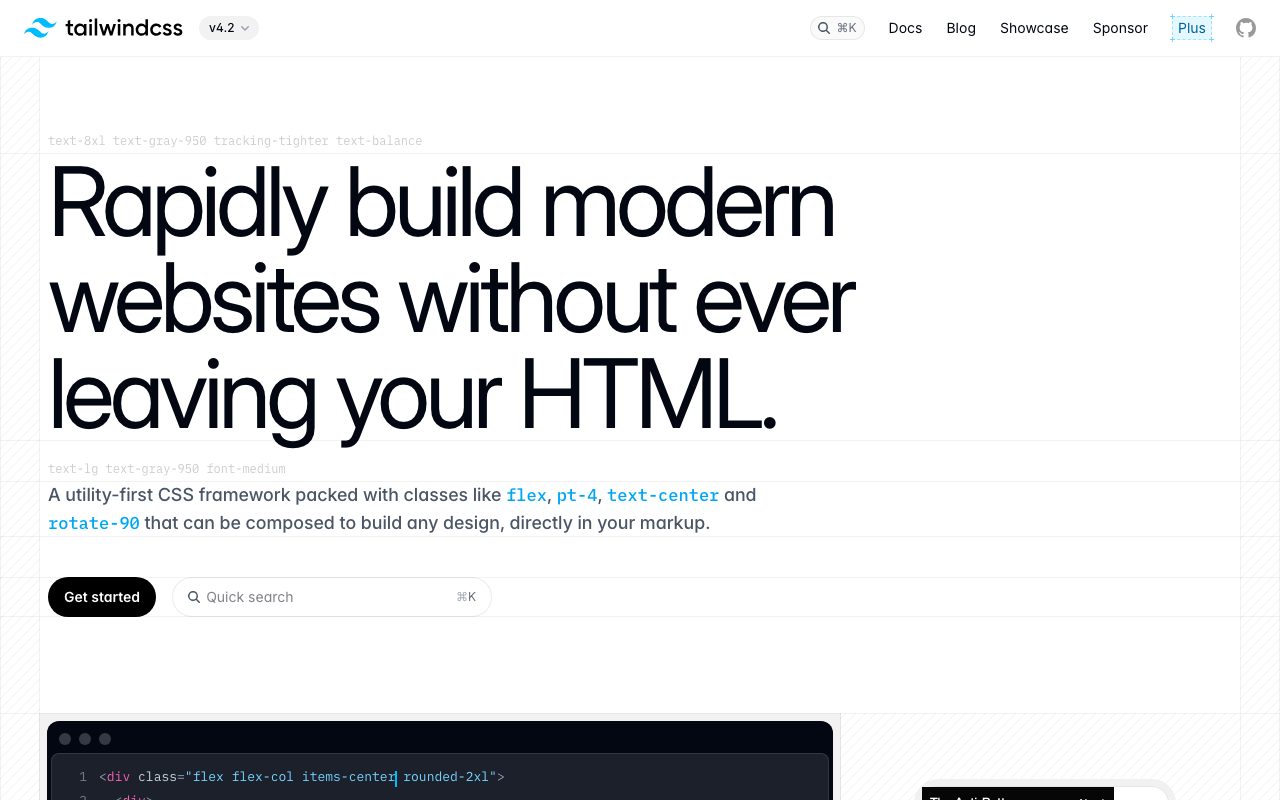
Rapidly build custom designs without leaving your HTML
Gallery
About Tailwind CSS
Tailwind CSS is the utility-first CSS framework that changed how a generation of developers writes styles. Instead of authoring custom classes, you compose pre-built utilities directly in your markup. It's controversial. It works.
Adam Wathan launched Tailwind in 2017. By 2026, it's the default styling layer for Next.js starter templates, shadcn/ui, and most modern React stacks. Love it or hate it, it dominates.
Tailwind is open source under MIT. Tailwind UI, Tailwind Plus, and Catalyst are the company's paid component products. Together they form a serious revenue business on top of free OSS.
What Tailwind CSS actually does
Tailwind ships hundreds of utility classes mapped to design tokens. Spacing (p-4, mt-2), colors (bg-blue-500), typography (text-lg, font-bold), layout (flex, grid, gap-4), and responsive prefixes (md:flex, lg:grid-cols-3).
You compose these in your HTML or JSX. The Tailwind compiler scans your files and only emits CSS for the classes you actually use. Final bundles are tiny.
Tailwind v4 (released in late 2024) rewrote the engine in Rust, simplified configuration to CSS variables, and dramatically sped up build times.
Who Tailwind CSS is for
Frontend developers comfortable with utility-class composition love Tailwind. Once it clicks, you ship UIs faster than any other approach.
Design system teams use Tailwind as the foundation under their component libraries. shadcn/ui's massive popularity is downstream of Tailwind.
Developers who prefer writing semantic CSS classes (BEM, CSS Modules, Vanilla Extract) often find Tailwind ugly in markup. That preference is valid. Pick what your team enjoys.
Pricing breakdown
Tailwind CSS itself is free, MIT-licensed, and forever open source.
Tailwind Plus (formerly Tailwind UI) is a one-time-purchase product around $299 for personal or $799 for team. It includes hundreds of pre-built components and templates.
Catalyst is a React UI kit on top of Tailwind, also one-time pricing. The non-subscription model is rare and refreshing in 2026.
Standout features
The on-demand JIT compiler is iconic. Final CSS includes only the classes you actually used. Bundles often land under 10KB gzipped.
Arbitrary values let you write `mt-[17px]` for one-off spacing without escaping the system. Container queries (`@container`) and modern selectors (`has-[]`) are built-in.
Tailwind v4's CSS-variables-first config means theming and design tokens live in plain CSS. Fewer JS files. Cleaner mental model.
Honest tradeoffs
Class-soup-in-markup is the loudest complaint. `
Componentization solves it. Encapsulate Tailwind classes inside reusable React/Vue/Svelte components and the soup stays out of your app code.
Onboarding new team members takes a week. They need to memorize the spacing scale, color palette, and naming. Documentation is great, but the ramp is real.
Tailwind doesn't make CSS easier. It makes shipping UIs faster once you internalize the tokens. The tradeoff is real and worth it for most teams.
Tailwind CSS vs Bootstrap vs CSS Modules
Bootstrap ships pre-styled components. Easier for beginners but harder to customize at scale. CSS Modules (or Vanilla Extract) keep CSS in CSS, which some teams prefer. Tailwind is the utility-first middle ground that's eaten the modern stack.
See best CSS frameworks and Tailwind CSS alternatives. Our Tailwind vs Bootstrap guide is a popular read.
Other Tailwind alternatives: UnoCSS, Panda CSS, Open Props, Bulma, and Pico CSS. Each one stakes out a different opinion on utility vs semantic CSS.
Bottom line on Tailwind CSS
Tailwind CSS is the styling layer for the modern frontend stack. It's free, fast, and pairs beautifully with React, Vue, Svelte, and Astro.
Browse tools for frontend developers and the shadcn/ui profile. If you're starting a new web project in 2026, Tailwind is the boring correct answer.
Use it for one project. You'll either love it or never touch it again. Both are valid outcomes.
Tailwind CSS v4 changes worth knowing
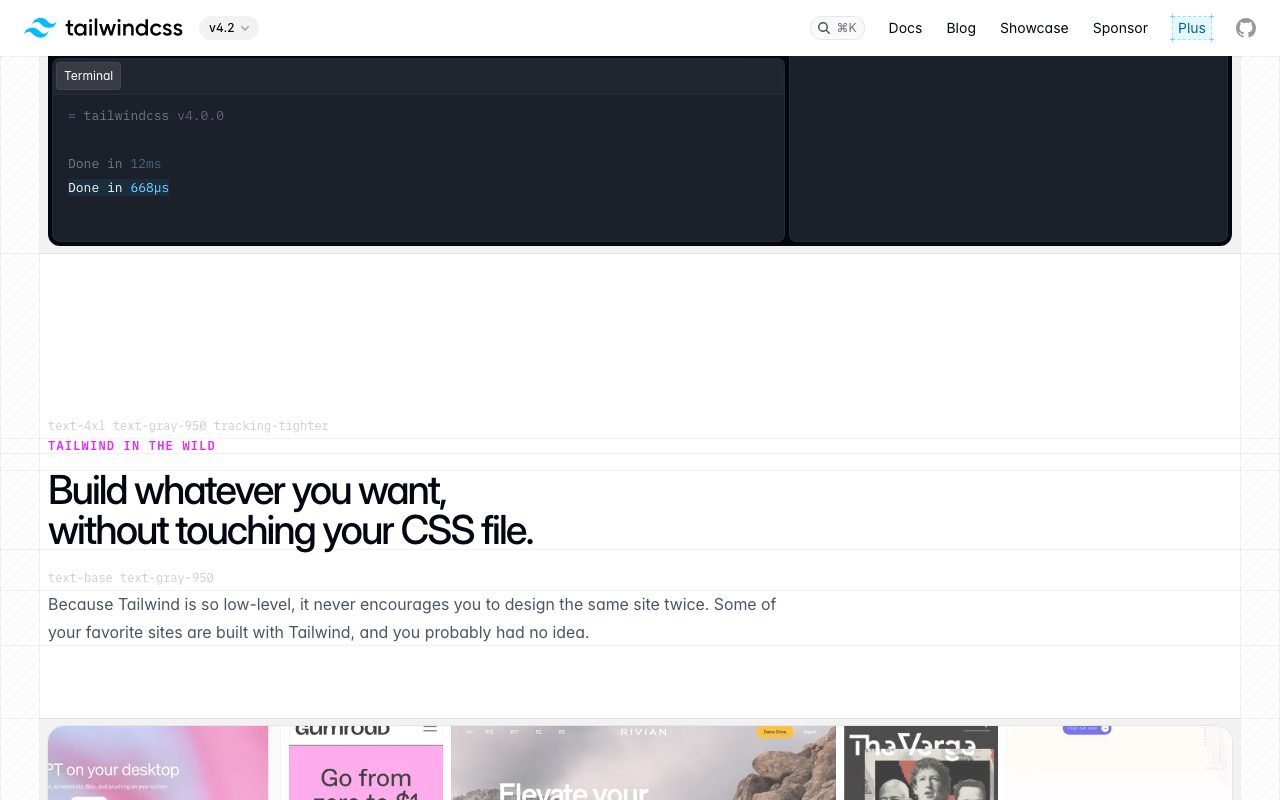
Tailwind v4 dropped in late 2024 with a Rust-based engine, simpler CSS-variables-first config, and dramatically faster builds. Most projects see compile times drop by 5-10x.
The new config approach moves theme tokens into CSS itself, using `@theme` directives. JS config files still work for migration, but CSS-native config is the future.
Container queries (`@container`) and modern selectors like `has-[]` are first-class. Vendor prefix handling improved. The migration from v3 is smooth for most apps.
Tailwind plus shadcn/ui
shadcn/ui exploded in popularity by combining Tailwind with copy-paste React components. You don't install a UI library. You copy components into your repo.
This pattern works because Tailwind classes are portable. Components don't depend on theme provider configuration. They just use Tailwind classes that match your tokens.
shadcn/ui is now the default UI layer for many Next.js projects. Tailwind is the foundation under that pattern.
Tailwind alternatives in the utility-first space
UnoCSS is a Vite-friendly utility framework with extreme performance and flexible configuration. Panda CSS is a typed CSS-in-JS option that mimics Tailwind's utility approach. Open Props is a lighter set of CSS variables you compose yourself.
Each one trades flexibility for simplicity differently. Tailwind has the largest ecosystem and the most documentation, which usually wins for production teams.
If you specifically dislike a Tailwind quirk (config file, JIT timing, naming), UnoCSS is the closest peer worth trying.
Final word on Tailwind CSS
Tailwind CSS won the utility-first wars. It's free, fast, and pairs with every modern framework. The only real reason not to use it is personal preference.
If you're starting a new project in 2026 and don't have a strong CSS opinion, Tailwind is the lazy correct answer. Pair it with shadcn/ui and ship.
Tailwind UI, Tailwind Plus, and Catalyst
Tailwind UI (now part of Tailwind Plus) is the official component library from the Tailwind team. Hundreds of pre-built sections and templates for marketing pages, application UI, and ecommerce.
You buy access once and copy the markup into your project. No npm install, no licensing checks at runtime. The classes are pure Tailwind.
Catalyst is the React UI kit from the same team. Polished form controls, modals, and table components with accessibility baked in.
For teams who want quality components without paying a subscription, Tailwind Plus is genuinely good value. Indie developers ship faster. Agencies shave weeks off client work.
Headless UI (free, OSS) provides unstyled accessible components like dropdowns and dialogs. Pair it with Tailwind for a clean baseline.
Tailwind also has a Heroicons icon set, free and MIT-licensed. Hundreds of crisp, consistent SVG icons that pair naturally with Tailwind class conventions.
For more frontend tools, see our tools for frontend developers and the shadcn/ui profile.
Tailwind CSS FAQ
Is Tailwind CSS production-ready? Massively. Used by GitHub, Shopify, Netflix, OpenAI, and countless other production apps. Tailwind has been the modern default since around 2021 and shows no signs of slowing.
Does Tailwind hurt SEO or performance? No. The on-demand JIT compiler emits only the CSS classes you use. Final bundles are tiny, often under 10KB gzipped. Tailwind has zero negative impact on performance.
How long does Tailwind take to learn? About a week to feel productive, a month to feel fluent. Once the spacing scale, color palette, and naming conventions click, you write CSS faster than ever.
Can I use Tailwind with my existing CSS? Yes. Tailwind layers cleanly with hand-written CSS, CSS Modules, or any other styling approach. Many teams adopt it incrementally.
What about Tailwind class naming complaints? Componentization solves the markup-soup problem. Encapsulate Tailwind classes inside reusable React, Vue, or Svelte components, and the soup stays out of your app code.
Tailwind CSS won the utility-first wars and won them decisively. For new web projects in 2026 without strong CSS opinions, Tailwind is the boring correct answer. Pair with shadcn/ui and ship.
Deeper Tailwind workflow tips
Use the @apply directive sparingly. It's tempting for repeated patterns but undermines Tailwind's compositional model. Componentize instead.
Configure your design tokens in tailwind.config.js or via @theme. Brand colors, custom font sizes, and spacing extensions all live there. Stay in the system.
Use IntelliSense aggressively. The Tailwind VS Code extension autocompletes classes and shows previews. The productivity boost is enormous.
Learn arbitrary values for one-off cases. mt-[17px] beats writing custom CSS for a single edge case. Use it when needed.
Adopt a class-sorting plugin (Prettier or Headwind). Consistent class ordering makes diffs cleaner and code reviews faster.
Use container queries thoughtfully. They're powerful but not always the right tool. Test responsive behavior across viewports before committing.
Browse our best CSS frameworks roundup and shadcn/ui profile for related context.
Tailwind CSS rewards thoughtful adoption. Once your team internalizes the design tokens and componentization patterns, shipping UIs becomes dramatically faster.
Closing thoughts on Tailwind CSS in 2026
Tailwind CSS won the modern frontend wars. The utility-first approach is the default for new projects. Even teams that prefer other approaches use Tailwind because the ecosystem (shadcn/ui, components, integrations) is overwhelming.
Tailwind v4 modernized the engine, simplified configuration, and improved build times dramatically. The migration from v3 is smooth for most projects. The new CSS-variables-first config is cleaner.
The Tailwind team's pricing model is refreshing. One-time payments for Tailwind Plus and Catalyst rather than perpetual subscriptions. Open source for the framework. Sustainable revenue without subscription fatigue.
For new projects in 2026, Tailwind is the obvious starting point. Pair it with shadcn/ui, deploy on Vercel, and you've made the boring correct choices that 80 percent of successful frontend projects make today.
The class-soup criticism remains. Componentization solves it. Encapsulate Tailwind classes inside your reusable components and the markup stays clean.
For teams considering Tailwind alternatives, UnoCSS is the closest peer, with Panda CSS and Open Props serving slightly different niches. Each one stakes out a different opinion.
Browse our best CSS frameworks roundup, our Tailwind CSS alternatives page, and the Tailwind vs Bootstrap guide for additional context.
Tutorial / Demo
Key Features
- Utility-first classes covering layout, spacing, typography, color, and more
- Just-in-time compiler that generates only the CSS you actually use
- Built-in dark mode support with the dark: variant
- Responsive design with mobile-first breakpoint prefixes
- Customizable design system through tailwind.config.js
- First-party plugins for forms, typography, aspect ratios, and container queries
- Seamless integration with component frameworks like React, Vue, and Svelte
Pros & Cons
What we like
- Dramatically speeds up UI development once you learn the class conventions
- Produces tiny CSS bundles in production thanks to tree-shaking unused styles
- Enforces design consistency through a constrained set of spacing, color, and sizing tokens
- Eliminates context-switching between HTML and CSS files
- Excellent documentation with searchable class references and examples
Room for improvement
- HTML can become cluttered and hard to read with many utility classes
- Steep learning curve for developers used to traditional CSS or BEM methodology
- Requires build tooling setup, unlike dropping in a CDN stylesheet
- Custom designs outside the utility system still require writing raw CSS or using @apply
Frequently Asked Questions
What is Tailwind CSS used for?
Is Tailwind CSS free to use?
What are the pros and cons of Tailwind CSS?
Who should use Tailwind CSS?
Best For
Featured in
Tags
Alternatives to Tailwind CSS

Lucide
Open-source icon library, a community-led fork of Feather, with 1,500+ consistent icons and bindings for every major framework.
Heroicons
Free, MIT-licensed SVG icon set crafted by the Tailwind Labs team, with outline, solid, mini, and micro variants.

Storybook
Open-source workshop for building UI components in isolation. Preview, document, and test them outside the app.

Framer
Visual website builder that lets designers ship production-grade marketing sites with real CMS, SEO controls, and code components.
Our take
Tool Index Editorial · May 2026· 4.8/5
What Tailwind CSS is really selling — beyond the marketing copy — is rapidly build custom designs without leaving your html.
The standout points: Dramatically speeds up UI development once you learn the class conventions, Produces tiny CSS bundles in production thanks to tree-shaking unused styles, and Enforces design consistency through a constrained set of spacing, color, and sizing tokens. Where it stumbles: HTML can become cluttered and hard to read with many utility classes and Steep learning curve for developers used to traditional CSS or BEM methodology.
Bottom line: pick Tailwind CSS when you need rapid prototyping and MVP development; look elsewhere if hTML can become cluttered and hard to read with many utility classes would be a dealbreaker.
Editorial opinion from the Tool Index team, written from the public product pages. Not a user review.
Reviews (10)
Solid daily driver
About half a year of using Tailwind CSS, here's what holds up. The biggest win has been eliminates context-switching between HTML and CSS files. Their take on just-in-time compiler that generates only the CSS you actually use is solid. Mostly using it for marketing landing pages and static websites. Sticking with Tailwind CSS.
Pros
- Enforces design consistency through a constrained set of spacing, color, and sizing tokens
- Eliminates context-switching between HTML and CSS files
Surprised how much we use this
Been using Tailwind CSS for two quarters now. Where it really wins is eliminates context-switching between HTML and CSS files. Still recommending it to people in similar setups.
Pros
- Enforces design consistency through a constrained set of spacing, color, and sizing tokens
- Produces tiny CSS bundles in production thanks to tree-shaking unused styles
Did exactly what I needed
Picked Tailwind CSS for the lower price, stayed for the actual quality. Genuine strength: eliminates context-switching between HTML and CSS files. The customizable design system through tailwind.config.js is more useful than I expected. Glad I made the switch.
Honest take after the last quarter
Skeptical at first because Tailwind CSS looked too simple. It's not. The thing I keep coming back to: dramatically speeds up UI development once you learn the class conventions. Worth calling out the responsive design with mobile-first breakpoint prefixes too. Glad I made the switch.
Maybe in a year when they fix the basics
Have been using Tailwind CSS for a while, here's where I land. The biggest win has been eliminates context-switching between HTML and CSS files. One thing that bugs me: custom designs outside the utility system still require writing raw CSS or using @apply. Looking at alternatives but not in a rush.
Pros
- Produces tiny CSS bundles in production thanks to tree-shaking unused styles
- Enforces design consistency through a constrained set of spacing, color, and sizing tokens
- Dramatically speeds up UI development once you learn the class conventions
Cons
- Requires build tooling setup, unlike dropping in a CDN stylesheet
Solid product, even better support
Hadn't planned on switching, but Tailwind CSS was hard to ignore. What stands out is how enforces design consistency through a constrained set of spacing, color, and sizing tokens.
Pros
- Dramatically speeds up UI development once you learn the class conventions
Hit the Tailwind CSS sweet spot
Tailwind CSS has quietly become part of my daily flow. Where it really wins is enforces design consistency through a constrained set of spacing, color, and sizing tokens. Glad I made the switch.
Pros
- Produces tiny CSS bundles in production thanks to tree-shaking unused styles
Did exactly what I needed
Got Tailwind CSS on the recommendation of someone I trust. The biggest win has been excellent documentation with searchable class references and examples. It fits well for refactoring legacy CSS into a consistent, maintainable system. Still recommending it to people in similar setups.
Pros
- Enforces design consistency through a constrained set of spacing, color, and sizing tokens
- Produces tiny CSS bundles in production thanks to tree-shaking unused styles
Cons
- HTML can become cluttered and hard to read with many utility classes
Two months in, no regrets
Tailwind CSS is one of those tools you stop noticing because it just works. Real selling point: produces tiny CSS bundles in production thanks to tree-shaking unused styles. Still recommending it to people in similar setups.
Pros
- Produces tiny CSS bundles in production thanks to tree-shaking unused styles
The kind of tool you forget you're paying for
Have been using Tailwind CSS for a while, here's where I land. Genuine strength: dramatically speeds up UI development once you learn the class conventions. Their take on utility-first classes covering layout, spacing, typography, color, and more is solid. Mostly using it for marketing landing pages and static websites.
Badge builder
Add Tailwind CSS to your website
Choose a badge style and size, preview it here, then copy the generated HTML. Badge images are self-contained SVGs and do not require an external script.

<a href="https://toolindex.net/tools/tailwind-css?ref=badge" target="_blank" rel="noopener">
  <img src="https://toolindex.net/badge/tailwind-css/medium.svg" alt="Tailwind CSS - Listed on Tool Index" width="180" height="50" />
</a>How to use the badge
- 1. Pick the style, size, and theme that fit your layout.
- 2. Copy the generated HTML from the code block.
- 3. Paste it into your footer, homepage, or press page.
Score badge available
Tailwind CSS qualifies for the score and circle badges based on its current top-10 positionin Design.
Badge clicks return visitors to this profile with a referral tag so the source remains identifiable.
Related Tools

Kevin Gabeci
Solo developer building web apps, cozy browser games, and AI creator toolkits.

Coolify
Self-hostable, open source alternative to Heroku and Netlify

Warp
The modern terminal reimagined with AI and collaboration

Bolt.new
Prompt-to-deployed full-stack app inside the browser
Work on Tailwind CSS? Request listing access or correction