
Lucide
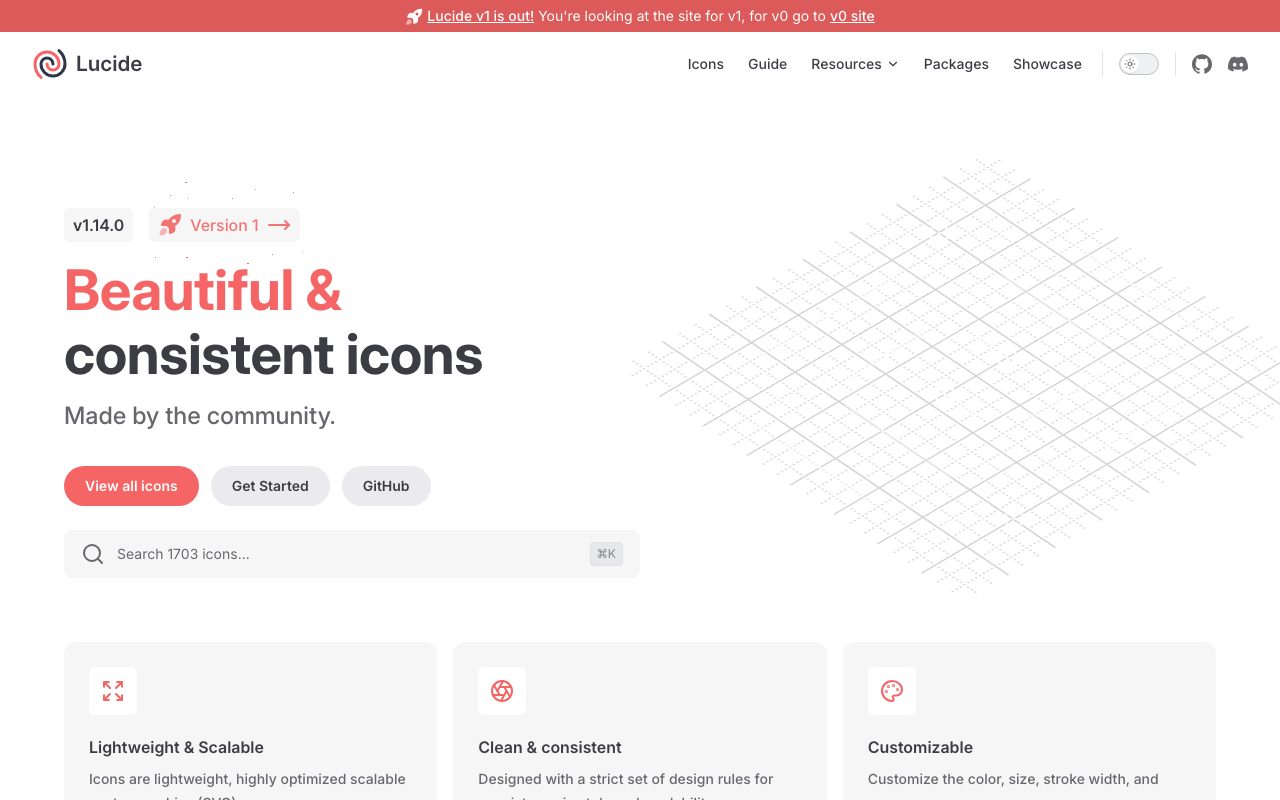
Open-source icon library, a community-led fork of Feather, with 1,500+ consistent icons and bindings for every major framework.
Gallery
About Lucide
Lucide is the open-source icon library that quietly became the default for a generation of React, Vue, and Svelte apps. A community-led fork of Feather with over 1,500 icons, MIT-licensed, framework-native bindings, and a rare combination of consistency and momentum.
You've seen Lucide icons. They're in shadcn/ui, they're in Tailwind UI examples, they're in half the SaaS dashboards on the internet. The visual language is intentionally neutral, the technical packaging is excellent, and the license puts no constraints on commercial use.
For most product teams building modern web apps, Lucide is the right starting point. The cases where you'd want something else are real but narrower than they used to be.
What Lucide actually does
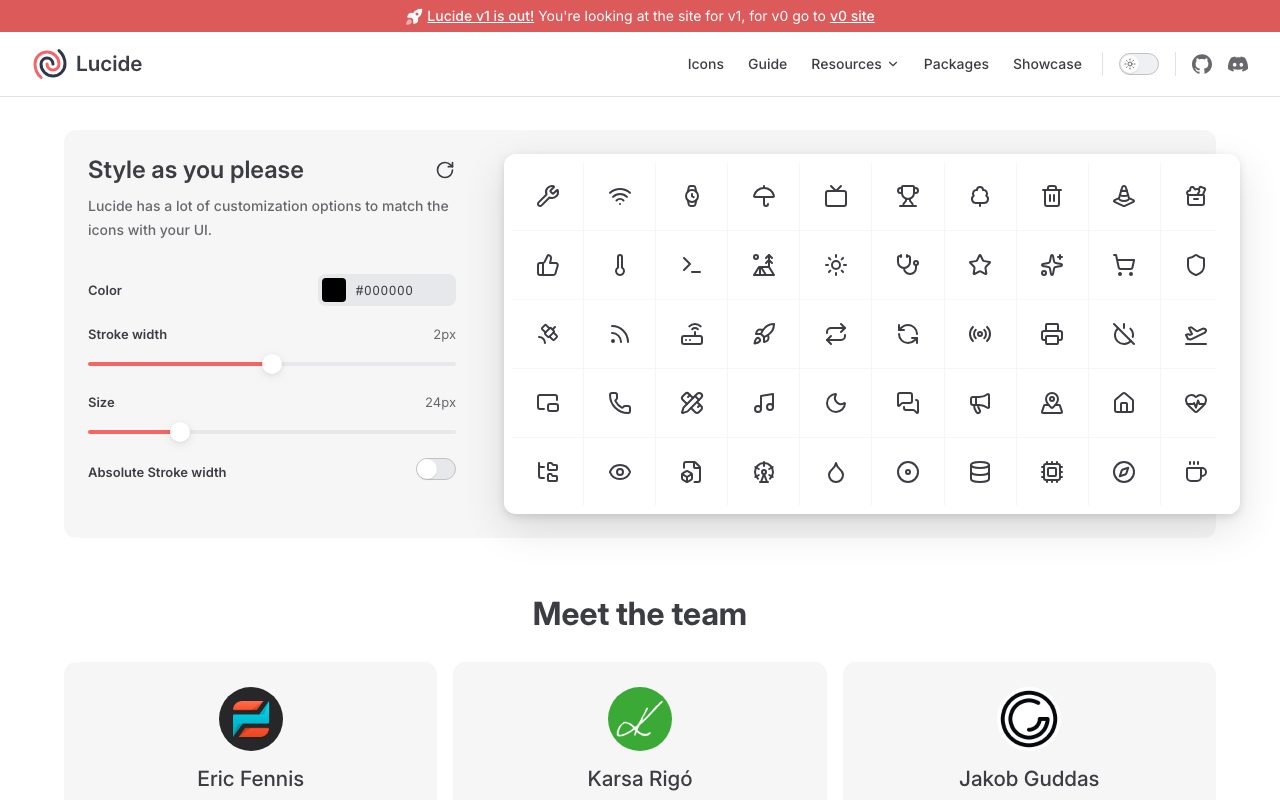
Lucide ships SVG icons in a consistent visual style. 24x24 grid, 2-pixel stroke, rounded corners. Every icon obeys the system, which gives you a coherent UI without manual curation.
The packaging is the killer feature. Native bindings for React, Vue, Svelte, Solid, Preact, Angular, React Native, and a few others. Each binding is tree-shakable, so you only ship the icons you actually use.
The browser app at lucide.dev lets you search, preview, and copy. SVG, JSX, or framework-specific snippets. The Figma plugin keeps designers and engineers using identical assets.
Who Lucide is for
Product teams building React, Vue, or Svelte SaaS apps. Lucide is the path of least resistance: install one package, import what you need, ship.
Designers building design systems on a permissive open-source base. Lucide gives you 1,500+ icons in a consistent style without any commercial licensing baggage.
Indie hackers replacing Font Awesome's licensing surface. Font Awesome's free tier is fine; the licensing nuances around the paid tier annoy enough people to drive Lucide adoption.
Anyone tired of mismatched icon styles in their UI. Lucide's consistency is a real upgrade if you've been mixing emoji, Material, and Heroicons.
Pricing breakdown
Lucide is free under the MIT license. Use it in commercial products, redistribute it, modify it, no attribution required. The license is as permissive as it gets.
The project is community-funded through GitHub sponsors. Donations are appreciated, never required. Compared to per-seat icon library subscriptions, the cost story is unbeatable.
Standout features in Lucide
Tree-shaking by default. Modern bundlers automatically drop unused icons. Your bundle includes only the icons you actually import. No 200KB icon-font payload.
Framework coverage is thorough. React and Vue lead, but Svelte, Solid, Angular, and React Native bindings are all maintained. Switching frameworks means changing imports, not vendors.
The Figma plugin syncs to the latest Lucide release. Designers and engineers stay in sync. That alone removes a chronic source of "this icon doesn't exist in our system" annoyance.
Active community
Lucide accepts new icons through PRs. The contribution bar is reasonable, the review pace is fast, and the icon set keeps growing in directions the community actually needs. Not a dead repo.
Honest tradeoffs
The visual style is intentionally generic. If your brand needs distinctive icons, Lucide gives you a clean baseline, not a unique identity. Pair with a custom set for hero icons.
Specialized domain icons are sparser. Finance, science, niche industries. Lucide covers the common stuff well; the long tail still has gaps.
2-pixel stroke can feel heavy on small UI. Resizing helps, but if you're targeting iconography below 16px, Heroicons' miniature variants are a better starting point.
Lucide is the safe default. It's not the most distinctive set, but it's the most pragmatic one. That tradeoff usually wins.
Lucide vs alternatives
Versus Heroicons, Lucide has a larger catalog and more framework coverage. Heroicons has a tighter visual style and Tailwind-native polish. Both are excellent. See the comparison.
Versus Font Awesome, Lucide is fully MIT and ships native React/Vue components. Font Awesome's free tier is solid; the brand-icon licensing is the friction.
Versus Phosphor Icons, both are MIT and modern. Phosphor has a richer weight system. Lucide has the edge in adoption and visual restraint.
For more options, see the best icon libraries and the Lucide alternatives directory.
Bottom line
Lucide is the right default icon library for modern web products. MIT licensed, framework-native, tree-shakable, and consistently styled. The cost-benefit math is impossible to argue with.
Use it as your baseline. Layer custom icons on top for brand-specific moments. Skip it if your design language demands a more distinctive system from day one. For the 90% of cases that aren't that, Lucide is the icon library to install first.
Using Lucide in a real project
Install the framework-specific package, not the raw icon set. lucide-react for React, lucide-vue for Vue, lucide-svelte for Svelte. Bundle size and tree-shaking work correctly when you use the right entry point.
Import icons individually rather than via wildcard imports. Each icon becomes a separately tree-shakable component. Your bundle stays lean.
Use Lucide's stroke-width and color props for theming. Don't manually edit SVG paths; the props cover most customization needs.
Building a design system on Lucide
Wrap Lucide icons in a single Icon component for your design system. Centralize sizing, color, and accessibility props in one place. Swap icons or adjust styles globally without touching every callsite.
Document which Lucide icons map to which semantic concepts in your product. "Save" = bookmark icon, "Delete" = trash-2 icon, etc. Consistency comes from documentation, not hope.
Build automatic accessibility into your wrapper. aria-label or aria-hidden based on whether the icon stands alone or accompanies text.
Lucide for designers
The Figma plugin keeps your design files in sync with the latest Lucide release. New icons appear automatically; deprecated ones get flagged.
For brand-distinctive icons, supplement Lucide with a custom set. Use Lucide for the 80% of standard UI affordances and reserve hand-drawn icons for hero moments where brand voice matters most.
Lucide's license lets you modify icons and ship them in your product. If you want to slightly tweak a Lucide icon to match your brand, you can do that without legal concern.
Common Lucide questions
Is Lucide really replacing Feather? In effect, yes. Feather hasn't seen meaningful updates in years; Lucide is the active continuation of the visual language.
How does Lucide compare to Heroicons in terms of style? Lucide is slightly more neutral and broader. Heroicons leans Tailwind-ecosystem-friendly with two weight options.
Can I contribute new icons to Lucide? Yes. The PR process is reasonable. New icons appear in releases regularly.
Browse more at tools for design systems.
Lucide accessibility patterns
Decide upfront whether each icon is decorative or meaningful. Decorative icons get aria-hidden; meaningful ones get aria-label or visible text.
Pair icons with text where the meaning matters. A trash icon next to a "Delete" word is clearer than the icon alone, especially for cognitive accessibility.
Test with screen readers. Lucide icons render as inline SVG; screen reader behavior depends on your wrapper component, not Lucide itself.
Lucide and dark mode
Use currentColor as the icon color and let CSS handle dark mode. Lucide icons inherit color cleanly; one global CSS rule handles both modes.
Stroke width can stay constant across modes; perceptual weight may need adjustment. Heavier strokes look heavier in dark mode; consider tuning.
For brand-colored icons, use Lucide's color prop or wrap them in styled containers. Don't bake colors into SVG paths; you'll regret it the first time the brand updates.
Lucide for icon-heavy interfaces
Dashboards, file browsers, and admin tools use lots of icons. Lucide's consistent visual style keeps these UIs from feeling busy. Test density at real-screen scale; what looks great in Figma can feel cramped at production sizes.
Final thoughts on Lucide
Lucide has earned its position as the default icon library for modern web work. Permissive license, framework-native packaging, consistent visual style, and an active community.
It's not the most distinctive icon set, and that's intentionally fine. Use it as the baseline; layer custom icons for brand-distinctive moments. The combination is hard to beat.
Browse other options at the best icon resources and UI design tools.
Quick recap
Lucide fits modern web product teams, design systems on a permissive base, and any project tired of mismatched icon styles. The framework-native packaging is the technical highlight.
It's not the most distinctive icon set. Pair Lucide with custom icons for brand-distinctive moments. The combination is more flexible than committing to one or the other.
MIT-licensed, free forever, no attribution required. The cost-benefit math is impossible to argue with for the vast majority of web projects.
Browse more options at the best SVG icons, the frontend development category, and Lucide alternatives.
Tutorial / Demo
Key Features
- 1,500+ icons on a consistent 24x24 grid
- Native bindings for React, Vue, Svelte, Solid, and more
- Tree-shakable imports with zero runtime overhead
- MIT-licensed for unrestricted commercial use
- Searchable browser with SVG and JSX copy
- Official Figma plugin synced with latest releases
Pros & Cons
What we like
- Permissive MIT license, no attribution required
- Excellent framework coverage and tree-shaking defaults
- Active community with frequent additions and refinements
Room for improvement
- Visual style is intentionally generic, not brandable
- Specialized domain icons (finance, science) are sparser
Frequently Asked Questions
Is Lucide really free for commercial use?
Lucide vs Heroicons or Phosphor, what's different?
Does Lucide have React, Vue, and Svelte bindings?
Can I tree-shake Lucide imports?
Can I customize Lucide icon stroke and color?
Best For
Featured in
Tags
Alternatives to Lucide
Heroicons
Free, MIT-licensed SVG icon set crafted by the Tailwind Labs team, with outline, solid, mini, and micro variants.

Tailwind CSS
Rapidly build custom designs without leaving your HTML

Storybook
Open-source workshop for building UI components in isolation. Preview, document, and test them outside the app.

Apatero Studio
Creator studio for AI image, video, audio, 3D, and avatars. Every model worth using, in one workspace.
Our take
Tool Index Editorial · May 2026· 4.7/5
If you're evaluating Lucide, the headline is simple: open-source icon library, a community-led fork of feather, with 1,500+ consistent icons and bindings for every major framework, and most teams will get value out of the box.
Worth highlighting: Permissive MIT license, no attribution required, Excellent framework coverage and tree-shaking defaults, and Active community with frequent additions and refinements. The friction points: Visual style is intentionally generic, not brandable and Specialized domain icons (finance, science) are sparser.
In short: Lucide is a strong pick when you need adding consistent icons to a SaaS product UI, and a harder sell if visual style is intentionally generic, not brandable would be a dealbreaker.
Editorial opinion from the Tool Index team, written from the public product pages. Not a user review.
Reviews (2)
Two months in, no regrets
Took a few weeks for Lucide to click, then it stuck. Real selling point: excellent framework coverage and tree-shaking defaults. Got real value out of searchable browser with SVG and JSX copy. Main use case: adding consistent icons to a SaaS product UI. Still recommending it to people in similar setups.
Pros
- Permissive MIT license, no attribution required
- Active community with frequent additions and refinements
- Excellent framework coverage and tree-shaking defaults
Recommended without reservation
Almost a year of using Lucide, here's what holds up. Honestly impressed by how active community with frequent additions and refinements. It fits well for generating SVG sprites for high-traffic web apps. Would buy again without thinking twice.
Pros
- Active community with frequent additions and refinements
- Permissive MIT license, no attribution required
- Excellent framework coverage and tree-shaking defaults
Badge builder
Add Lucide to your website
Choose a badge style and size, preview it here, then copy the generated HTML. Badge images are self-contained SVGs and do not require an external script.

<a href="https://toolindex.net/tools/lucide?ref=badge" target="_blank" rel="noopener">
  <img src="https://toolindex.net/badge/lucide/medium.svg" alt="Lucide - Listed on Tool Index" width="180" height="50" />
</a>How to use the badge
- 1. Pick the style, size, and theme that fit your layout.
- 2. Copy the generated HTML from the code block.
- 3. Paste it into your footer, homepage, or press page.
Standard badge available
The standard listing badge is available now. Score and circle badges are limited to tools currently ranked in the top 10 of a category.
Badge clicks return visitors to this profile with a referral tag so the source remains identifiable.
Related Tools

Kevin Gabeci
Solo developer building web apps, cozy browser games, and AI creator toolkits.

Coolify
Self-hostable, open source alternative to Heroku and Netlify

Warp
The modern terminal reimagined with AI and collaboration

Bolt.new
Prompt-to-deployed full-stack app inside the browser
Work on Lucide? Request listing access or correction