
Carrd
Single-developer-built site builder for fast, single-page sites: link-in-bio pages, landing pages, and personal cards.
Gallery
About Carrd
Carrd is the rare site builder that knows exactly what it is. One developer, AJ, has run it since 2016. The product builds single-page sites and nothing else. That focus is the whole pitch.
If you need a link-in-bio page, a pre-launch waitlist, or a personal landing page, Carrd is probably the fastest path. It's also stupidly cheap.
What Carrd actually does
You pick a template. You edit the text and images. You publish to a free subdomain or your own domain. That's the loop.
The editor is a simple drag-and-resize block system. Add a button, embed a Stripe widget, drop in a form. There's no CMS. There are no multiple pages. By design.
Who Carrd is for
Indie hackers love Carrd. So do creators with link-in-bio pages, product hunters launching micro-SaaS, and students with a CV-style site. The common thread is "I just need one page and I want it live today."
It's also great for pre-launch waitlists. ConvertKit and Mailchimp integrations capture emails. Add a Stripe button and you can collect deposits before the product even exists.
Carrd pricing breakdown
The free plan publishes up to three sites on carrd.co subdomains. Custom domain support requires a paid tier.
Pro Lite runs $9 per year. Pro Standard runs $19 per year. Pro Plus runs $49 per year. None of those numbers are typos.
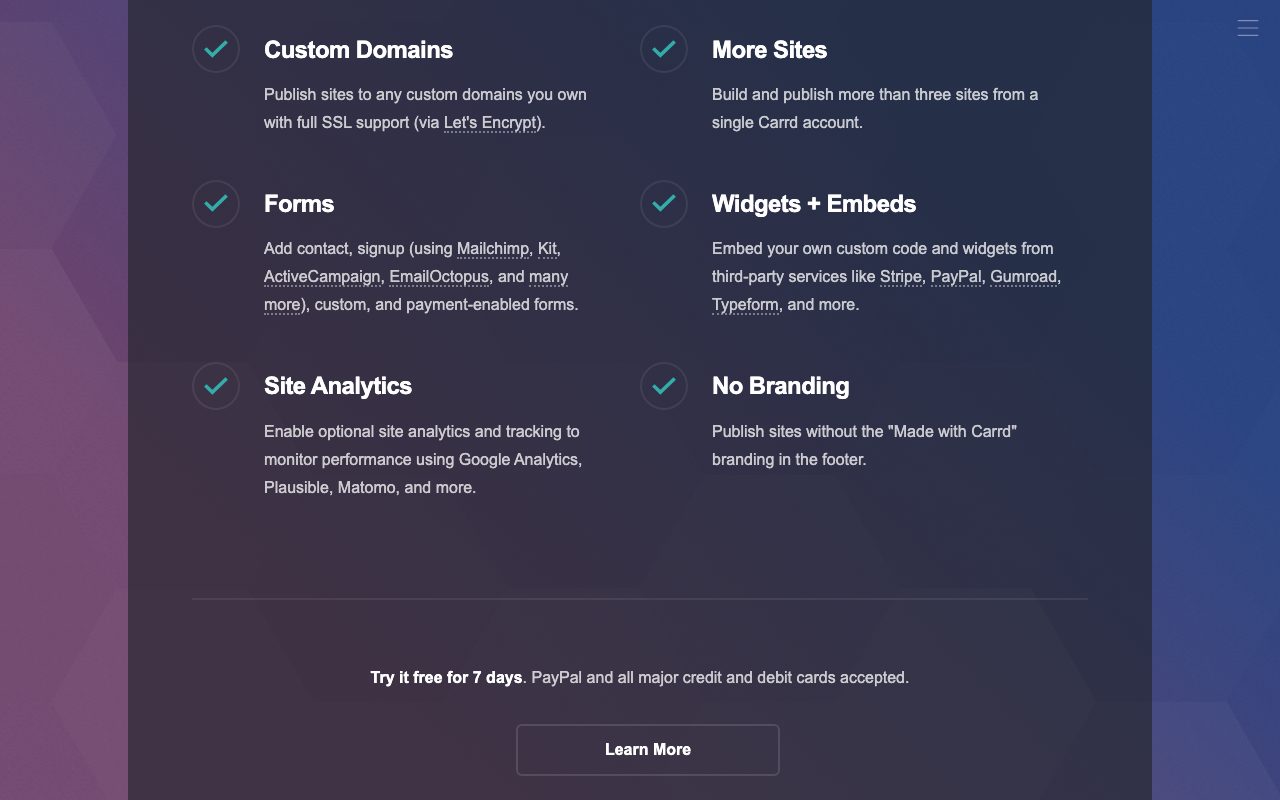
The Pro tiers add custom domains, more sites, embedded widgets, and form submissions to your inbox. Pro Plus pumps the limits up further with Google Analytics and white-label hosting.
Standout Carrd features
Speed from blank page to published URL is unmatched. A practiced user can ship a polished landing page in twenty minutes. New users land in the same place by their second site.
Stripe and Gumroad widgets handle payments inline. Forms route submissions via email or to ConvertKit, Mailchimp, Zapier, and a few others. Newsletter capture is genuinely simple.
The templates lean clean and modern. They're easy to customize without making the page look broken. That's harder than it sounds.
Honest tradeoffs
Single page only. If you want a blog, a docs site, or multiple landing pages on the same project, Carrd isn't your tool.
Animation and design flexibility are limited. You can't build a Framer-style interactive experience. The opinionated constraint is also the constraint.
And it's truly a solo product. Updates are steady but slow. AJ ships when AJ ships.
Carrd is the cheapest legitimate way to put a real page online. The pricing alone makes it worth keeping in your toolkit.
Carrd vs the alternatives
For one-page sites, the obvious comparison is Framer. Framer is more powerful, more expensive, and aimed at design-forward sites. Carrd is the budget honest version.
Against Squarespace and Webflow, Carrd is dramatically simpler. Those tools handle blogs, ecommerce, and multi-page navigation. Carrd doesn't pretend to.
For link-in-bio specifically, Linktree and Beacons are the obvious peers. Carrd costs less and gives you more control over branding.
Worth checking best landing page builders, Carrd alternatives, and tools for indie hackers.
Bottom line on Carrd
Carrd is the right tool for the right job. Single-page sites, fast, cheap, no fuss. It's not trying to be a CMS. That's why it works.
If you're spinning up a waitlist tomorrow, Carrd will get you there before lunch. The $19 annual price is basically a rounding error in your tooling budget.
Carrd workflow tips
Start from a template, not from scratch. Carrd's template gallery covers most common page types. Editing a template is faster than building from blank because you've got a known-working layout to riff on.
Use Pro Standard or Pro Plus if you want any embedded widgets. Stripe payment buttons, ConvertKit forms, and Mailchimp signup boxes all live behind the paid tiers. The $19 annual price for Pro Standard is the sweet spot.
Connect a custom domain via the Pro plan. The carrd.co subdomain works for testing. A real domain ships polish.
Use Carrd's analytics or pair it with Fathom Analytics for traffic data. Don't expect the depth of GA4 from either.
What Carrd doesn't do
No blog. No multi-page navigation. No CMS. No ecommerce beyond a Stripe button or two. No team collaboration.
If you need any of those, Carrd is the wrong tool. Squarespace, Webflow, or Framer all handle multi-page sites better.
Designers used to interactive Framer animations will feel constrained on Carrd. The block system is intentionally simple.
Carrd common questions
"Can I sell products on Carrd?" Yes via Stripe or Gumroad widgets. For real ecommerce with inventory and tax, use Shopify instead.
"Will my Carrd site rank in search?" Yes for niche queries. SEO depth is limited but basic title tags, meta descriptions, and clean URLs work fine.
"Can I migrate off Carrd later?" Not directly. Carrd doesn't export to a standard CMS format. The page itself is portable as HTML if you really need it.
"Is Carrd dying?" Far from it. Solo developer, profitable, low overhead. The product has been steady for years and shows no signs of stopping.
Final word on Carrd
Carrd is the cheapest legitimate way to ship a single-page site. The product respects your time, your wallet, and your need to launch today. The constraints are the feature.
Indie hackers, creators, and anyone who needs a fast landing page should keep Carrd in their toolkit. The annual price is genuinely a rounding error against most software budgets.
It's also the right pick for personal pages, side-project waitlists, and one-off campaigns. Pull it out, ship a page, move on.
Carrd in production
Pre-launch waitlists are the most common use case. Build a Carrd page in an hour. Connect a ConvertKit form. Drop the link in your social bios. Watch signups roll in while you build the actual product.
Personal landing pages for indie hackers replace LinkedIn for many. Show your projects, link your social profiles, share a contact form. Faster to update than a full portfolio site.
One-off campaign pages for marketing teams ship in an afternoon. Pop up a holiday promo page, a launch announcement, or a recruiting drive. Take it down when the campaign ends.
Conference and event pages benefit from Carrd's simplicity. Speakers, schedule, venue, registration link, all on one scrollable page. Nothing more is needed.
Carrd templates worth knowing
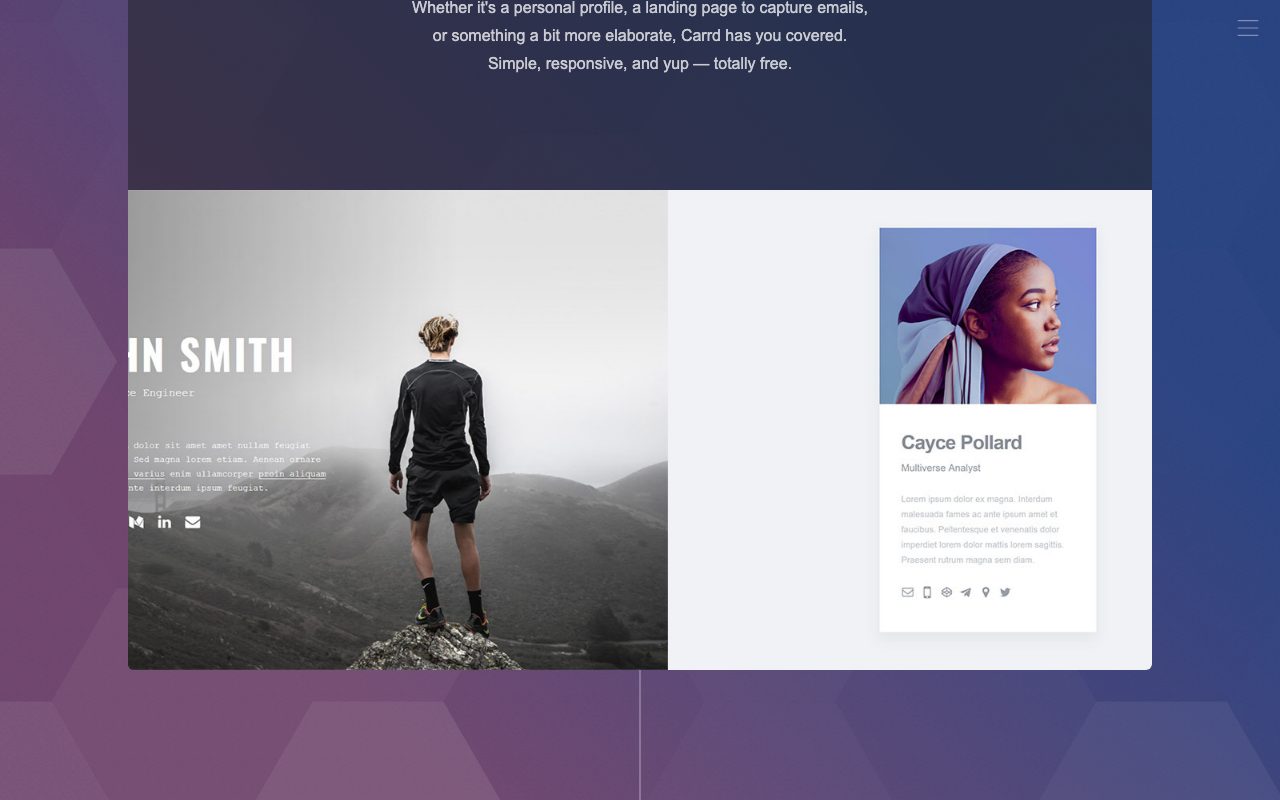
The Bio template fits link-in-bio use cases. Photo, name, tagline, list of links. Customize colors and fonts to match your brand.
The Landing template handles product launches. Hero section, feature blocks, testimonials, CTA. Adapt the structure to your product.
The Form template centers email collection. Hero, value proposition, signup form, social proof. Pure conversion-focused layout.
The Coming Soon template fits pre-launch waitlists. Countdown timer, email signup, social links. Minimal and effective.
Carrd alternatives by use case
For multi-page sites, switch to Squarespace or Webflow. Carrd doesn't pretend to handle multi-page navigation.
For ecommerce stores, use Shopify or Gumroad. Carrd's payment widgets handle simple cases; real stores need real ecommerce platforms.
For blogs, use Ghost, Substack, or Hashnode. Carrd has no CMS.
For portfolios with many projects, use a real portfolio platform. Carrd works for a one-page summary; full portfolios need more space.
Carrd long-term considerations
The product has been steady for years. AJ ships when AJ ships. The pace is slower than VC-backed competitors but the direction is consistent.
That stability is a feature for users who want their landing pages to keep working without breaking changes. Carrd from 2018 still works. Carrd from 2020 still works. Carrd from today will probably still work in 2028.
The annual pricing model means you can keep dozens of pages live for next to nothing. Marketing campaigns, project pages, personal sites all live on a single $19 subscription.
For users who outgrow Carrd, the migration path is manual. Rebuild on Webflow, Framer, or another platform. The HTML export option exists but produces single-page output that's hard to extend.
Most users don't outgrow Carrd. Most users don't need more than a single page. That's the bet AJ has been making for years and it keeps paying off.
Carrd in the indie hacker community
Carrd shows up in basically every indie hacker stack. The combination of cheap pricing, fast setup, and decent design defaults makes it the natural fit.
Many indie hackers run twenty or thirty Carrd pages simultaneously. Pre-launch waitlists for product ideas. Personal landing pages. Side-project marketing. All on one annual subscription.
The community shares templates and tips on Twitter, Reddit, and indie-hacker forums. Carrd benefits from organic word of mouth that bigger platforms struggle to match.
For anyone exploring side projects, having a Carrd subscription is roughly as useful as having a domain registrar account. Both are infrastructure for shipping ideas fast.
Tutorial / Demo
Key Features
- Single-page site builder with opinionated templates
- Custom domains on paid plans
- Stripe and Gumroad payment widgets
- Embedded forms with email delivery
- Newsletter integrations (ConvertKit, Mailchimp, Zapier)
- Annual pro plans starting at low double-digit dollars
Pros & Cons
What we like
- Extremely cheap relative to other site builders
- Fastest from blank page to live URL in this category
- Stable, no-drama product run by a focused solo developer
Room for improvement
- Single-page only, with no CMS or multi-page navigation
- Limited animation and design flexibility versus richer builders
Frequently Asked Questions
Does Carrd have a free tier?
Why is Carrd so cheap?
Carrd vs Framer vs Webflow, what's the difference?
Can Carrd handle forms and email signups?
Is Carrd good for SEO?
Best For
Featured in
Tags
Alternatives to Carrd
View all
Framer
Visual website builder that lets designers ship production-grade marketing sites with real CMS, SEO controls, and code components.

Webflow
Visual website builder that produces clean, semantic HTML and CSS, with a CMS, e-commerce, and a Webflow-hosted CDN.

Bubble
Full-stack no-code platform for building real web applications with visual programming, a database, and a workflow engine.
Softr
No-code platform that turns Airtable, Google Sheets, and HubSpot bases into client portals, internal tools, and member apps.
Our take
Tool Index Editorial · May 2026· 4.8/5
Carrd is the kind of tool you adopt when you want single-developer-built site builder for fast, single-page sites: link-in-bio pages, landing pages, and personal cards.
On the strengths side: Extremely cheap relative to other site builders, Fastest from blank page to live URL in this category, and Stable, no-drama product run by a focused solo developer. Honest gripes: Single-page only, with no CMS or multi-page navigation and Limited animation and design flexibility versus richer builders.
Bottom line: pick Carrd when you need link-in-bio pages for creators and indie hackers; look elsewhere if single-page only, with no CMS or multi-page navigation would be a dealbreaker.
Editorial opinion from the Tool Index team, written from the public product pages. Not a user review.
Reviews (9)
Worth the price of admission
Carrd isn't perfect but it's the best I've used in this category. What stands out is how stable, no-drama product run by a focused solo developer. Sticking with Carrd.
Pros
- Extremely cheap relative to other site builders
- Fastest from blank page to live URL in this category
Two months in, no regrets
Came to Carrd after frustration with what I had before. Genuine strength: stable, no-drama product run by a focused solo developer.
Pros
- Fastest from blank page to live URL in this category
- Stable, no-drama product run by a focused solo developer
Genuinely impressed
Carrd has quietly become part of my daily flow. The biggest win has been stable, no-drama product run by a focused solo developer. Single-page site builder with opinionated templates works the way you'd hope. Mostly using it for quick product or campaign one-pagers.
Honest take after three months
Carrd isn't perfect but it's the best I've used in this category. Where it really wins is fastest from blank page to live URL in this category. Mostly using it for pre-launch waitlist and email-capture pages.
Pros
- Stable, no-drama product run by a focused solo developer
- Fastest from blank page to live URL in this category
- Extremely cheap relative to other site builders
Two months in, no regrets
Carrd isn't perfect but it's the best I've used in this category. The thing I keep coming back to: stable, no-drama product run by a focused solo developer. Their take on single-page site builder with opinionated templates is solid. Worth the price for what I get out of it.
Pros
- Extremely cheap relative to other site builders
- Fastest from blank page to live URL in this category
- Stable, no-drama product run by a focused solo developer
Did exactly what I needed
Carrd has quietly become part of my daily flow. Where it really wins is stable, no-drama product run by a focused solo developer. Single-page site builder with opinionated templates works the way you'd hope.
Worth the price of admission
Got Carrd on the recommendation of someone I trust. The biggest win has been stable, no-drama product run by a focused solo developer. Worth calling out the single-page site builder with opinionated templates too. Found it works best for pre-launch waitlist and email-capture pages. Would buy again without thinking twice.
Pros
- Stable, no-drama product run by a focused solo developer
- Extremely cheap relative to other site builders
Half a star away from a wholehearted yes
Got Carrd on the recommendation of someone I trust. Where it really wins is stable, no-drama product run by a focused solo developer. Worth calling out the newsletter integrations (ConvertKit, Mailchimp, Zapier) too. Mostly using it for pre-launch waitlist and email-capture pages. Honest gripe: limited animation and design flexibility versus richer builders.
Pros
- Extremely cheap relative to other site builders
- Stable, no-drama product run by a focused solo developer
Cons
- Limited animation and design flexibility versus richer builders
- Single-page only — no CMS or multi-page navigation
Worth the price of admission
Took a few weeks for Carrd to click, then it stuck. The thing I keep coming back to: fastest from blank page to live URL in this category. Worth calling out the single-page site builder with opinionated templates too. Not perfect: single-page only — no CMS or multi-page navigation. Glad I made the switch.
Pros
- Extremely cheap relative to other site builders
- Stable, no-drama product run by a focused solo developer
- Fastest from blank page to live URL in this category
Badge builder
Add Carrd to your website
Choose a badge style and size, preview it here, then copy the generated HTML. Badge images are self-contained SVGs and do not require an external script.

<a href="https://toolindex.net/tools/carrd?ref=badge" target="_blank" rel="noopener">
  <img src="https://toolindex.net/badge/carrd/medium.svg" alt="Carrd - Listed on Tool Index" width="180" height="50" />
</a>How to use the badge
- 1. Pick the style, size, and theme that fit your layout.
- 2. Copy the generated HTML from the code block.
- 3. Paste it into your footer, homepage, or press page.
Score badge available
Carrd qualifies for the score and circle badges based on its current top-10 positionin No-Code.
Badge clicks return visitors to this profile with a referral tag so the source remains identifiable.
Related Tools

Sanity
Composable content platform with a customizable studio, real-time collaboration, and a queryable structured content backend.
Bubble
Full-stack no-code platform for building real web applications with visual programming, a database, and a workflow engine.

Tally
Form builder with a Notion-like editor, conditional logic, payments, and a generous free tier with unlimited submissions.

Glide
No-code platform that turns spreadsheets and databases into mobile and web apps, with computed columns and AI actions.
Work on Carrd? Request listing access or correction