Obsidian
A powerful knowledge base that works on local Markdown files
Gallery
About Obsidian
Obsidian is a note-taking app that runs on your local Markdown files. No cloud lock-in. No proprietary database. Just folders and files you already understand.
It's beloved by developers, researchers, and lifelong note-takers. Once you build a personal knowledge base in Obsidian, you stop worrying about your tool dying. The data is yours.
What Obsidian actually does
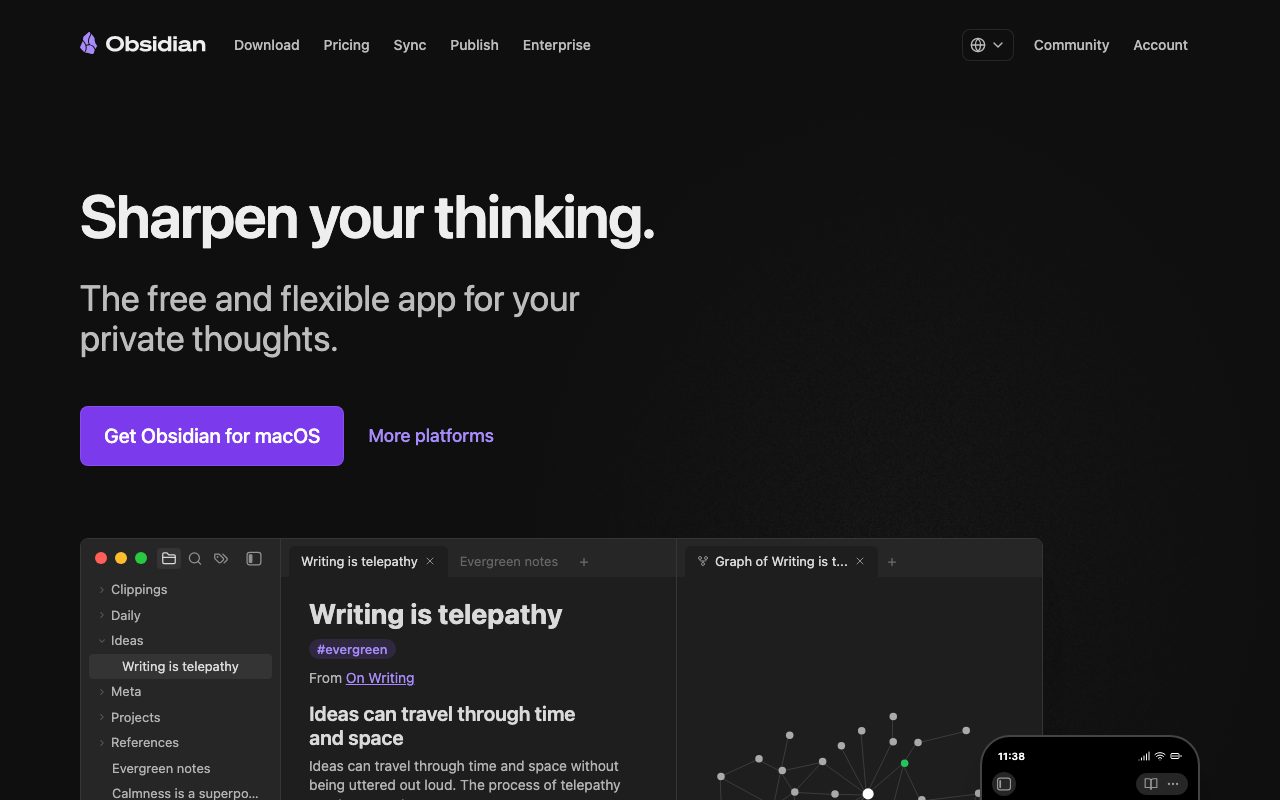
You point Obsidian at a folder. It treats every Markdown file as a note. Links between notes use double-bracket syntax. The graph view visualizes connections.
The base app is a polished Markdown editor with previews, tags, and backlinks. The plugin ecosystem is where the magic happens. Hundreds of community plugins extend Obsidian into a calendar, kanban, spaced repetition tool, mind map, and more.
Canvas is the visual brainstorming surface. Drag notes onto an infinite canvas, draw connections, group ideas spatially. It's a separate mental model from the file tree.
Who Obsidian is for
Researchers building literature reviews. Students studying for exams with spaced repetition. Software engineers writing technical documentation. Writers organizing book research. Therapists journaling between sessions.
The common thread is people who think in connections, not in lists. Obsidian rewards that style of thinking. Linear note apps don't.
Obsidian pricing breakdown
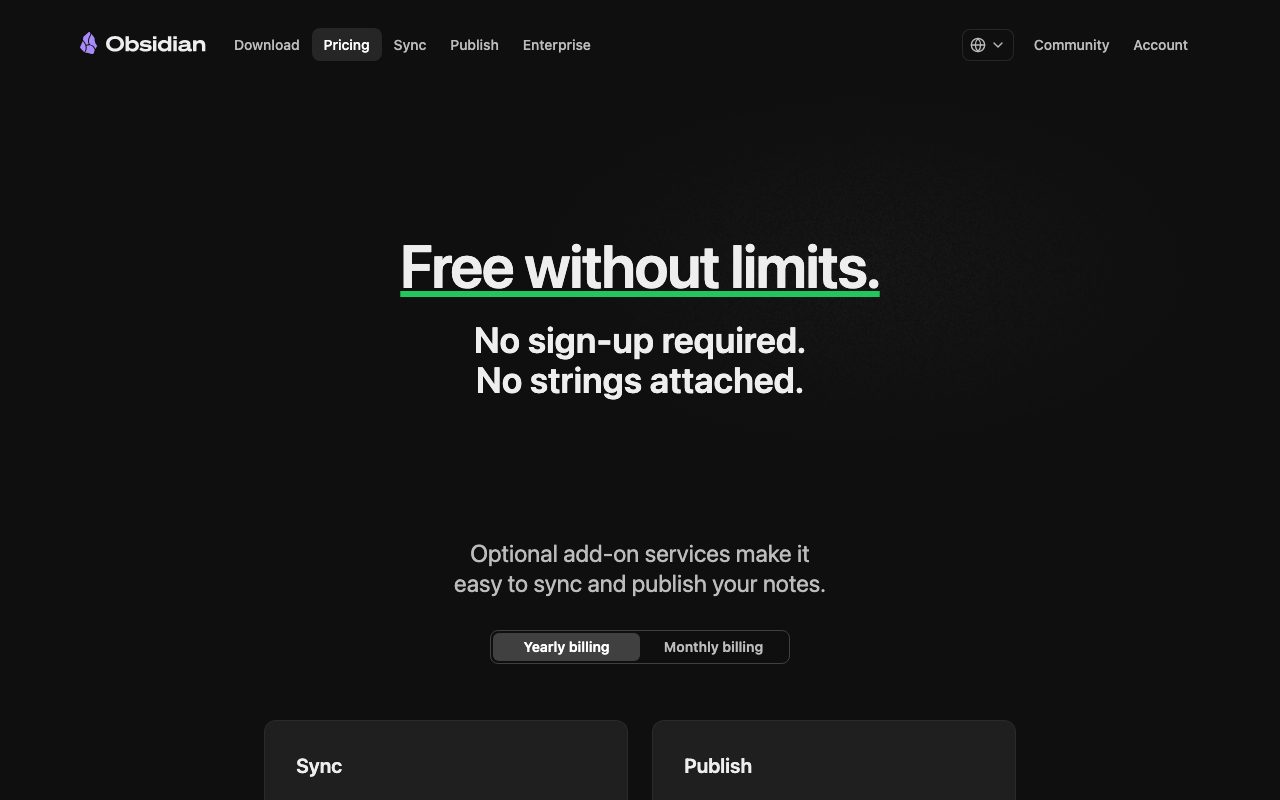
The core app is free for personal use. No feature gating. No upsell prompts. The whole product works.
Commercial use runs $50 per user per year. That covers business contexts where Obsidian is part of your work tooling.
Obsidian Sync runs $4 to $8 per month for end-to-end encrypted sync across devices. Obsidian Publish runs $8 per month per site for hosting public versions of your vault. Both are optional.
Plenty of users skip Sync and use iCloud, Dropbox, or syncthing instead. Same outcome, lower cost.
Standout Obsidian features
Local Markdown files mean your notes survive any tool change. Twenty years from now, your Obsidian vault is still readable in any text editor.
The plugin ecosystem is the real product. Excalidraw integration for sketches. Dataview for live queries. Templater for boilerplate. The community ships plugins faster than the core team could.
Backlinks and bidirectional linking surface connections you forgot you made. Mention a person in a daily note today, see all your past mentions of them tomorrow. It compounds.
Graph view shows the shape of your knowledge. It's gimmicky at first and slowly becomes useful. After a year, the dense clusters reveal what you actually think about most.
Honest tradeoffs
The learning curve is steep. Obsidian doesn't tell you how to organize. PARA, Zettelkasten, and Building a Second Brain are all valid approaches you'll learn elsewhere first.
Sync and Publish require paid subscriptions. The free local-only version is fine but a phone plus laptop user wants sync. Plan for $4 per month or set up a self-hosted alternative.
The mobile app feels slower than desktop. It's improving but it's not as fluid. Heavy plugin users notice this most.
No real-time collaboration is built in. Obsidian is fundamentally a single-user tool. Teams who want shared notes use Notion or Logseq instead.
Obsidian is the rare app where the data is yours, the tool is free, and the community is rabid. That combination almost never happens.
Obsidian vs the alternatives
The biggest peer is Notion. Notion is cloud-first, collaborative, and database-heavy. Obsidian is local-first, single-user, and text-heavy. Most people who try both keep one for work and one for personal.
Logseq is the closest direct competitor. Outliner-style instead of document-style. Open source. Smaller plugin ecosystem.
Roam Research pioneered the bidirectional linking idea. It's still around but pricier and less actively developed than Obsidian.
For pure markdown editing, Typora is simpler. For pure cloud-based notes, Evernote still exists. Obsidian sits in the middle.
See best note-taking apps, Obsidian alternatives, and Obsidian vs Notion.
Bottom line on Obsidian
Obsidian is a long-term investment. The first month is awkward. The second year is when it transforms how you think.
If you've ever lost notes when an app shut down, switch now. The Markdown files outlive the tool.
Obsidian for knowledge workers
Researchers use Obsidian for literature notes, citation management, and synthesis. Plugins like Citations and Zotero Integration pull bibliographic data directly into your vault. Each paper becomes a note with backlinks to topics and authors.
Software engineers build technical wikis inside Obsidian. Architecture decisions, runbooks, post-mortems, and design docs all live in plain Markdown. Git-syncing the vault gives you version history for free.
Writers organize book research in Obsidian. Characters, settings, plot threads, and themes each become notes with links between them. The graph view reveals structural patterns in your story.
Therapists, coaches, and consultants journal between sessions. Daily notes templates capture observations. Backlinks surface patterns over months.
Obsidian plugins worth knowing
Dataview turns notes into queryable data. Embed live tables of "all books I read in 2025 tagged fiction" inside any other note. The plugin adds database-like power to Markdown files.
Templater handles boilerplate. Daily note templates, meeting note templates, project templates all become one-click insertions. Power users live and die by Templater.
Excalidraw embeds sketches inside notes. Whiteboard-style diagrams alongside your prose. Useful for system design, mind mapping, and visual thinking.
Spaced Repetition adds Anki-style flashcards from Obsidian notes. Review what you've learned without leaving your vault.
Outliner makes Obsidian behave more like Logseq for users who prefer outliner-first thinking.
Obsidian common questions
"Is my data safe?" Yes. It's local plain Markdown. Back it up to git, iCloud, or Dropbox.
"Can I use Obsidian on iPhone and Android?" Yes via the mobile apps. Sync requires Obsidian Sync or a third-party solution.
"Is Obsidian free?" Free for personal use. Commercial use requires a $50 per user per year license.
"Can teams collaborate?" Not in real time. Workarounds exist via git and shared cloud folders, but it's not the core use case.
Final word on Obsidian
Obsidian is a long-term investment that compounds. The first month feels awkward. The second year transforms how you organize and connect ideas.
If you've ever lost notes when an app shut down, switch to Obsidian now. The Markdown files outlive any tool. That alone is worth the learning curve.
Obsidian organizational systems
PARA (Projects, Areas, Resources, Archives) is the most popular organization framework in Obsidian. Maps cleanly to folder structure. Newcomers often start here.
Zettelkasten emphasizes atomic notes with dense linking. Each note covers one idea. Connections create the knowledge graph. Researchers especially favor this approach.
Building a Second Brain (BASB) by Tiago Forte focuses on capture, organize, distill, express. Obsidian fits the framework well, especially with the right plugins.
Many users blend approaches. Folders for high-level organization, dense linking within notes, atomic content style for new captures. The system evolves with use.
Obsidian sync options
Obsidian Sync is the official paid option ($4 to $8 per month). End-to-end encrypted, fast, integrated. Worth it for users who don't want to manage their own sync.
iCloud works on macOS and iOS. Free if you already have iCloud. Some sync conflicts with rapid editing.
Dropbox works across all platforms. Free with limits. Reliable but slower than native sync.
Syncthing is the open-source option for technical users. Peer-to-peer, no cloud middleman, free. Setup is fiddlier than the alternatives.
Git is the version-control option. Treats your vault like a code repo. Power users love it; newcomers find it confusing.
Obsidian for specific roles
PhD researchers track literature, theses, and ongoing experiments. Citations integration with Zotero handles the academic workflow.
Software engineers document architecture, design decisions, and runbooks. Dataview queries surface the right notes when needed.
Creative writers organize characters, plotlines, world-building, and research. Canvas helps visualize narrative structure.
Journalists track sources, story threads, and fact patterns across investigations. Backlinks reveal connections between stories.
Therapists journal between sessions, track patient themes (anonymized), and synthesize learnings. Local-only storage keeps client data secure.
Obsidian long-term outlook
The product has stayed steady since 2020. Erica and Shida (the founders) ship updates without VC pressure. The pace is sustainable rather than aggressive.
The plugin ecosystem is the real product. Hundreds of community plugins extend Obsidian into use cases the core team never imagined. That ecosystem keeps growing.
Local-first storage is the moat. Notion can't ever offer that without abandoning their database model. Roam tried and faded. Obsidian remains the best local-first option.
For new users, Obsidian rewards patience. The first month feels awkward. By month six, the connections start compounding. By year two, your vault is genuinely valuable thinking infrastructure.
The community is one of the strongest assets. Forums, Discord, YouTube tutorials, and weekly newsletters all keep the knowledge base growing.
Tutorial / Demo
Key Features
- Local-first Markdown files you own forever
- Graph view for visualizing note connections
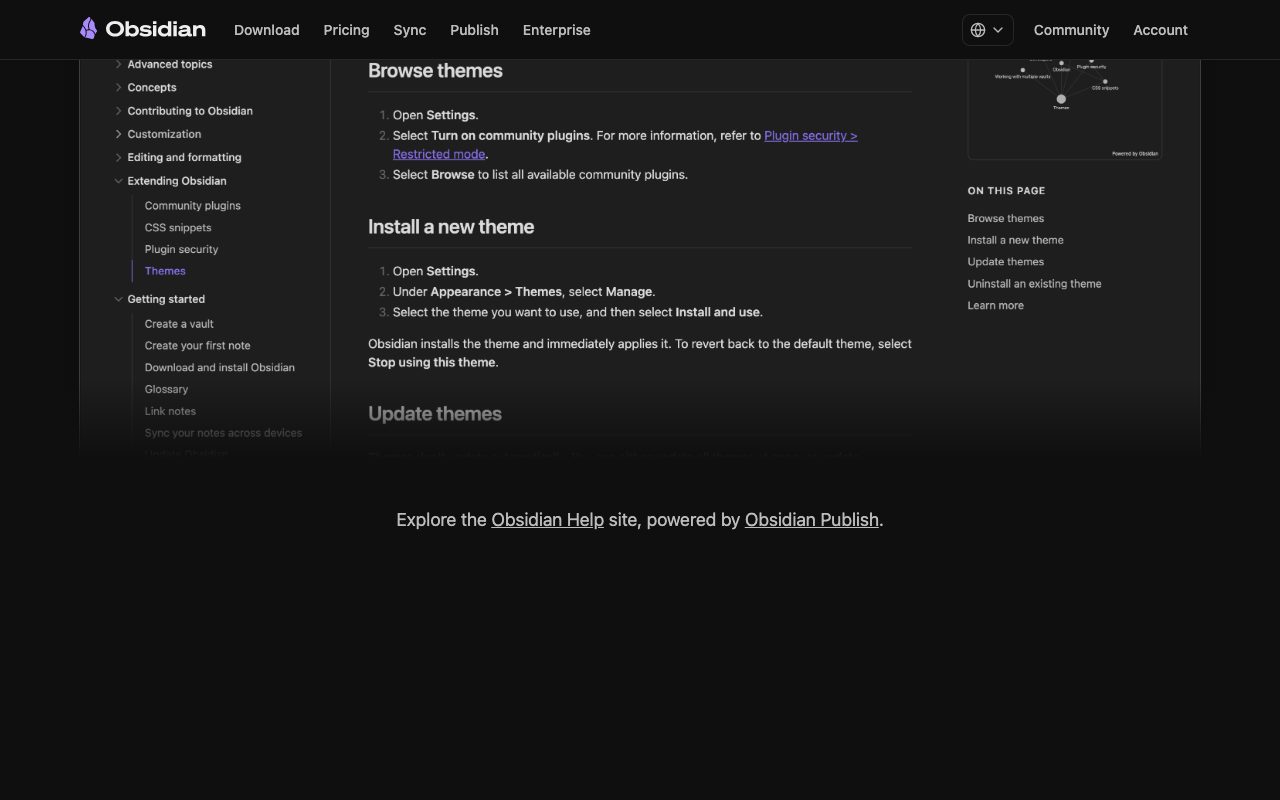
- Hundreds of community plugins and themes
- Backlinks and bidirectional linking
- Canvas for visual brainstorming
- Publish and Sync as optional paid services
- Templates and daily notes
Pros & Cons
What we like
- Your data stays local in plain Markdown files
- Extremely customizable with plugins
- Works offline with no internet required
- Active and passionate community
- Free for personal use
Room for improvement
- Sync and Publish require paid subscriptions
- Steep learning curve for beginners
- Mobile app can feel slower than desktop
- No real-time collaboration built in
Frequently Asked Questions
What is Obsidian used for?
Is Obsidian free to use?
What are the pros and cons of Obsidian?
Who should use Obsidian?
Best For
Featured in
Tags
Alternatives to Obsidian
Notion
All-in-one workspace for notes, docs, and collaboration

Heptabase
Visual knowledge base for research, learning, and connected note cards

Bear
A beautiful Markdown notes app for Apple devices that doubles as a writing tool

Confluence
Atlassian's long-running team wiki that anchors many enterprise knowledge stacks
Our take
Tool Index Editorial · May 2026· 4.6/5
Obsidian is the kind of tool you adopt when you want a powerful knowledge base that works on local markdown files.
What it actually does well: Your data stays local in plain Markdown files, Extremely customizable with plugins, and Works offline with no internet required. Where it stumbles: Sync and Publish require paid subscriptions and Steep learning curve for beginners.
Verdict: Obsidian comfortably earns its spot in the category — a smart default when you need building a personal knowledge base or second brain.
Editorial opinion from the Tool Index team, written from the public product pages. Not a user review.
Reviews (5)
Good for most of what we need
Obsidian has quietly become part of my daily flow. The thing I keep coming back to: extremely customizable with plugins. Worth calling out the local-first Markdown files you own forever too. Not perfect but better than the alternatives I tried.
Pros
- Works offline with no internet required
Cons
- Sync and Publish require paid subscriptions
Underrated honestly
First impression of Obsidian was 'huh, this is actually thought through.' Genuine strength: active and passionate community. Worth calling out the publish and Sync as optional paid services too. Would buy again without thinking twice.
Pros
- Extremely customizable with plugins
- Your data stays local in plain Markdown files
- Active and passionate community
Underrated honestly
Found Obsidian on a Reddit thread, glad I clicked. Genuine strength: works offline with no internet required. Got real value out of canvas for visual brainstorming. Wish they'd address how mobile app can feel slower than desktop.
Cons
- Steep learning curve for beginners
- No real-time collaboration built in
Obsidian is fine, here's the real take
Came to Obsidian after frustration with what I had before. The biggest win has been active and passionate community. Got real value out of hundreds of community plugins and themes. Mostly using it for project planning with linked references. Not perfect: sync and Publish require paid subscriptions. Worth a trial if you're in the same boat.
Cons
- Mobile app can feel slower than desktop
Pulled its weight from week one
Adopted Obsidian for one project, ended up using it for more. The biggest win has been works offline with no internet required. It fits well for journaling and daily note-taking. One thing that bugs me: mobile app can feel slower than desktop.
Pros
- Free for personal use
Badge builder
Add Obsidian to your website
Choose a badge style and size, preview it here, then copy the generated HTML. Badge images are self-contained SVGs and do not require an external script.

<a href="https://toolindex.net/tools/obsidian?ref=badge" target="_blank" rel="noopener">
  <img src="https://toolindex.net/badge/obsidian/medium.svg" alt="Obsidian - Listed on Tool Index" width="180" height="50" />
</a>How to use the badge
- 1. Pick the style, size, and theme that fit your layout.
- 2. Copy the generated HTML from the code block.
- 3. Paste it into your footer, homepage, or press page.
Score badge available
Obsidian qualifies for the score and circle badges based on its current top-10 positionin Writing.
Badge clicks return visitors to this profile with a referral tag so the source remains identifiable.
Related Tools
Confluence
Atlassian's long-running team wiki that anchors many enterprise knowledge stacks
Asana
Project management for teams that live in projects, tasks and dependencies
Kevin Gabeci Toolkits
Seven AI toolkits for writing books, making music, cutting video, and building agents.

SoloDevStack
A solo developer blog built on head-to-head tool comparisons, 580+ posts deep.
Work on Obsidian? Request listing access or correction