
GitHub Copilot
AI pair programmer from GitHub with inline completions, chat, agent mode, and model choice across IDEs
Gallery
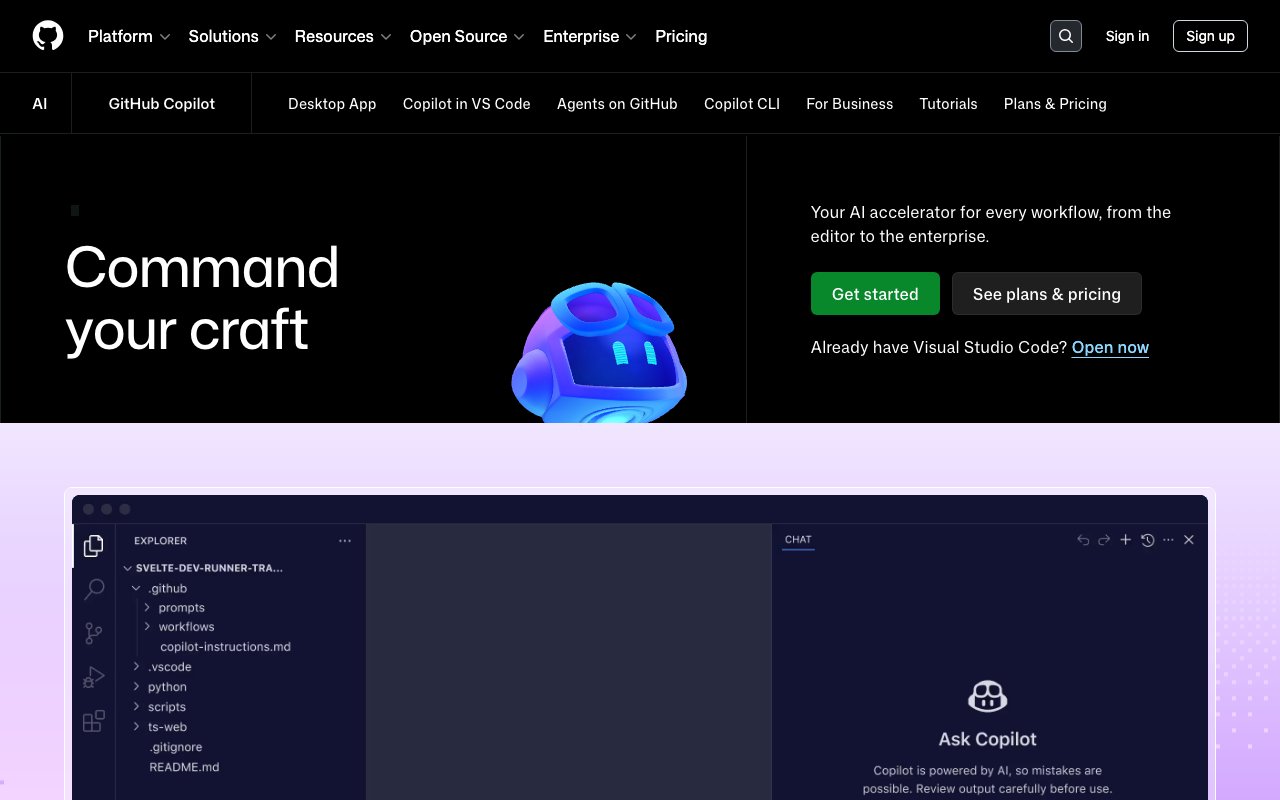
About GitHub Copilot
GitHub Copilot is an AI coding assistant that suggests code as you type, answers questions about your codebase, and can even write entire functions based on comments or context. Built by GitHub in collaboration with OpenAI, it's trained on billions of lines of public code and integrates directly into popular development environments. The tool works inside VS Code, Visual Studio, JetBrains IDEs, Vim, Neovim, and Azure Data Studio, appearing as inline suggestions that you can accept with a tab key or dismiss and keep typing. It's become the most widely adopted AI developer tool in the world, with millions of individual users and tens of thousands of organizations using it daily. Developers who use it report being up to 55% more productive at writing code and 75% more satisfied with their jobs.
The core experience is autocomplete on steroids. You start writing a function, and Copilot predicts what comes next based on the context of your file, the surrounding code, and patterns it learned during training. It can complete single lines, suggest entire code blocks, or generate full function implementations from a comment describing what you want. The suggestions aren't copy-pasted from existing repositories. The AI uses probabilistic determination to generate novel code based on learned patterns, which matters both for code quality and IP concerns. GitHub offers IP indemnification on the Business and Enterprise tiers, meaning they'll defend you legally if someone claims Copilot output infringes on their code.
Beyond autocomplete, Copilot includes a chat interface where you can ask questions about your code. You can highlight a function and ask what it does, request explanations of complex algorithms, or ask for help debugging an error message. The chat understands context from your open files and can reference your entire repository on Enterprise plans. It's like having a knowledgeable colleague available 24/7 who knows every programming language and has read every Stack Overflow answer. The tool can also detect security vulnerabilities in your code and suggest fixes, which adds a security review layer without requiring you to run separate analysis tools.
GitHub recently expanded Copilot into agent territory. You can assign tasks to Copilot agents that autonomously plan and execute multi-step coding operations. The system also supports third-party AI agents like Claude from Anthropic, so you're not locked into a single model. This agentic workflow is most useful for larger, sustained development tasks where you want the AI to handle implementation while you focus on architecture and review. The flexibility to choose different language models for different tasks means you can optimize for speed, accuracy, or cost depending on what matters for a particular job.
Copilot supports all programming languages that appear in public repositories, though suggestion quality varies by language popularity. JavaScript, Python, and TypeScript get excellent suggestions because the training data is abundant. Niche or proprietary languages work less well because the model has seen fewer examples. Enterprise customers can configure Copilot to index their private codebase, improving suggestion relevance for internal frameworks and conventions. This customization is particularly valuable for large organizations with established coding standards and proprietary libraries.
The pricing structure offers six tiers. The free plan includes 2,000 code completions and 50 chat messages per month, which is enough to evaluate the tool but not enough for daily professional use. The Pro plan at $10 per month adds unlimited completions and access to agent features. Pro Plus at $39 per month provides premium model access for more complex development work. The Max tier at $100 per month targets heavy agent users running sustained automated workflows. Business plans start at $19 per user monthly with pooled credits and administrative controls, while Enterprise runs $39 per user with advanced customization, codebase indexing, and fine-tuned models trained on your organization's code.
The tool works across multiple surfaces. Beyond IDE extensions, Copilot is available in the command line, on GitHub.com for repository navigation and pull request reviews, in the GitHub mobile app, and through a desktop application. This ubiquity means you get AI assistance whether you're deep in a coding session, reviewing code on the web, or quickly checking something on your phone. The native GitHub integration is a structural advantage over competitors because it ties into the entire development workflow, from issues and pull requests to actions and deployments.
For individual developers and small teams, the free and Pro tiers provide substantial value at reasonable cost. Enterprise customers get the full suite of features including IP protection, compliance controls, and customization that large organizations require. GitHub continues expanding Copilot's capabilities, and its integration into the world's largest code hosting platform gives it distribution advantages that independent tools can't match. If you spend significant time writing code, Copilot is worth trying on the free tier to see how much it accelerates your workflow.
Key Features
- Inline code completion and next edit suggestions across many languages
- Copilot Chat in the IDE and on GitHub.com
- Agent mode that researches the repo, plans, and edits across files
- Model choice including Claude and OpenAI Codex on higher tiers
- AI powered pull request code review
- Copilot CLI and Model Context Protocol (MCP) server support
Pros & Cons
What we like
- Deep, native integration with GitHub and the major IDEs
- Free tier with 2,000 monthly completions lets you try it at no cost
- Code completions and next edit suggestions stay unlimited on paid plans
- Choice of frontier models rather than a single locked in LLM
Room for improvement
- June 2026 shift to usage based AI Credits makes heavy agent use harder to budget
- Premium requests for chat and agents can run out and add overage charges
- Best models (Pro+, Max) are expensive at $39 and $100 per month
- Sign ups for some new individual plans were temporarily paused in 2026
Frequently Asked Questions
What is GitHub Copilot?
Is GitHub Copilot free?
What is GitHub Copilot best for?
What is the difference between GitHub Copilot and Cursor?
Best For
Featured in
Alternatives to GitHub Copilot
View allCursor
VS Code fork built around an AI pair-programmer

Sourcegraph Cody
AI coding assistant built on Sourcegraph's code search, pulling deep whole-codebase context across many repositories

Tabnine
Privacy-first enterprise AI code assistant you control, with SaaS, VPC, on-prem, or fully air-gapped deployment
Windsurf
Codeium's AI editor with Cascade agent and deep IDE integration
Reviews (11)
Bought it for one feature, stayed for ten
Started using GitHub Copilot casually, now it is pinned in my dock. Their take on ai powered pull request code review is genuinely good. What stands out is how little babysitting it needs. Mostly using it for getting automated review feedback on pull requests. Recommending it to people in a similar spot.
Pulled its weight from week one
GitHub Copilot has quietly become part of my daily flow. What stands out is how it handles code completions and next edit suggestions stay unlimited on paid plans. It earns its place in my stack.
Two months in, no regrets
Have been running GitHub Copilot for a while, here is where I land. Got real value out of free tier with 2,000 monthly completions lets you try it at no cost. What stands out is how little babysitting it needs. It has been a fit for autocompleting boilerplate and repetitive code while you type. It earns its place in my stack.
Does the job, a few gripes
Found GitHub Copilot on a Reddit thread and I am glad I clicked. Where it really wins is ai powered pull request code review. It just works, day after day, without surprises. The catch is june 2026 shift to usage based ai credits makes heavy agent use harder to budget. Recommending it to people in a similar spot.
Pulled its weight from week one
Have been running GitHub Copilot for a while, here is where I land. Their take on deep, native integration with github and the major ides is genuinely good. It fits well for autocompleting boilerplate and repetitive code while you type.
Exactly what I needed
Have been running GitHub Copilot for a while, here is where I land. Their take on choice of frontier models rather than a single locked in llm is genuinely good. Recommending it to people in a similar spot.
Best decision this quarter
Have been running GitHub Copilot for a while, here is where I land. Where it really wins is copilot cli and model context protocol (mcp) server support. Performance has been steady even when I lean on it hard. It fits well for getting automated review feedback on pull requests.
Solid daily driver
Almost a year on GitHub Copilot now, no plans to leave. What stands out is how it handles copilot cli and model context protocol (mcp) server support. No regrets so far.
Worth the price of admission
Onboarded the whole team to GitHub Copilot in an afternoon. Got real value out of model choice including claude and openai codex on higher tiers. It just works, day after day, without surprises. Found it works best for getting automated review feedback on pull requests. Hard to imagine going back to my old setup.
Bought it for one feature, stayed for ten
Onboarded the whole team to GitHub Copilot in an afternoon. Where it really wins is code completions and next edit suggestions stay unlimited on paid plans. Mostly using it for getting automated review feedback on pull requests.
The kind of tool you forget you are paying for
Picked GitHub Copilot for the price, stayed for the quality. Performance has been steady even when I lean on it hard. It handles the boring parts so I can focus on the work that matters. Hard to imagine going back to my old setup.
Badge builder
Add GitHub Copilot to your website
Choose a badge style and size, preview it here, then copy the generated HTML. Badge images are self-contained SVGs and do not require an external script.

<a href="https://toolindex.net/tools/github-copilot?ref=badge" target="_blank" rel="noopener">
  <img src="https://toolindex.net/badge/github-copilot/medium.svg" alt="GitHub Copilot - Listed on Tool Index" width="180" height="50" />
</a>How to use the badge
- 1. Pick the style, size, and theme that fit your layout.
- 2. Copy the generated HTML from the code block.
- 3. Paste it into your footer, homepage, or press page.
Standard badge available
The standard listing badge is available now. Score and circle badges are limited to tools currently ranked in the top 10 of a category.
Badge clicks return visitors to this profile with a referral tag so the source remains identifiable.
Related Tools

Bolt.new
Prompt-to-deployed full-stack app inside the browser
Tabnine
Privacy-first enterprise AI code assistant you control, with SaaS, VPC, on-prem, or fully air-gapped deployment
Cursor
VS Code fork built around an AI pair-programmer

Skeezo
Agent-native macOS IDE for coordinating Claude Code and AI agents
Work on GitHub Copilot? Request listing access or correction