
Sourcegraph Cody
AI coding assistant built on Sourcegraph's code search, pulling deep whole-codebase context across many repositories
Gallery
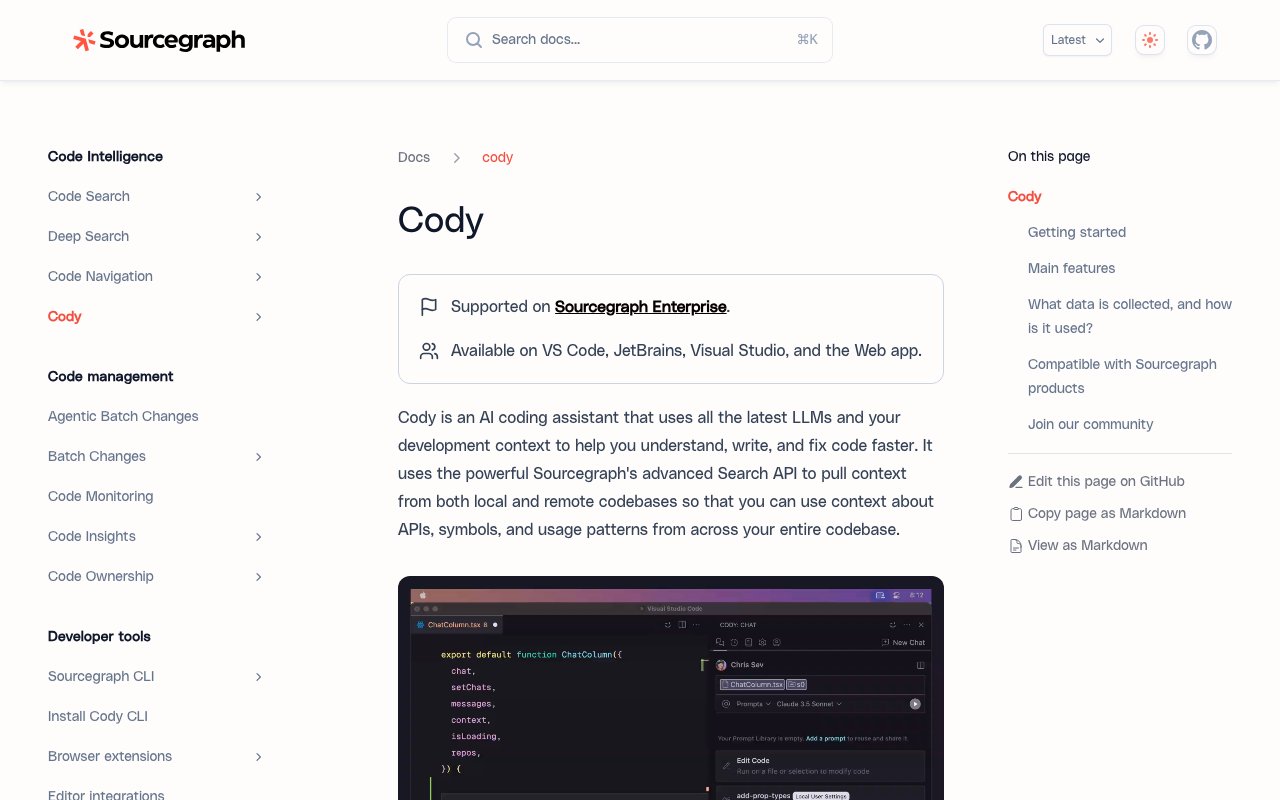
About Sourcegraph Cody
Cody is Sourcegraph's AI coding assistant that combines large language models with deep, comprehensive codebase awareness. Unlike generic AI chat tools that only see the single file you currently have open in your editor, Cody connects directly to Sourcegraph's enterprise code search infrastructure to pull context from your entire repository, including local files, remote codebases, and even code spread across multiple repositories in your organization. This means it actually understands your specific APIs, internal symbols, naming conventions, and real usage patterns when answering questions or generating code, rather than just guessing based on common open source conventions or generic programming patterns.
The core capability is a developer chat interface embedded in your IDE where you can ask questions about your codebase, generate new code that follows your existing patterns, or request edits to existing files with full awareness of how those changes will interact with the rest of your system. Cody maintains awareness of your currently open files while simultaneously having access to the broader repository context through Sourcegraph's search API. When you ask how a particular function works, where a certain pattern is used throughout the codebase, or what the expected behavior of an internal API is, Cody can search across the entire codebase to give you accurate, grounded answers rather than hallucinating plausible sounding responses that don't match your actual code.
Beyond conversational chat, Cody includes an auto edit feature that watches your cursor movements and editing patterns, then suggests contextual code modifications as you work. It's like having a pair programmer sitting next to you who can see what you're doing and offer relevant, codebase aware suggestions without waiting to be asked. The system notices when you're about to implement something that exists elsewhere in the codebase and can pull in the right patterns automatically. There's also a prompts system for automating common development tasks through pre built templates that you can customize for your specific workflow. If you find yourself repeatedly performing the same kind of refactoring, code generation, test writing, or documentation task, you can build a reusable prompt that encapsulates your approach.
The context engine is fundamentally what makes Cody different from simpler AI coding tools that treat every conversation as isolated. It integrates directly with Sourcegraph's search API, which is the same technology that powers enterprise code search at major technology companies managing millions of lines of code across thousands of repositories. This lets Cody pull relevant information from both your local development environment and remote repositories you have access to, giving it a comprehensive view of your codebase that matches what a senior engineer with years of context would have. Context filters let you exclude specific repositories from results if you need to keep certain proprietary or sensitive code out of the AI's view for compliance or security reasons.
IDE integration covers the major development environments where professional developers spend their working hours. You can run Cody in VS Code with full feature support, JetBrains IDEs like IntelliJ IDEA, PyCharm, WebStorm, and the rest of the JetBrains family, Visual Studio in an experimental mode for the Windows development crowd, or through a web interface and command line for specialized workflows. This flexibility means Cody fits into most existing development setups without forcing you to change your preferred editor or adopt new tooling. The experience is kept consistent across platforms, though some features may be more polished in VS Code where the extension ecosystem is most mature and Sourcegraph has invested the most engineering effort.
Cody runs on Sourcegraph's enterprise infrastructure with clear data handling policies, which addresses the privacy and security concerns that have blocked AI coding tool adoption at many companies working on proprietary software. Sourcegraph explicitly states that for Sourcegraph.com users, they don't use any of your code to train models. Your proprietary code stays private and is only read to answer your specific questions within your authenticated session. This matters enormously for teams working on trade secret software, regulated industries, or any codebase where leaking snippets into a public training dataset would be unacceptable. The enterprise focus extends to deployment options, with self hosted configurations available for organizations that need to keep everything within their own infrastructure.
The pricing model is enterprise focused with dedicated support packages for companies running Sourcegraph Enterprise. This positions Cody for engineering teams that are already invested in code search capabilities and want AI assistance built on top of that foundation rather than bolted on as an afterthought. If your organization already uses Sourcegraph for code navigation, search, and code intelligence, adding Cody is a natural extension that leverages the infrastructure you've already deployed. For individual developers or small teams not already paying for Sourcegraph, the value proposition depends on whether the superior codebase awareness and enterprise grade privacy guarantees justify the pricing compared to lighter weight alternatives that work well enough for smaller, simpler codebases.
Key Features
- Whole-codebase context powered by Sourcegraph's code search API
- Cross-repository and multi-repo retrieval for large monorepos
- Code completion, chat, and inline fixes inside your editor
- Model choice across Claude Sonnet, GPT, Gemini and others
- IDE plugins for VS Code, JetBrains, and Visual Studio plus a CLI
- Enterprise controls with SOC 2 Type II, GDPR and CCPA compliance
Pros & Cons
What we like
- Strong real-codebase grounding instead of generic guesses
- Scales context to many repositories, not just the open file
- Lets teams pick the LLM that fits each task
- Backed by mature Sourcegraph code search and security tooling
Room for improvement
- Enterprise-only since mid-2025, no free or individual Pro tier
- Pricing is contract-based and quoted by sales, not transparent
- Most value depends on having Sourcegraph indexing set up
- Sourcegraph now points solo developers to its separate Amp product
Frequently Asked Questions
What is Sourcegraph Cody?
Is Cody free?
Who is Cody for?
What is Cody's main limitation?
Best For
Featured in
Alternatives to Sourcegraph Cody
View all
GitHub Copilot
AI pair programmer from GitHub with inline completions, chat, agent mode, and model choice across IDEs
Cursor
VS Code fork built around an AI pair-programmer

Tabnine
Privacy-first enterprise AI code assistant you control, with SaaS, VPC, on-prem, or fully air-gapped deployment

Continue
Open-source, model-agnostic AI code assistant for VS Code and JetBrains that you configure to your own stack
Reviews (14)
The kind of tool you forget you are paying for
Three months of Sourcegraph Cody later, here is what holds up. Real selling point for me was code completion, chat, and inline fixes inside your editor. It fits well for writing and fixing code with accurate project-wide context. No regrets so far.
Decent with some rough edges
Came to Sourcegraph Cody after getting frustrated with what I had before. Got real value out of lets teams pick the llm that fits each task. Found it works best for writing and fixing code with accurate project-wide context. My only gripe is enterprise-only since mid-2025, no free or individual pro tier. Hard to imagine going back to my old setup.
Best decision this quarter
Picked Sourcegraph Cody for the price, stayed for the quality. It handles the boring parts so I can focus on the work that matters. The core workflow is smooth once you are set up. Found it works best for answering questions about code spread across many repositories. No regrets so far.
Does the job, a few gripes
Picked Sourcegraph Cody for the price, stayed for the quality. The backed by mature sourcegraph code search and security tooling is more useful than I expected. It is the rare tool that got better the more I used it. Mostly using it for answering questions about code spread across many repositories. The catch is enterprise-only since mid-2025, no free or individual pro tier. Hard to imagine going back to my old setup.
It just works
Almost a year on Sourcegraph Cody now, no plans to leave. What stands out is how it handles strong real-codebase grounding instead of generic guesses. What stands out is how little babysitting it needs. Mostly using it for writing and fixing code with accurate project-wide context. Easy yes for anyone weighing the same trade offs.
Solid daily driver
Almost a year on Sourcegraph Cody now, no plans to leave. Nothing flashy, it simply pulls its weight every day. What stands out is how little babysitting it needs. Hard to imagine going back to my old setup.
Genuinely impressed
Started using Sourcegraph Cody casually, now it is pinned in my dock. The whole-codebase context powered by sourcegraph's code search api is more useful than I expected. It slotted into my routine without much fuss. It earns its place in my stack.
Pulled its weight from week one
Three months of Sourcegraph Cody later, here is what holds up. Got real value out of lets teams pick the llm that fits each task. Setup was painless and I was productive the same day.
Bought it for one feature, stayed for ten
Onboarded the whole team to Sourcegraph Cody in an afternoon. What stands out is how it handles whole-codebase context powered by sourcegraph's code search api. Mostly using it for onboarding engineers onto unfamiliar large codebases. Easy yes for anyone weighing the same trade offs.
The kind of tool you forget you are paying for
Onboarded the whole team to Sourcegraph Cody in an afternoon. What stands out is how it handles backed by mature sourcegraph code search and security tooling. Worth the price for what I get out of it.
Finally something that fits
Started using Sourcegraph Cody casually, now it is pinned in my dock. The ide plugins for vs code, jetbrains, and visual studio plus a cli is more useful than I expected. The defaults are sensible, so I was not fighting settings on day one.
Bought it for one feature, stayed for ten
Tried Sourcegraph Cody on a side project first, then rolled it out everywhere. It slotted into my routine without much fuss. Mostly using it for standardizing ai assistance across an enterprise engineering org. Recommending it to people in a similar spot.
Two months in, no regrets
Picked Sourcegraph Cody for the price, stayed for the quality. Got real value out of lets teams pick the llm that fits each task. It fits well for standardizing ai assistance across an enterprise engineering org. It earns its place in my stack.
Worth the price of admission
Started using Sourcegraph Cody casually, now it is pinned in my dock. Where it really wins is backed by mature sourcegraph code search and security tooling. Found it works best for answering questions about code spread across many repositories. It earns its place in my stack.
Badge builder
Add Sourcegraph Cody to your website
Choose a badge style and size, preview it here, then copy the generated HTML. Badge images are self-contained SVGs and do not require an external script.

<a href="https://toolindex.net/tools/sourcegraph-cody?ref=badge" target="_blank" rel="noopener">
  <img src="https://toolindex.net/badge/sourcegraph-cody/medium.svg" alt="Sourcegraph Cody - Listed on Tool Index" width="180" height="50" />
</a>How to use the badge
- 1. Pick the style, size, and theme that fit your layout.
- 2. Copy the generated HTML from the code block.
- 3. Paste it into your footer, homepage, or press page.
Standard badge available
The standard listing badge is available now. Score and circle badges are limited to tools currently ranked in the top 10 of a category.
Badge clicks return visitors to this profile with a referral tag so the source remains identifiable.
Related Tools

Bolt.new
Prompt-to-deployed full-stack app inside the browser
Tabnine
Privacy-first enterprise AI code assistant you control, with SaaS, VPC, on-prem, or fully air-gapped deployment
Cursor
VS Code fork built around an AI pair-programmer

Skeezo
Agent-native macOS IDE for coordinating Claude Code and AI agents
Work on Sourcegraph Cody? Request listing access or correction