
AQ
A multiplayer workspace for running coding agents on your own cloud, with shared terminals and previews
Gallery
About AQ
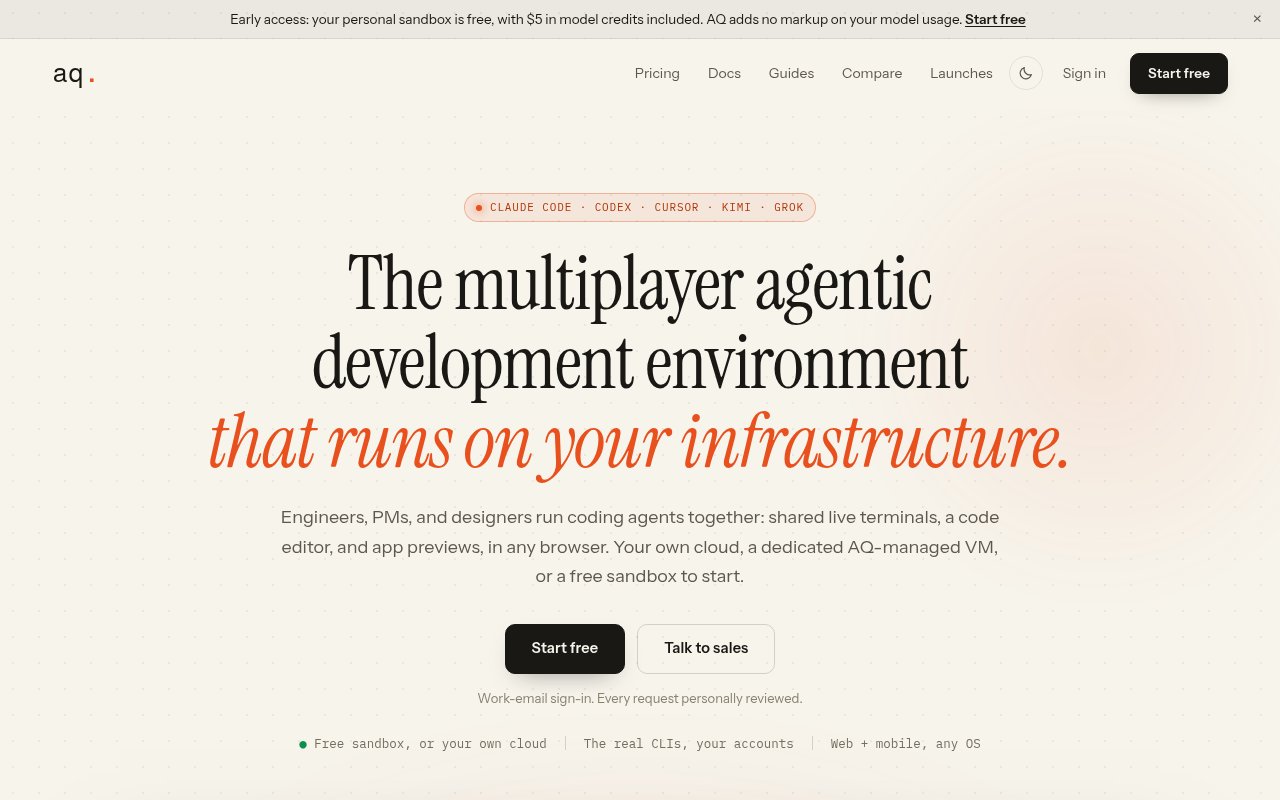
AQ is a multiplayer development environment for teams that work with AI coding agents. Everyone opens the same workspaces in a browser, sees who's there, watches the agent's terminal live, and can take the keyboard when a task needs a human. It runs on your own infrastructure or on machines AQ manages for you, and it supports the agent CLIs your team already uses rather than replacing them with its own. The site's own description is a multiplayer agentic development environment that runs on your infrastructure, and each of those words is doing work.
The problem it goes after is that coding agents were built for one person at one terminal. When a team adopts them, the work scatters into private sessions nobody else can see, agents trample each other's files in the same checkout, and a laptop lid closing kills a half-finished job. AQ moves the sessions to persistent machines, gives every task its own isolated space, and puts the whole thing on a shared screen. It also answers the manager's question of what the agents are actually doing across a team, which today is usually reconstructed from pull requests after the fact.
The mechanics are concrete. Each workspace gets its own git worktree with a separate working directory and a branch named after the task, so it shares the repository's history but never collides with anyone else's files. AQ installs dependencies, rebases onto main on demand, and tears the worktree down when the workspace closes. Agent sessions run as persistent terminals on the runner and stream to the browser, so they keep going after you shut your laptop and pick up where they were when you return. Live sessions show presence and allow keyboard control to be handed between people, the code editor sits alongside the terminal in the same tab, and app previews open next to the code with comments and annotations so a designer or product manager can point at what's wrong instead of describing it. Workspaces can be created by hand, from a GitHub pull request or branch, or from a Linear issue tagged with a label, with status syncing back in both directions and the agent committing, pushing, and opening pull requests under each user's own GitHub access.
It's for engineering teams, and specifically for the mix of engineers, product managers, and designers who now all touch agent-driven work. Startups, remote teams, and agencies are the named audiences, along with engineering managers who want to see what the agents are doing across a team rather than guessing from the pull requests. It works from any device with a browser, including macOS, Windows, Linux, and mobile, which matters when the person approving a change is on a phone.
Two choices make it different. First, it's agent agnostic. Claude Code, Codex, Cursor Agent, Kimi, Grok, Antigravity, and plain shell sessions all run inside it, and you sign each one in with your own account, so there's no markup on model usage and no lock-in to a house model. Second, it runs where you want. The free tier gives you a personal sandbox on an AQ-managed machine, and teams can point it at VMs in their own cloud or take a dedicated always-on machine from AQ. Both matter for companies that want agents working on private code without shipping that code to a new vendor. The Team plan bills a seat only after a person accepts an invitation and joins, and the free sandbox is a cheap way to see whether the model fits before committing a team.
The limits are those of an early product. Team pricing is explicitly early access, the docs don't yet list which cloud providers the bring-your-own runners are tested against, and the free sandbox sleeps when idle and takes around thirty seconds to wake. It's a browser product, so people attached to a local terminal and editor will be trading that for a shared screen, and the site doesn't mention an offline or desktop mode. The Linear integration is the only issue tracker named, and sign-in requires a work email. There's a sales contact for larger deployments, but no published support address on the site.
Access is freemium. The free plan is a solo personal sandbox with nothing to install, $5 in model credits, and the full set of agent CLIs, editor, previews, and integrations. The Team plan is $50 per user per month at the early access rate, locked for twelve months against a standard price of $200, with unlimited shared workspaces, unlimited seats billed only after a person joins, and the choice of a dedicated VM or your own cloud. You sign in with a work email and with your existing agent accounts, so the model bills go where they already go, and AQ's own charge is the per-seat fee for the shared infrastructure.
Key Features
- Multiplayer live agent sessions
- Isolated git worktree per task
- Persistent terminals on your infrastructure
- Live app previews with annotations
- Linear and GitHub workspace integrations
- Bring-your-own-cloud runners
Pros & Cons
What we like
- Works with Claude Code, Codex, Cursor Agent, and more
- No markup on model usage
- Sessions survive a closed laptop
- Runs on your own cloud for private code
Room for improvement
- Team pricing is early access and may change
- Cloud providers for BYO runners aren't listed
- Free sandbox sleeps when idle
- Linear is the only issue tracker named
Frequently Asked Questions
What is AQ?
Is AQ free?
Which coding agents does it support?
Can it run on my own infrastructure?
Best For
Featured in
Alternatives to AQ
View allCursor
VS Code fork built around an AI pair-programmer

Replit
Browser IDE plus Replit Agent that builds and deploys apps from a prompt
Windsurf
Codeium's AI editor with Cascade agent and deep IDE integration

Vibe Built
Building real apps with agentic AI. What worked, what broke, what shipped.
Our take
Tool Index Editorial · Sep 2026· 4.0/5
AQ is a shared browser workspace for teams running coding agents on persistent cloud machines. Each task gets an isolated Git worktree, while teammates can watch the same terminal, take control, edit code and comment on a live preview. It supports existing Claude, OpenAI and Cursor accounts, so model usage stays on the subscriptions a team already has.
The solo sandbox is free and includes $5 of AQ Composer credit each month. Team access is currently $50 per user per month, discounted from a stated $200 standard price and locked for the first 12 months. We like the combination of live sessions, persistent terminals and bring-your-own-cloud runners. The caveats are early access pricing, a sleeping free machine and a workflow centered on the browser. For distributed teams willing to work that way, AQ has one of the clearest collaboration stories in this group.
Editorial opinion from the Tool Index team, written from the public product pages. Not a user review.
Reviews (0)
Badge builder
Add AQ to your website
Choose a badge style and size, preview it here, then copy the generated HTML. Badge images are self-contained SVGs and do not require an external script.

<a href="https://toolindex.net/tools/aq?ref=badge" target="_blank" rel="noopener">
  <img src="https://toolindex.net/badge/aq/medium.svg" alt="AQ - Listed on Tool Index" width="180" height="50" />
</a>How to use the badge
- 1. Pick the style, size, and theme that fit your layout.
- 2. Copy the generated HTML from the code block.
- 3. Paste it into your footer, homepage, or press page.
Standard badge available
The standard listing badge is available now. Score and circle badges are limited to tools currently ranked in the top 10 of a category.
Badge clicks return visitors to this profile with a referral tag so the source remains identifiable.
Related Tools

Bolt.new
Prompt-to-deployed full-stack app inside the browser

Tabnine
Privacy-first enterprise AI code assistant you control, with SaaS, VPC, on-prem, or fully air-gapped deployment
Cursor
VS Code fork built around an AI pair-programmer

Skeezo
Agent-native macOS IDE for coordinating Claude Code and AI agents
Work on AQ? Request listing access or correction