
Bananarr
A private, offline Chrome extension that reveals the tech stack behind any website
Gallery
About Bananarr
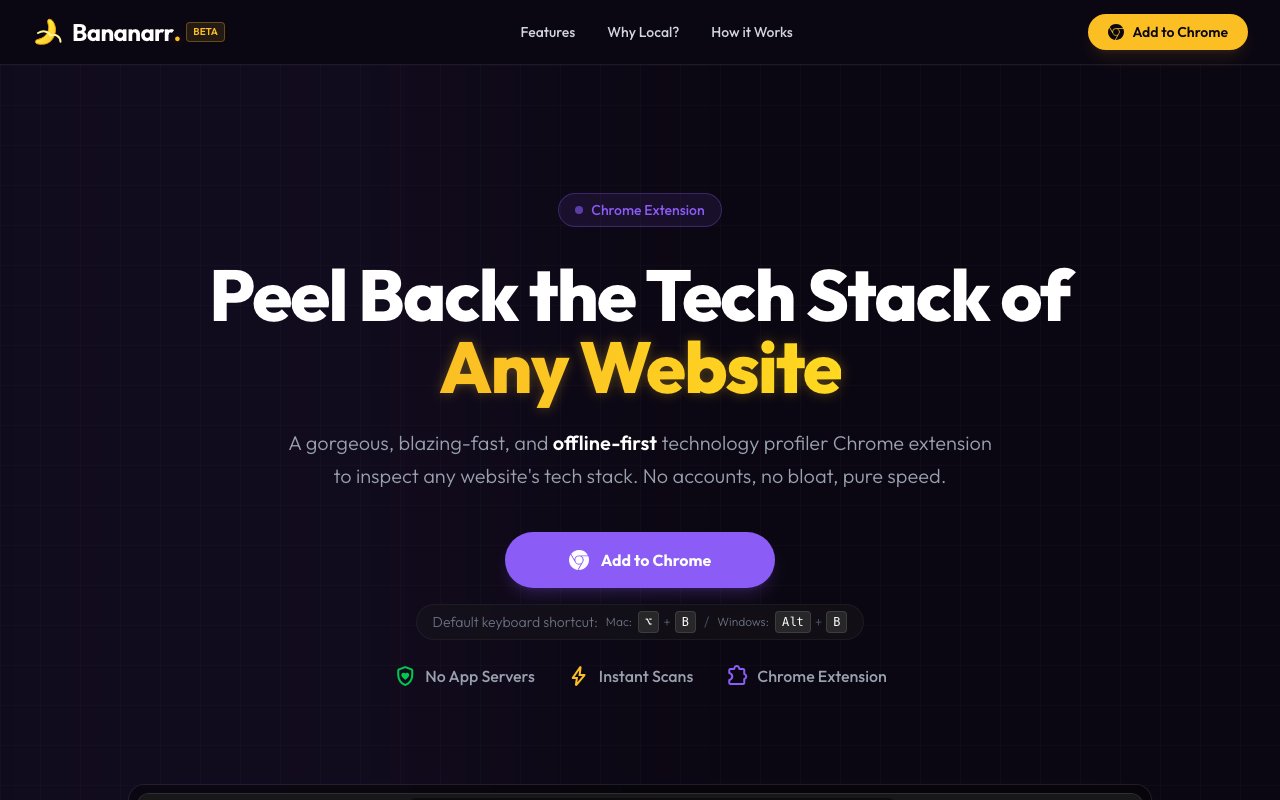
Bananarr is a Chrome extension that tells you what a website is built with. Open a page, trigger the extension, and it inspects the site and lays out the technologies behind it, from the programming language and frameworks down to the CMS, the hosting provider, the analytics, and the payment tools. The tagline sums up the idea well, since it's about peeling back the tech stack of any website. It's the kind of thing developers, agency teams, and curious builders reach for when they land on a slick site and want to know how it was put together. Whether you're studying a competitor or just satisfying your curiosity, it answers the what-is-this-built-with question in a couple of seconds.
Tools that profile a site's technology have been around for years, but most of them work by sending the pages you visit off to a server so the vendor can analyze them, which quietly turns your browsing into someone else's data. Bananarr takes the opposite stance. The signature database ships inside the extension itself, so detection runs entirely on your own machine and nothing about the pages you look at leaves the browser. If you care about privacy, or you're poking at client sites you'd rather not report to a third party, that offline-first design is the whole point. It also means the extension keeps working the same way regardless of network conditions, since it isn't waiting on a remote API to hand back an answer before it can show you anything.
When it scans, Bananarr looks at a site from two angles at once. It reads the DOM selectors, scripts, links, images, cookies, and meta tags on the page, and it also checks the window globals the site exposes at runtime, which together give it a fuller picture than any single signal would. Every detection comes with the specific evidence that triggered it, so you're not staring at a bare list of guesses. You can see why it flagged React, or Shopify, or a particular analytics script, which makes it easy to trust a result or dig in further when something surprises you. That transparency is a real difference from tools that just print a verdict and expect you to believe it, since here the reasoning travels with every item in the list.
Results are organized into color-coded categories that cover the whole stack, including languages, backend and frontend frameworks, CSS tooling, CMS platforms, e-commerce, hosting, analytics, security, and payments. There's also a local IP range database that identifies the hosting provider behind a site, so it can tell you whether a page sits on AWS, Cloudflare, Fastly, Akamai, Google Cloud, or Azure without ever calling out to anyone. Scans finish in seconds, and a keyboard shortcut, Option plus B on Mac or Alt plus B on Windows, means you can check a site without ever leaving the page or reaching for the mouse. The categories keep a long detection list readable, so you can jump straight to the part of the stack you actually care about rather than scanning the whole thing.
The extension fits front-end developers sizing up how a competitor built something, agency and sales teams qualifying a prospect's stack before a pitch, security-minded folks auditing what a page quietly loads, and hobbyists who just like knowing what's under the hood. Because there's no account, no sign-up, and no quota, there's nothing to manage and nothing to log into. You install it and start scanning, and it works the same on the tenth site as it does on the first, with no usage meter counting down in the background. For a tool people tend to reach for many times a day, that lack of friction is a good part of why it's pleasant to keep around.
What makes Bananarr stand out in a crowded category is the combination of local detection and honest evidence. Plenty of profilers will hand you a list of technologies, but many of them phone home to do it, and few actually show their work. Bananarr keeps everything on your machine and attaches the reason behind each call, so you get both privacy and something you can verify for yourself. The two-world scanning approach also tends to catch things a page-only scan misses, since a lot of a site's real stack shows up in its runtime globals rather than in the markup you can view by hand. That's the sort of detail that separates a guess from a genuinely useful read on how a site was assembled.
Access is free. There are no paid tiers, no account, and no quotas to work around, so the cost of trying it is just the install. That does mean it's a focused, single-purpose tool rather than a dashboard with reporting, history, or team features, and detection quality naturally depends on the bundled signatures keeping pace with new frameworks as they appear. For a fast, private way to answer the question of what a site is built with, though, it does exactly what it says and then gets out of the way. If you've been leaning on a heavier profiler that tracks your browsing, this is a leaner and quieter alternative.
Key Features
- Offline, on-device tech detection
- Two-world DOM and runtime scanning
- Evidence shown for every detection
- Color-coded full-stack categories
- Local hosting-provider IP database
- No account, sign-up, or quotas
Pros & Cons
What we like
- Runs fully offline so browsing data stays private
- Shows the evidence behind each detection
- Free with no account or usage limits
- Fast scans with a keyboard shortcut
Room for improvement
- Chrome-only, no other browsers listed
- Single-purpose, no reporting or dashboards
- Detection depends on bundled signatures staying current
- No team or export features
Frequently Asked Questions
What is Bananarr?
Does Bananarr send my browsing data anywhere?
Is Bananarr free?
Who is Bananarr for?
Best For
Featured in
Alternatives to Bananarr
View all
1Lookup
Real-time data verification API for phone, email, IP, and domain validation to fight fraud

Kevin Gabeci
Solo developer building web apps, cozy browser games, and AI creator toolkits.

Codedex
A gamified, story-driven platform that teaches Python, web dev, and more like an RPG quest
Hack2hire
Practice real SDE interview questions from top tech companies with expert worked solutions
Reviews (7)
Decent with some rough edges
Hadn't planned on switching, but Bananarr was hard to ignore. Their take on runs fully offline so browsing data stays private is genuinely good. The catch is single-purpose, no reporting or dashboards. No regrets so far.
It just works
Came to Bananarr after getting frustrated with what I had before. The no account, sign-up, or quotas is more useful than I expected. The core workflow is smooth once you are set up. Would sign up again without thinking twice.
It just works
Three months of Bananarr later, here is what holds up. The thing I keep coming back to is how reliable it is. Mostly using it for identifying a site's hosting provider quickly. It earns its place in my stack.
Worth a look
Three months of Bananarr later, here is what holds up. Their take on two-world dom and runtime scanning is genuinely good. The output quality holds up better than I expected. Recommending it to people in a similar spot.
Two months in, no regrets
Found Bananarr on a Show HN thread and I am glad I clicked. Got real value out of offline, on-device tech detection.
Finally something that fits
Bananarr has quietly become part of my daily flow. Got real value out of runs fully offline so browsing data stays private. It has shaved real time off my week. Worth it for what I get out of it.
Powerful once it clicks
Came to Bananarr after getting frustrated with what I had before. The no account, sign-up, or quotas is more useful than I expected. It fits well for identifying a site's hosting provider quickly. It would be a five if not for detection depends on bundled signatures staying current. Hard to imagine going back to my old setup.
Badge builder
Add Bananarr to your website
Choose a badge style and size, preview it here, then copy the generated HTML. Badge images are self-contained SVGs and do not require an external script.

<a href="https://toolindex.net/tools/bananarr?ref=badge" target="_blank" rel="noopener">
  <img src="https://toolindex.net/badge/bananarr/medium.svg" alt="Bananarr - Listed on Tool Index" width="180" height="50" />
</a>How to use the badge
- 1. Pick the style, size, and theme that fit your layout.
- 2. Copy the generated HTML from the code block.
- 3. Paste it into your footer, homepage, or press page.
Standard badge available
The standard listing badge is available now. Score and circle badges are limited to tools currently ranked in the top 10 of a category.
Badge clicks return visitors to this profile with a referral tag so the source remains identifiable.
Related Tools
Kevin Gabeci
Solo developer building web apps, cozy browser games, and AI creator toolkits.

Coolify
Self-hostable, open source alternative to Heroku and Netlify

Warp
The modern terminal reimagined with AI and collaboration

Bolt.new
Prompt-to-deployed full-stack app inside the browser
Work on Bananarr? Request listing access or correction