
buildnotes
Turn a feature's real development history into a publishable build story
Gallery
About buildnotes
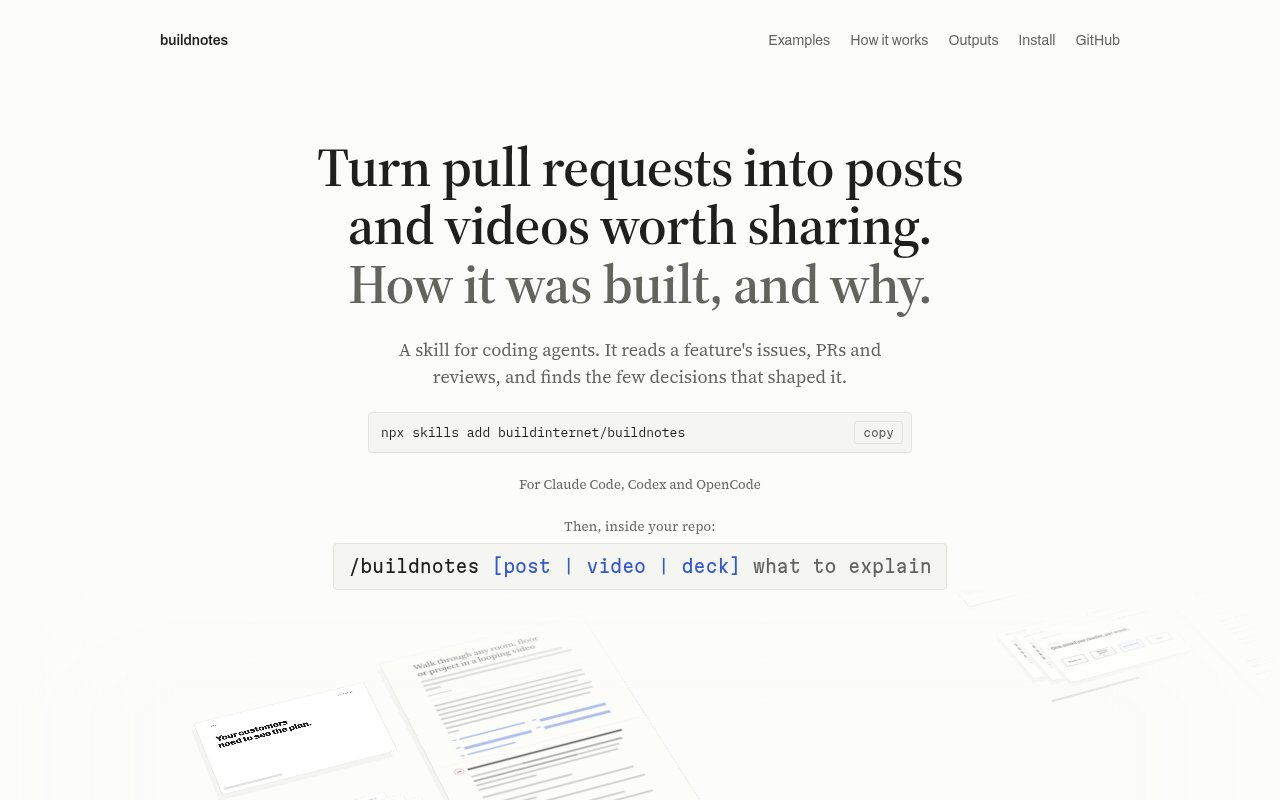
buildnotes is an open-source skill for coding agents that turns the history of a software feature into a public story about how it was built and why. It reads the material already attached to the work, including issues, pull requests, commits, reviews, screenshots, and design documents, then looks for the few decisions that shaped the result. That gives product and engineering teams a way to create a release story, technical deep dive, or behind-the-scenes post without reconstructing months of context from memory. The focus isn't a chronological development diary. It's an evidence-backed explanation that helps someone outside the team understand the problem, the mechanism, and the choices that mattered.
The workflow starts inside the repository with a plain-language request. A user can point buildnotes at an issue, a set of pull requests, a commit range, or a search phrase, then say what should be explained and who should understand it. The skill gathers the relevant record into a dossier, studies the product from the user's point of view, proposes an angle, and plans chapters around ideas rather than dates. It deliberately filters out routine process detail, unsupported motives, and facts that don't improve the explanation. When the source material doesn't establish a reason or number, that gap becomes an open question instead of a confident invention.
A standard run produces a self-contained web page with prose, real code where it helps, and visuals drawn from small specifications. Its visual system can render flows, option comparisons, matrices, charts, terminal examples, code, step sequences, and annotated product anatomy. The same finished story can become a short motion cut that plays itself, or a deck with clickable slides and a PDF. Video exports include MP4, GIF, still images, and individual clips, while standalone HTML, Markdown, and MDX are available for teams that want to move the result onto their own site. This makes one researched narrative reusable across a launch post, engineering blog, social video, and presentation.
It fits engineering-led companies, developer relations teams, technical founders, and product marketers who already have useful history in GitHub but don't want to publish raw changelog prose. Three story flavors adjust the emphasis. Release stories explain what changed for users, build stories cover the problem and the important design decisions, and technical deep dives spend more time on mechanisms, tradeoffs, and edge cases. Small changes are kept small, and the skill can say that a subject isn't worth a full post. That restraint is useful when the alternative is stretching a dependency bump or routine refactor into a grand narrative.
What makes buildnotes distinctive is the amount of checking around the writing. It runs mechanical checks for length, phrasing, process detail, links, and safety, then renders at desktop and phone widths in light and dark themes. Visuals inherit the page theme, reflow on smaller screens, and respect reduced-motion preferences. Private repositories are handled with stricter publishing rules, including a ban on internal issue and commit links, and authenticated GitHub access provides the fullest source record. The tradeoff is that it is built around GitHub and depends on what the repository record actually contains. Thin history produces a thinner story, and signed-in product screens must be replaced with existing images, diagrams, or terminal output.
The working files remain visible instead of disappearing behind a hosted editor. Teams can inspect the gathered dossier, story plan, figure specifications, notes, and finished HTML, then change the result or move it into an existing publishing system. The repository also includes complete example runs, so a prospective user can examine the finished page beside the plan, visual inputs, and motion output that produced it. That transparency matters for technical writing because reviewers can trace claims back to the record and see where the agent made a framing choice. It also makes the skill adaptable for teams with their own house style, though tailoring the templates and review rules takes more effort than accepting the default Artifact page.
buildnotes runs with Claude Code, Codex, and OpenCode. Installation requires Node.js 22 or later, git, and Chrome or Chromium for rendering and figure export. An authenticated GitHub CLI is recommended, though a GitHub MCP server or public GitHub pages can supply material when that isn't available. The project is published under the MIT License and its scripts use Node's built-in modules, so there isn't a paid service tier or a separate dependency install. A run can publish to a private Artifact page and leave its plan, notes, dossier, and generated post in a work directory, giving the team both a reviewable result and the working material behind it.
Key Features
- Repository history gathering
- Evidence-backed story planning
- Responsive illustrated web posts
- Short video cut generation
- Slide deck and PDF output
- Automated editorial and safety checks
Pros & Cons
What we like
- Builds stories from real repository evidence
- Creates posts, videos, decks, and figures
- Checks links, layouts, phrasing, and safety
- MIT licensed with no paid tier
Room for improvement
- Works best with well documented GitHub history
- Requires Node, git, and a browser
- Signed-in screens cannot be captured directly
- Young project with a small community
Frequently Asked Questions
What is buildnotes?
Which coding agents does buildnotes support?
Is buildnotes free?
What can buildnotes export?
Best For
Featured in
Alternatives to buildnotes
View all
Wordtune
AI rewriting and editing assistant by AI21 Labs that rephrases, adjusts tone, and shortens or expands your text

QuillBot
AI paraphraser, grammar checker, summarizer, and citation suite in one writing workspace
Rytr
Budget-friendly AI writing assistant with 40+ use cases, 20+ tones, and a free tier built for fast, affordable copy

Prompt Larder
A small shelf of prompts that were actually run, labelled with the model and the reason they work.
Reviews (0)
Badge builder
Add buildnotes to your website
Choose a badge style and size, preview it here, then copy the generated HTML. Badge images are self-contained SVGs and do not require an external script.

<a href="https://toolindex.net/tools/buildnotes?ref=badge" target="_blank" rel="noopener">
  <img src="https://toolindex.net/badge/buildnotes/medium.svg" alt="buildnotes - Listed on Tool Index" width="180" height="50" />
</a>How to use the badge
- 1. Pick the style, size, and theme that fit your layout.
- 2. Copy the generated HTML from the code block.
- 3. Paste it into your footer, homepage, or press page.
Standard badge available
The standard listing badge is available now. Score and circle badges are limited to tools currently ranked in the top 10 of a category.
Badge clicks return visitors to this profile with a referral tag so the source remains identifiable.
Related Tools
Rytr
Budget-friendly AI writing assistant with 40+ use cases, 20+ tones, and a free tier built for fast, affordable copy
Prompt Larder
A small shelf of prompts that were actually run, labelled with the model and the reason they work.
QuillBot
AI paraphraser, grammar checker, summarizer, and citation suite in one writing workspace
Wordtune
AI rewriting and editing assistant by AI21 Labs that rephrases, adjusts tone, and shortens or expands your text
Work on buildnotes? Request listing access or correction