
QuillBot
AI paraphraser, grammar checker, summarizer, and citation suite in one writing workspace
Gallery
About QuillBot
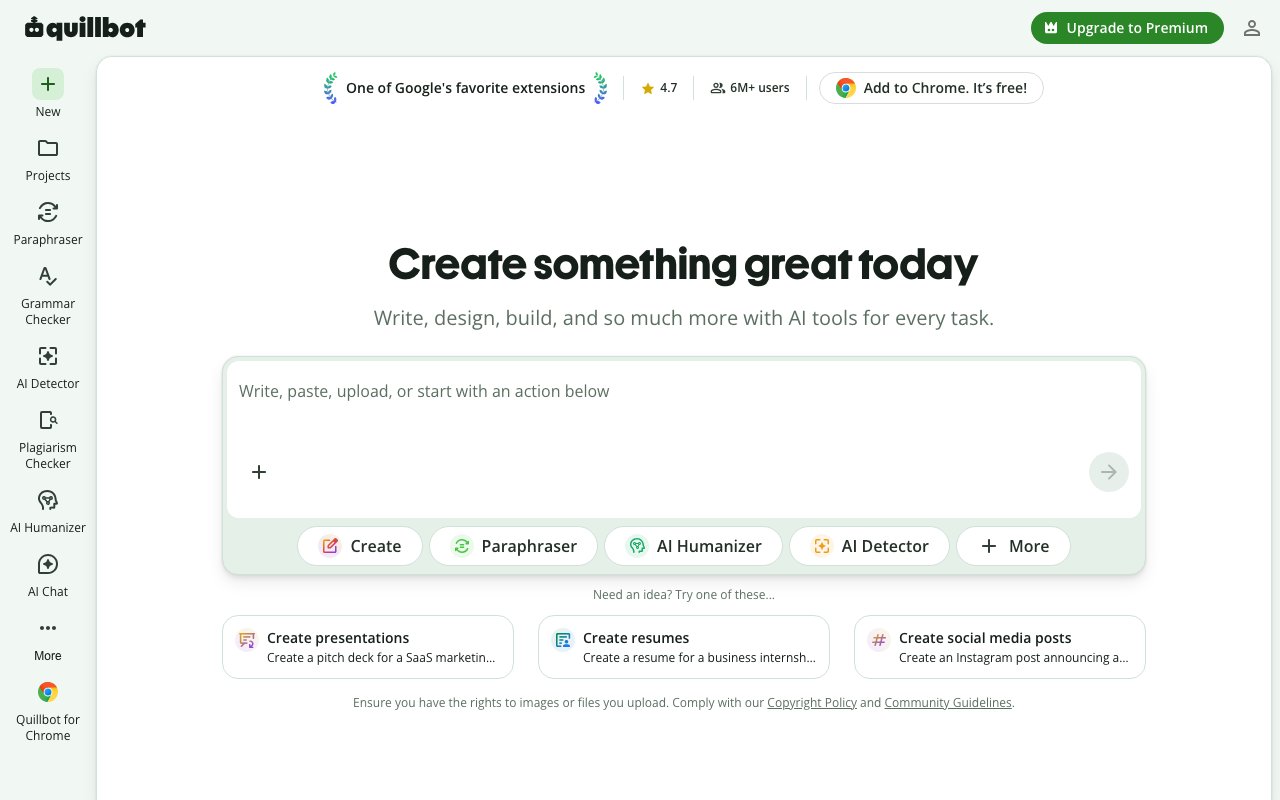
QuillBot is a writing assistance platform that bundles paraphrasing, grammar checking, summarization, citation generation, and plagiarism detection into a single unified workspace. Founded in 2017 as a college dorm project by three students building tools for English Language Learners, the paraphraser went viral on Reddit and the team joined the UIUC iVenture Accelerator. QuillBot became part of Learneo (formerly Course Hero) in 2021 and expanded through acquisitions including Scribbr and integration of LanguageTool technology. Today the platform processes over 5.3 billion annual paraphraser inputs and serves more than 35 million monthly active users, establishing it as one of the most widely used writing assistance tools available online.
The paraphraser sits at the core of QuillBot's functionality and remains its most distinctive tool. Users paste text and select from over ten rewriting modes that transform how content gets restructured. Free users access Standard and Fluency modes, which handle most everyday paraphrasing needs. Premium subscribers unlock the full toolkit: Formal mode for professional contexts, Simple mode for accessibility, Creative mode for fresh expression, Academic mode for scholarly writing, plus Expand and Shorten modes for adjusting content length, Humanize mode for making AI-generated text read more naturally, and Custom mode for specific requirements. A synonym slider gives users fine-grained control over how aggressively the vocabulary changes. The tool functions like a full-sentence thesaurus where you can also click individual words for synonym suggestions. It supports over 20 languages and handles content from single sentences to entire articles, with the free version accepting up to 125 words per paraphrase with no daily limits.
Grammar checking runs continuously as users write, flagging errors in real-time and suggesting contextually appropriate corrections. The integration of LanguageTool technology strengthens this capability beyond simple spell-check into genuine style and clarity suggestions. The summarizer uses natural language processing to identify the most important information in a source text and condense it while preserving core meaning. Users control summary length via a four-level slider and choose between paragraph format or bullet-point output. The free tier handles texts up to 600 words with unlimited daily usage, making it genuinely useful rather than a crippled demo. Premium users can add custom instructions to guide how summaries get structured.
Citation generation covers over 1,000 academic and professional styles including APA, MLA, Chicago, Harvard, IEEE, and numerous journal-specific formats. Users either upload source documents as PDFs or enter bibliographic information manually through guided forms, and the tool produces properly formatted citations that update instantly when edited. Citations save automatically to user accounts and can be exported to Microsoft Word format. The system gets tested and monitored by editorial experts to ensure output consistency with current style guide editions.
The plagiarism checker scans submitted content against an extensive database using machine learning algorithms that identify both direct copying and close paraphrase patterns. It returns a percentage plagiarism score, specific source identification showing which publications or web pages match your content, highlighted sections pinpointing exactly where problems occur, and citation suggestions formatted in your preferred academic style. The tool supports over 100 languages and accepts multiple file formats including plain text, PDFs, Word documents, and HTML. Premium subscribers receive 25,000 words of monthly scanning capacity with options to purchase additional allowance.
The platform targets students, academics, researchers, content creators, editors, and professionals who write regularly in English or the other supported languages. Students use it to rephrase research material without committing plagiarism, check citation formatting before submission, polish essay drafts, and verify originality. Academic professionals leverage the tools for manuscript preparation, literature review summarization, and maintaining citation consistency. Content professionals use the paraphrasing capabilities to repurpose content across channels. Non-native English speakers particularly benefit from Fluency mode and grammar features that help achieve natural-sounding prose.
QuillBot operates on a genuine freemium model where the free tier provides meaningful utility rather than serving as a limited demo. Paraphrasing, grammar checking, and summarization all function without payment, with restrictions primarily on word counts and some mode availability. Premium subscriptions unlock the complete mode selection, longer input capacity, expanded plagiarism scanning, and additional features. The platform runs entirely in the browser with no software installation required, and integrations exist for Google Docs, Microsoft Word, and Chrome browser extension. For writers seeking a consolidated toolkit rather than piecing together separate applications, QuillBot delivers a comprehensive integrated solution backed by years of refinement and an enormous active user base.
Key Features
- Multi-mode paraphraser (Standard, Fluency, Formal, Academic, Simple, Creative, Shorten plus custom modes)
- Grammar and punctuation checker with real-time suggestions
- Summarizer that condenses long articles into key points
- Citation generator supporting APA, MLA, Chicago and 1,000-plus styles
- Plagiarism checker that compares text against a large source database
- AI detector, AI humanizer, and 50-plus-language translator in one account
Pros & Cons
What we like
- Free plan never expires and needs no credit card to start
- Paraphraser modes give real control over how much text gets rewritten
- Strong fit for academic work with built-in citations and plagiarism checks
- Co-writer workspace keeps paraphrasing, grammar, and summarizing in one place
Room for improvement
- Free paraphraser is capped at roughly 125 words per pass and two modes
- Plagiarism checker is limited to about 20 pages per month even on Premium
- Paraphrased output can still read awkwardly and needs a human edit
- Monthly Premium pricing is steep compared with the annual rate
Frequently Asked Questions
What is QuillBot?
Is QuillBot free?
What is QuillBot best for?
Is using QuillBot cheating?
Best For
Featured in
Alternatives to QuillBot

Grammarly
AI writing assistant for real-time grammar, clarity, tone, and generative drafting across the apps you already use

Lunchbreak AI
Run text through six AI detectors at once, then humanize whatever gets flagged

Wordtune
AI rewriting and editing assistant by AI21 Labs that rephrases, adjusts tone, and shortens or expands your text
Rytr
Budget-friendly AI writing assistant with 40+ use cases, 20+ tones, and a free tier built for fast, affordable copy
Reviews (12)
Genuinely impressed
Picked QuillBot for the price, stayed for the quality. It is the rare tool that got better the more I used it. It handles the boring parts so I can focus on the work that matters. It earns its place in my stack.
Solid daily driver
Have been running QuillBot for a while, here is where I land. Where it really wins is plagiarism checker that compares text against a large source database.
It just works
Hadn't planned on switching, but QuillBot was hard to ignore. Real selling point for me was free plan never expires and needs no credit card to start. The thing I keep coming back to is how reliable it is. Found it works best for checking writing for grammar issues and potential plagiarism before submitting. It earns its place in my stack.
Quietly excellent
Onboarded the whole team to QuillBot in an afternoon. Got real value out of citation generator supporting apa, mla, chicago and 1,000-plus styles. It just works, day after day, without surprises. Found it works best for summarizing research papers and reports into quick overviews. No regrets so far.
Best decision this quarter
Hadn't planned on switching, but QuillBot was hard to ignore. Their take on citation generator supporting apa, mla, chicago and 1,000-plus styles is genuinely good. Mostly using it for summarizing research papers and reports into quick overviews. Glad I made the switch.
Genuinely impressed
QuillBot solves a real problem for me without making a fuss about it. Setup was painless and I was productive the same day. Would sign up again without thinking twice.
Bought it for one feature, stayed for ten
Three months of QuillBot later, here is what holds up. Got real value out of summarizer that condenses long articles into key points. Mostly using it for rewriting drafts to improve flow, tone, or word count. Easy yes for anyone weighing the same trade offs.
Decent with some rough edges
Hadn't planned on switching, but QuillBot was hard to ignore. Real selling point for me was summarizer that condenses long articles into key points. What stands out is how little babysitting it needs. Mostly using it for students polishing essays and generating correct citations. My only gripe is free paraphraser is capped at roughly 125 words per pass and two modes. Recommending it to people in a similar spot.
Solid daily driver
QuillBot has quietly become part of my daily flow. Real selling point for me was free plan never expires and needs no credit card to start. I expected to churn off it in a week and I am still here. Hard to imagine going back to my old setup.
Worth the price of admission
Picked QuillBot for the price, stayed for the quality. What stands out is how it handles citation generator supporting apa, mla, chicago and 1,000-plus styles. It fits well for summarizing research papers and reports into quick overviews. It earns its place in my stack.
Two months in, no regrets
Tried QuillBot on a side project first, then rolled it out everywhere. Their take on plagiarism checker that compares text against a large source database is genuinely good. Support actually answered when I had a question, which surprised me. Recommending it to people in a similar spot.
Best decision this quarter
Came to QuillBot after getting frustrated with what I had before. The core workflow is smooth once you are set up.
Badge builder
Add QuillBot to your website
Choose a badge style and size, preview it here, then copy the generated HTML. Badge images are self-contained SVGs and do not require an external script.

<a href="https://toolindex.net/tools/quillbot?ref=badge" target="_blank" rel="noopener">
  <img src="https://toolindex.net/badge/quillbot/medium.svg" alt="QuillBot - Listed on Tool Index" width="180" height="50" />
</a>How to use the badge
- 1. Pick the style, size, and theme that fit your layout.
- 2. Copy the generated HTML from the code block.
- 3. Paste it into your footer, homepage, or press page.
Score badge available
QuillBot qualifies for the score and circle badges based on its current top-10 positionin AI Writing Tools.
Badge clicks return visitors to this profile with a referral tag so the source remains identifiable.
Related Tools
Rytr
Budget-friendly AI writing assistant with 40+ use cases, 20+ tones, and a free tier built for fast, affordable copy

Prompt Larder
A small shelf of prompts that were actually run, labelled with the model and the reason they work.
Wordtune
AI rewriting and editing assistant by AI21 Labs that rephrases, adjusts tone, and shortens or expands your text

Copy.ai
GTM AI platform that turns sales and marketing workflows into automated, reusable content pipelines
Work on QuillBot? Request listing access or correction