
Grammarly
AI writing assistant for real-time grammar, clarity, tone, and generative drafting across the apps you already use
Gallery
About Grammarly
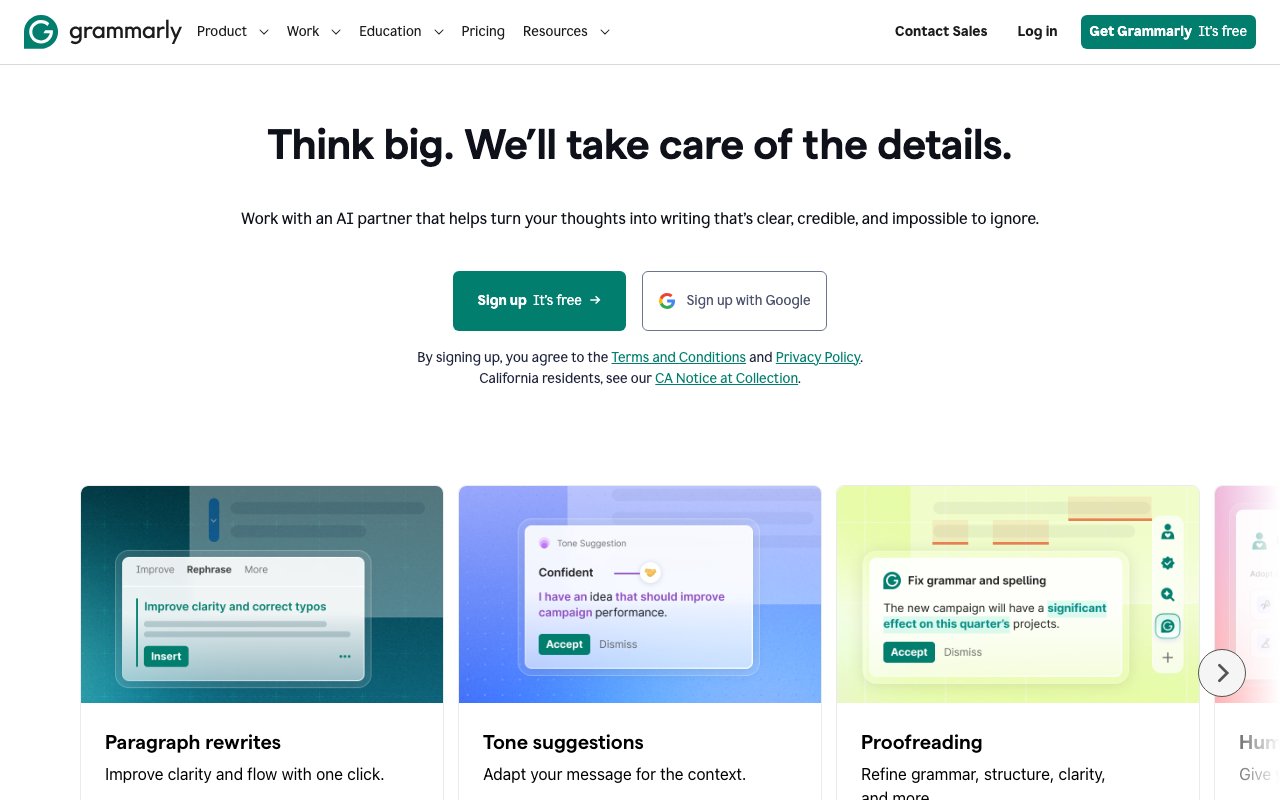
Grammarly is an AI writing assistant that checks grammar, improves clarity, and adjusts tone across everything you write. The company has operated for more than a decade and now serves 40 million individuals and 50,000 organizations. It works through browser extensions, desktop applications, mobile apps, and direct integrations with tools like Google Docs and Microsoft Office, providing real-time suggestions as you type. The goal is to stay invisible until you need help, then surface suggestions inline without breaking your workflow.
The problem it solves is the gap between what you mean to say and how it actually reads. Writing that's technically correct can still land poorly, whether it's too formal for a casual Slack message or too blunt for a client email. Tone is hard to judge when you're the one writing, and most people don't have an editor reviewing every message they send. Grammarly catches grammatical errors as a baseline, then goes further with suggestions for sentence structure, word choice, and tone. It tells you how your writing might come across to readers before you send it, which is information you otherwise wouldn't have until someone reacted badly.
The core features cover grammar and clarity checking, tone adjustment, and full sentence rewriting. The grammar checking catches the obvious mistakes like subject-verb agreement and misplaced commas, plus more subtle issues like wordiness and passive voice. Tone adjustment suggests ways to modify writing for different contexts while maintaining your voice. If a message sounds too aggressive, it'll flag that and offer alternatives. You can rephrase a sentence with one click if the original isn't working. Reader feedback gives insight into how the text might be perceived, whether it sounds confident, friendly, formal, or something else. That feedback helps you calibrate before hitting send.
The platform also includes generative AI capabilities where you can prompt it to write or expand on text. The free tier offers 100 AI prompts per month, and paid plans go up to 2,000. You can ask it to draft something from scratch, rewrite a section in a different style, or expand a bullet point into a full paragraph. Premium plans add plagiarism detection, which scans your text against a database of web pages and publications to flag potential overlap. There's also AI detection, which identifies content that was likely generated by an AI model. That feature is useful for educators checking student work or anyone who needs to verify that content is human-written.
Grammarly integrates almost everywhere you write. The browser extension covers web apps like Gmail, LinkedIn, and Slack in the browser. The desktop app handles documents. Mobile keyboards work on phones so your texts and emails get the same treatment. Direct integrations with Google Docs, Microsoft Word, and other productivity tools mean you don't need to copy text into a separate editor. The system learns from your writing over time, building a profile of your style and the terms you use so it doesn't keep flagging things you write intentionally. Custom dictionaries let you add company terminology and names that shouldn't be corrected.
The audience ranges from individual writers who want to catch mistakes to enterprise teams that need consistent communication standards. Students and academics use it for papers and assignments. Professionals use it for email, reports, and client communication. Organizations use the enterprise tier for company-wide governance, style guides, and analytics on how teams communicate. The company claims organizations see roughly 17x ROI, saving about 5,000 dollars per employee per year through improved communication efficiency, though your results will depend on how much your team writes and how much time poor communication currently costs you.
What sets Grammarly apart is its long track record and its privacy stance. The company states it does not sell or monetize user content for advertising or model training, which matters for enterprise customers who worry about sensitive content being used to train AI models. Recently, Grammarly became part of Superhuman, expanding its scope into broader productivity solutions beyond writing alone. Pricing follows a freemium model. The free tier covers basic error checking and tone detection. Grammarly Pro runs 12 dollars per month when billed annually or 30 dollars monthly, adding advanced features like full sentence rewrites and 2,000 AI prompts. Enterprise pricing is custom and includes team management, style guides, and organizational controls.
Key Features
- Real-time grammar, spelling, and punctuation correction
- Clarity, conciseness, and full-sentence rewrite suggestions
- Tone detection and tone adjustment without losing your voice
- Generative AI prompts to draft, rewrite, summarize, and reply
- Plagiarism and AI-generated-text detection on paid plans
- Works across email, docs, and the browser via extensions and apps
Pros & Cons
What we like
- Catches mistakes instantly as you type, almost everywhere
- Generous free tier covers core grammar plus 100 monthly AI prompts
- Suggestions explain the why, so writing actually improves over time
- Now bundled into the broader Superhuman productivity suite
Room for improvement
- Generative drafting is capped by monthly prompt limits, not unlimited on lower tiers
- Better for editing and short copy than long-form generation
- Sends your text to the cloud, a privacy concern for sensitive work
- Plagiarism and AI detection are locked behind the paid Pro plan
Frequently Asked Questions
What is Grammarly?
How much does Grammarly cost?
What is Grammarly best for?
Does Grammarly write content for you?
Best For
Featured in
Alternatives to Grammarly
View all
Wordtune
AI rewriting and editing assistant by AI21 Labs that rephrases, adjusts tone, and shortens or expands your text

QuillBot
AI paraphraser, grammar checker, summarizer, and citation suite in one writing workspace
Rezi
AI resume builder that writes ATS-optimized resumes and tailors them to each job posting
Rytr
Budget-friendly AI writing assistant with 40+ use cases, 20+ tones, and a free tier built for fast, affordable copy
Reviews (9)
Powerful once it clicks
Three months of Grammarly later, here is what holds up. Real selling point for me was clarity, conciseness, and full-sentence rewrite suggestions. Mostly using it for drafting and rewriting copy with ai prompts. It would be a five if not for plagiarism and ai detection are locked behind the paid pro plan.
It just works
Picked Grammarly for the price, stayed for the quality. Real selling point for me was generative ai prompts to draft, rewrite, summarize, and reply. Mostly using it for students and writers checking for plagiarism and clarity. Recommending it to people in a similar spot.
It just works
Hadn't planned on switching, but Grammarly was hard to ignore. Got real value out of plagiarism and ai-generated-text detection on paid plans. Found it works best for catching tone problems before hitting send. No regrets so far.
Solid daily driver
Three months of Grammarly later, here is what holds up. Got real value out of tone detection and tone adjustment without losing your voice. Glad I made the switch.
Quietly excellent
Started using Grammarly casually, now it is pinned in my dock. Real selling point for me was catches mistakes instantly as you type, almost everywhere. Nothing flashy, it simply pulls its weight every day. Would sign up again without thinking twice.
Exactly what I needed
Found Grammarly on a Reddit thread and I am glad I clicked. Real selling point for me was clarity, conciseness, and full-sentence rewrite suggestions. It has shaved real time off my week. Mostly using it for polishing emails, reports, and business communication.
Quietly excellent
Came to Grammarly after getting frustrated with what I had before. The thing I keep coming back to is how reliable it is. Found it works best for drafting and rewriting copy with ai prompts. Hard to imagine going back to my old setup.
Two months in, no regrets
Have been running Grammarly for a while, here is where I land. Got real value out of now bundled into the broader superhuman productivity suite. It fits well for students and writers checking for plagiarism and clarity.
Solid daily driver
Three months of Grammarly later, here is what holds up. It is the rare tool that got better the more I used it. Genuine strength is that it gets out of the way and lets me work. Easy yes for anyone weighing the same trade offs.
Badge builder
Add Grammarly to your website
Choose a badge style and size, preview it here, then copy the generated HTML. Badge images are self-contained SVGs and do not require an external script.

<a href="https://toolindex.net/tools/grammarly?ref=badge" target="_blank" rel="noopener">
  <img src="https://toolindex.net/badge/grammarly/medium.svg" alt="Grammarly - Listed on Tool Index" width="180" height="50" />
</a>How to use the badge
- 1. Pick the style, size, and theme that fit your layout.
- 2. Copy the generated HTML from the code block.
- 3. Paste it into your footer, homepage, or press page.
Score badge available
Grammarly qualifies for the score and circle badges based on its current top-10 positionin AI Writing Tools.
Badge clicks return visitors to this profile with a referral tag so the source remains identifiable.
Related Tools
Rytr
Budget-friendly AI writing assistant with 40+ use cases, 20+ tones, and a free tier built for fast, affordable copy

Prompt Larder
A small shelf of prompts that were actually run, labelled with the model and the reason they work.
QuillBot
AI paraphraser, grammar checker, summarizer, and citation suite in one writing workspace
Wordtune
AI rewriting and editing assistant by AI21 Labs that rephrases, adjusts tone, and shortens or expands your text
Work on Grammarly? Request listing access or correction