
Wordtune
AI rewriting and editing assistant by AI21 Labs that rephrases, adjusts tone, and shortens or expands your text
Gallery
About Wordtune
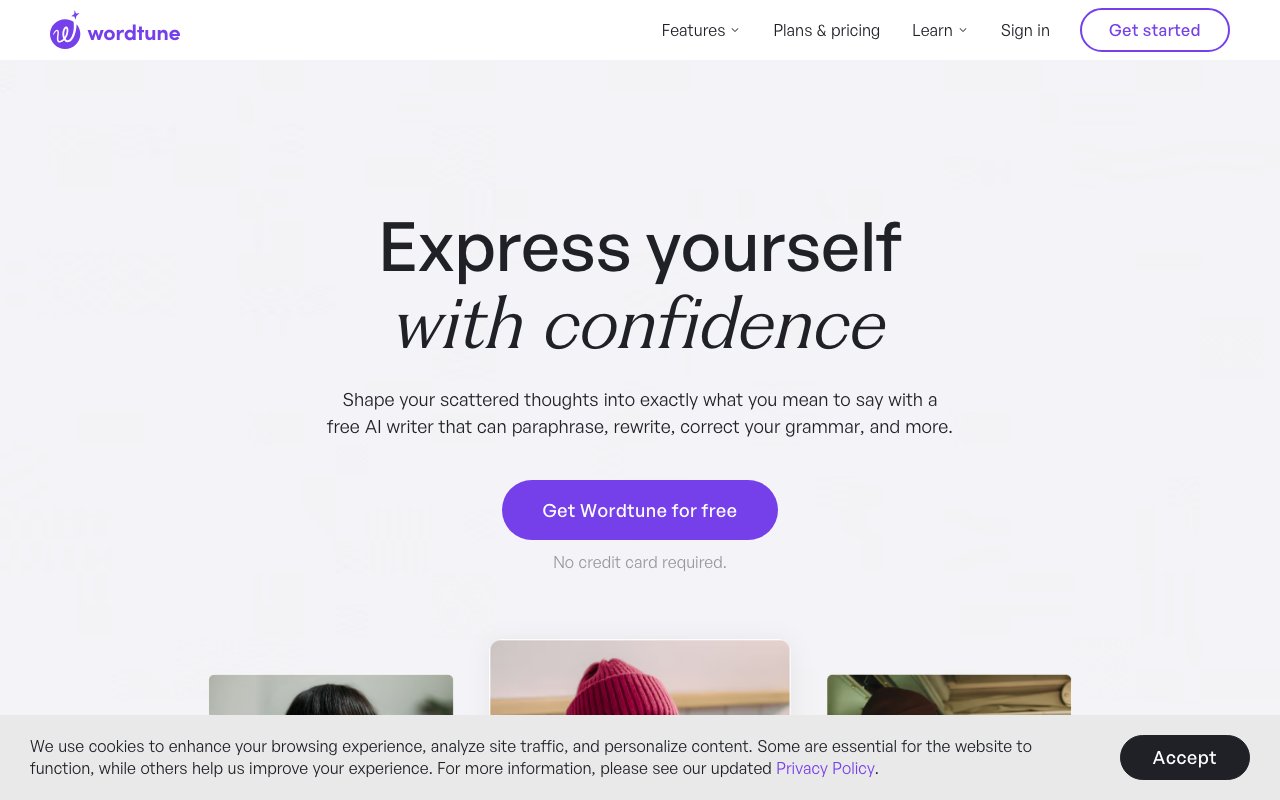
Wordtune is an AI writing assistant that helps people turn rough drafts and scattered ideas into clear, polished prose. It works as a browser extension for Chrome and Edge, an iOS app, and a web application, sitting inside whatever writing environment you already use. The core pitch is simple: you write something, and Wordtune offers alternative ways to say it. Not just grammar fixes, but actual rewordings that sound more natural, more formal, more casual, or just plain better. It's built for anyone who writes, whether that means students working on essays, professionals drafting emails, content creators polishing blog posts, or non-native English speakers who want their writing to sound fluent. The tool positions itself as a full reading and writing assistant rather than another grammar checker, and that distinction matters when you're comparing it to the alternatives.
The rewriting engine is the heart of the product. You highlight a sentence or paragraph, and Wordtune generates multiple context-aware alternatives. These aren't random synonyms swapped in. The AI considers the surrounding text, the overall tone, and what you're actually trying to communicate. If your original sentence sounds clunky, you'll get options that flow better. If it's too casual for a formal document, you can switch to a more professional register with one click. The tone adjustment feature lets you flip between formal and casual instantly, which is genuinely useful when you're writing for different audiences. You might draft something casually and then formalize it for a work email, or take a stiff paragraph and make it warmer for a personal message. The tool also catches grammar mistakes and spelling errors, though that's table stakes at this point. What matters more is the quality of the rewrite suggestions, and the 782 million suggestions that users have actually selected indicates the recommendations land well.
Beyond rewriting, Wordtune includes a summarization feature that condenses long documents, articles, web pages, and even YouTube videos into digestible summaries. This is useful when you're researching and need to quickly extract the key points from a source without reading the whole thing. The AI pulls from at least five sources when generating facts, attempting to verify information before presenting it. For students and researchers, this adds a layer of credibility that generic AI tools often lack. You can summarize a 30 minute video lecture and get the main takeaways in a few paragraphs, or compress a lengthy report into its essential arguments.
The tool also handles translation from ten languages into English, which makes it practical for non-native speakers who want to write in English but think in their first language. You can draft something in Spanish, French, German, or one of the other supported languages, and Wordtune will translate it and then help you refine the English version. This two-step process often produces better results than raw translation alone because you get the phrasing and word choice polish on top of the basic conversion. The Continue Writing feature works like autocomplete on steroids, generating the next few sentences based on what you've already written. It's helpful when you're stuck or need to push through a draft without overthinking every word.
Wordtune offers three pricing tiers. The free plan gives you ten rewrites and AI suggestions per day, plus three summarizations per month. Spelling and grammar checks are unlimited even on the free tier. The Advanced plan costs $6.99 per month on a monthly basis or $4.89 per month when billed annually, bumping you up to thirty rewrites daily and fifteen summarizations monthly. The Unlimited plan runs $9.99 monthly or $6.99 annually, removing all caps on rewrites and summarizations while adding vocabulary enhancements, clarity improvements, fluency features, and premium support. All paid plans include a three day free trial, and annual billing cuts the price roughly in half compared to monthly rates.
The user base has grown to over ten million people, with strong ratings across platforms: 4.7 out of 5 on the Chrome Web Store and 97% positive on the iOS App Store. Those numbers suggest that people who try it tend to stick with it. The browser extension integrates with popular workplace apps and writing platforms, so you can use it in Google Docs, Gmail, LinkedIn, Twitter, and most other places where writing happens online. The iOS app means you can polish text on your phone, which is handy for quick email replies or messages that need a bit more care than you'd normally give them while typing with your thumbs.
What separates Wordtune from basic grammar checkers is the focus on style and expression rather than just correctness. Grammarly fixes your mistakes. Wordtune helps you find a better way to say what you meant. That's a meaningful difference if you care about how your writing sounds, not just whether it's technically correct. The tool won't make you a great writer overnight, but it will help you produce cleaner drafts faster and expose you to phrasings you might not have considered. If you write a lot and care about how your words land, especially if English isn't your first language, it's worth trying the free tier to see if the suggestions match how you want to sound.
Key Features
- Sentence rewriting and rephrasing that preserves meaning
- Tone control from casual to formal and back
- Shorten and expand suggestions for any passage
- Unlimited grammar and spelling correction
- AI summarizer for documents, links, and videos
- Browser extensions plus a Word add-in and web editor
Pros & Cons
What we like
- Strong, natural-sounding rephrasing that keeps your intent
- Free tier covers light daily rewriting and grammar checks
- Works inline across most sites through the browser extension
- One-click tone, shorten, and expand controls are easy to learn
Room for improvement
- Free plan caps daily rewrites and monthly summaries tightly
- Focused on editing existing text rather than long-form drafting
- Best results are English-centric
- Heavy daily users will need a paid plan for unlimited rewrites
Frequently Asked Questions
What is Wordtune?
How much does Wordtune cost?
What is Wordtune best for?
What is the difference between Wordtune and QuillBot?
Best For
Featured in
Alternatives to Wordtune
View all
Grammarly
AI writing assistant for real-time grammar, clarity, tone, and generative drafting across the apps you already use

QuillBot
AI paraphraser, grammar checker, summarizer, and citation suite in one writing workspace

Lunchbreak AI
Run text through six AI detectors at once, then humanize whatever gets flagged
Rytr
Budget-friendly AI writing assistant with 40+ use cases, 20+ tones, and a free tier built for fast, affordable copy
Reviews (14)
Worth the price of admission
Have been running Wordtune for a while, here is where I land. What stands out is how it handles shorten and expand suggestions for any passage. Genuine strength is that it gets out of the way and lets me work. Found it works best for editing marketing copy to be more concise or persuasive. Glad I made the switch.
It just works
Tried Wordtune on a side project first, then rolled it out everywhere. Got real value out of one-click tone, shorten, and expand controls are easy to learn. The interface stays out of my way, which I appreciate. Found it works best for rephrasing essays and reports for clarity and tone.
Two months in, no regrets
Tried Wordtune on a side project first, then rolled it out everywhere. The core workflow is smooth once you are set up. It does what it says, which is rarer than it should be. Mostly using it for rephrasing essays and reports for clarity and tone. Glad I made the switch.
It just works
Came to Wordtune after getting frustrated with what I had before. Real selling point for me was works inline across most sites through the browser extension. Worth the price for what I get out of it.
Good, with a few caveats
Started using Wordtune casually, now it is pinned in my dock. Real selling point for me was strong, natural-sounding rephrasing that keeps your intent. Setup was painless and I was productive the same day. Mostly using it for rephrasing essays and reports for clarity and tone. One thing that bugs me is free plan caps daily rewrites and monthly summaries tightly. Easy yes for anyone weighing the same trade offs.
Worth the price of admission
Picked Wordtune for the price, stayed for the quality. Real selling point for me was free tier covers light daily rewriting and grammar checks. It fits well for rephrasing essays and reports for clarity and tone. No regrets so far.
Solid daily driver
Onboarded the whole team to Wordtune in an afternoon. It is the rare tool that got better the more I used it. Mostly using it for tightening and polishing emails and business messages. Easy yes for anyone weighing the same trade offs.
Worth the price of admission
Came to Wordtune after getting frustrated with what I had before. What stands out is how it handles one-click tone, shorten, and expand controls are easy to learn. It has shaved real time off my week.
Pulled its weight from week one
Came to Wordtune after getting frustrated with what I had before. Where it really wins is works inline across most sites through the browser extension. Found it works best for tightening and polishing emails and business messages. Easy yes for anyone weighing the same trade offs.
Exactly what I needed
Almost a year on Wordtune now, no plans to leave. What stands out is how it handles ai summarizer for documents, links, and videos. Setup was painless and I was productive the same day. It has been a fit for rephrasing essays and reports for clarity and tone. No regrets so far.
Pulled its weight from week one
Wordtune solves a real problem for me without making a fuss about it. What stands out is how it handles browser extensions plus a word add-in and web editor. It fits well for tightening and polishing emails and business messages. Recommending it to people in a similar spot.
It just works
Found Wordtune on a Reddit thread and I am glad I clicked. Real selling point for me was sentence rewriting and rephrasing that preserves meaning. Worth the price for what I get out of it.
Genuinely impressed
Wordtune has quietly become part of my daily flow. What stands out is how little babysitting it needs.
Good, with a few caveats
Onboarded the whole team to Wordtune in an afternoon. Real selling point for me was sentence rewriting and rephrasing that preserves meaning. The output quality holds up better than I expected. One thing that bugs me is heavy daily users will need a paid plan for unlimited rewrites. Glad I made the switch.
Badge builder
Add Wordtune to your website
Choose a badge style and size, preview it here, then copy the generated HTML. Badge images are self-contained SVGs and do not require an external script.

<a href="https://toolindex.net/tools/wordtune?ref=badge" target="_blank" rel="noopener">
  <img src="https://toolindex.net/badge/wordtune/medium.svg" alt="Wordtune - Listed on Tool Index" width="180" height="50" />
</a>How to use the badge
- 1. Pick the style, size, and theme that fit your layout.
- 2. Copy the generated HTML from the code block.
- 3. Paste it into your footer, homepage, or press page.
Score badge available
Wordtune qualifies for the score and circle badges based on its current top-10 positionin AI Writing Tools.
Badge clicks return visitors to this profile with a referral tag so the source remains identifiable.
Related Tools
Rytr
Budget-friendly AI writing assistant with 40+ use cases, 20+ tones, and a free tier built for fast, affordable copy

Prompt Larder
A small shelf of prompts that were actually run, labelled with the model and the reason they work.
QuillBot
AI paraphraser, grammar checker, summarizer, and citation suite in one writing workspace

Copy.ai
GTM AI platform that turns sales and marketing workflows into automated, reusable content pipelines
Work on Wordtune? Request listing access or correction