Lunchbreak AI
Run text through six AI detectors at once, then humanize whatever gets flagged
Gallery
About Lunchbreak AI
Key Features
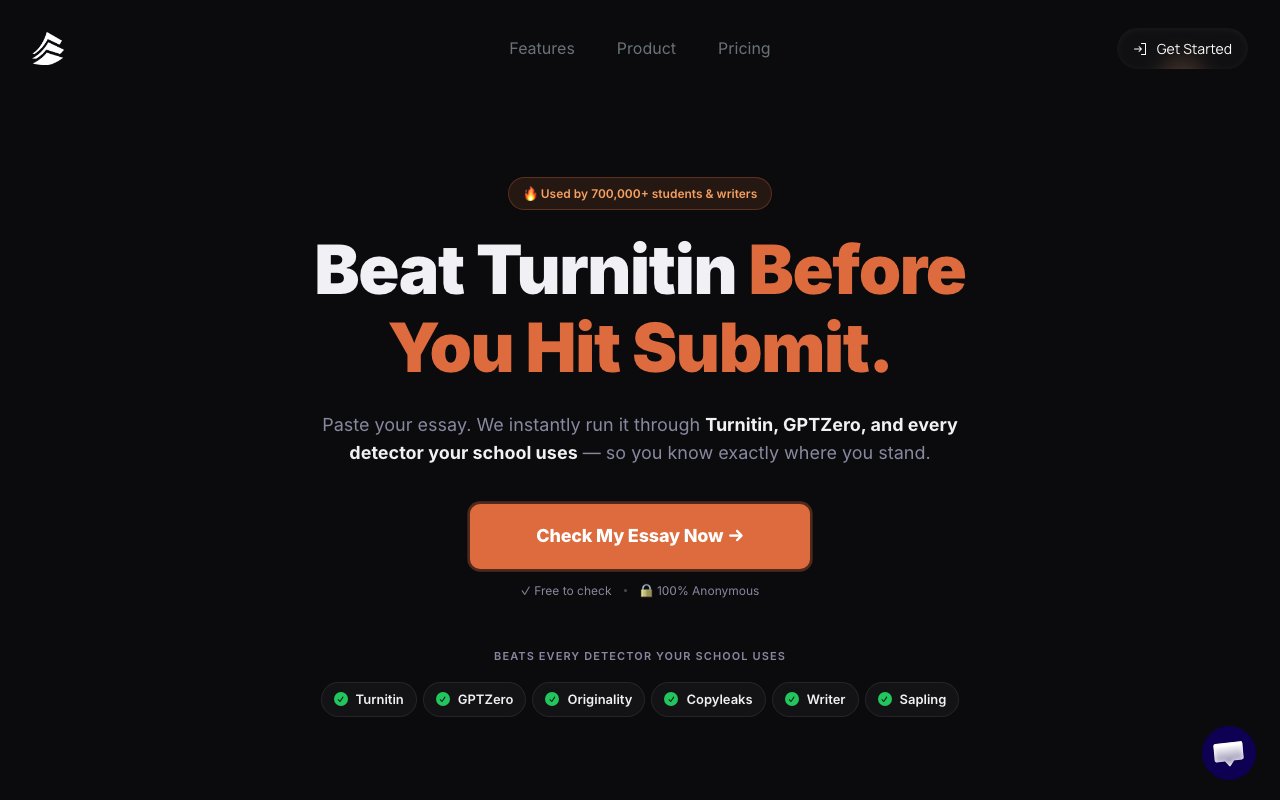
- Multi-detector scan across Turnitin, GPTZero, Originality, Copyleaks, Writer, Sapling
- AI humanizer rewriting for flagged passages
- Before-and-after detection score comparison
- Anonymous checking with no account required
- Roughly 30-second result turnaround
- Free AI detection tier
Pros & Cons
What we like
- Six detectors in one pass saves cross-checking tools manually
- Free tier covers the core detection feature
- Fast results and anonymous use lower the friction to try it
- Side-by-side score view makes the effect of rewriting visible
Room for improvement
- Detection evasion for academic work is ethically and policy-risky
- No named company, founder, or contact details anywhere on the site
- Detector scores are approximations and won't perfectly match an institution's own Turnitin result
- Humanizer output quality can drift from your original meaning
Frequently Asked Questions
Is Lunchbreak AI free to use?
Which AI detectors does Lunchbreak check against?
Will a clean Lunchbreak score guarantee I pass my school's Turnitin?
Is using Lunchbreak to pass academic AI detection allowed?
Who is behind Lunchbreak AI?
Best For
Featured in
Alternatives to Lunchbreak AI

QuillBot
AI paraphraser, grammar checker, summarizer, and citation suite in one writing workspace

Wordtune
AI rewriting and editing assistant by AI21 Labs that rephrases, adjusts tone, and shortens or expands your text

Grammarly
AI writing assistant for real-time grammar, clarity, tone, and generative drafting across the apps you already use
Rytr
Budget-friendly AI writing assistant with 40+ use cases, 20+ tones, and a free tier built for fast, affordable copy
Our take
Tool Index Editorial · Jun 2026· 4.0/5
Lunchbreak nails one thing well. Checking text against six AI detectors at once, for free, is a real convenience that would otherwise mean juggling six tools and several paywalls, and the side-by-side before-and-after view is a clean piece of product design. As a fast detectability gut-check, it does the job in under a minute.
The reservations are real, though. There's no named company, founder, or address, pricing only appears inside the app, and the core value proposition leans toward detection evasion, which is a policy violation at most schools and an ethical gray zone everywhere else. The scores are also approximations that won't perfectly mirror your institution's own Turnitin. Use it to sanity-check honest, AI-assisted writing and you'll get value. Treat it as a magic pass for fully machine-written assignments and you're trusting both a guess and a gamble.
Editorial opinion from the Tool Index team, written from the public product pages. Not a user review.
Reviews (6)
Lunchbreak AI has been a quiet upgrade
Lunchbreak AI isn't perfect but it's the best I've used in this category. The thing I keep coming back to: side-by-side score view makes the effect of rewriting visible. Worth calling out the multi-detector scan across Turnitin, GPTZero, Originality, Copyleaks, Writer, Sapling too. Mostly using it for content creators comparing detection scores across several tools at once. Worth the price for what I get out of it.
Pros
- Free tier covers the core detection feature
- Six detectors in one pass saves cross-checking tools manually
Surprised how much we use this
Almost a year of using Lunchbreak AI, here's what holds up. The thing I keep coming back to: free tier covers the core detection feature. The AI humanizer rewriting for flagged passages is more useful than I expected. Glad I made the switch.
Pros
- Six detectors in one pass saves cross-checking tools manually
Lunchbreak AI, better than expected
Started using Lunchbreak AI casually, now it's pinned in my dock. What stands out is how fast results and anonymous use lower the friction to try it. Main use case: freelance writers gauging how detectable AI-assisted drafts read. Not perfect: detection evasion for academic work is ethically and policy-risky. Still recommending it to people in similar setups.
Pros
- Side-by-side score view makes the effect of rewriting visible
- Six detectors in one pass saves cross-checking tools manually
- Free tier covers the core detection feature
Promising but rough around the edges
The past year of using Lunchbreak AI, here's what holds up. The thing I keep coming back to: free tier covers the core detection feature. Worth calling out the roughly 30-second result turnaround too. Mostly using it for students checking whether an essay trips AI-detection scanners. Not perfect: detector scores are approximations and won't perfectly match an institution's own Turnitin result.
Pros
- Fast results and anonymous use lower the friction to try it
- Side-by-side score view makes the effect of rewriting visible
Two months in, no regrets
Came to Lunchbreak AI after frustration with what I had before. The thing I keep coming back to: six detectors in one pass saves cross-checking tools manually. It fits well for content creators comparing detection scores across several tools at once. Worth the price for what I get out of it.
Worth the price of admission
Hadn't planned on switching, but Lunchbreak AI was hard to ignore. Honestly impressed by how fast results and anonymous use lower the friction to try it. Found it works best for writers rewriting flagged passages to sound less machine-generated. Still recommending it to people in similar setups.
Pros
- Free tier covers the core detection feature
Badge builder
Add Lunchbreak AI to your website
Choose a badge style and size, preview it here, then copy the generated HTML. Badge images are self-contained SVGs and do not require an external script.

<a href="https://toolindex.net/tools/lunchbreak?ref=badge" target="_blank" rel="noopener">
  <img src="https://toolindex.net/badge/lunchbreak/medium.svg" alt="Lunchbreak AI - Listed on Tool Index" width="180" height="50" />
</a>How to use the badge
- 1. Pick the style, size, and theme that fit your layout.
- 2. Copy the generated HTML from the code block.
- 3. Paste it into your footer, homepage, or press page.
Score badge available
Lunchbreak AI qualifies for the score and circle badges based on its current top-10 positionin Writing.
Badge clicks return visitors to this profile with a referral tag so the source remains identifiable.
Related Tools
Confluence
Atlassian's long-running team wiki that anchors many enterprise knowledge stacks
SoloDevStack
A solo developer blog built on head-to-head tool comparisons, 580+ posts deep.

Logseq
An open-source outliner notes app where every bullet is a first-class block

Bear
A beautiful Markdown notes app for Apple devices that doubles as a writing tool
Work on Lunchbreak AI? Request listing access or correction