
CaptionRich
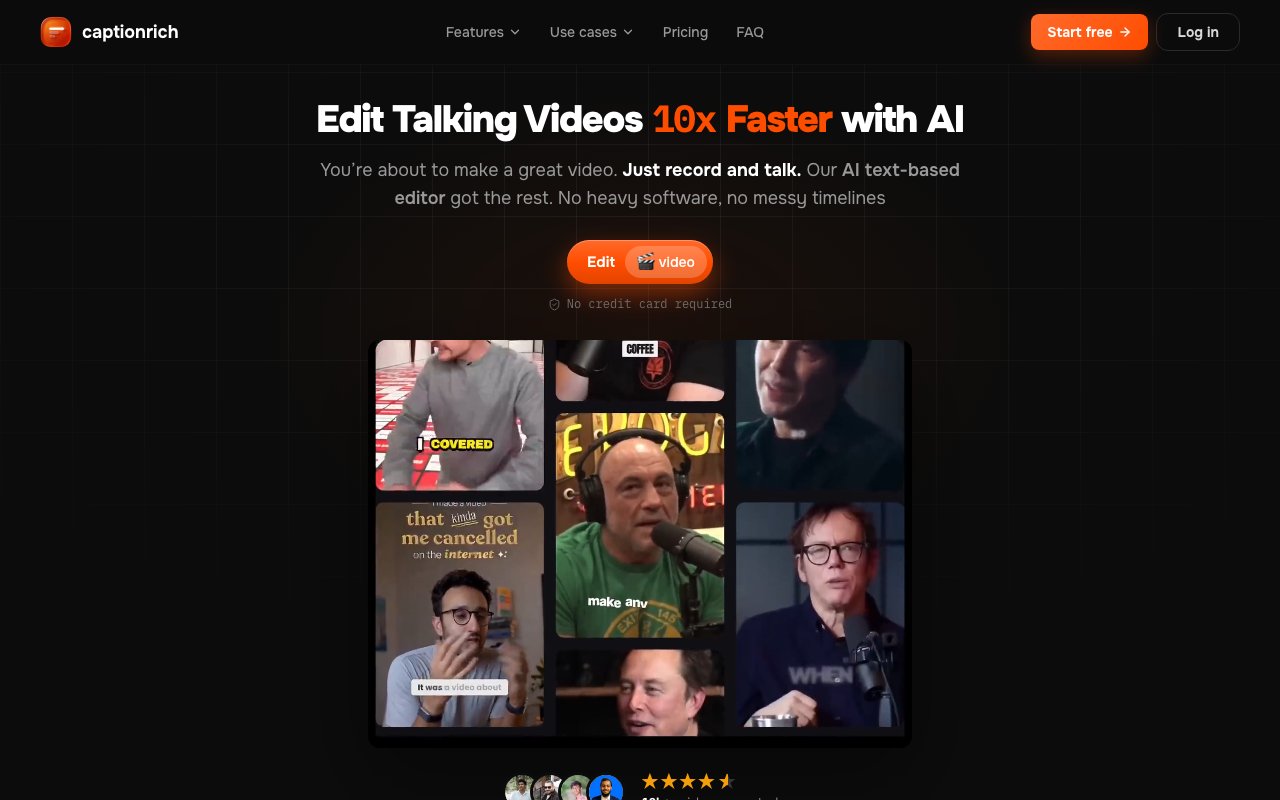
AI video editor that lets you cut and style talking head videos by editing the transcript
Gallery
About CaptionRich
CaptionRich is a browser based video editor built specifically for short form talking head content. Instead of dragging clips on a traditional timeline, you edit by working directly with the transcript. The tool transcribes your video automatically, then lets you cut, rearrange, and delete footage by selecting and manipulating words in the text. Delete a sentence from the transcript and the corresponding video segment disappears. It is a fundamentally different editing model that makes sense for creators who spend most of their time trimming ums, removing bad takes, and tightening pacing on face to camera videos. If your workflow involves recording yourself talking and then cutting down the raw footage into something polished, this approach removes the tedium of scrubbing through a timeline to find the exact frame where a word ends.
The transcription engine handles over 50 languages with automatic language detection and claims accuracy up to 99 percent. Once the transcript is ready, every word becomes clickable and editable. You can highlight a section to delete it, merge two words that got split incorrectly, retime a word to fix sync issues, or split a word that got jammed together. Styling works at the word level too, so you can make a single word pop with color or animation without affecting the rest of the caption. This granular control extends to the visual presentation. You can highlight specific phrases, add emphasis, and customize how individual words appear on screen. The transcript is not just a cutting tool. It is the primary interface for shaping how your video looks and sounds.
Beyond manual edits, CaptionRich bundles a set of one click AI toggles that handle the most repetitive cleanup tasks automatically. Remove Silences trims dead air from your footage. Remove Bad Takes catches false starts and verbal stumbles. Filler Word detection scans the transcript for ums, ahs, likes, and similar verbal tics, highlighting them for quick deletion. Smart Jump Cuts analyzes pacing and inserts subtle cuts to tighten the edit without requiring you to place each one manually. Smart Scenes segments your video by topic automatically, which is useful for long recordings that cover multiple subjects. Additional toggles handle scene zoom effects, transitions between segments, emoji placement synced to the content, and automatic B roll pulled from Pexels, Pixabay, and GIPHY. These features turn what would be hours of manual editing into a few clicks.
Caption styling is where the product leans heavily into aesthetics. There are over 40 animated caption templates organized into five visual categories. The categories span minimal designs for professional content, dynamic styles with movement, cinematic looks, trendy formats that match current social media aesthetics, and high energy templates for more intense content. Each template supports customization of colors, fonts, and animation timing. The captions can be burned directly into the export so they display natively on any platform without relying on sidecar subtitle files or platform specific caption features. Export options cover the main aspect ratios that short form platforms require. You get 9 by 16 for TikTok and Instagram Reels, 1 by 1 for Instagram feed posts, 16 by 9 for YouTube, and 4 by 5 for Facebook. The editor handles the reframing so you do not need to manually adjust your footage for each destination.
Translation is handled inside the editor as well. You can take a finished video and generate captions in another language while preserving the original timing, tone, and speaker style. The system does not just swap words. It attempts to maintain how the content sounds and feels so that translated versions match the pacing of the original. That makes it practical for creators who want to reach audiences across language barriers without re-recording the video or hiring a translator. The translation feature supports the same 50 plus languages as the transcription engine.
The target audience is clear. TikTok, Instagram Reels, and YouTube Shorts creators who shoot talking head videos and want to cut them fast will get the most value from the transcript based workflow. Podcasters repurposing audio clips as video content, educators adding multilingual accessibility to their lessons, and brands producing short ads for social platforms all fit the same profile. Anyone who has spent hours scrubbing through footage to trim silence, remove false starts, and tighten pacing will find this approach faster than working on a traditional timeline. The tool is not designed for complex multi-track edits or footage without a speaker. It is optimized for the specific task of editing videos where someone is talking.
Pricing follows a freemium model. The free tier gives you three videos per month, each up to one minute long, with no watermark on exports. Pro costs seven dollars per month and expands those limits. Max Pro at fourteen dollars per month unlocks the highest limits and additional features. The editor runs entirely in your browser and saves projects to the cloud, so you can start editing on a laptop and finish on a tablet without transferring files. No software installation required. You upload your video, edit it, and export the result.
Key Features
- Text based video editing via transcript
- 50+ language transcription with 99% accuracy
- One click silence and filler word removal
- 40+ animated caption style templates
- Auto B roll from Pexels, Pixabay, GIPHY
- Built in translation with timing preservation
Pros & Cons
What we like
- Editing by transcript is faster than timeline scrubbing for talking head content
- AI toggles handle silence, filler words, and jump cuts automatically
- No watermark on the free tier
- Runs entirely in the browser with cloud saved projects
Room for improvement
- Best suited for talking head videos, not complex multi track edits
- Free tier limits videos to one minute each
- B roll sources limited to Pexels, Pixabay, and GIPHY
- Translation quality depends on AI accuracy for nuanced phrasing
Frequently Asked Questions
What is CaptionRich?
Is CaptionRich free?
Who is CaptionRich for?
What languages does CaptionRich support?
Best For
Featured in
Alternatives to CaptionRich
View all
Apatero AI
The creator studio for AI image, video, audio, 3D, and avatars, now at apatero.ai.
Apatero Studio
Creator studio for AI image, video, audio, 3D, and avatars. Every model worth using, in one workspace.

Melodex
Turn your idea into an AI-generated music video

Speel
AI UGC video generator that makes realistic AI avatars hold and talk about your product for ads
Reviews (0)
Badge builder
Add CaptionRich to your website
Choose a badge style and size, preview it here, then copy the generated HTML. Badge images are self-contained SVGs and do not require an external script.

<a href="https://toolindex.net/tools/captionrich?ref=badge" target="_blank" rel="noopener">
  <img src="https://toolindex.net/badge/captionrich/medium.svg" alt="CaptionRich - Listed on Tool Index" width="180" height="50" />
</a>How to use the badge
- 1. Pick the style, size, and theme that fit your layout.
- 2. Copy the generated HTML from the code block.
- 3. Paste it into your footer, homepage, or press page.
Standard badge available
The standard listing badge is available now. Score and circle badges are limited to tools currently ranked in the top 10 of a category.
Badge clicks return visitors to this profile with a referral tag so the source remains identifiable.
Related Tools
Apatero AI
The creator studio for AI image, video, audio, 3D, and avatars, now at apatero.ai.

LocalClip
Local-first AI video clipper for Mac that turns long videos into vertical clips
Melodex
Turn your idea into an AI-generated music video
Apatero Studio
Creator studio for AI image, video, audio, 3D, and avatars. Every model worth using, in one workspace.
Work on CaptionRich? Request listing access or correction