
ChatOSS
Desktop workspace where AI agents write code, manage tasks, and ship projects using local or cloud models
Gallery
About ChatOSS
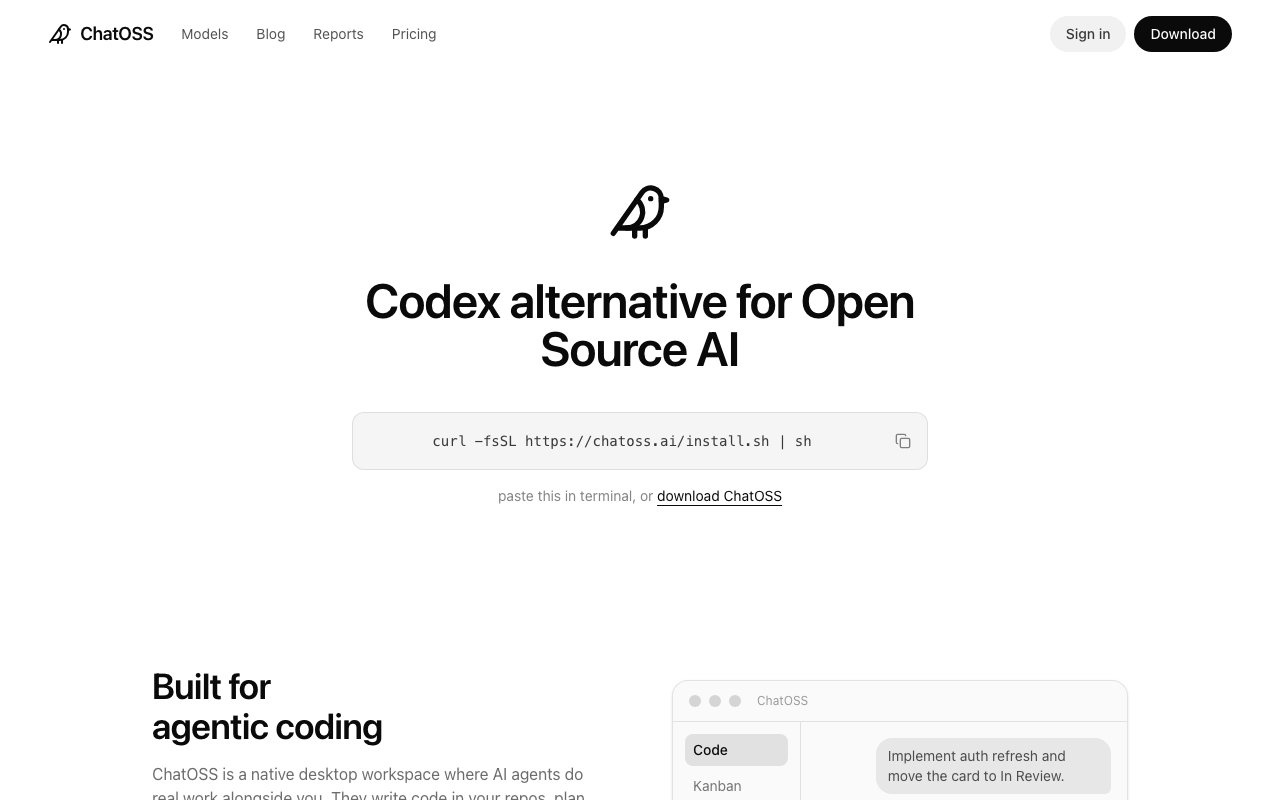
ChatOSS is a desktop application that bundles AI coding agents, a code editor, and a Kanban board into one workspace. Instead of switching between a chat window, an IDE, and a project tracker, you work in a single interface where agents can write code directly into your repository, manage tasks on the board, and help ship features without the context switching that slows down most workflows. It runs on Ollama, which means you can use local open-source models without sending your code to a cloud service. If you want AI assistance but don't want your codebase leaving your machine, this is one of the few tools that actually delivers on that promise rather than just marketing it.
The core value proposition is model flexibility. ChatOSS supports Qwen, DeepSeek, GLM, Minimax, Gemma, and NVIDIA Nemotron out of the box, and you can switch between models mid-conversation without restarting anything. Run a smaller model for quick tasks where speed matters more than capability. Spin up a larger one when you need deeper reasoning or longer context. Fall back to cloud models when local inference isn't cutting it for a particular problem. The choice stays with you throughout the session. This matters because different models have different strengths, and locking into one limits what you can accomplish across varied tasks.
Inside the workspace, you have three main surfaces that work together. The chat interface is where you interact with agents, asking questions, requesting implementations, debugging issues, or exploring approaches before committing to code. The code editor lets you see and modify what the agents produce without leaving the app. You can review changes, make adjustments, and maintain the tight feedback loop that good development requires. The Kanban board tracks tasks, and agents can move cards as work progresses. This integration means an agent can pick up a task from the board, implement the feature in your codebase, update the code files, and mark the task done, all within the same environment. The workflow stays continuous rather than fragmented across separate tools.
Built-in apps extend what the agents can do beyond basic chat. A PR Reviewer analyzes pull requests and flags potential issues, helping you catch problems before they merge. A Migration Bot assists with code migrations, handling the tedious parts of moving between frameworks or updating APIs. The platform is designed to be extensible, so more apps can be added as the project develops. These aren't just chat features or prompts; they're structured tools with specific interfaces that agents invoke when the task calls for them. The distinction matters because structured tools tend to be more reliable than free-form prompting for well-defined tasks.
ChatOSS positions itself as an open-source alternative to Codex and similar cloud-based agent platforms. The fundamental difference is ownership. With cloud tools, your code goes to someone else's servers for processing. With ChatOSS, it stays on your machine unless you explicitly choose to use cloud models for a particular query. For developers working on proprietary software, client projects under NDA, or anything sensitive that shouldn't leave your environment, this is a meaningful distinction. You get the productivity benefits of AI coding agents without the data exposure that comes with cloud-dependent alternatives. No code telemetry, no context being sent elsewhere, no wondering what happens to your intellectual property.
Installation is straightforward on supported platforms. On macOS and Linux, a single curl command installs the app. Direct downloads are also available if you prefer not to run shell commands from the internet. The interface is a native desktop application rather than a web app, which tends to feel faster and integrates better with your local filesystem. File access is direct rather than mediated through browser sandbox limitations. The tradeoff is that you're limited to platforms they've shipped builds for. Windows support isn't prominently listed on the homepage, so check the releases before assuming it'll work on your machine.
Hardware requirements matter more than they would for a cloud tool. Running local models requires a machine with enough compute to handle inference at reasonable speed. If your laptop struggles with Ollama models in other contexts, the experience here will be similarly sluggish. Cloud fallbacks exist for those moments when local inference isn't practical, but the core promise of local-first AI depends on having the hardware to back it up. For developers with modern machines that can run local LLMs comfortably, this isn't an issue. For those on older hardware, it's worth testing with Ollama directly before committing to a ChatOSS-centered workflow.
Pricing is free forever for local model usage. No account creation, no credit card, no usage caps beyond what your hardware can handle. Cloud model usage presumably carries costs depending on the provider, though the emphasis across the site is on the local option. The project is open source, with releases tracked on GitHub. For developers who want AI agents integrated into their coding workflow without paying monthly subscriptions or sharing their code with cloud providers, ChatOSS is a legitimate option worth evaluating. It's newer and less polished than commercial alternatives, but the local-first model addresses a real gap in the market.
Key Features
- Agents write code directly in your repository
- Integrated Kanban board for task management
- Local model support via Ollama
- Mid-conversation model switching
- Built-in PR Reviewer and Migration Bot apps
- Native desktop app for macOS and Linux
Pros & Cons
What we like
- Runs entirely local with no account or cloud dependency
- Combines agent chat, code editor, and task board in one app
- Supports multiple model families including Qwen, DeepSeek, and Gemma
- Open source with no usage limits on local models
Room for improvement
- Requires a capable machine to run local inference well
- Newer project with fewer integrations than established tools
- No Windows build visible on the homepage
- Less polish and documentation than commercial alternatives
Frequently Asked Questions
What is ChatOSS?
Is ChatOSS free?
What models does ChatOSS support?
How is ChatOSS different from Codex?
Best For
Featured in
Alternatives to ChatOSS
Cursor
VS Code fork built around an AI pair-programmer

Replit
Browser IDE plus Replit Agent that builds and deploys apps from a prompt
Windsurf
Codeium's AI editor with Cascade agent and deep IDE integration

Vibe Built
Building real apps with agentic AI. What worked, what broke, what shipped.
Reviews (0)
Badge builder
Add ChatOSS to your website
Choose a badge style and size, preview it here, then copy the generated HTML. Badge images are self-contained SVGs and do not require an external script.

<a href="https://toolindex.net/tools/chatoss?ref=badge" target="_blank" rel="noopener">
  <img src="https://toolindex.net/badge/chatoss/medium.svg" alt="ChatOSS - Listed on Tool Index" width="180" height="50" />
</a>How to use the badge
- 1. Pick the style, size, and theme that fit your layout.
- 2. Copy the generated HTML from the code block.
- 3. Paste it into your footer, homepage, or press page.
Standard badge available
The standard listing badge is available now. Score and circle badges are limited to tools currently ranked in the top 10 of a category.
Badge clicks return visitors to this profile with a referral tag so the source remains identifiable.
Related Tools

Bolt.new
Prompt-to-deployed full-stack app inside the browser

Tabnine
Privacy-first enterprise AI code assistant you control, with SaaS, VPC, on-prem, or fully air-gapped deployment
Cursor
VS Code fork built around an AI pair-programmer

Skeezo
Agent-native macOS IDE for coordinating Claude Code and AI agents
Work on ChatOSS? Request listing access or correction