
Clank Cut
macOS app that lets AI agents record and narrate product demo videos automatically
Gallery
About Clank Cut
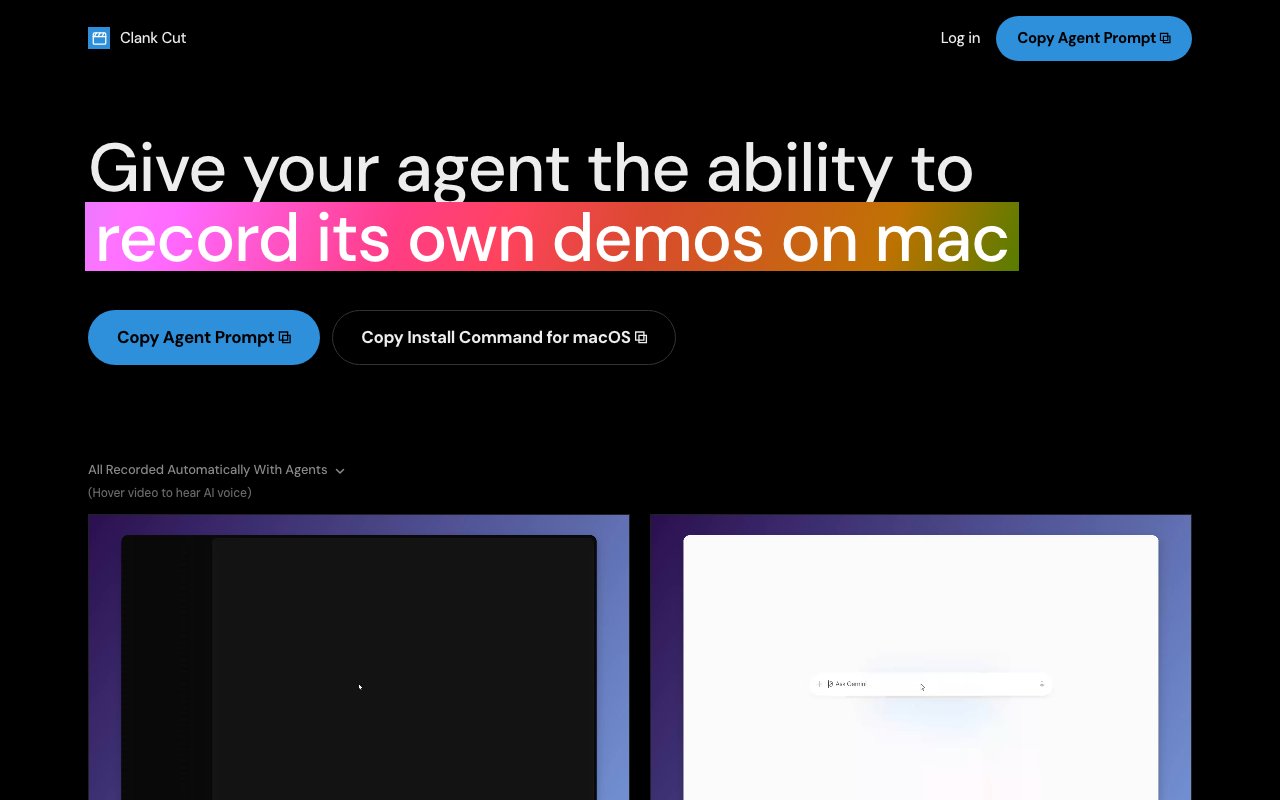
Clank Cut is a macOS screen recording application designed to let AI agents create product demo videos without human intervention. You describe a workflow in plain language, and an agent drives a web application in an isolated browser while the system records the interaction. The output is an edited video with auto zoom and AI narration, built from real mouse clicks and keyboard inputs rather than scripted animations or static screenshots stitched together. If you need to produce demo videos regularly and want to remove yourself from the recording process, Clank Cut turns that task into something an agent can handle end to end.
The workflow starts by providing a target URL and describing what you want the agent to demonstrate. You might say something like navigate to the dashboard, click the create new project button, fill in the form with sample data, and submit. Clank Cut opens the application in a bundled Chromium browser that is completely isolated from your personal browser sessions, files, and other applications on your machine. The agent navigates the interface, performs the actions you described, and the system records everything happening on screen. Because the browser is sandboxed, the agent cannot access anything outside the target URL. It cannot read your cookies, browse your files, or interact with other running applications. That containment limits the blast radius if something goes wrong and keeps your personal data separated from the recording process.
Once recording finishes, the built in editor handles post production automatically. Auto zoom is one of the key features. The system tracks cursor clicks and mouse movements, then adds smooth zoom transitions that focus the viewer on the relevant part of the screen at each moment. Instead of watching a full screen recording where important details are tiny, viewers see their attention guided naturally to buttons being clicked and text being entered. AI narration generates a voiceover anchored to the recorded steps, explaining what is happening as it happens. The narration is not generic. It describes the specific actions the agent performed. You can use the default voice or provide a custom voice clone if you want consistency across your videos or need to match your brand voice. The editor also handles trimming, speed adjustment for slow or fast sections, wallpaper framing around the browser window for a polished look, cursor customization, and click ripple effects that highlight interactions.
After the automatic editing pass, you still have full manual control. The editor lets you adjust zoom regions, regenerate narration for specific segments that did not come out right, add background music that automatically ducks under speech, and tweak timing before exporting. The final output is a standard MP4 file that works anywhere. There is no proprietary format, no platform lock in, and no requirement to host the video on a specific service. You get a file you can upload to YouTube, embed in documentation, share on Slack, or attach to a changelog.
Integration with coding agents is built directly into the product. After installation, agents can queue recordings via a CLI command. That makes it practical to automate demo generation as part of a release pipeline. If you ship a new feature and want a walkthrough video, an agent can trigger Clank Cut, record the demo, and deliver the finished MP4 without anyone opening the app manually. The demo reflects the actual state of your product because the agent is interacting with a real browser running your real application. It is not a mockup or a screen recording of someone else using the software. The video shows exactly what a user would see.
The target audience is developers, product teams, and SaaS companies who need to produce product documentation, changelog videos, feature walkthroughs, and demo content on a regular basis. Creating these videos manually is time consuming. You have to record yourself clicking through the interface, edit out mistakes, add zooms, record or write narration, sync audio to video, and export the final result. That can take hours for a single video. Clank Cut compresses that process into minutes by letting an agent do the work. Anyone already using AI agents for workflow automation will find the CLI integration useful for incorporating video production into their existing pipelines.
Pricing follows a pay as you go model based on AI model usage during the recording and editing process. A complete recording typically costs under one dollar, though the exact amount depends on the length and complexity of the workflow. There are no subscription tiers, no seat licenses, and no monthly commitments. You add credit to your account via the web dashboard and spend it as you record. Clank Cut requires macOS and Node.js version 20 or later. There is no Windows or Linux version at the time of writing.
Key Features
- AI agent driven product demo recording
- Isolated browser sandbox for safe automation
- Auto zoom tracking cursor clicks and movements
- AI narration with custom voice clone support
- Built in editor for trimming and framing
- CLI integration for agent triggered recordings
Pros & Cons
What we like
- Agents record real clicks and inputs, not scripted animations
- Pay per recording with no subscription or seat pricing
- Browser isolation prevents agent access to personal data
- CLI makes it easy to automate demo videos in release pipelines
Room for improvement
- macOS only, no Windows or Linux support
- Requires Node.js 20 or later
- Quality depends on how well the agent navigates your application
- Custom voice clones require setup outside the app
Frequently Asked Questions
What is Clank Cut?
How much does Clank Cut cost?
Is Clank Cut safe to use with agents?
Can I integrate Clank Cut with my automation workflow?
Best For
Featured in
Alternatives to Clank Cut
View all
Apatero AI
The creator studio for AI image, video, audio, 3D, and avatars, now at apatero.ai.
Apatero Studio
Creator studio for AI image, video, audio, 3D, and avatars. Every model worth using, in one workspace.

Melodex
Turn your idea into an AI-generated music video

Speel
AI UGC video generator that makes realistic AI avatars hold and talk about your product for ads
Our take
Tool Index Editorial · Sep 2026· 3.5/5
Clank Cut lets an AI agent drive a web app in an isolated browser, record the real interaction, and turn the take into a narrated product demo. We found a focused macOS workflow with automatic zoom, editable timing, voiceover, and a standard MP4 result. Usage is pay as you go, with the site saying a complete recording typically costs under about $1 and has no subscription or seat charge.
This is a sharp fit for developers and product teams that make frequent release walkthroughs and want recording available from an agent workflow. The containment story is sensible, but the output still depends on the agent navigating the product correctly and on a human checking the narration and edit. It is Mac only, requires the app to be open for queued jobs, and needs Screen Recording and Accessibility permissions.
Editorial opinion from the Tool Index team, written from the public product pages. Not a user review.
Reviews (0)
Badge builder
Add Clank Cut to your website
Choose a badge style and size, preview it here, then copy the generated HTML. Badge images are self-contained SVGs and do not require an external script.

<a href="https://toolindex.net/tools/clank-cut?ref=badge" target="_blank" rel="noopener">
  <img src="https://toolindex.net/badge/clank-cut/medium.svg" alt="Clank Cut - Listed on Tool Index" width="180" height="50" />
</a>How to use the badge
- 1. Pick the style, size, and theme that fit your layout.
- 2. Copy the generated HTML from the code block.
- 3. Paste it into your footer, homepage, or press page.
Standard badge available
The standard listing badge is available now. Score and circle badges are limited to tools currently ranked in the top 10 of a category.
Badge clicks return visitors to this profile with a referral tag so the source remains identifiable.
Related Tools
Apatero AI
The creator studio for AI image, video, audio, 3D, and avatars, now at apatero.ai.

LocalClip
Local-first AI video clipper for Mac that turns long videos into vertical clips
Melodex
Turn your idea into an AI-generated music video
Apatero Studio
Creator studio for AI image, video, audio, 3D, and avatars. Every model worth using, in one workspace.
Work on Clank Cut? Request listing access or correction