
Gallery
About Close
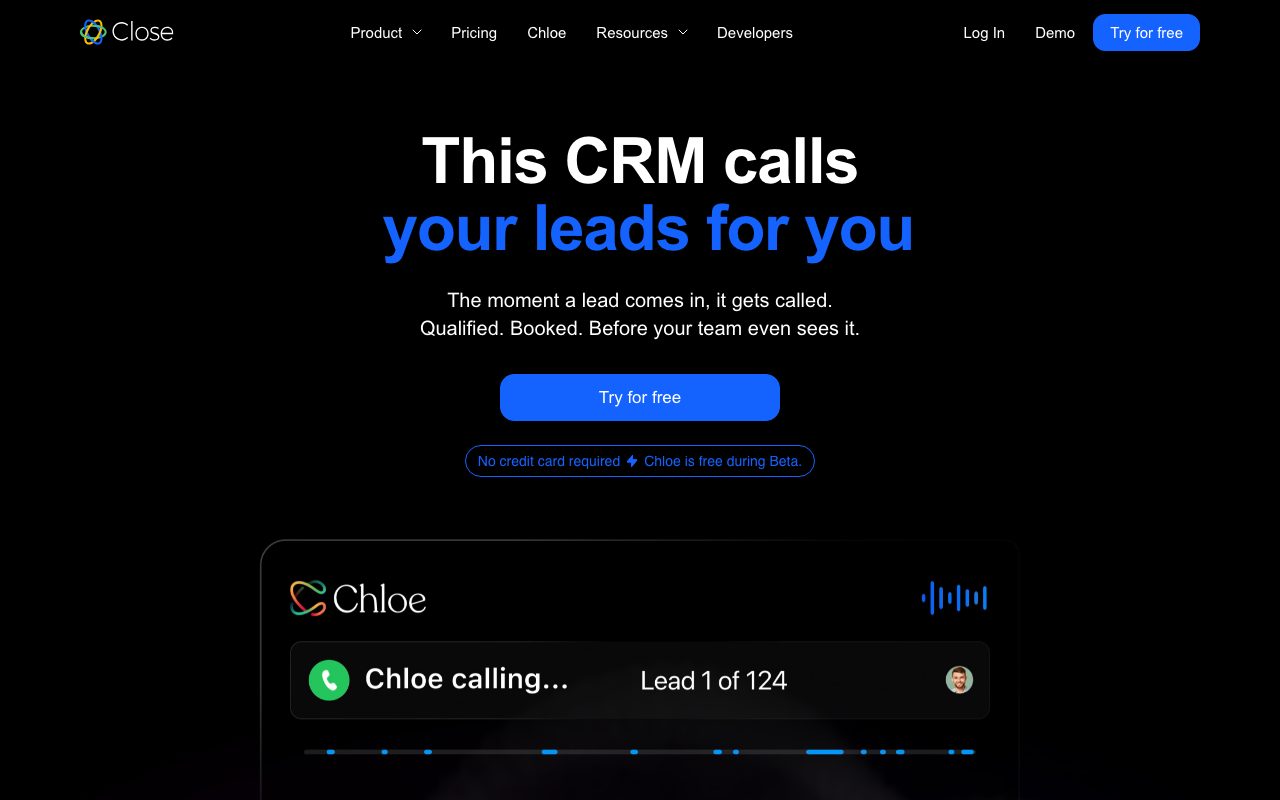
Close is a CRM that doesn't pretend phone calls are dead. The whole product is built around an inside sales rep who lives on the dialer all day. That's a narrower target than Salesforce or HubSpot, and Close is much better at it.
If your sales motion involves a list of leads, a sequence of emails, and someone picking up the phone, Close compresses the workflow into one screen. Logging, recording, and follow-up happen automatically. Reps stop tab-switching and start dialing.
What Close actually is
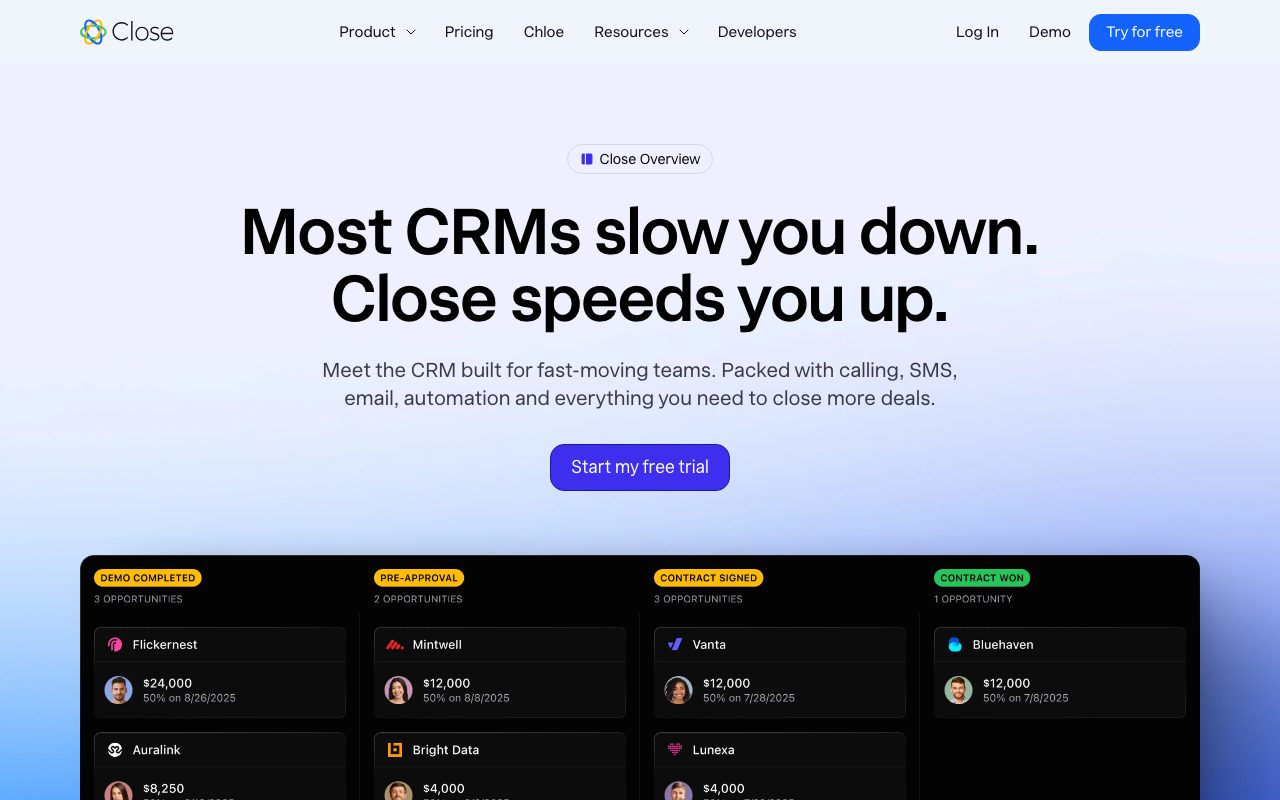
Close is a CRM with built-in calling, SMS, and email sequencing. The unit of work is the lead, which contains contacts, opportunities, activities, and notes. The interface puts the next action in front of the rep, which is the actual job of a CRM that nobody else gets right.
Close doesn't try to be everything. There's no marketing automation, no service desk, no native chat widget. It's a dialer with a database glued to it. For inside sales teams, that focus is exactly the point.
The Power Dialer
Close's Power Dialer queues a list of leads and dials them sequentially with one click. Calls auto-log to the lead record. Voicemail drop, call coaching, and recording all live in the same panel. Higher tiers unlock Predictive Dialer, which dials multiple lines and connects only when a human answers.
Who Close is for
Close fits inside sales teams from solo founders up to about 50 reps. Common sectors are SaaS sales development, agency new business, financial services, and any motion where calls drive pipeline. Field sales teams or transactional ecommerce teams won't get the value.
If your reps make fewer than 20 calls a day, Close is over-tooled. If they're trying to make 100 calls, Close pays for itself by removing dial friction alone.
Close pricing
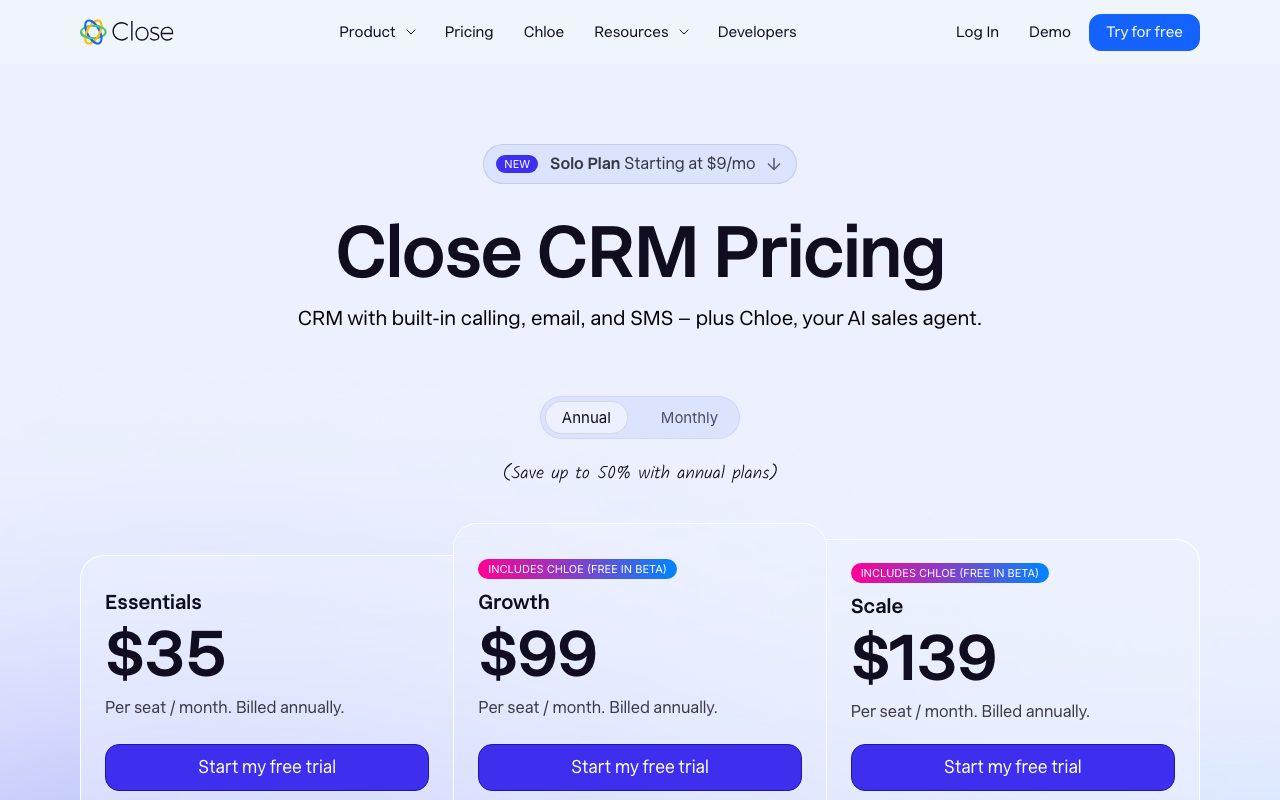
Close starts at $49 per user per month for Startup, which gets you basic CRM and calling minutes. Professional at $99 adds workflow automation, lead routing, and call recording storage. Enterprise at $139 adds SSO, custom roles, and call coaching tools.
Calling minutes are charged separately based on volume. Close's pricing is higher per seat than Pipedrive but undercuts HubSpot Sales Hub Professional. The all-in cost makes sense if you'd otherwise buy a CRM and a dialer like Aircall separately.
Close features that work
Email sequences in Close include open and reply tracking, automatic pause on response, and conditional steps. SMS sequences work similarly with US and international numbers. Workflows trigger on lead status, custom field changes, or activity events.
The Smart Views are saved searches with custom filters, and reps tend to live in them. The reporting suite covers activity, pipeline, and revenue with reasonable defaults. The mobile app handles calls, texts, and lead updates without feeling like a desktop port.
Integrations
Close has direct integrations with Slack, Zapier, Make, Calendly, and most major data sources. The API is well-documented and supports two-way sync. Most teams pipe leads in from a form tool or enrichment service and out to revops dashboards.
Tradeoffs
Close is narrow on purpose. There's no marketing module, no support ticketing, no e-signature. If you want a single platform for the whole customer lifecycle, Close isn't it. You'll need Mailchimp or Customer.io for marketing and Intercom or Zendesk for support.
The reporting is solid for sales activity but thin for revenue operations. If you have a RevOps team that wants forecast accuracy charts and complex multi-touch attribution, Close will frustrate them. Most teams pipe Close data into a warehouse for that.
Close is the only CRM where the calling experience feels like a feature rather than a checkbox. That alone justifies the price for any team doing real outbound.
Close vs alternatives
Compared to Pipedrive, Close is heavier on activity tracking and lighter on pipeline visualization. Pipedrive is cheaper and prettier on the kanban side. Close wins on calling and sequences.
Compared to HubSpot Sales Hub, Close is much narrower but better executed for the inside sales use case. HubSpot wins for marketing-led motions. Compared to Salesforce, Close is dramatically simpler and faster to set up. See our best inside sales CRMs guide and Close vs Pipedrive breakdown.
Bottom line on Close
Close is the right CRM for any team where the dialer is the job. The product respects that reps want fewer clicks, faster lookups, and zero double-entry. The pricing is fair for the value if you'd otherwise stack three tools.
If your motion is mostly email-driven or marketing-driven, Close isn't your first pick. If it's call-driven, Close is among the best one or two products in the category. Trial it for two weeks with a real list and watch what happens to dial counts.
Close workflows for inside sales
The pattern that works best in Close starts with a clean lead list, ideally pulled from Apollo.io, ZoomInfo, or LinkedIn Sales Navigator. Push the list into Close, assign reps via round-robin or territory rules, and put each lead in a sequence that mixes email and call steps over two weeks.
The Smart Views become the rep's daily home. One view for "leads to call today," one for "no response after step three," one for "warm replies needing follow-up." Reps move through these views in order and the day plans itself.
Calling discipline
Close's Power Dialer turns the calling block into a focused 60-90 minute session. Reps queue 30 to 50 leads, dial through, and the system logs every attempt. Voicemail drop saves real time when leaving the same voicemail repeatedly. Most teams find their dial-to-conversation rate improves by 30 to 50 percent versus manual dialing.
Higher tiers unlock the Predictive Dialer which dials multiple lines simultaneously and connects only when a human picks up. That feature is dense with regulatory considerations in the US (TCPA, state laws) and isn't the right fit for every team. Use it deliberately.
Close vs running separate tools
The math for Close usually beats running Salesforce plus Aircall plus a sequencing tool when you have under 50 reps. The integration depth matters more than feature parity. When your CRM and dialer share an inbox, calls don't need to be logged manually, and missed calls don't fall through cracks.
Above 50 reps, larger teams sometimes need specialized tools that Close can't match in depth. Forecasting, complex revenue intelligence, multi-touch attribution, and compensation management often require dedicated tools. Close handles the activity layer; those higher functions live in Salesforce or Clari.
Common Close questions
Does Close work for outbound prospecting? Yes if you bring the lead data. Close doesn't have a contact database like Apollo.io. Most teams pair Close with a prospecting tool. The Apollo.io integration syncs leads cleanly. Some teams use ZoomInfo plus Close instead for higher-quality data at higher cost.
Can Close handle account-based selling? Partially. Close has accounts as first-class entities and supports relating multiple contacts to one account. The account hierarchy and territory features are lighter than dedicated ABM platforms. For complex enterprise ABM, Salesforce or HubSpot Enterprise serves better.
How is Close on data export? Excellent. The CSV export covers all leads, opportunities, and activities. The API supports full read access. Migration off Close is genuinely easy compared to most CRMs, which is a good sign of confidence in the product.
Close reporting in real terms
The reporting in Close covers the standard sales activity metrics plus some pipeline analytics. Activity reports show calls, emails, and SMS volume per rep over time. Pipeline reports show deal stages, conversion rates, and forecasts. Custom reports let you slice by user, lead source, or custom field.
For deeper revenue ops, most teams pipe Close data into a warehouse and build dashboards in Looker, Mode, or Hex. The Close API supports this cleanly. The native reporting is enough for daily operations and team-level visibility but won't replace BI tooling for executive dashboards.
Final take on Close
Close is the right CRM for any team where calls drive pipeline. The product respects how reps actually work. The pricing is fair. The integrations cover what most teams need. The product team has stayed focused on inside sales rather than chasing every adjacent category.
The market for inside sales CRMs has narrowed over the years. Many alternatives have died, pivoted, or merged. Close's continued existence and steady improvement suggest the team has found a sustainable shape. The customer base is smaller than HubSpot or Salesforce but loyal and growing.
For SMB B2B sales teams running real outbound motions, Close is among the top one or two CRMs. The trial is free for two weeks. The setup is straightforward. The decision usually becomes clear within a few days of actually using it for real work. If your team is dialing every day, Close changes the dial-to-conversation ratio enough to justify the cost. If your team isn't, Close isn't your tool.
Close API and developer ecosystem
Close has a robust REST API that supports nearly every action available in the UI. Engineering teams use it to sync leads from custom sources, push deals to data warehouses, and build internal tools that extend the CRM. The webhook system fires on most events you'd want to react to: deal stage changes, new emails, calls connected, opportunities won.
The integration ecosystem includes direct connectors to Zapier, Make, n8n, and most major data tools. Teams that want a customer data platform on top of Close pipe events into Segment or RudderStack. The data flexibility makes Close more extensible than most CRMs at its price point. RevOps teams appreciate this because the data isn't locked behind enterprise tier paywalls.
For startups with engineering capacity that want to extend their CRM, Close is friendlier than most competitors. The API documentation is solid, the rate limits are reasonable, and the ecosystem of community integrations covers most needs without requiring custom work.
Tutorial / Demo
Key Features
- Built-in dialer with local presence and call recording
- Email sequences with automatic follow-ups
- SMS and video meetings inside the CRM
- Power dialer and predictive dialer modes
- Reporting on activity and pipeline health
- Workflow automation
Pros & Cons
What we like
- No separate dialer or sequencer needed
- Strong reporting for activity-driven teams
- Quick to onboard for a 5 to 50 rep team
Room for improvement
- No free tier, starter plan limits seats and features
- Less of a fit for marketing-led, longer-cycle deals
- Mobile experience trails the web app
Frequently Asked Questions
How much does Close cost?
Close vs HubSpot, who's it for?
Does Close include calling?
Does Close integrate with my stack?
Is Close overkill for a solo founder?
Best For
Featured in
Alternatives to Close
View all
Our take
Tool Index Editorial · May 2026· 4.6/5
Close is the kind of tool you adopt when you want inside-sales crm with calling and email built in.
Worth highlighting: No separate dialer or sequencer needed, Strong reporting for activity-driven teams, and Quick to onboard for a 5 to 50 rep team. What to watch for: No free tier, starter plan limits seats and features and Less of a fit for marketing-led, longer-cycle deals.
Recommendation: this is a strong default when you need scaling an SDR team running phone-heavy outbound. If no free tier, starter plan limits seats and features would be a dealbreaker, the alternatives section below is worth a scroll.
Editorial opinion from the Tool Index team, written from the public product pages. Not a user review.
Reviews (6)
The kind of tool you forget you're paying for
Close has quietly become part of my daily flow. The thing I keep coming back to: strong reporting for activity-driven teams. Main use case: SMB sales teams that want CRM and dialer in one bill. Would buy again without thinking twice.
Pros
- Strong reporting for activity-driven teams
Did exactly what I needed
Got Close on the recommendation of someone I trust. Where it really wins is quick to onboard for a 5 to 50 rep team. Got real value out of reporting on activity and pipeline health. Mostly using it for scaling an SDR team running phone-heavy outbound.
Pros
- Quick to onboard for a 5 to 50 rep team
- No separate dialer or sequencer needed
- Strong reporting for activity-driven teams
Solid daily driver
Tried half a dozen options before landing on Close. The thing I keep coming back to: quick to onboard for a 5 to 50 rep team. It fits well for scaling an SDR team running phone-heavy outbound. Sticking with Close.
Pros
- No separate dialer or sequencer needed
- Quick to onboard for a 5 to 50 rep team
- Strong reporting for activity-driven teams
Best decision this quarter
Close has quietly become part of my daily flow. What stands out is how quick to onboard for a 5 to 50 rep team. Found it works best for scaling an SDR team running phone-heavy outbound. Hard to imagine going back to my previous setup.
Pulled its weight from week one
First impression of Close was 'huh, this is actually thought through.' The biggest win has been quick to onboard for a 5 to 50 rep team. Easy yes for anyone weighing the same trade-offs.
Genuinely impressed
Started using Close casually, now it's pinned in my dock. Real selling point: no separate dialer or sequencer needed. Found it works best for scaling an SDR team running phone-heavy outbound. Would buy again without thinking twice.
Pros
- Quick to onboard for a 5 to 50 rep team
- Strong reporting for activity-driven teams
Badge builder
Add Close to your website
Choose a badge style and size, preview it here, then copy the generated HTML. Badge images are self-contained SVGs and do not require an external script.

<a href="https://toolindex.net/tools/close-crm?ref=badge" target="_blank" rel="noopener">
  <img src="https://toolindex.net/badge/close-crm/medium.svg" alt="Close - Listed on Tool Index" width="180" height="50" />
</a>How to use the badge
- 1. Pick the style, size, and theme that fit your layout.
- 2. Copy the generated HTML from the code block.
- 3. Paste it into your footer, homepage, or press page.
Score badge available
Close qualifies for the score and circle badges based on its current top-10 positionin Sales.
Badge clicks return visitors to this profile with a referral tag so the source remains identifiable.
Related Tools

Boilerroom
An all-in-one outbound sales platform for dialing, sequencing, and follow-up
Apollo.io
B2B prospecting database fused with a sales engagement platform
lemlist
Cold email and multichannel outreach with personalized images and video

SignalPosts
Turn sales call transcripts into LinkedIn posts in each author's voice
Work on Close? Request listing access or correction