HubSpot
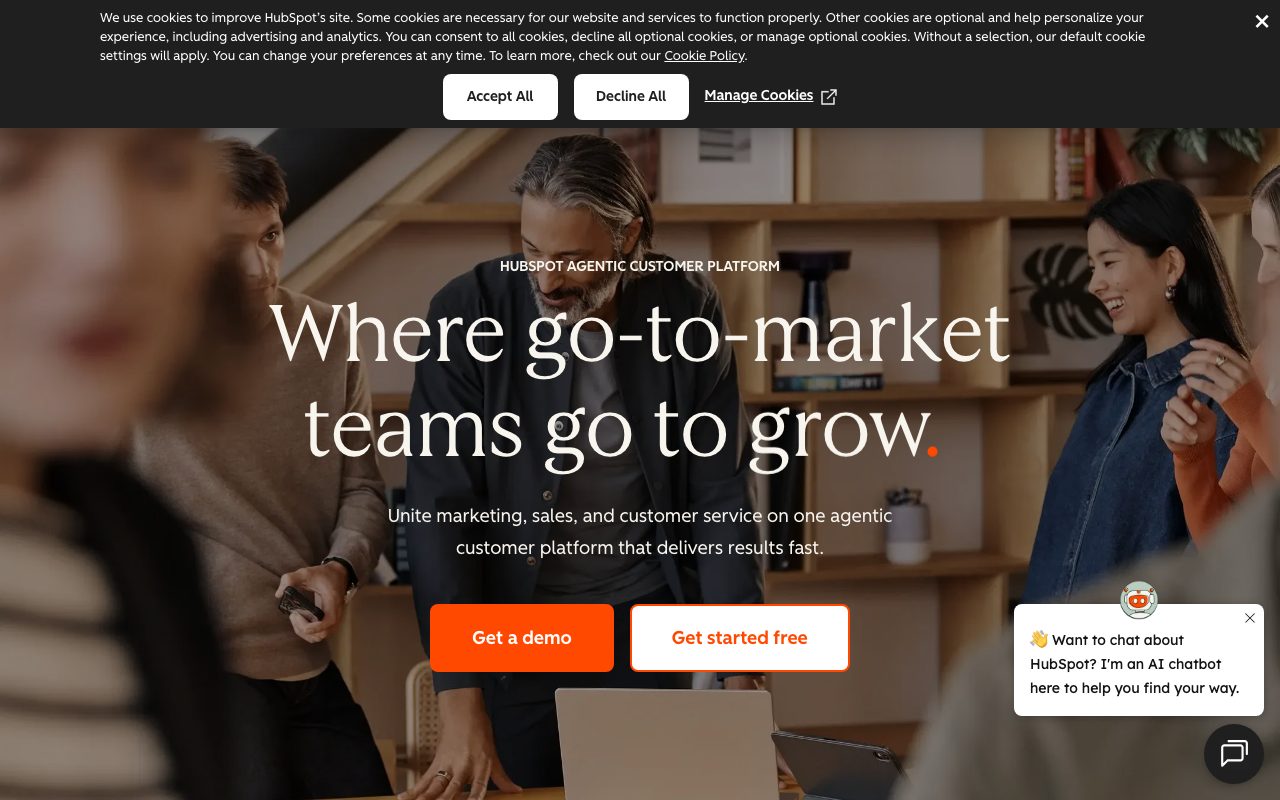
All-in-one CRM and growth platform for marketing, sales, and service teams
Gallery
About HubSpot
HubSpot started in 2006 as an inbound marketing tool. Two decades later, it's a full CRM platform covering marketing, sales, service, content, ops, and commerce. The free tier alone is bigger than most full-priced CRMs.
Companies use HubSpot to manage contacts, send marketing emails, run automated workflows, track deals, and ticket support requests. It's the all-in-one option that actually delivers most of what it promises.
Salesforce competes harder at the enterprise top. HubSpot dominates SMB and mid-market. The brand recognition is huge.
What HubSpot actually does
HubSpot is six "hubs" that share one CRM database. Marketing Hub for emails, landing pages, and analytics. Sales Hub for deals and sequences. Service Hub for tickets and live chat.
Then there's Content Hub (CMS plus blog), Operations Hub (data sync and workflows), and Commerce Hub (quotes, payments, subscriptions). All hubs share the same contacts, companies, and timeline.
The free CRM tier is genuinely useful. You get unlimited users, basic email tracking, and a real pipeline. Many small businesses run their entire sales motion on HubSpot Free for years.
Who HubSpot is for
SMBs and mid-market companies are HubSpot's heart. Marketing teams of 5 to 50 with a real revenue motion get the most ROI.
Solopreneurs use HubSpot Free as a personal CRM. Agencies use it as a delivery platform for clients. The Solutions Partner program is a real ecosystem.
If you're a complex enterprise with deep custom data models and global compliance needs, Salesforce still owns that crown. HubSpot is catching up but isn't quite there.
Pricing breakdown
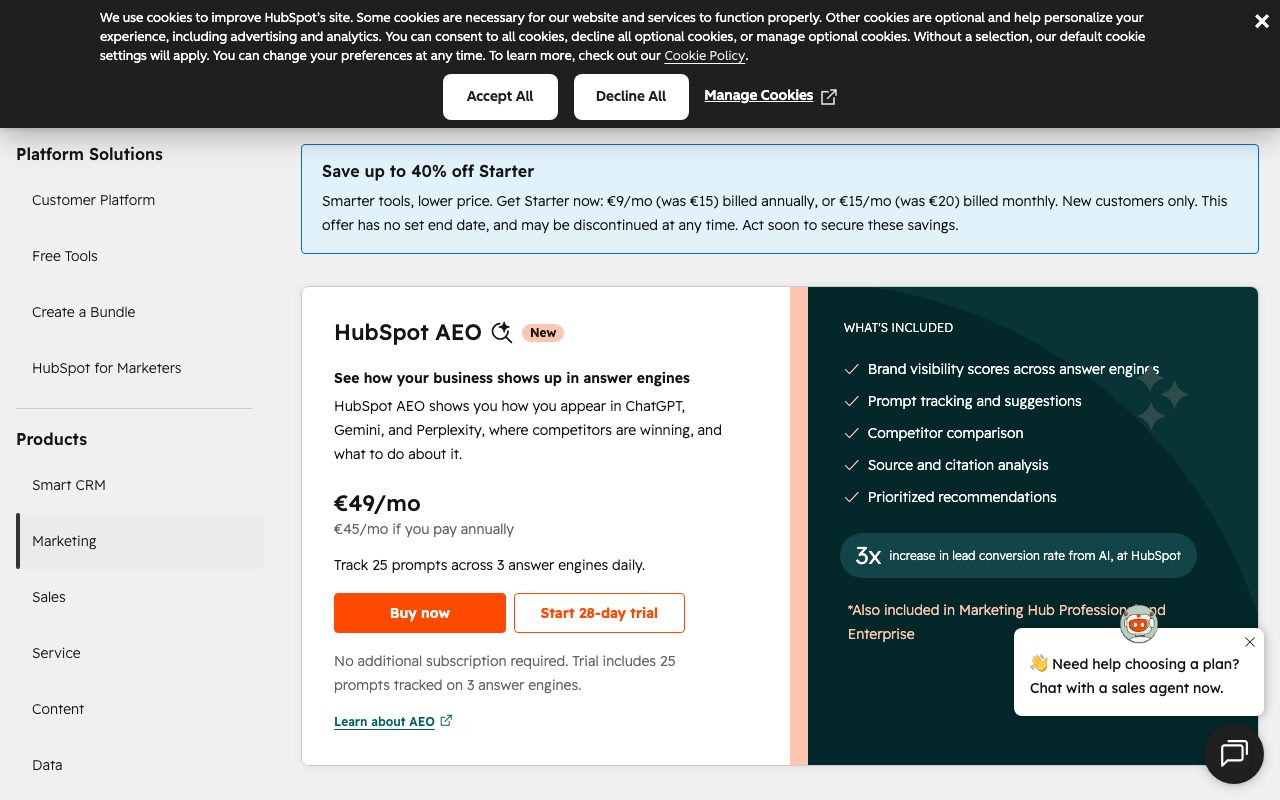
HubSpot's free tier covers basic CRM, marketing, sales, and service for unlimited users. Starter plans begin around $20/month per seat. Professional jumps to roughly $890/month for the Marketing Hub.
Enterprise hubs run into the thousands per month. Add-ons (transactional emails, custom objects, dedicated IPs) stack on top.
The pricing math gets complex fast. Bundling hubs (Marketing + Sales + Service) is where the real cost decisions hit.
Standout features
The unified contact timeline is huge. Every email, call, ticket, and pageview shows on one chronological feed per contact.
Workflow automation is genuinely powerful. You can branch on properties, enroll based on form submits, and trigger Slack alerts without touching Zapier.
The free meeting scheduler beats Calendly Lite. The free email send limits are generous. The mobile app is solid.
Honest tradeoffs
The price ladder is steep. Going from Starter to Professional is a 40x jump for some hubs. Plan for it carefully.
Reporting is solid in Pro and Enterprise tiers but limited in Starter. You might find yourself paying purely for the dashboard you need.
Migrating off HubSpot is real work. The all-in-one bet means you'll have a deep platform dependency by year three.
HubSpot's free tier is the best onboarding hook in CRM. The bill comes later. Plan for it.
HubSpot vs Salesforce vs Pipedrive
Salesforce is the enterprise heavyweight, infinitely customizable but expensive. Pipedrive is sales-pipeline-focused and friendlier for small teams. HubSpot covers marketing, sales, and service in one shared CRM database.
See best CRM platforms and HubSpot alternatives. Our HubSpot vs Salesforce comparison is a frequent read for buyers.
Other HubSpot alternatives: ActiveCampaign (marketing-first), Zoho CRM, Close, and Folk. Each one trades scope for focus differently.
Bottom line on HubSpot
HubSpot is the all-in-one CRM that justifies the buzzword. The free tier alone makes it a no-brainer evaluation for any growing company.
Browse tools for marketing teams and the Pipedrive profile. HubSpot's bet on inbound marketing as a unified platform paid off. The category exists because of them.
Try the free tier. Upgrade only when a feature unlocks revenue you couldn't capture before.
HubSpot Marketing Hub deep dive
The Marketing Hub covers email, landing pages, blog, social media management, ad tracking, A/B testing, and analytics. It's a full marketing automation suite at the higher tiers.
Email deliverability has improved over the years. Dedicated IPs, warmup, and reputation tools are available on Enterprise. Sender authentication (SPF, DKIM, DMARC) is straightforward to set up.
The blog and CMS features are surprisingly capable. Many SMBs run their entire marketing site on HubSpot's CMS, getting SEO tools and personalization included.
HubSpot Sales Hub for outbound teams
Sales Hub adds sequences, snippets, document tracking, meeting scheduling, and forecasting on top of the CRM. SDRs and AEs use it for daily outbound and pipeline management.
The mobile app is solid. Reps can update deals, log calls, and add contacts from their phone. Email tracking shows when prospects open messages, which is useful and slightly creepy.
For high-volume outbound, dedicated tools like Outreach or Salesloft still win. HubSpot Sales Hub fits teams running an inbound-plus-light-outbound motion.
HubSpot Operations Hub and data sync
Operations Hub bridges HubSpot and other tools. Data sync (formerly PieSync) keeps contacts in HubSpot, Salesforce, Mailchimp, and dozens of other tools aligned.
Programmable automations let you write JavaScript to extend workflows beyond the no-code limits. For ops teams that hit a ceiling, this is the escape hatch.
Data quality automations (auto-formatting names, deduplication, enrichment) run on schedule. Cleaner data means better segmentation and reporting downstream.
Final word on HubSpot
HubSpot is the rare all-in-one that delivers. Whether you should be paying for the all-in-one is the budget question. Most growing companies say yes. Some sophisticated teams unbundle and save.
Start with the free CRM. Add hubs as you grow into them. Don't buy Marketing Pro until you have a real marketing motion to support.
HubSpot Service Hub for support teams
Service Hub covers tickets, live chat, knowledge base, customer surveys, and customer success workflows. It's HubSpot's answer to Zendesk and Intercom.
The unified contact timeline shines here. Support reps see the customer's full history (deals, marketing emails, past tickets) when they open a new ticket. Context is built in.
SLA management, ticket routing, and round-robin assignment all work. The reporting around customer health and CSAT is solid for a tool that doesn't focus exclusively on support.
For high-volume support, dedicated tools (Zendesk, Intercom, Front) still win on depth. For SMBs running a single platform, HubSpot Service Hub is integrated and capable.
Service Hub also includes the customer feedback tools (NPS, CSAT, custom surveys). Trending those scores against churn and expansion is useful for customer success teams.
For more CRM and support tooling, browse best customer support tools and our Zendesk and Intercom profiles.
HubSpot's all-in-one positioning means Service Hub fits if you're already on Marketing or Sales Hub. As a standalone support tool, it's less compelling.
HubSpot FAQ
Is HubSpot worth the price? For SMBs and mid-market companies, yes, especially when bundled. The shared CRM database across marketing, sales, and service eliminates the integration headaches of running separate tools.
Can I use HubSpot for free forever? Yes, on the free CRM tier. Many small businesses run their entire sales motion on HubSpot Free for years without upgrading. The free plan is genuinely useful, not a teaser.
How is HubSpot's deliverability? Solid. The platform handles SPF, DKIM, DMARC, and dedicated IPs (on Enterprise). For high-volume senders, deliverability is comparable to Mailchimp or ActiveCampaign.
Does HubSpot integrate with Salesforce? Yes. Many companies run HubSpot for marketing while keeping Salesforce as the system of record for sales. The bidirectional sync is mature and well-supported.
What about data ownership? You own your data. HubSpot allows full export at any time. Switching costs are real (workflow rebuilding, team retraining), but data lock-in isn't a hard block.
HubSpot's all-in-one bet has aged well. The free tier is a no-brainer evaluation for any growing company. The paid tiers earn their keep when revenue scales to support them. Plan the upgrade ladder carefully.
HubSpot adoption tips for new teams
Start with the Free CRM. Add hubs only when a specific pain motivates the upgrade. Premature investment in Marketing Pro creates unused features and resentment.
Invest in HubSpot Academy training. The free certifications are genuinely good and create internal champions who maximize the platform's value.
Define a contact ownership model early. Decide who creates contacts, who edits properties, and how leads route to sales. Without rules, your CRM becomes a mess by month three.
Set up workflows incrementally. Start with three or four key automations (welcome email, lead routing, deal-stage notifications) before building dozens. Complexity creeps quickly.
Use the snippets and templates features for sales reps. Consistent outreach beats personalized one-offs at scale, and HubSpot's templating is friendly.
Audit your contact properties annually. Custom properties accumulate. Pruning unused ones keeps your CRM clean and reporting fast.
For more CRM options, see our best CRM platforms and Pipedrive and Salesforce profiles.
Tutorial / Demo
Key Features
- Free CRM with unlimited users
- Email sequences and meeting scheduler
- Workflow automation across marketing, sales, and service
- Custom reporting and revenue dashboards
- AI content assistant and chatbot builder
- Native integrations with hundreds of apps
Pros & Cons
What we like
- Free tier covers small-team CRM needs out of the box
- Single platform replaces several specialized tools
- Polished UI and onboarding experience
- Strong reporting once you commit to the data model
Room for improvement
- Per-seat pricing on paid Hubs gets steep quickly
- Advanced automation locked behind Professional and Enterprise tiers
- Migrating off later is painful once data lives in workflows
Frequently Asked Questions
Is HubSpot CRM really free forever?
HubSpot vs Salesforce, which one wins?
Can I get HubSpot just for marketing without sales?
Does HubSpot have AI features?
Is HubSpot overkill for a solo founder?
Best For
Featured in
Alternatives to HubSpot
View all
Our take
Tool Index Editorial · May 2026· 4.8/5
If you're evaluating HubSpot, the headline is simple: all-in-one crm and growth platform for marketing, sales, and service teams, and most teams will get value out of the box.
Worth highlighting: Free tier covers small-team CRM needs out of the box, Single platform replaces several specialized tools, and Polished UI and onboarding experience. The friction points: Per-seat pricing on paid Hubs gets steep quickly and Advanced automation locked behind Professional and Enterprise tiers.
Recommendation: this is a strong default when you need running an inbound marketing and sales motion in one place. If per-seat pricing on paid Hubs gets steep quickly would be a dealbreaker, the alternatives section below is worth a scroll.
Editorial opinion from the Tool Index team, written from the public product pages. Not a user review.
Reviews (6)
Did exactly what I needed
Been using HubSpot for a couple of cycles now. The thing I keep coming back to: free tier covers small-team CRM needs out of the box. Workflow automation across marketing, sales, and service works the way you'd hope. Main use case: centralizing support tickets, CRM, and email outreach. Worth the price for what I get out of it.
Pros
- Single platform replaces several specialized tools
- Free tier covers small-team CRM needs out of the box
HubSpot has been a quiet upgrade
Honest take: HubSpot delivers most of what the marketing promises. What stands out is how strong reporting once you commit to the data model. Their take on workflow automation across marketing, sales, and service is solid. Not perfect: per-seat pricing on paid Hubs gets steep quickly.
Cons
- Per-seat pricing on paid Hubs gets steep quickly
Recommended without reservation
HubSpot has quietly become part of my daily flow. The thing I keep coming back to: single platform replaces several specialized tools. Got real value out of AI content assistant and chatbot builder.
It just works
HubSpot has quietly become part of my daily flow. The biggest win has been free tier covers small-team CRM needs out of the box. The native integrations with hundreds of apps is more useful than I expected. Found it works best for running an inbound marketing and sales motion in one place. Sticking with HubSpot.
Pros
- Strong reporting once you commit to the data model
Stuck the landing for our team
Have been using HubSpot for a while, here's where I land. Real selling point: polished UI and onboarding experience. Ai content assistant and chatbot builder works the way you'd hope. Sticking with HubSpot.
Pros
- Polished UI and onboarding experience
- Strong reporting once you commit to the data model
Did exactly what I needed
HubSpot isn't perfect but it's the best I've used in this category. The biggest win has been single platform replaces several specialized tools. The custom reporting and revenue dashboards is more useful than I expected. It fits well for scaling a small sales team beyond spreadsheets. One thing that bugs me: per-seat pricing on paid Hubs gets steep quickly. Worth the price for what I get out of it.
Pros
- Single platform replaces several specialized tools
Badge builder
Add HubSpot to your website
Choose a badge style and size, preview it here, then copy the generated HTML. Badge images are self-contained SVGs and do not require an external script.

<a href="https://toolindex.net/tools/hubspot?ref=badge" target="_blank" rel="noopener">
  <img src="https://toolindex.net/badge/hubspot/medium.svg" alt="HubSpot - Listed on Tool Index" width="180" height="50" />
</a>How to use the badge
- 1. Pick the style, size, and theme that fit your layout.
- 2. Copy the generated HTML from the code block.
- 3. Paste it into your footer, homepage, or press page.
Score badge available
HubSpot qualifies for the score and circle badges based on its current top-10 positionin Sales.
Badge clicks return visitors to this profile with a referral tag so the source remains identifiable.
Related Tools

Boilerroom
An all-in-one outbound sales platform for dialing, sequencing, and follow-up

Close
Inside-sales CRM with calling and email built in
Apollo.io
B2B prospecting database fused with a sales engagement platform
lemlist
Cold email and multichannel outreach with personalized images and video
Work on HubSpot? Request listing access or correction