
CocoCut
A one-second video diary app that stitches short daily clips into a finished vlog
Gallery
About CocoCut
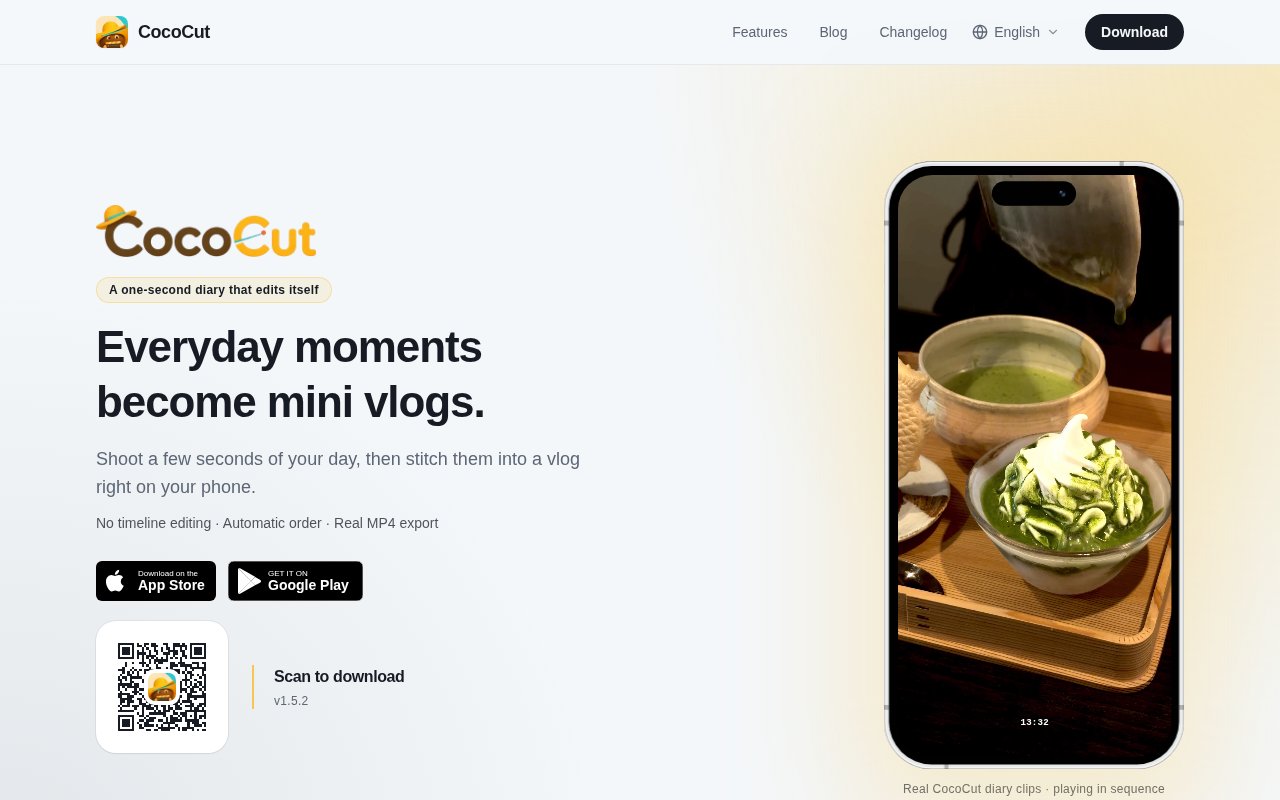
CocoCut is a video diary app for iPhone and Android that turns a few seconds of footage a day into a finished vlog without any timeline editing. You hold the shutter for a second or two, the app files the clip under that day, and when you want to look back it stitches everything together in order and exports a real MP4. The idea behind it is that a one-second diary is easier to keep than a written one, and that the editing step shouldn't be the reason the habit dies.
The problem it goes after is the pile of half-finished vlogs most people carry around in their camera roll. Filming is easy. Sequencing the clips, trimming them, adding dates and captions, and exporting something watchable takes long enough that it rarely happens, and the raw footage sits there until the phone runs out of space. CocoCut removes that step by fixing the clip length up front and doing the assembly automatically, so the diary is always one export away from being a video rather than a folder of files.
Capture is the first stage. You hold the shutter for a fixed duration of one second, two seconds, or up to ten, with a countdown option if you want to get into frame first. It can record from both cameras at once, and it imports Live Photos of any length as video, so moments you shot before installing it can join the diary. Every clip lands in a clip library, a home screen widget keeps a running count of what you've captured, and a storage management page shows what all that footage is costing you.
The studio view is where the assembly happens. It previews the clips in order, burns timestamps into the frame if you want them, and adds date stickers that can appear on each new day or after a gap in time. Export produces a proper MP4 that can save straight to Photos, exports can be stopped midway, and the app remembers your quality and subtitle settings between runs. In the clip editor you trim each clip's duration and add per-clip subtitles in a full-screen editor. There's a library of background music with previews, a few filters, and custom fonts, and there's deliberately no timeline to drag things around on. The order is the order you lived it.
It's for people who want a personal record of ordinary days rather than a production, which covers travellers, new parents, anyone doing a one-second-a-day project, and anyone who has tried one before and dropped it when the editing piled up. If you need multi-track editing, transitions you choose by hand, or a desktop workflow, it isn't the tool. The whole point is that those decisions are made for you, and the site frames the payoff as capturing your days to make life feel longer.
Compared with the usual alternatives it sits in a narrow slot. A full video editor can do everything CocoCut does and a great deal more, but it asks you to make every decision, and that's exactly the friction a daily habit can't survive. A camera roll keeps the footage but never turns it into anything. CocoCut trades flexibility for momentum. The clip length is fixed, the order is chronological, the export is one tap, and the result is something you'd actually send to a friend or keep for yourself. The subtitles and date stickers do the light narration a diary needs without a script, and because subtitles are per clip you can caption a single moment without touching the rest.
What sets it apart is how little it asks of the cloud. Clips and exports are stored on the device by default, there's no cloud library, and no account is needed to use the app. The one online feature is optional subtitle translation, which sends only the subtitle text and its metadata to CocoCut's own service and doesn't keep it once the request completes, while the original text stays on the phone. Analytics run through an anonymous device identifier rather than a name or an email. The other thing worth noticing is the pace. Version 1.0 shipped in mid July 2026, and by early September the changelog had reached 1.5.2, adding dual camera capture, the music library, Live Photos import, the widget, filters, storage management, and battery and thermal fixes along the way.
Access is freemium. The app is a free download on the App Store and Google Play, purchases go through the stores, and a membership unlocks extras such as importing your own music. The changelog mentions a watermark toggle offered free for a limited period, and a later release opened custom fonts and music previews to everyone. The membership price isn't listed on the website, so check inside the app before you commit. A blog, a changelog, a privacy policy and terms are all published on the site, and the footer carries a contact link. Getting started is a store download, a first capture and an export whenever you're ready; there's nothing to configure and no sign-in.
Key Features
- Fixed one to ten second clip capture
- Automatic stitching in date order
- Real MP4 export with timestamps
- Per-clip trimming and subtitles
- Dual camera and Live Photos import
- On-device storage with no account
Pros & Cons
What we like
- Removes the editing step that kills most video diaries
- Clips and exports stay on the device by default
- No account needed and no cloud library
- Rapid release cadence since the July 2026 launch
Room for improvement
- No timeline, so manual editing is off the table
- Membership price isn't published on the website
- Mobile only, no desktop or web version
- Young app with a short track record
Frequently Asked Questions
What is CocoCut?
Is CocoCut free?
Do my videos go to the cloud?
Who is CocoCut for?
Best For
Featured in
Alternatives to CocoCut
View all
Apatero AI
The creator studio for AI image, video, audio, 3D, and avatars, now at apatero.ai.
Apatero Studio
Creator studio for AI image, video, audio, 3D, and avatars. Every model worth using, in one workspace.

Melodex
Turn your idea into an AI-generated music video

Speel
AI UGC video generator that makes realistic AI avatars hold and talk about your product for ads
Our take
Tool Index Editorial · Sep 2026· 3.5/5
CocoCut is a mobile video diary that records short daily clips, orders them by date, and exports a finished MP4 without requiring timeline editing. It suits travelers, parents, and anyone attempting a one-second-a-day habit. Capture lengths run from one to ten seconds, while the studio adds trimming, captions, music, timestamps, and up to 4K export. The iOS and Android app is free to download, but the website does not publish the membership price.
We found the three-minute quick start and local storage model well matched to a habit that fails when editing becomes work. Chronological assembly is both the strength and the limit. Anyone needing rearrangement, layered edits, or a desktop workflow should use a full editor. CocoCut is also young, so long-term export compatibility and pricing are not yet established. For simple personal records, its restraint is persuasive.
Editorial opinion from the Tool Index team, written from the public product pages. Not a user review.
Reviews (0)
Badge builder
Add CocoCut to your website
Choose a badge style and size, preview it here, then copy the generated HTML. Badge images are self-contained SVGs and do not require an external script.

<a href="https://toolindex.net/tools/cococut?ref=badge" target="_blank" rel="noopener">
  <img src="https://toolindex.net/badge/cococut/medium.svg" alt="CocoCut - Listed on Tool Index" width="180" height="50" />
</a>How to use the badge
- 1. Pick the style, size, and theme that fit your layout.
- 2. Copy the generated HTML from the code block.
- 3. Paste it into your footer, homepage, or press page.
Standard badge available
The standard listing badge is available now. Score and circle badges are limited to tools currently ranked in the top 10 of a category.
Badge clicks return visitors to this profile with a referral tag so the source remains identifiable.
Related Tools
Apatero AI
The creator studio for AI image, video, audio, 3D, and avatars, now at apatero.ai.

LocalClip
Local-first AI video clipper for Mac that turns long videos into vertical clips
Melodex
Turn your idea into an AI-generated music video
Apatero Studio
Creator studio for AI image, video, audio, 3D, and avatars. Every model worth using, in one workspace.
Work on CocoCut? Request listing access or correction