ConUtil Compressor
Local bulk image compression in the browser with no uploads or subscriptions
Gallery
About ConUtil Compressor
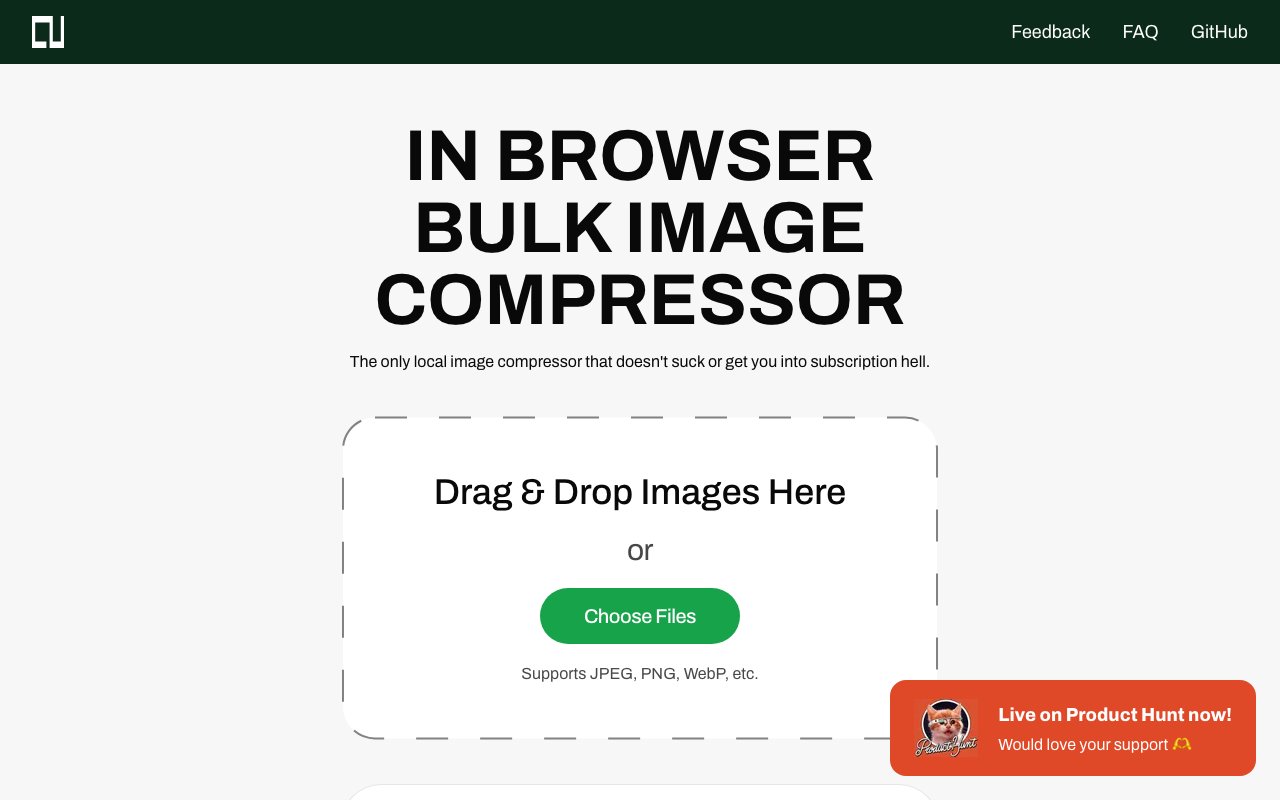
ConUtil Compressor runs entirely in your browser without ever uploading your images to external servers. This distinction matters more than it might seem at first glance. Most online compression tools transfer your files to their infrastructure, process them remotely, and then send back the results. That workflow raises legitimate privacy concerns for anyone handling screenshots of sensitive documents, product photos before public launch, or personal images they'd rather not share with unknown third parties. ConUtil processes everything locally using your browser's built-in capabilities, meaning your images never leave your device. The only thing the website does is provide the compression logic that runs on your own machine.
Bulk processing handles multiple images simultaneously through drag-and-drop or standard file selection dialogs. Upload an entire folder of product photos, a batch of screenshots from documentation work, or dozens of images from a photo shoot and compress them all in one operation. The interface displays helpful statistics as files process, showing original sizes, compressed sizes, reduction percentages, and processing times for each image. This feedback helps you understand exactly how much space you're saving and whether the current compression settings suit your specific needs for the content you're working with.
Format support covers the images most people work with daily across web development, content creation, and general computer use. JPEG, PNG, and WebP files all compress smoothly with appropriate algorithms for each format type. The quality slider defaults to eighty percent, which typically produces excellent results with minimal visible degradation for most use cases. You can adjust this based on your priorities. Someone compressing images for web thumbnails or social media posts might push quality lower to achieve smaller files that load faster. Someone preparing portfolio images, print-ready graphics, or archival copies might keep quality high and accept larger outputs that preserve more detail.
Resizing options add flexibility beyond simple compression and eliminate the need for a separate image editing tool in many workflows. Quick presets for common resolutions like HD, 2K, and 4K let you batch resize alongside compression with a single click. Custom dimension inputs handle specific requirements when standard presets don't fit your target platform or design specifications. This combination of compression and resizing in a single tool eliminates workflow steps for anyone preparing images for websites, social media platforms, email attachments, or any context where both file size and dimensions matter for display or upload limits.
The tool exists because its creator, Ahmed Alam, grew frustrated with the state of online image compression services. Popup advertisements interrupting the workflow, subscription requirements for basic functionality, upload limits designed to push free users toward paid tiers, and the necessity of uploading personal images to unknown servers all annoyed him enough to build something better. That origin story explains why ConUtil Compressor remains completely free with no account registration, no premium tiers locked behind paywalls, and no ads cluttering the interface or tracking your behavior. The tool simply does what it promises without trying to monetize your attention or data.
The entire project sits on GitHub under an MIT license, so technically-minded users can inspect exactly how the compression works, verify that nothing suspicious happens with their files, or even host their own instance on personal infrastructure. This transparency provides assurance that no logging or data collection happens behind the scenes. For businesses with strict data handling requirements or individuals with heightened privacy concerns, the ability to audit the code offers comfort that policy statements alone cannot provide.
Batch downloading packages all compressed images into a single zip file for convenient retrieval. This proves especially useful when processing dozens or hundreds of images at once, saving you from clicking download repeatedly for each file and keeping your downloads folder organized. The combination of privacy-first architecture, batch processing efficiency, adjustable quality settings, integrated resizing, and straightforward output makes ConUtil Compressor particularly valuable for photographers managing client deliverables, web developers optimizing site assets, e-commerce operators preparing product catalogs, and small business owners who handle image compression regularly but don't want to pay for specialized software subscriptions or trust their files to random cloud services with unclear data practices.
Key Features
- Fully local browser-based processing
- Bulk compression with batch export to ZIP
- JPEG, PNG, and WebP format support
- Adjustable quality with quick presets
- Optional image resizing
- Compression statistics and savings display
Pros & Cons
What we like
- Images never upload to external servers
- Completely free with no subscription or ads
- Open source under MIT license for full transparency
- Handles bulk batches with ZIP export
Room for improvement
- Performance depends on local hardware
- Browser-based limits on very large file batches
- No cloud backup or sync features
- Fewer format options than some paid tools
Frequently Asked Questions
What is ConUtil Compressor?
Is ConUtil Compressor free?
What image formats does it support?
Is it safe to use for private images?
Best For
Featured in
Alternatives to ConUtil Compressor
View all
1Lookup
Real-time data verification API for phone, email, IP, and domain validation to fight fraud

Kevin Gabeci
Solo developer building web apps, cozy browser games, and AI creator toolkits.

Codedex
A gamified, story-driven platform that teaches Python, web dev, and more like an RPG quest
Hack2hire
Practice real SDE interview questions from top tech companies with expert worked solutions
Reviews (8)
Solid but not perfect
Started using ConUtil Compressor casually, now it is pinned in my dock. Got real value out of compression statistics and savings display. Found it works best for handling sensitive images that should not leave the network. My only gripe is fewer format options than some paid tools. Recommending it to people in a similar spot.
Worth a look
Have been running ConUtil Compressor for a while, here is where I land. The interface stays out of my way, which I appreciate. It fits well for handling sensitive images that should not leave the network.
It just works
Three months of ConUtil Compressor later, here is what holds up. What stands out is how it handles jpeg, png, and webp format support. It slotted into my routine without much fuss. Recommending it to people in a similar spot.
Does the job, a few gripes
Came to ConUtil Compressor after getting frustrated with what I had before. The defaults are sensible, so I was not fighting settings on day one. It would be a five if not for no cloud backup or sync features. Worth it for what I get out of it.
Solid but not perfect
ConUtil Compressor solves a real problem for me without making a fuss about it. The bulk compression with batch export to zip is more useful than I expected. Performance has been steady even when I lean on it hard. One thing that bugs me is browser-based limits on very large file batches. Worth it for what I get out of it.
Good, with a few caveats
Hadn't planned on switching, but ConUtil Compressor was hard to ignore. The compression statistics and savings display is more useful than I expected. The defaults are sensible, so I was not fighting settings on day one. The catch is fewer format options than some paid tools. Easy yes for anyone weighing the same trade offs.
Two months in, no regrets
Found ConUtil Compressor on a Show HN thread and I am glad I clicked. Their take on adjustable quality with quick presets is genuinely good. Mostly using it for compressing images before uploading to a website.
Solid but not perfect
Have been running ConUtil Compressor for a while, here is where I land. What stands out is how it handles compression statistics and savings display. Found it works best for handling sensitive images that should not leave the network. It would be a five if not for fewer format options than some paid tools. No regrets so far.
Badge builder
Add ConUtil Compressor to your website
Choose a badge style and size, preview it here, then copy the generated HTML. Badge images are self-contained SVGs and do not require an external script.

<a href="https://toolindex.net/tools/conutil-compressor?ref=badge" target="_blank" rel="noopener">
  <img src="https://toolindex.net/badge/conutil-compressor/medium.svg" alt="ConUtil Compressor - Listed on Tool Index" width="180" height="50" />
</a>How to use the badge
- 1. Pick the style, size, and theme that fit your layout.
- 2. Copy the generated HTML from the code block.
- 3. Paste it into your footer, homepage, or press page.
Standard badge available
The standard listing badge is available now. Score and circle badges are limited to tools currently ranked in the top 10 of a category.
Badge clicks return visitors to this profile with a referral tag so the source remains identifiable.
Related Tools
Kevin Gabeci
Solo developer building web apps, cozy browser games, and AI creator toolkits.

Coolify
Self-hostable, open source alternative to Heroku and Netlify

Warp
The modern terminal reimagined with AI and collaboration

Bolt.new
Prompt-to-deployed full-stack app inside the browser
Work on ConUtil Compressor? Request listing access or correction