
Coolify
Self-hostable, open source alternative to Heroku and Netlify
Gallery
About Coolify
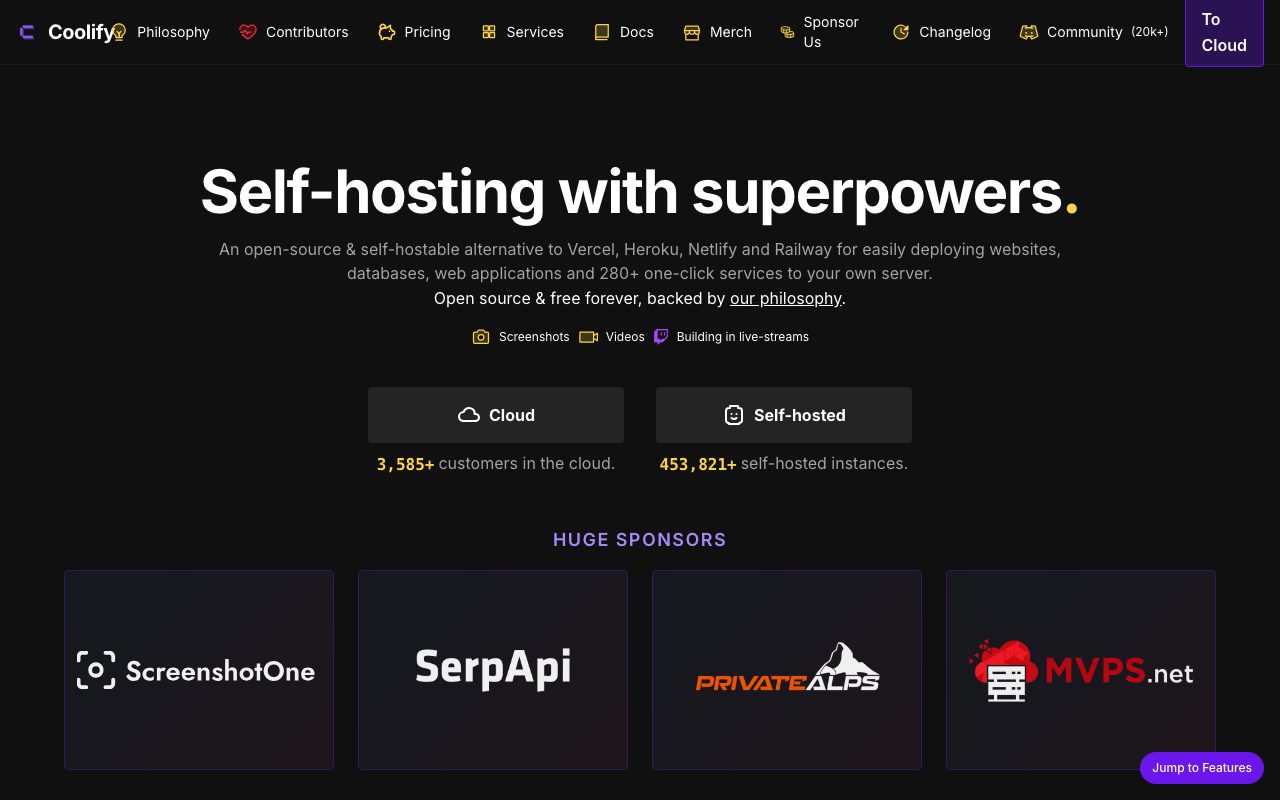
Coolify is the open source alternative to Heroku, Vercel, and Netlify that runs on your own server. You point it at a VPS, connect a Git repo, and it deploys your app the way Heroku used to before they got expensive. No vendor lock in. No surprise bills.
The pitch hits different in 2026. Hosted PaaS prices keep climbing. A $5 Hetzner box plus Coolify can run what used to cost $80 a month elsewhere. That math is hard to ignore.
It's not zero work. You're still the sysadmin. Coolify handles 90 percent of the boring plumbing but you own the box. That's the deal.
What Coolify does
Coolify installs on a Linux server with one shell command. From there it manages Docker containers, Nginx routing, SSL certificates, databases, and deployments triggered by Git pushes.
You connect GitHub or GitLab. You pick a repo. Coolify detects the framework or you give it a Dockerfile. It builds. It deploys. It exposes a public URL with HTTPS. The flow feels like Vercel.
The dashboard handles environment variables, logs, resource limits, and rollbacks. Postgres, MySQL, Redis, MongoDB, and Clickhouse can be spun up as managed databases on the same server.
Who Coolify is for
Indie hackers and side project builders are the obvious crowd. You don't want to learn Kubernetes. You don't want to pay Render's per service fees. Coolify lets you host 20 small projects on one $20 server.
Small agencies use it for client work. They run a Coolify server per client or one big server for everything. The cost savings are real and the deploy story is good enough to demo.
Bootstrapped SaaS founders running one or two services use Coolify to delay platform decisions. It scales fine to a few thousand users on a beefy box. Past that, you're talking about real infra.
Pricing
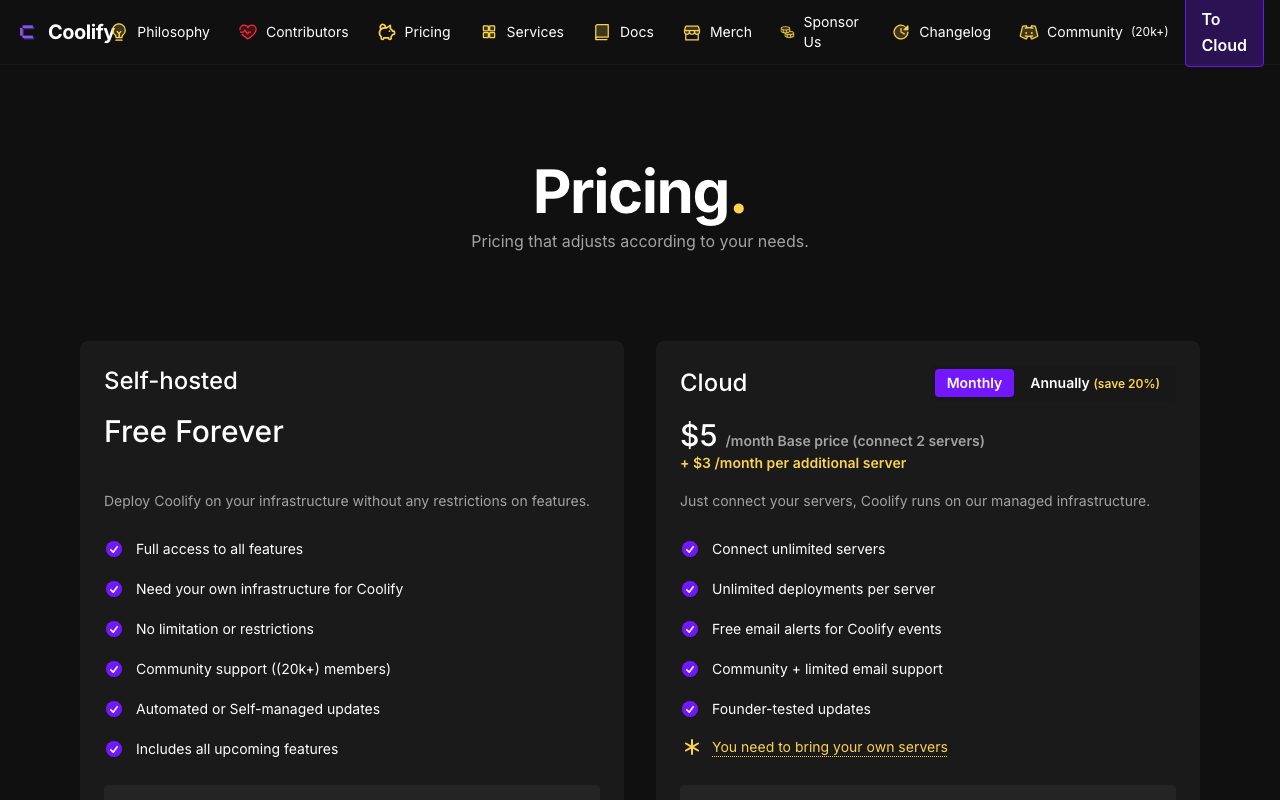
Coolify is open source and free if you self host it. That's the whole product. You pay for the server you run it on.
There's a hosted version called Coolify Cloud. It bills $5 per month for the control plane while you bring your own server. Useful if you don't want to maintain the Coolify upgrade cycle yourself.
The team also offers a paid lifetime deal occasionally. The default expectation is that you self host on a Hetzner, Vultr, or DigitalOcean box and pay nothing to Coolify.
Features I lean on
Git push deploys are the headline. Same flow as Vercel. Coolify watches the branch, builds the container, swaps it in. Zero downtime if you set it up right.
The database management is genuinely good. One click Postgres with backups to S3. One click Redis. The instances live alongside your apps and you don't pay anyone for them.
Multi server is supported. You add additional Linux boxes as worker nodes. Coolify routes deploys across them. It's not Kubernetes scale but it covers most growing projects.
Where Coolify wobbles
You're the sysadmin. If the server dies at 3am, no one is going to wake up except you. The PaaS model exists because hosted reliability is hard and Coolify can't abstract that away.
Upgrades sometimes break things. The product moves fast. Read the release notes before clicking the upgrade button. A staging server is a good idea.
Documentation is good but not great. Some edge cases require Discord searches. The community is helpful but you're closer to the code than on a polished commercial platform.
Coolify vs the alternatives
Dokku is the OG self hosted Heroku. CLI driven, lighter, less polished UI. Coolify won the dashboard war. We compare in Coolify vs Dokku.
CapRover is similar in spirit and slightly older. Render and Railway are the hosted modern options if you don't want to self host. See Coolify alternatives for the full list.
For teams that need real Kubernetes, Coolify isn't the answer. Look at K3s plus ArgoCD. Browse best Heroku alternatives for context.
If your Vercel bill crossed $100 a month and your app isn't actually serverless friendly, move it to Coolify on a $20 Hetzner box. You'll save 80 percent and gain a learning experience.
Common Coolify questions
Is Coolify free forever? The self hosted version is open source and free. The cloud control plane is paid. Use whichever fits.
What server size do I need? A 4GB box runs ten small apps comfortably. An 8GB box runs a real SaaS plus its database. Hetzner gives you more for the money than US clouds.
Does Coolify support staging environments? Yes, via separate apps from different branches. Browse self hosted PaaS tools for similar options.
The bottom line on Coolify
Coolify is the best open source PaaS in 2026. It's not perfect but the value is undeniable. If you're comfortable with a basic Linux server, you can run real production workloads for the cost of the VPS.
The category is having a moment. Hosted PaaS pricing has hit a ceiling. Self hosted PaaS that's actually pleasant to use is a real category now. Coolify is leading it.
Try it on a cheap VPS this weekend. If you've ever wanted Heroku without the bill, this is as close as the open source world has gotten. See more options at the toolindex catalog.
Coolify server setup walkthrough
Spin up a fresh Ubuntu 22 server. SSH in. Run the Coolify install command from their docs. The installer handles Docker, Nginx, certbot, and the Coolify control plane in around five minutes.
Open the Coolify UI on the server's IP plus port 8000. Create the admin account. Connect a Git provider. You're ready to deploy.
For production, point a domain at the server, enable Coolify's automatic SSL, and you have HTTPS without touching certbot. Standard Let's Encrypt under the hood.
Running real workloads on Coolify
A typical SaaS stack runs the Next.js app, a Postgres database, and Redis on the same Coolify server. Resource isolation is via Docker, not bulletproof but good enough for most projects.
For higher reliability, separate stateful and stateless workloads. Run databases on a dedicated server. Run web apps on a worker server. Coolify handles both.
Backup the database to S3 or a separate VPS. Coolify supports scheduled backups out of the box. Test the restore once. Then you can sleep at night.
Coolify upgrade discipline
The product moves fast. Read release notes before upgrading. Major version bumps occasionally require manual config changes.
Snapshot your VPS before upgrades. Most providers (Hetzner, DigitalOcean) do this in one click. If the upgrade goes sideways, restore in five minutes instead of debugging for hours.
Subscribe to the Coolify Discord. The community catches edge cases fast. Many post fixes before docs are updated.
Coolify cost math
A 4GB Hetzner box costs about $7 a month. It runs Coolify plus a Next.js app plus Postgres plus Redis comfortably. Compare to Vercel + Neon + Upstash at maybe $40 a month minimum.
The savings compound over months. A side project with no users still costs $0 plus a fraction of the VPS month. On hosted PaaS the same project costs $25 to $40.
The catch is operations. You're responsible for the server. Updates, backups, monitoring. If you can handle that, the savings are real and substantial.
Coolify backup discipline
Database backups to S3 or any S3 compatible target. Configure them per database. Schedule them daily.
Test the restore process at least once. A backup you've never restored is theoretical. Spin up a test environment. Restore. Verify.
Document the recovery runbook. If you're in production, write down the steps. Future you (at 3am) will appreciate it.
Coolify networking and domains
Each app gets its own subdomain or custom domain. Coolify wires the routing through Nginx and provisions Let's Encrypt SSL automatically.
Internal services (background workers, private APIs) can run without public URLs. They communicate over the Docker network.
For external services that need fixed IPs, deploy on a VPS that supports floating IPs (Hetzner, DigitalOcean). Coolify doesn't change that, the VPS provider does.
Coolify multi server setup
One control plane server runs Coolify. Worker nodes attach via SSH. The control plane orchestrates deploys across the workers.
Useful for separating dev and prod environments on different boxes. Or for separating CPU heavy and memory heavy workloads.
Not a Kubernetes replacement. The orchestration is simpler. Failover and self healing are weaker. For most indie projects this is fine.
Coolify for client work
Agencies host multiple clients on Coolify. Each client gets a workspace or a separate Coolify server depending on isolation needs.
Bill clients for their VPS plus a management fee. The economics work. Compare to passing through Vercel or Render bills.
For client handoffs, document the Coolify setup. The client takes over the VPS. Coolify keeps running. The transition is clean.
Coolify limitations to be aware of
The product is young. The roadmap moves fast. Some features land before they're polished.
The community is helpful but small compared to AWS or GCP scale platforms. Edge cases sometimes require experimentation.
The reliability depends on your VPS provider. Coolify can't compensate for a host that goes down weekly.
Coolify and the indie self host renaissance
The category that includes Coolify, Dokku, CapRover, and Nixpacks reflects a broader trend. Hosted PaaS got expensive. Self host got friendlier.
The economics push more indie devs to learn just enough sysadmin to own their stack. Coolify sits at the friendliest end of that spectrum.
Expect the category to keep evolving. New entrants will challenge Coolify. The bar for friendly self host keeps rising.
Tutorial / Demo
Key Features
- Deploy any Docker-based application
- One-click databases: PostgreSQL, MySQL, Redis, MongoDB
- Automatic SSL via Let's Encrypt
- GitHub and GitLab integration with auto-deploy
- Built-in monitoring and log management
- Support for multiple servers and teams
- S3-compatible backup system
Pros & Cons
What we like
- Complete control over your infrastructure and data
- No vendor lock-in or usage-based surprises
- Supports virtually any application stack
- Active open source community and development
- Significantly cheaper than PaaS at scale
Room for improvement
- Requires a VPS and basic server knowledge
- Setup is more complex than managed platforms
- You are responsible for server maintenance and security
- Community support only unless you pay for priority
Frequently Asked Questions
What is Coolify used for?
Is Coolify free to use?
What are the pros and cons of Coolify?
Who should use Coolify?
Best For
Featured in
Tags
Alternatives to Coolify

Railway
Deploy apps to production infrastructure in seconds

Fly.io
Run full-stack apps and Postgres close to your users by deploying Firecracker microVMs to dozens of regions.
Cloudflare Pages
Free Jamstack hosting on Cloudflares edge with unlimited bandwidth and tight integration with Workers.

Render
Managed cloud hosting for web services, static sites, cron jobs, and Postgres without the AWS console.
Our take
Tool Index Editorial · May 2026· 4.6/5
If you're evaluating Coolify, the headline is simple: self-hostable, open source alternative to heroku and netlify, and most teams will get value out of the box.
Worth highlighting: Complete control over your infrastructure and data, No vendor lock-in or usage-based surprises, and Supports virtually any application stack. What to watch for: Requires a VPS and basic server knowledge and Setup is more complex than managed platforms.
Verdict: Coolify comfortably earns its spot in the category — a smart default when you need self-hosting web applications on affordable VPS providers.
Editorial opinion from the Tool Index team, written from the public product pages. Not a user review.
Reviews (4)
Pulled its weight from week one
Honest take: Coolify delivers most of what the marketing promises. Genuine strength: supports virtually any application stack. S3-compatible backup system works the way you'd hope. Mostly using it for self-hosting web applications on affordable VPS providers. Still recommending it to people in similar setups.
Coolify, better than expected
Got Coolify on the recommendation of someone I trust. Real selling point: no vendor lock-in or usage-based surprises.
Bought it for one feature, stayed for ten
Picked Coolify for the lower price, stayed for the actual quality. Honestly impressed by how active open source community and development. Built-in monitoring and log management works the way you'd hope. Main use case: setting up staging and production environments on your own hardware. Sticking with Coolify.
Pros
- Active open source community and development
- Supports virtually any application stack
- No vendor lock-in or usage-based surprises
Onboarded the team in a day
Honest take: Coolify delivers most of what the marketing promises. Genuine strength: significantly cheaper than PaaS at scale. Worth calling out the s3-compatible backup system too. Mostly using it for running databases alongside apps on the same server. Honest gripe: requires a VPS and basic server knowledge. Worth the price for what I get out of it.
Pros
- Complete control over your infrastructure and data
- Supports virtually any application stack
- Significantly cheaper than PaaS at scale
Cons
- You are responsible for server maintenance and security
Badge builder
Add Coolify to your website
Choose a badge style and size, preview it here, then copy the generated HTML. Badge images are self-contained SVGs and do not require an external script.

<a href="https://toolindex.net/tools/coolify?ref=badge" target="_blank" rel="noopener">
  <img src="https://toolindex.net/badge/coolify/medium.svg" alt="Coolify - Listed on Tool Index" width="180" height="50" />
</a>How to use the badge
- 1. Pick the style, size, and theme that fit your layout.
- 2. Copy the generated HTML from the code block.
- 3. Paste it into your footer, homepage, or press page.
Score badge available
Coolify qualifies for the score and circle badges based on its current top-10 positionin Cloud.
Badge clicks return visitors to this profile with a referral tag so the source remains identifiable.
Related Tools

Kevin Gabeci
Solo developer building web apps, cozy browser games, and AI creator toolkits.
Hetzner
High-performance European cloud hosting at unbeatable prices

Warp
The modern terminal reimagined with AI and collaboration

Bolt.new
Prompt-to-deployed full-stack app inside the browser
Work on Coolify? Request listing access or correction