
DSCode
Open source terminal coding agent powered by DeepSeek with local session control
Gallery
About DSCode
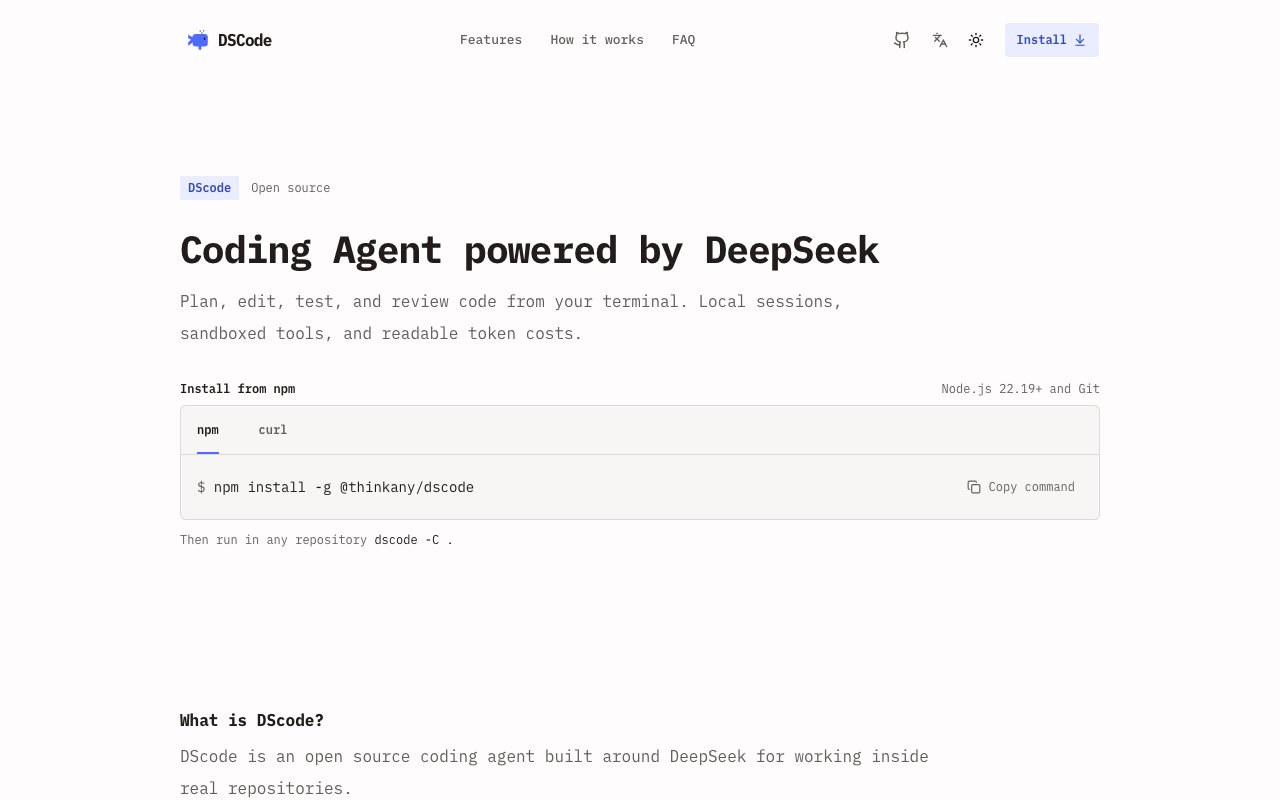
DSCode is an open-source coding agent built specifically for DeepSeek that runs entirely in your terminal. It handles the full development workflow of planning, editing, testing, and reviewing code within real repositories while keeping everything local. Unlike cloud-dependent coding assistants that route your code through external servers, DSCode stores sessions as local JSONL files and executes all tools in an operating system sandbox with networking blocked by default. Your code stays on your machine, which matters if you work with proprietary codebases or simply prefer not to send your work to third-party infrastructure. The MIT license means you can modify, distribute, and build commercial products on top of DSCode without licensing fees or vendor lock-in.
The tool leverages DeepSeek's native capabilities without compatibility layers that add latency or strip functionality. It supports DeepSeek's native response formats, reasoning controls, freeform patch generation, and optional web search when you need it. Cost transparency is built into the experience. DSCode tracks context length, cache hits, token counts, reasoning overhead, and estimated spending so you always know what a session costs. This visibility helps developers make informed decisions about how to structure prompts and manage context windows. You can see exactly where your API budget goes rather than receiving a surprise bill at the end of the month. The detailed cost reporting becomes especially valuable during longer sessions or when working with large codebases that consume significant context.
Parallel execution sets DSCode apart from simpler coding assistants. Up to four concurrent agents can work simultaneously, handling exploration, implementation, review, and testing in overlapping workflows. When you point DSCode at a repository, agents autonomously inspect code structure, make edits, and run tests. This concurrent architecture means complex tasks complete faster because agents work in parallel rather than sequentially. The three-step setup involves installing via npm, authenticating with your DeepSeek API key, and pointing the tool at your target repository. Node.js 22.19 or higher and Git are required, though the installer handles pnpm and ripgrep automatically. Within minutes of installation, you can have agents exploring your codebase and proposing changes.
The security model defaults to maximum isolation. Commands run in an operating system sandbox with network access disabled unless explicitly permitted. This prevents runaway agents from making unexpected external requests or modifying files outside the designated workspace. Session data persists locally in JSONL format, making it easy to inspect, replay, or audit what the agent did during any given session. If something goes wrong, you have a complete record of every action the agent took and can trace exactly what happened. This audit trail proves useful both for debugging agent behavior and for demonstrating to stakeholders exactly what automated tools did to your codebase.
DSCode integrates with Agent Skills and the Model Context Protocol for extensibility. Developers can add custom capabilities without forking the core project. This composable architecture means you can extend the agent with domain-specific tools relevant to your workflow while benefiting from upstream improvements to the core codebase. The self-contained architecture makes deployment predictable because there are no hidden dependencies on external services that might change pricing or availability. Your development environment remains stable regardless of what happens to third-party infrastructure.
The tool targets developers who want AI-assisted coding without cloud dependencies, hidden telemetry, or subscription fees beyond the underlying API costs. If you already pay for DeepSeek access and want a capable terminal-based agent that respects local execution, DSCode delivers that without requiring trust in additional infrastructure. Teams working on sensitive codebases will appreciate that nothing leaves the local environment unless they explicitly enable network access for specific operations. The default-secure posture means you opt into external access rather than opting out, which inverts the typical privacy model of cloud-first tools.
Configuration and customization happen through standard tooling patterns rather than proprietary interfaces. The codebase is readable and forkable for teams that want to adapt behavior to their specific workflows. Because it runs in the terminal rather than an IDE, DSCode fits into any development environment and can be scripted or automated as part of larger pipelines. The focus on DeepSeek-specific optimizations means it extracts maximum value from that particular model family rather than offering generic compatibility with multiple providers. Developers committed to DeepSeek as their primary AI backend will find DSCode makes the most of that choice, taking advantage of model-specific features that generic wrappers would ignore.
Key Features
- Multi provider model routing
- Local JSONL session persistence
- OS level sandboxed execution
- Parallel agents in isolated worktrees
- Real time token and cost tracking
- MCP and Agent Skills support
Pros & Cons
What we like
- Sessions persist locally and can be resumed or replayed
- Transparent cost tracking with cache hit visibility
- Sandboxed commands with network blocked by default
- Open source under MIT with no vendor lock in
Room for improvement
- DeepSeek default model is text only, no vision
- VS Code extension not yet on Marketplace
- Early project with a smaller community
- Linux and Windows sandbox requires Docker setup
Frequently Asked Questions
What is DSCode?
Is DSCode free?
How does DSCode handle security?
Which models does DSCode support?
Best For
Featured in
Alternatives to DSCode
View allCursor
VS Code fork built around an AI pair-programmer

Replit
Browser IDE plus Replit Agent that builds and deploys apps from a prompt
Windsurf
Codeium's AI editor with Cascade agent and deep IDE integration

Vibe Built
Building real apps with agentic AI. What worked, what broke, what shipped.
Reviews (0)
Badge builder
Add DSCode to your website
Choose a badge style and size, preview it here, then copy the generated HTML. Badge images are self-contained SVGs and do not require an external script.

<a href="https://toolindex.net/tools/dscode?ref=badge" target="_blank" rel="noopener">
  <img src="https://toolindex.net/badge/dscode/medium.svg" alt="DSCode - Listed on Tool Index" width="180" height="50" />
</a>How to use the badge
- 1. Pick the style, size, and theme that fit your layout.
- 2. Copy the generated HTML from the code block.
- 3. Paste it into your footer, homepage, or press page.
Standard badge available
The standard listing badge is available now. Score and circle badges are limited to tools currently ranked in the top 10 of a category.
Badge clicks return visitors to this profile with a referral tag so the source remains identifiable.
Related Tools

Bolt.new
Prompt-to-deployed full-stack app inside the browser

Tabnine
Privacy-first enterprise AI code assistant you control, with SaaS, VPC, on-prem, or fully air-gapped deployment
Cursor
VS Code fork built around an AI pair-programmer

Skeezo
Agent-native macOS IDE for coordinating Claude Code and AI agents
Work on DSCode? Request listing access or correction