
FixBugs
AI debugging agent that triages alerts, finds root cause, and ships validated fixes
Gallery

About FixBugs
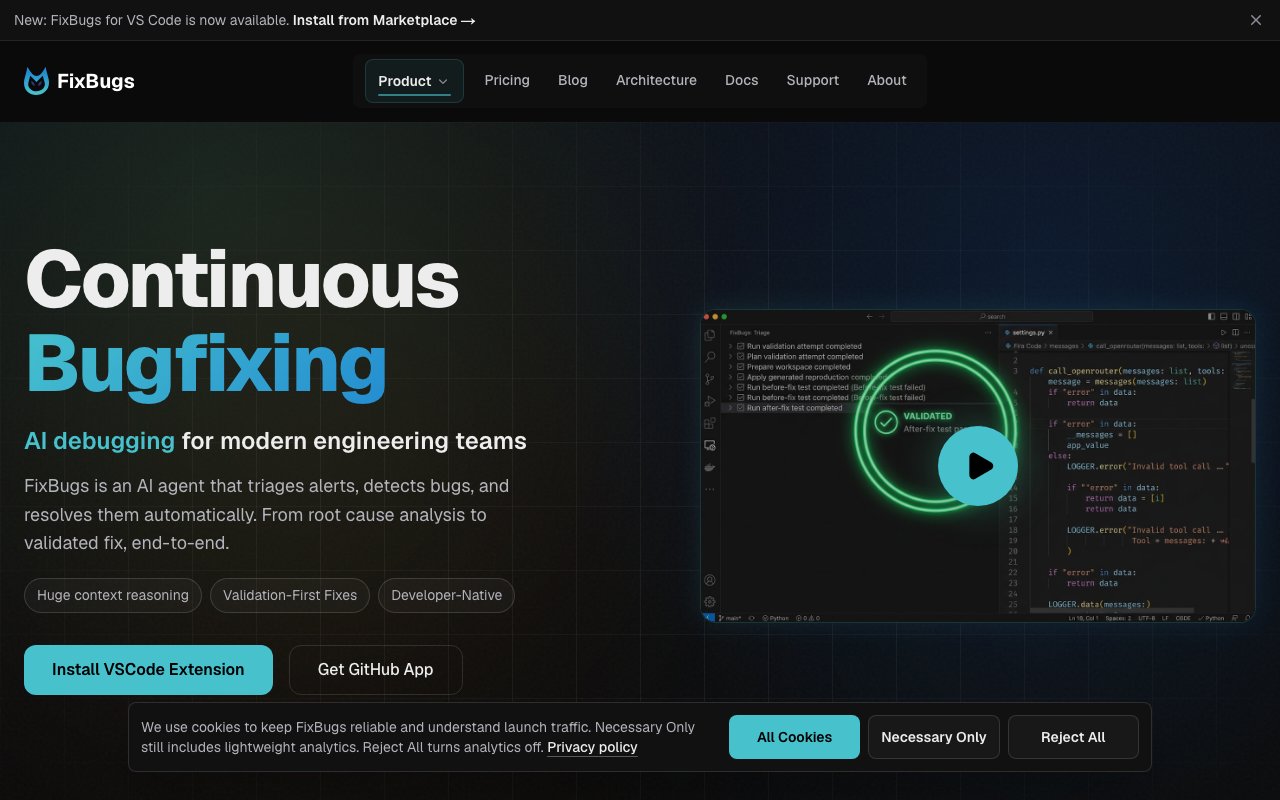
FixBugs is an AI debugging agent built for the moment an alert fires. It triages what came in, works out the root cause, reproduces the problem, and hands back a code change with a test attached. The company frames the whole arc as going from alert to validated fix, and calls the ambition continuous bugfixing. The target user is stated plainly, SREs and oncall engineers rather than developers writing new features.
The argument underneath the product is that coding and debugging are different jobs. Coding agents are optimized for writing new code from nearby context, which works when you already know what you want. Production failures are the opposite situation, where information is incomplete and scattered across traces, spans, logs, metrics, and a half-written issue comment. FixBugs is built for that case, using what the site calls stateful, auditable, collaborative multi-agent workflows. The three pillars it leads with are huge context reasoning, validation-first fixes, and being developer-native rather than another dashboard to check.
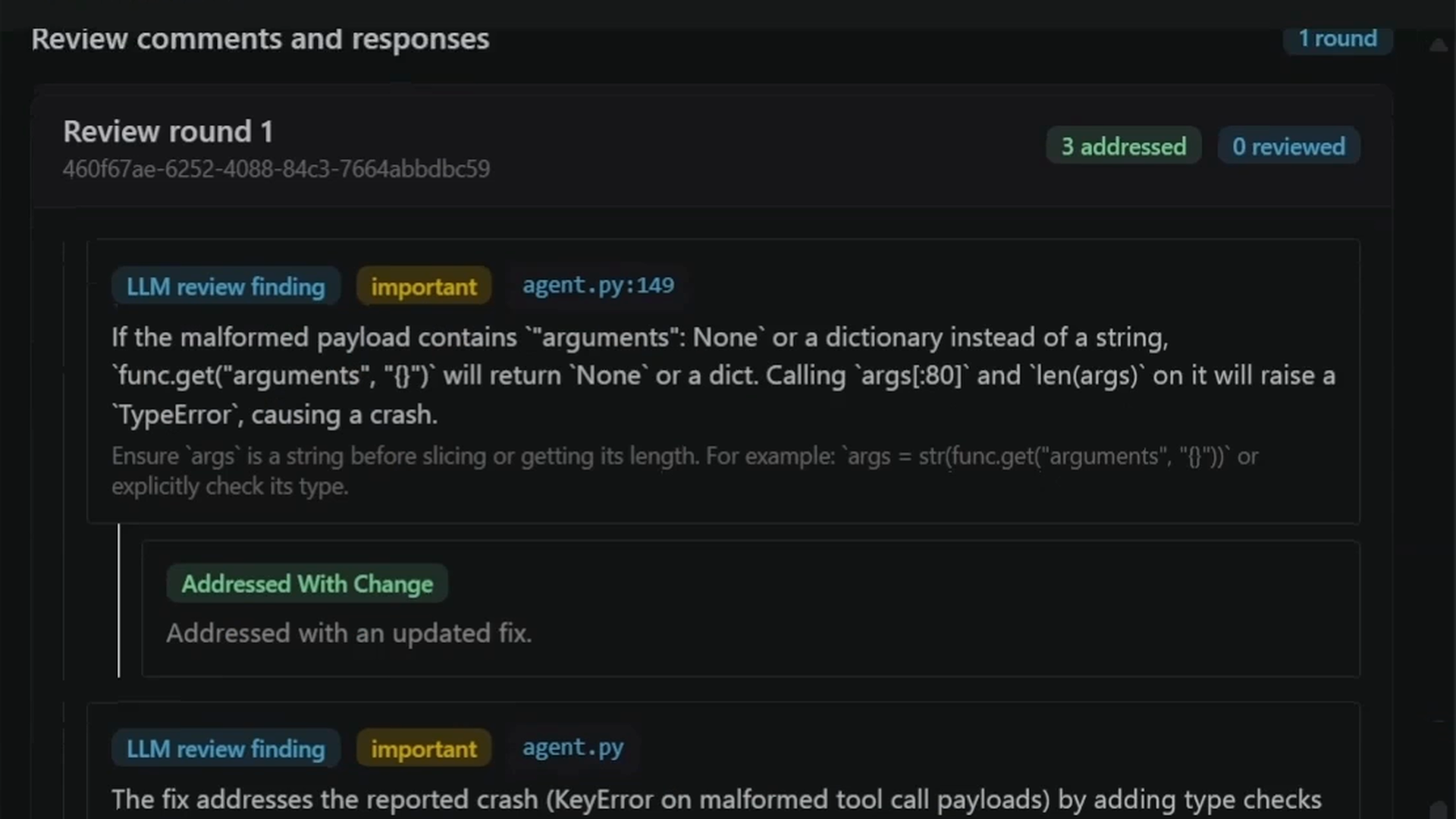
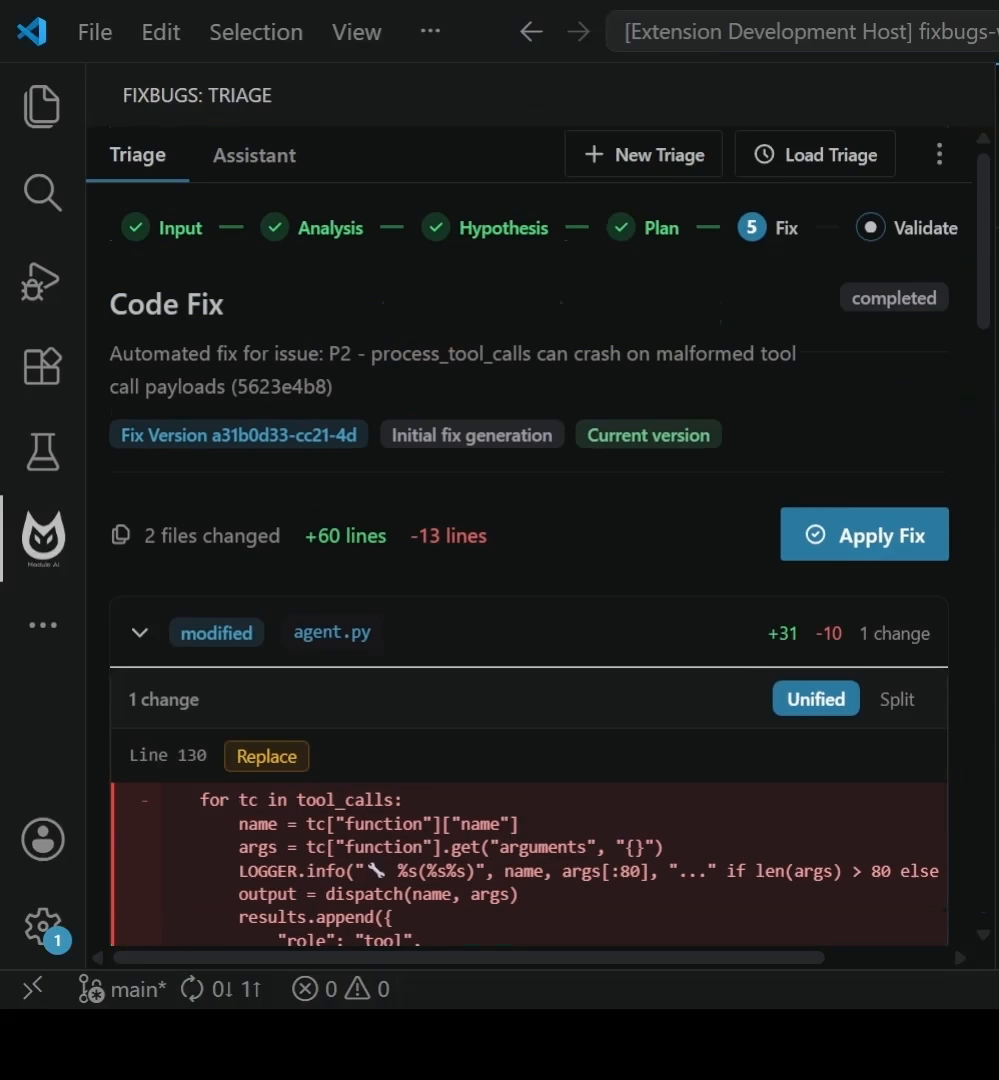
In practice it runs four steps. It processes alerts, issues, and logs and organizes them with clear context and priority. It connects signals across systems to pinpoint where and why the failure happened. It recreates the problem in a controlled environment so the diagnosis is accurate rather than plausible. Then it delivers a ready-to-review code change with validation that the issue is genuinely resolved. That last step is the one the team keeps pointing at, and validation-first is their term for it, meaning a diff counts as incomplete until it's tied to a reproduced issue, a written rationale, and test or verification output a reviewer can actually inspect.
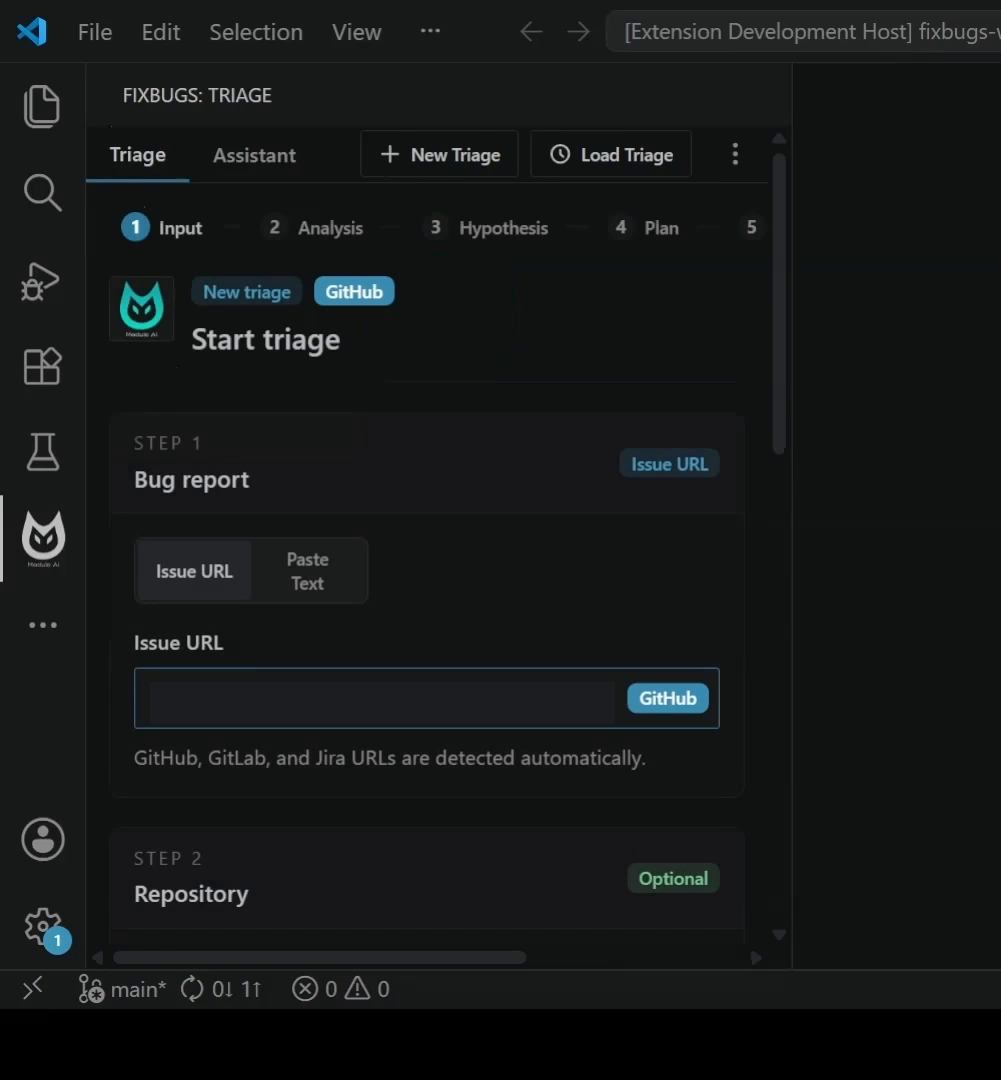
Two surfaces exist today. There's a VS Code extension for local work, and a GitHub App that takes over automatically. Install the app and every issue gets analyzed on its own, with a bug summary, severity, and actionable insights posted straight into the thread. Validated code changes with full diffs are shared in that same thread before any code is modified, so nothing lands behind your back. Every fix ships with a clear reasoning chain, which matters when you're approving a change to production at two in the morning and want to know why the agent believes what it believes. GitLab, Jira, and Atlassian have native integrations, and Prometheus support is marked beta.
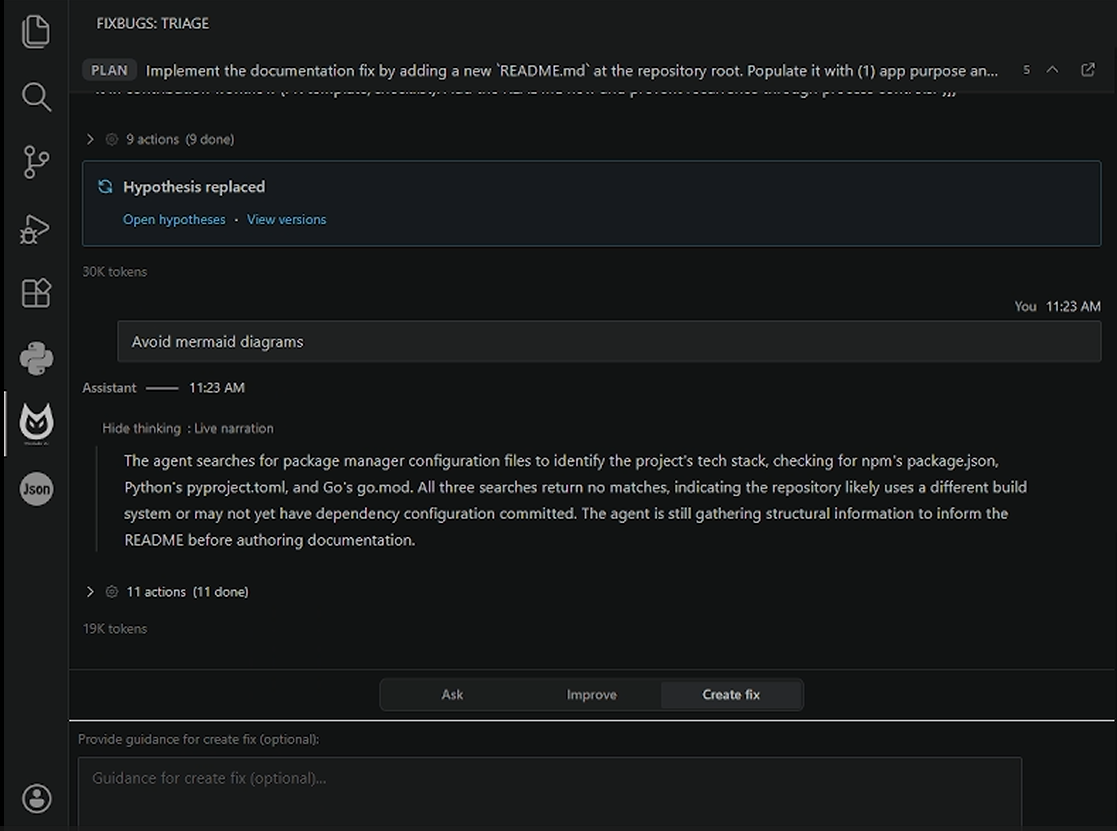
The comparison the site draws against generic coding agents is concrete rather than hand-wavy. Where a coding agent tops out around a 200K token context and needs you to paste the bug context in yourself, FixBugs ingests logs, traces, metrics, comments, images, and videos automatically and claims no hard upper limit. Where a chat session is local and unshareable and the conversation eventually moves on, FixBugs versions every object so it can be rewound, and a triage session can be posted to a bug and loaded by another engineer picking up the pager. Fixes get pushed as pull requests with state persisted and updates posted back to the issue tracker, instead of copy-pasted out of a chat window and lost when the tab closes.
Data handling gets real attention in the FAQ, which is sensible for a tool pointed at production. In the local VS Code and CLI workflows, repository files are read from your machine or a team-controlled environment, and selected context goes only to configured Zero Data Retention model endpoints that contractually don't keep prompts or outputs for training or later inspection. The local workflow doesn't send any code to FixBugs itself. The GitHub App is a different trade, since it accesses the git repository directly. Self-hosted deployment is available for teams that need infrastructure control. FixBugs is built by Modulo AI and founded by Kirti Vardhan Rathore, who was oncall at Google and VMware, holds an MS in computer science from Dartmouth, and has spent more than a decade building distributed systems. His stated reason for building it is that human bandwidth at scale is the scarce resource, and agent architectures are a plausible way to turbocharge alert investigations.
Pricing is freemium and easy to read. A free trial covers three end-to-end bug fixes a month with no credit card required, backed by Discord support. Pro is $33 a month for 15 monthly bug fixes plus pay-as-you-go credits for overages and email support. Super User is $60 a month for 30 fixes with email and priority support and dedicated onboarding. Annual billing knocks 25 percent off the self-serve paid plans, bringing Pro to $24.75 and Super User to $45 a month, and there's a 14-day money-back guarantee with the option to change plans anytime. Enterprise is custom and adds a designated success manager, advanced access controls, multiple environments, enterprise security reviews, live onboarding, support SLAs, and a 99.99 percent uptime commitment.
Key Features
- Automatic alert and issue triage
- AI root cause analysis across systems
- Reproduction in a controlled environment
- Fixes validated by reproduction tests
- GitHub App and VS Code extension
- Versioned, rewindable triage sessions
Pros & Cons
What we like
- Every fix ships with a reproduction test and visible reasoning
- Ingests logs, traces, metrics, and media without manual pasting
- Triage sessions are shareable and loadable by another engineer
- Local and self-hosted workflows keep source code off their servers
Room for improvement
- Free tier caps out at three bug fixes a month.
- Prometheus integration is still in beta
- The GitHub App needs repository access, unlike the local workflow
- Narrow focus on debugging rather than general development
Frequently Asked Questions
What is FixBugs?
Is FixBugs free?
Does my source code leave my machine?
How is FixBugs different from a coding agent?
Best For
Featured in
Alternatives to FixBugs

1Lookup
Real-time data verification API for phone, email, IP, and domain validation to fight fraud

Kevin Gabeci
Solo developer building web apps, cozy browser games, and AI creator toolkits.

Codedex
A gamified, story-driven platform that teaches Python, web dev, and more like an RPG quest
Hack2hire
Practice real SDE interview questions from top tech companies with expert worked solutions
Reviews (11)
Quietly excellent
FixBugs solves a real problem for me without making a fuss about it. What stands out is how it handles github app and vs code extension.
Recommended without reservation
Came to FixBugs after getting frustrated with what I had before. Got real value out of fixes validated by reproduction tests. What stands out is how little babysitting it needs. Recommending it to people in a similar spot.
Two months in, no regrets
Found FixBugs on a Show HN thread and I am glad I clicked. Where it really wins is triage sessions are shareable and loadable by another engineer. Glad I made the switch.
Powerful once it clicks
Three months of FixBugs later, here is what holds up. What stands out is how it handles ingests logs, traces, metrics, and media without manual pasting. My only gripe is the github app needs repository access, unlike the local workflow. Recommending it to people in a similar spot.
Does the job, a few gripes
FixBugs solves a real problem for me without making a fuss about it. Their take on versioned, rewindable triage sessions is genuinely good. It fits well for handing an oncall investigation to the next engineer. The catch is free tier caps out at three bug fixes a month.
Solid daily driver
Three months of FixBugs later, here is what holds up. Where it really wins is every fix ships with a reproduction test and visible reasoning. It does what it says, which is rarer than it should be. Worth it for what I get out of it.
Decent with some rough edges
Three months of FixBugs later, here is what holds up. What stands out is how it handles every fix ships with a reproduction test and visible reasoning. Support actually answered when I had a question, which surprised me. It would be a five if not for the github app needs repository access, unlike the local workflow. Glad I made the switch.
Worth a look
Came to FixBugs after getting frustrated with what I had before. What stands out is how it handles versioned, rewindable triage sessions. Found it works best for handing an oncall investigation to the next engineer.
Finally something that fits
FixBugs solves a real problem for me without making a fuss about it. What stands out is how it handles local and self-hosted workflows keep source code off their servers. Found it works best for triaging production alerts without spinning up a war room. Recommending it to people in a similar spot.
Exactly what I needed
Picked FixBugs for the price, stayed for the quality. Their take on triage sessions are shareable and loadable by another engineer is genuinely good. It slotted into my routine without much fuss. Easy yes for anyone weighing the same trade offs.
Solid but not perfect
Have been running FixBugs for a while, here is where I land. Got real value out of local and self-hosted workflows keep source code off their servers. The catch is the github app needs repository access, unlike the local workflow. It earns its place in my stack.
Badge builder
Add FixBugs to your website
Choose a badge style and size, preview it here, then copy the generated HTML. Badge images are self-contained SVGs and do not require an external script.

<a href="https://toolindex.net/tools/fixbugs?ref=badge" target="_blank" rel="noopener">
  <img src="https://toolindex.net/badge/fixbugs/medium.svg" alt="FixBugs - Listed on Tool Index" width="180" height="50" />
</a>How to use the badge
- 1. Pick the style, size, and theme that fit your layout.
- 2. Copy the generated HTML from the code block.
- 3. Paste it into your footer, homepage, or press page.
Standard badge available
The standard listing badge is available now. Score and circle badges are limited to tools currently ranked in the top 10 of a category.
Badge clicks return visitors to this profile with a referral tag so the source remains identifiable.
Related Tools
Kevin Gabeci
Solo developer building web apps, cozy browser games, and AI creator toolkits.

Coolify
Self-hostable, open source alternative to Heroku and Netlify

Warp
The modern terminal reimagined with AI and collaboration

Bolt.new
Prompt-to-deployed full-stack app inside the browser
Work on FixBugs? Request a listing correction