
GenerativeIDE
A VS Code based AI editor that runs coding models locally with no per-token cost
Gallery
About GenerativeIDE
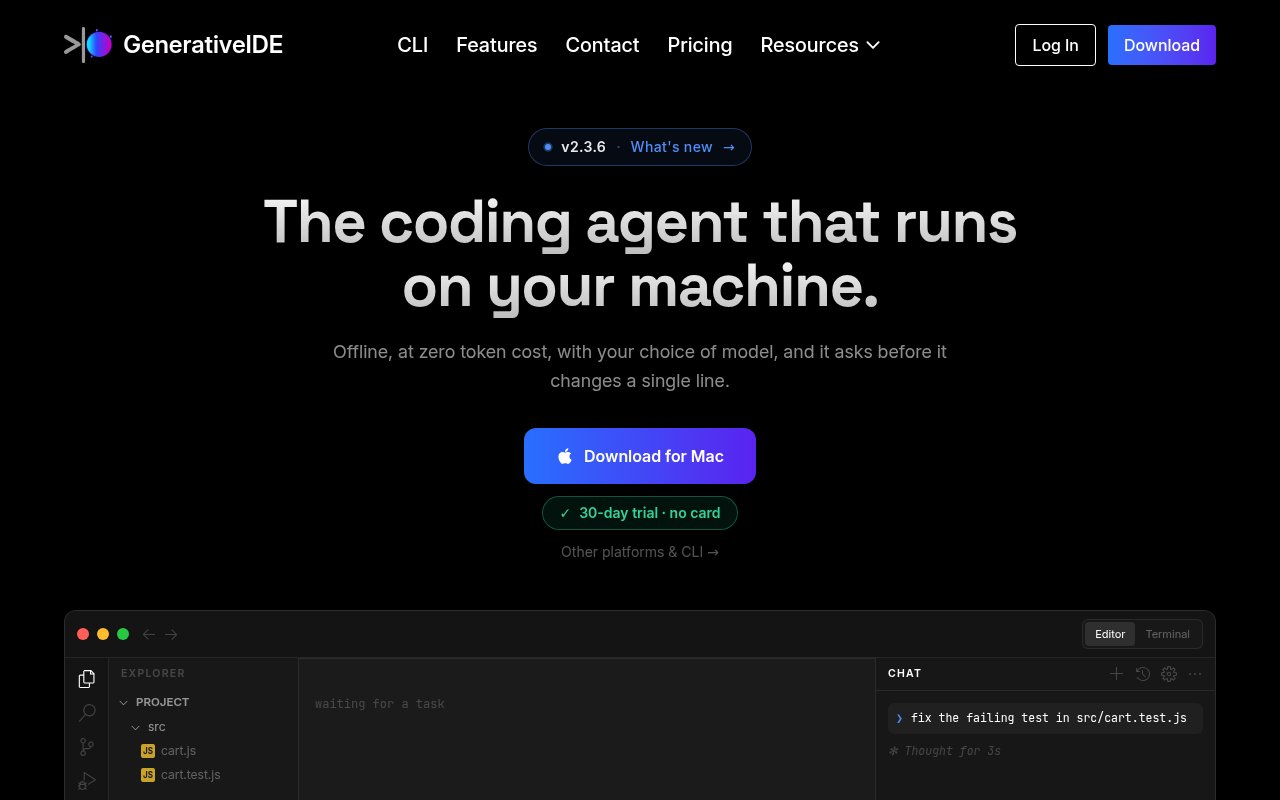
GenerativeIDE, or GIDE for short, is an AI code editor built on VS Code OSS that runs its models on your own machine. It ships with a bundled 9 billion parameter model called Ornith, runs it through llama.cpp with GPU acceleration on NVIDIA CUDA and Apple Metal, and charges a flat subscription instead of metering tokens. Your code stays on the laptop, and there's no rate limit because there's no cloud in the loop.
The problem it's aimed at has two halves. The first is money. Cloud AI coding tools bill by the token, and a busy developer running an agent all day can rack up a surprising bill. The second is privacy. Plenty of teams in regulated or air-gapped environments simply can't send source code to a third-party API, which has locked them out of the current generation of AI assistance. GIDE tries to answer both by making local inference the default rather than the fallback.
The editor itself is a familiar VS Code experience with the AI layer built in. There's agentic task planning, so you can hand it a multi-step job rather than a single completion. Semantic retrieval indexes your codebase so the model pulls in the relevant files instead of guessing. Persistent memory carries context across sessions. And every edit or command the agent wants to run passes through a write gate that asks for your approval, which is the safety mechanism that makes an autonomous agent tolerable on a real repository. It also exposes a local OpenAI-compatible API endpoint, so other tools on your machine can use the same model.
Models are swappable. Ornith 9B is the default and needs a GPU with at least 12 GB of VRAM, but you can load Qwen, Gemma, DeepSeek or any GGUF file you have. If you do want a frontier cloud model for a hard problem, the Business tier lets you bring your own API key for Claude, GPT or Gemini and pay that provider directly, with GIDE staying out of the billing. There's a desktop app for Windows, Mac and Linux, a CLI, and a public changelog, with the product at version 2.3 at the time of writing. Getting started is a download rather than a signup. Grab the desktop app for your platform, which ships with the Ornith model, and open a project. The first useful test is a contained task, such as adding a small feature with tests, because it exercises planning, retrieval and the write gate together. You'll see the agent propose edits and commands and wait for approval on each, which is slower than a fully autonomous run but is the point. The CLI covers the same engine for people who'd rather script it, and the local API endpoint means a second tool on the machine can share the model.
It's for developers and teams who want agentic coding help without a token meter or a data-sharing agreement. Solo developers with a capable GPU get unlimited local use for a fixed monthly fee. Engineering teams in finance, healthcare, defence or government get an option that can be deployed air-gapped. Anyone who has hit a rate limit mid-refactor will understand the appeal of a model that's simply always available.
What sets it apart is that local isn't a compromise here. Other editors let you point at a local runtime as an afterthought; GIDE bundles the model, tunes the runtime, and builds the agent features, retrieval and write gate around it. The MCP client in the Business tier lets the agent reach external tools, and a built-in wiki feature helps teams keep shared context beside the code. Compared with the two common setups, the pitch is coherence. A cloud coding assistant gives you a stronger model and a meter that runs while you think. A do-it-yourself local setup, an editor extension pointed at a model runner, costs nothing but leaves you to assemble retrieval, memory and safety yourself, and most people never do. GIDE packages that assembly and charges a flat fee for it. Whether $19.99 a month is worth paying for the packaging depends on how much of it you'd otherwise build, and the 30-day trial exists to answer exactly that.
The trade-offs are real. A 9B local model is not a frontier model, and the hardware requirement means older laptops and machines without a discrete GPU are out. Cloud model access, MCP and the wiki are reserved for the Business tier. And there's no free plan after the trial, so it's a purchase decision rather than a free tool. Access is paid with a 30-day free trial that needs no credit card. Developer is $19.99 a month for one seat with the core editor, local AI and the refactoring engine. Business is $99.99 a month for up to 50 seats and adds bring-your-own-key cloud models, the MCP client, the wiki and priority support. Enterprise is custom, with air-gapped deployment, SSO and SAML, compliance reporting and a one-day support SLA. Downloads, docs, the CLI and a contact form are on the site.
Key Features
- Bundled Ornith 9B model running locally
- Any GGUF model, plus BYOK cloud models
- Agentic task planning with a write gate
- Semantic codebase retrieval
- Persistent memory across sessions
- Local OpenAI-compatible API endpoint
Pros & Cons
What we like
- No per-token cost or rate limits on local models
- Code never leaves the machine by default
- Approval gate on every edit and command
- Familiar VS Code foundation
Room for improvement
- Needs a GPU with at least 12 GB of VRAM
- A 9B local model trails frontier cloud models
- Cloud models and MCP require the Business tier
- No free plan after the 30-day trial
Frequently Asked Questions
What is GenerativeIDE?
Is GenerativeIDE free?
What hardware does GenerativeIDE need?
Can GenerativeIDE use cloud models like Claude or GPT?
Best For
Featured in
Alternatives to GenerativeIDE
View allCursor
VS Code fork built around an AI pair-programmer

Replit
Browser IDE plus Replit Agent that builds and deploys apps from a prompt
Windsurf
Codeium's AI editor with Cascade agent and deep IDE integration

Vibe Built
Building real apps with agentic AI. What worked, what broke, what shipped.
Our take
Tool Index Editorial · Oct 2026· 3.5/5
GenerativeIDE is a VS Code based coding agent that treats local inference as the default, with an Ornith 9B model, codebase indexing, structural refactoring, an approval gate, a CLI, and a local API. We found the controls unusually explicit. Plans and file writes are reviewed, shell commands pause for approval, and the audit trail stays on disk. A 30-day trial needs no card.
Developer costs $19.99 per month and includes local inference plus bring-your-own-key cloud models. Business is $99.99 and adds the full MCP client, memory server, and codebase wiki. The hard tradeoff is hardware and model quality. A local 9B model won't match a top cloud model on every repository, and the subscription competes with free do-it-yourself local stacks. The trial should be spent on real multi-file work.
Editorial opinion from the Tool Index team, written from the public product pages. Not a user review.
Reviews (0)
Badge builder
Add GenerativeIDE to your website
Choose a badge style and size, preview it here, then copy the generated HTML. Badge images are self-contained SVGs and do not require an external script.

<a href="https://toolindex.net/tools/generativeide?ref=badge" target="_blank" rel="noopener">
  <img src="https://toolindex.net/badge/generativeide/medium.svg" alt="GenerativeIDE - Listed on Tool Index" width="180" height="50" />
</a>How to use the badge
- 1. Pick the style, size, and theme that fit your layout.
- 2. Copy the generated HTML from the code block.
- 3. Paste it into your footer, homepage, or press page.
Standard badge available
The standard listing badge is available now. Score and circle badges are limited to tools currently ranked in the top 10 of a category.
Badge clicks return visitors to this profile with a referral tag so the source remains identifiable.
Related Tools

Bolt.new
Prompt-to-deployed full-stack app inside the browser

Tabnine
Privacy-first enterprise AI code assistant you control, with SaaS, VPC, on-prem, or fully air-gapped deployment
Cursor
VS Code fork built around an AI pair-programmer

Skeezo
Agent-native macOS IDE for coordinating Claude Code and AI agents
Work on GenerativeIDE? Request listing access or correction