
GifRun
Turn video links and uploads into edited GIF or WebP clips in a browser
Gallery
About GifRun
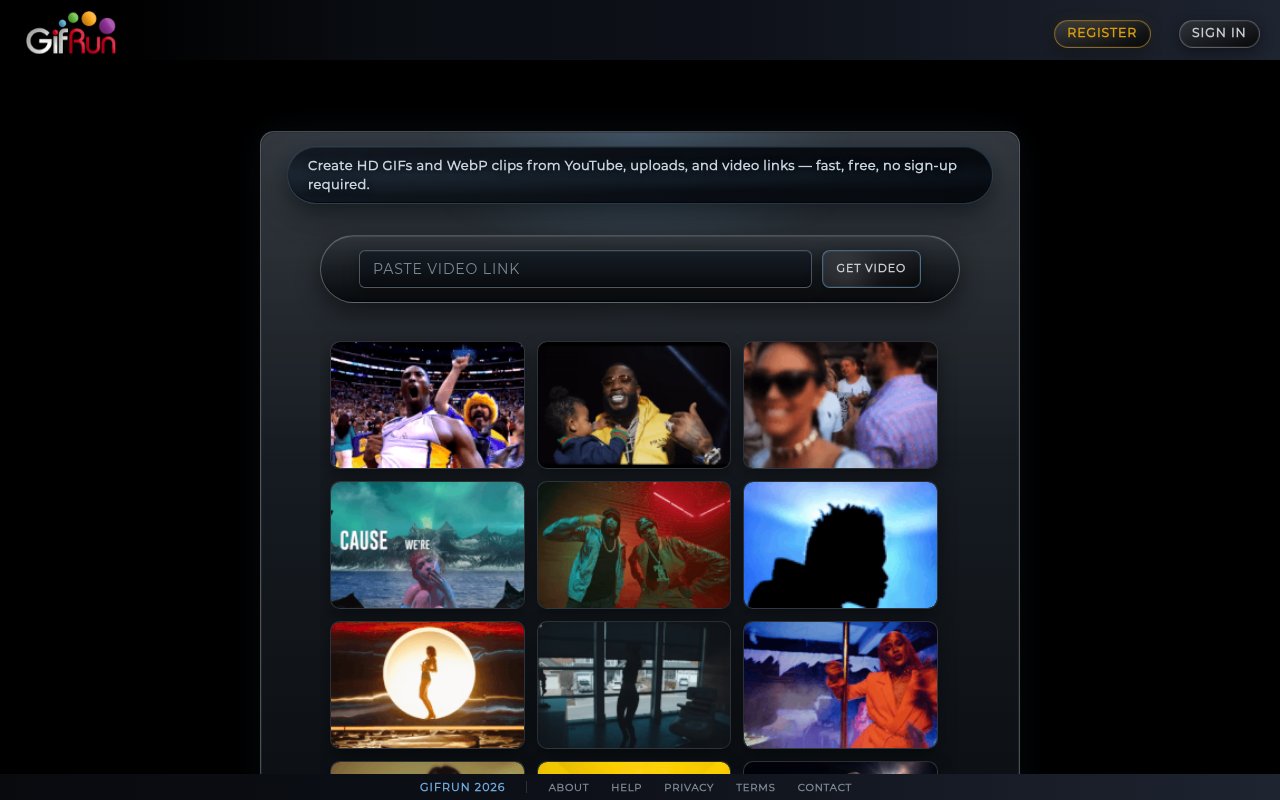
GifRun is a browser-based maker for turning video into animated GIF and WebP clips. A visitor can paste a YouTube URL or another supported video link, choose the moment they want, make a few visual edits, and download the result without installing desktop software. Basic conversion works without an account, which makes the product useful for a quick reaction image, tutorial excerpt, social post, or short visual example. Accounts add longer clips, larger output, saved creations, and profile features, while the Pro tier removes the watermark and raises the available resolution.
The creation flow begins with a video URL. GifRun loads a player where the user can set the start and end points, preview the selected segment, and move through the source in one-second or tenth-of-a-second increments. Those smaller steps help when a loop needs to begin on a particular expression, gesture, or interface state. The finished animation can play forward, in reverse, or in a bounce pattern that alternates direction. GifRun produces either GIF or WebP, so the creator can choose the older broadly recognized format or a more modern animated image format for workflows that accept it.
Editing tools cover the common changes people make before sharing a short clip. Users can crop the frame, add a text overlay, choose fonts and colors, and apply one of the built-in visual filters. The help center documents original, sepia, silver, Xpro, vintage, vignette, Nolan, and Jasmine looks. Speed, loop behavior, and output settings are available in the maker, while preview controls make it possible to check the selected motion before rendering. The tool is focused on producing a compact animation rather than acting as a full multitrack video editor, so there is no need to build a timeline or learn a larger post-production interface.
Anonymous use is capped at a 10-second clip and 520-pixel output with a watermark and ads. A free account raises that to a 20-second clip and 600-pixel output, removes ads, and lets the user save and share images through a profile. GifRun assigns every saved animation a stable detail page where the owner can edit its title and description, download it, add tags, or create a readable custom URL. Free accounts can create three custom image slugs, while Pro makes them unlimited. The original short identifier continues to work even after a custom slug is added, which helps preserve links that have already been shared.
The profile system goes beyond private storage. Public creators can organize animations with hashtags, let visitors filter a profile by tag, receive likes and comments, follow other accounts, and browse a chronological feed. Comments support a single reply level and can be disabled by the image owner. A profile can also be made private so only approved followers see its images. Real-time activity notifications cover likes, follows, follow requests, accepted requests, and comments. These features give frequent creators a place to maintain and share a collection, though someone who only needs a converter can ignore them and use the anonymous workflow.
Pro adds the capabilities intended for heavier media work. The public pages advertise output at 1280, 1920, and 2560 pixels, no watermark, direct uploads in MP4, MOV, and MKV formats, and text-to-video generation through OpenAI's Sora model. The AI tool accepts a prompt and lets the user choose duration, aspect ratio, resolution, and the number of variants, then keeps completed generations in a video area of the account. Uploaded source videos can be stored and selected for later conversion. The site documents a 200 MB maximum file size and describes permanent account storage, although its public plan pages currently disagree about whether direct upload is included with a free registration.
GifRun is freemium. Pro is advertised at $5 per month or $50 per year, with short fixed-term passes also listed for people who don't want a recurring subscription. Monthly and annual subscribers can cancel from the billing page, and the help center says those subscriptions are eligible for a full refund within 14 days. The free path is meaningful for short, watermarked clips, and it doesn't require an account at the lowest tier. Pro makes more sense for creators who need high-resolution output, uploads, AI-generated source video, or clean assets without branding. Buyers should compare the current plan screen before paying because the help and registration pages present different details for free upload access and time-limited passes.
Key Features
- GIF and WebP output
- Precise clip timing controls
- Crop, text, and filters
- Loop, reverse, and bounce playback
- High-resolution Pro exports
- Profiles, tags, and sharing
Pros & Cons
What we like
- Creates short animations without requiring an account
- Supports precise tenth-of-a-second timing adjustments
- Combines conversion, editing, storage, and sharing
- Offers subscription and fixed-term Pro access
Room for improvement
- Anonymous and free account exports carry a watermark
- Highest output resolutions require the Pro tier
- Public pages disagree about free direct video uploads
- AI video generation is limited to active subscribers
Frequently Asked Questions
What is GifRun?
Can GifRun be used without an account?
Does GifRun support high-resolution output?
How much does GifRun cost?
Best For
Featured in
Alternatives to GifRun
View all
Apatero AI
The creator studio for AI image, video, audio, 3D, and avatars, now at apatero.ai.
Apatero Studio
Creator studio for AI image, video, audio, 3D, and avatars. Every model worth using, in one workspace.

Melodex
Turn your idea into an AI-generated music video

Speel
AI UGC video generator that makes realistic AI avatars hold and talk about your product for ads
Our take
Tool Index Editorial · Sep 2026· 3.5/5
GifRun turns a video link into an edited GIF or animated WebP in the browser, with timing, crop, text, filters, and several loop modes. We found the anonymous route genuinely usable for short clips. A free account raises the limits and saves work to a profile, while Pro is listed at $5 per month, $50 per year, or $10 for a 60-day pass.
It is a capable choice for quick reactions, demonstrations, and social clips without opening a full video editor. Free output is watermarked and capped at 10 or 20 seconds depending on account status, while uploads and clean high-resolution output sit behind Pro. The site's plan descriptions disagree in places about upload access, so buyers should verify the current checkout terms before paying.
Editorial opinion from the Tool Index team, written from the public product pages. Not a user review.
Reviews (0)
Badge builder
Add GifRun to your website
Choose a badge style and size, preview it here, then copy the generated HTML. Badge images are self-contained SVGs and do not require an external script.

<a href="https://toolindex.net/tools/gifrun?ref=badge" target="_blank" rel="noopener">
  <img src="https://toolindex.net/badge/gifrun/medium.svg" alt="GifRun - Listed on Tool Index" width="180" height="50" />
</a>How to use the badge
- 1. Pick the style, size, and theme that fit your layout.
- 2. Copy the generated HTML from the code block.
- 3. Paste it into your footer, homepage, or press page.
Standard badge available
The standard listing badge is available now. Score and circle badges are limited to tools currently ranked in the top 10 of a category.
Badge clicks return visitors to this profile with a referral tag so the source remains identifiable.
Related Tools
Apatero AI
The creator studio for AI image, video, audio, 3D, and avatars, now at apatero.ai.

LocalClip
Local-first AI video clipper for Mac that turns long videos into vertical clips
Melodex
Turn your idea into an AI-generated music video
Apatero Studio
Creator studio for AI image, video, audio, 3D, and avatars. Every model worth using, in one workspace.
Work on GifRun? Request listing access or correction