
GlossaryPage
Turn customer questions into AI-optimized knowledge pages on your branded subdomain
Gallery
About GlossaryPage
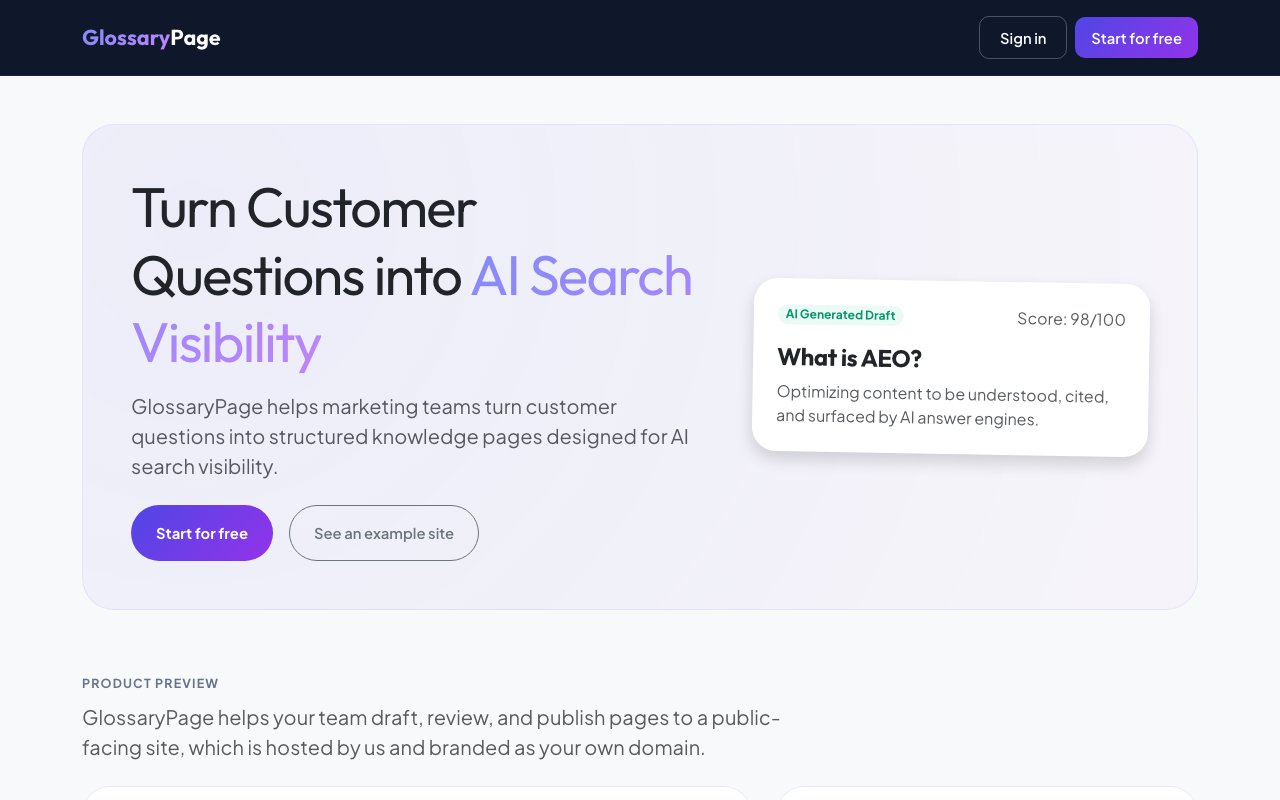
GlossaryPage is a content platform that helps marketing teams convert common customer questions into structured knowledge pages, optimized specifically for visibility in AI search engines. The idea is straightforward. You feed it keywords or questions your audience asks, it generates draft pages with AI, and you publish them to a branded subdomain like faq.yourcompany.com. The platform handles hosting, formatting, and the structural elements that make content more likely to surface in AI-generated answers. For teams that have noticed their traditional SEO content isn't getting picked up by ChatGPT, Perplexity, or other AI assistants, this is a purpose-built solution that addresses the gap between ranking in search results and actually appearing in AI responses.
The workflow centers on what the team calls AI Engine Optimization, or AEO. Traditional SEO focuses on ranking in search results, but as more users get answers directly from AI tools, the game shifts. These models don't just look at keyword density or backlinks. They parse content structure, look for clear definitions, and favor pages that answer questions directly without making the reader dig for information. GlossaryPage structures content in ways that AI models can parse easily, with clear hierarchies, related topics, and formatting optimized for citation. The goal is to increase the odds of your content being cited when someone asks an AI assistant a question in your industry. That citation matters because it drives both authority and traffic when users click through to learn more.
Creating pages starts with entering keywords or questions that your customers commonly ask. The platform generates AI-drafted content and scores it against quality signals, with example scores reaching as high as 98 out of 100 on their scale. That scoring system shows you exactly where to tighten phrasing, add depth, or restructure for clarity. If a draft scores lower, you can see which factors are pulling it down and address them before publishing. Teams can review and polish drafts to ensure the content matches your brand voice and expertise level. The final pages go live on a subdomain you control, with clean design, calls to action, and suggestions for related content that keep visitors engaged rather than bouncing to competitors. The publishing flow is one-click once you're satisfied with the draft, and pages appear immediately on your subdomain.
Three main use cases stand out in how teams deploy the platform. Glossaries let you build authoritative pages around industry terminology, targeting the classic what is X searches that drive significant organic traffic. These are the searches that AI assistants frequently pull from when users ask for definitions or explanations. Learning hubs group trending topics into deeper content that positions your brand as the expert voice in your space, useful for thought leadership and capturing audiences earlier in their research journey. Help centers turn repetitive support questions into self-service resources, cutting ticket volume while capturing search traffic from people with the same questions. Many companies find that the same ten questions generate half their support tickets, and converting those into discoverable pages reduces load on the support team.
The audience is marketing teams at companies with recurring customer questions, especially in industries where terminology matters and confusion drives support tickets. If your support team answers the same what does this term mean questions every week, or your sales calls start with ten minutes of explaining jargon, GlossaryPage turns that friction into discoverable content. Professional services, SaaS, healthcare, finance, and legal industries tend to have the densest glossaries and the most terminology-driven search traffic. B2B companies with complex products particularly benefit because their buyers often research terminology before they even reach out to sales.
Setup claims to take under 15 minutes, and there's a free tier to start exploring the platform. Paid plans unlock more features and higher publishing volumes, though the site doesn't break down exact pricing publicly. Hosting is included, so you don't need to manage infrastructure, set up servers, or worry about traffic spikes overwhelming your pages. A help portal at help.glossarypage.com and learning resources at learn.glossarypage.com are available for teams getting started, and the platform includes a status page for transparency on uptime and reliability. The subdomain approach means pages appear under your brand without needing DNS changes beyond the initial CNAME setup.
The tradeoff is scope. This isn't a full CMS or blog platform for long-form articles with complex layouts. It's purpose-built for short-form, question-and-answer style content with clear definitions and structured answers. If you need sprawling editorial pieces, embedded apps, or complex page layouts with custom components, you'll want something else. But for the specific job of turning FAQs, definitions, and common questions into AI-visible, self-service pages on your own domain, GlossaryPage is tightly focused on doing that well. The narrow scope is actually a strength for teams who don't want to maintain another full content system but do want to capture the AI visibility opportunity.
Key Features
- AI-generated content drafts with quality scoring
- Branded subdomain publishing and hosting
- Content review workflow with signals
- Question-to-page conversion pipeline
- Related content suggestions for visitors
- Help center and glossary templates
Pros & Cons
What we like
- Optimizes content specifically for AI search citation
- Publishes to your branded subdomain with hosting included
- Free tier lets you test before committing
- Setup takes under 15 minutes
Room for improvement
- Focused on short-form Q and A content, not full articles
- Detailed pricing not published publicly
- No public API or integration documentation
- Narrower scope than a general-purpose CMS
Frequently Asked Questions
What is GlossaryPage?
Is GlossaryPage free?
Who is GlossaryPage for?
How does AI Engine Optimization differ from SEO?
Best For
Featured in
Alternatives to GlossaryPage
View all
Apatero AI
The creator studio for AI image, video, audio, 3D, and avatars, now at apatero.ai.

Supergrow
AI LinkedIn content tool that interviews you to write posts in your own voice and schedules them
Postiz
Open-source social media scheduling across 30-plus platforms with AI drafting and an MCP server

Postdex
An exclusive marketplace for finished, human-made articles. Every piece sells once.
Our take
Tool Index Editorial · Oct 2026· 3.5/5
GlossaryPage turns keywords and customer questions into hosted glossary, learning, and help pages on a branded subdomain. The workflow is straightforward. Generate a draft, review its content signals, edit it, and publish without setting up a separate CMS. It is aimed at B2B marketing teams that need structured answers for both organic discovery and AI answer systems.
The free plan covers 25 keywords and three users. Growth costs $39 a month for 250 keywords and analytics, while Scale costs $249 for 500 keywords and more collaboration features. We like the focused publishing workflow, but claims of improved AI visibility are difficult to guarantee, and several Scale features are still marked as coming soon. Teams also need human review to prevent generic or inaccurate AI copy from becoming a branded knowledge base.
Editorial opinion from the Tool Index team, written from the public product pages. Not a user review.
Reviews (0)
Badge builder
Add GlossaryPage to your website
Choose a badge style and size, preview it here, then copy the generated HTML. Badge images are self-contained SVGs and do not require an external script.

<a href="https://toolindex.net/tools/glossarypage?ref=badge" target="_blank" rel="noopener">
  <img src="https://toolindex.net/badge/glossarypage/medium.svg" alt="GlossaryPage - Listed on Tool Index" width="180" height="50" />
</a>How to use the badge
- 1. Pick the style, size, and theme that fit your layout.
- 2. Copy the generated HTML from the code block.
- 3. Paste it into your footer, homepage, or press page.
Standard badge available
The standard listing badge is available now. Score and circle badges are limited to tools currently ranked in the top 10 of a category.
Badge clicks return visitors to this profile with a referral tag so the source remains identifiable.
Related Tools
Apatero AI
The creator studio for AI image, video, audio, 3D, and avatars, now at apatero.ai.

SEObot
Autonomous AI SEO agent that runs your blog and link building on autopilot

Substack
Hosted newsletter and publication platform with built-in payments, recommendations, and an audience network for writers.

MailerLite
Friendly, affordable email marketing tool with newsletters, automations, landing pages, and a growing creator toolkit.
Work on GlossaryPage? Request listing access or correction