
Grist
Route coding tasks by difficulty while carrying team standards into every agent session
Gallery
About Grist
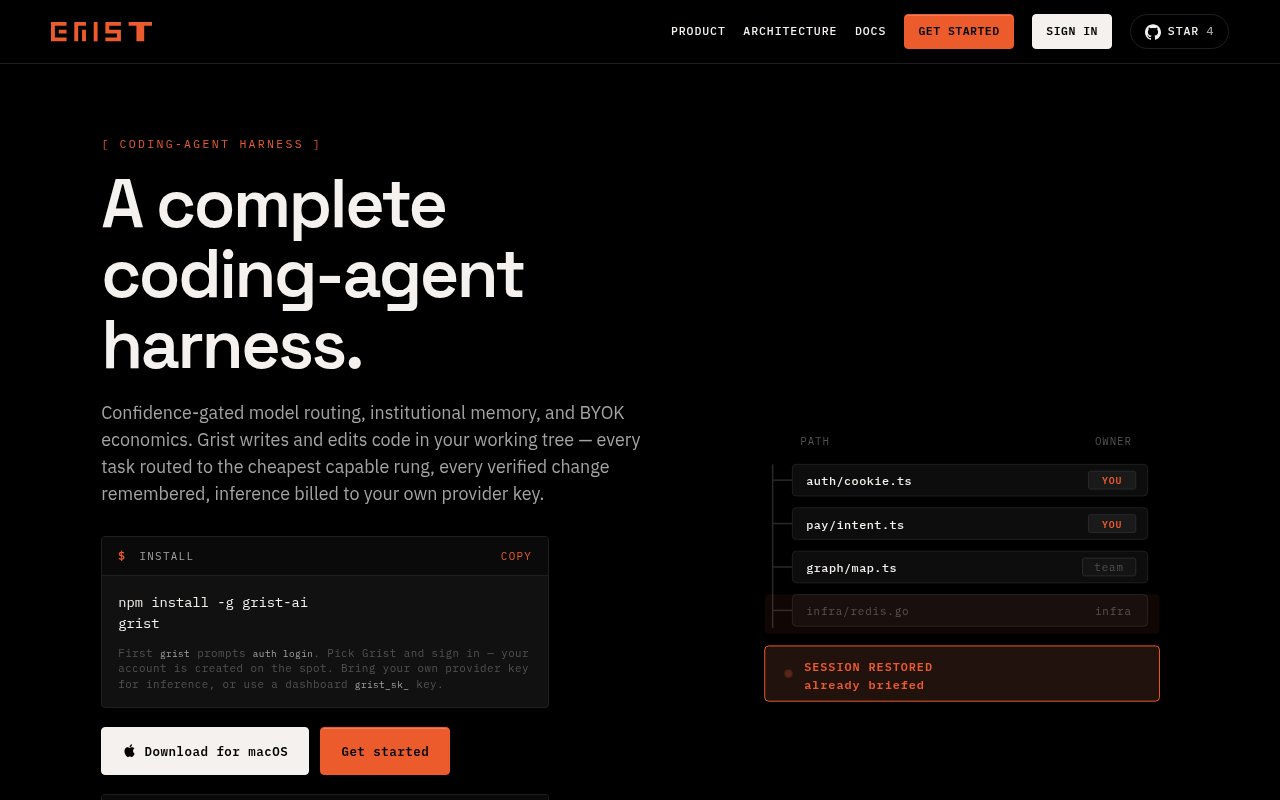
Grist is an open-source coding-agent harness that wraps OpenCode v2 with model routing, engineering guidance, spend controls, and specialist workers. It is aimed at developers and software teams that want an agent to choose an appropriate model for each task instead of sending every request to the same expensive option. A Jev confidence gate evaluates the work, assigns it to one of four cost tiers, and routes the request to the model configured for that tier. The coding loop remains based on OpenCode, while Grist concentrates on the operational layer around it. That includes how a model gets chosen, what team rules enter the context, when a run can move upward to a more capable tier, and how usage is reported.
The project ships its routing behavior as the @grist-ai/plugin package inside the Grist binary. Every session loads the confidence gate, doctrine injector, and control-plane hooks without a separate plugin setup. The gate can select a cheaper, medium, frontier, or premium rung according to its confidence in the task. Model switching during a run is escalate-only, so the harness can move to a stronger tier when needed without dropping to a cheaper one partway through. An effort setting also adjusts how much exploration happens within the selected rung. Straightforward tasks get a tighter budget, while ambiguous work gets more room to investigate. Users can override that behavior for testing, but the intended workflow lets the gate decide.
Doctrine gives the agent persistent engineering standards for the session. That can keep repository expectations and working conventions present without repeating the same instructions in every prompt. Grist also provides named specialist subagents for exploration, planning, review, and verification. They run within the rung already selected for the parent task, which prevents decomposition from silently promoting the work to a more expensive tier. Repeated specialist calls can resume their previous sessions so context carries forward instead of starting cold each time. Together, those parts target a common agent problem. The code-writing loop may be capable, but a team still needs consistent context, task decomposition, verification, and an explicit policy for when extra model capability is worth the cost.
Grist retains the broader OpenCode v2 command surface for authentication, model inspection, debugging, MCP, sessions, pairing, upgrades, and statistics. The serve command exposes an API and web interface, and a managed service mode keeps one background server available while the run command acts as a thin client. Developers can run a task from the terminal inside a repository and consume event output as JSON for scripts. Sessions can be resumed by identifier, and a published Grist skill teaches another personal AI agent to delegate multi-step coding jobs to the CLI. The project also has a doctor command that validates gateway credentials with an authenticated request, which is more useful than checking only whether a key exists.
The economic model is bring your own key. Inference is billed to the user's provider account through OpenRouter, Vercel AI Gateway, or another OpenAI-compatible endpoint, and the project states that it adds no markup and never holds the user's inference budget. Its gateway maps rung names to actual models, enforces hard spending caps, and stores per-user provider keys with AES-256-GCM encryption without logging them. Usage metering prefers the provider's reported cost and accounts for cached tokens at their cached rates. The dashboard can therefore reflect what the underlying provider charged rather than an independent estimate. Teams that need full control can also use the repository's gateway components and Docker packaging as the basis for their own deployment.
Grist installs globally from npm and is licensed under MIT, so the harness itself can be inspected, modified, and used without a software subscription. Model inference is still metered by the chosen provider, which means open-source pricing doesn't make runs cost-free. It best suits developers comfortable with command-line agent workflows who want automatic cost-tier routing and consistent engineering doctrine. It is a young project with a small public community, and its own benchmark figures should be read as internal evidence rather than independent validation. The product site was not reachable through the research browser, but the active official repository provides installation, architecture, pricing posture, license, and current feature details. Buyers should also avoid confusing this coding harness with the older relational spreadsheet product that shares the Grist name.
Key Features
- Confidence-gated model routing
- Doctrine-driven coding sessions
- Specialist planning and verification agents
- Provider-reported spend metering
- Managed background agent service
- CLI API and web interface
Pros & Cons
What we like
- Routes routine work toward cheaper models
- Carries engineering standards into every session
- Uses provider billing without inference markup
- Keeps routing and gateway code inspectable
Room for improvement
- Still requires paid model inference
- Designed mainly for terminal-oriented developers
- Young project with a small community
- Performance evidence is primarily project-run benchmarks
Frequently Asked Questions
What is Grist?
Is Grist free?
How does Grist choose a model?
Who is Grist for?
Best For
Featured in
Alternatives to Grist
Cursor
VS Code fork built around an AI pair-programmer

Replit
Browser IDE plus Replit Agent that builds and deploys apps from a prompt
Windsurf
Codeium's AI editor with Cascade agent and deep IDE integration

Vibe Built
Building real apps with agentic AI. What worked, what broke, what shipped.
Our take
Tool Index Editorial · Oct 2026· 3.0/5
Grist is an open-beta coding-agent harness that routes tasks across model tiers, carries repository doctrine into sessions, and delegates planning, exploration, review, and verification to specialists. We found a thoughtful operational layer around OpenCode, particularly the effort to match routine work with cheaper models and preserve only approved or test-proven memory. The software is open to use, but inference is billed through the user's own provider key.
This is aimed at terminal-oriented developers who already understand provider keys, local execution, and agent risk. Its claimed cost and token gains are project-run evidence rather than independent validation, and the public footprint is still tiny. Automatic routing and persistent repository memory also deserve careful inspection before use on sensitive code. The ideas are strong, but the open-beta status keeps the rating grounded.
Editorial opinion from the Tool Index team, written from the public product pages. Not a user review.
Reviews (0)
Badge builder
Add Grist to your website
Choose a badge style and size, preview it here, then copy the generated HTML. Badge images are self-contained SVGs and do not require an external script.

<a href="https://toolindex.net/tools/grist?ref=badge" target="_blank" rel="noopener">
  <img src="https://toolindex.net/badge/grist/medium.svg" alt="Grist - Listed on Tool Index" width="180" height="50" />
</a>How to use the badge
- 1. Pick the style, size, and theme that fit your layout.
- 2. Copy the generated HTML from the code block.
- 3. Paste it into your footer, homepage, or press page.
Standard badge available
The standard listing badge is available now. Score and circle badges are limited to tools currently ranked in the top 10 of a category.
Badge clicks return visitors to this profile with a referral tag so the source remains identifiable.
Related Tools

Bolt.new
Prompt-to-deployed full-stack app inside the browser

Tabnine
Privacy-first enterprise AI code assistant you control, with SaaS, VPC, on-prem, or fully air-gapped deployment
Cursor
VS Code fork built around an AI pair-programmer

Skeezo
Agent-native macOS IDE for coordinating Claude Code and AI agents
Work on Grist? Request listing access or correction