
IODD Viewer
Free browser-based viewer for IODD files that parses IO-Link device descriptions locally
Gallery
About IODD Viewer
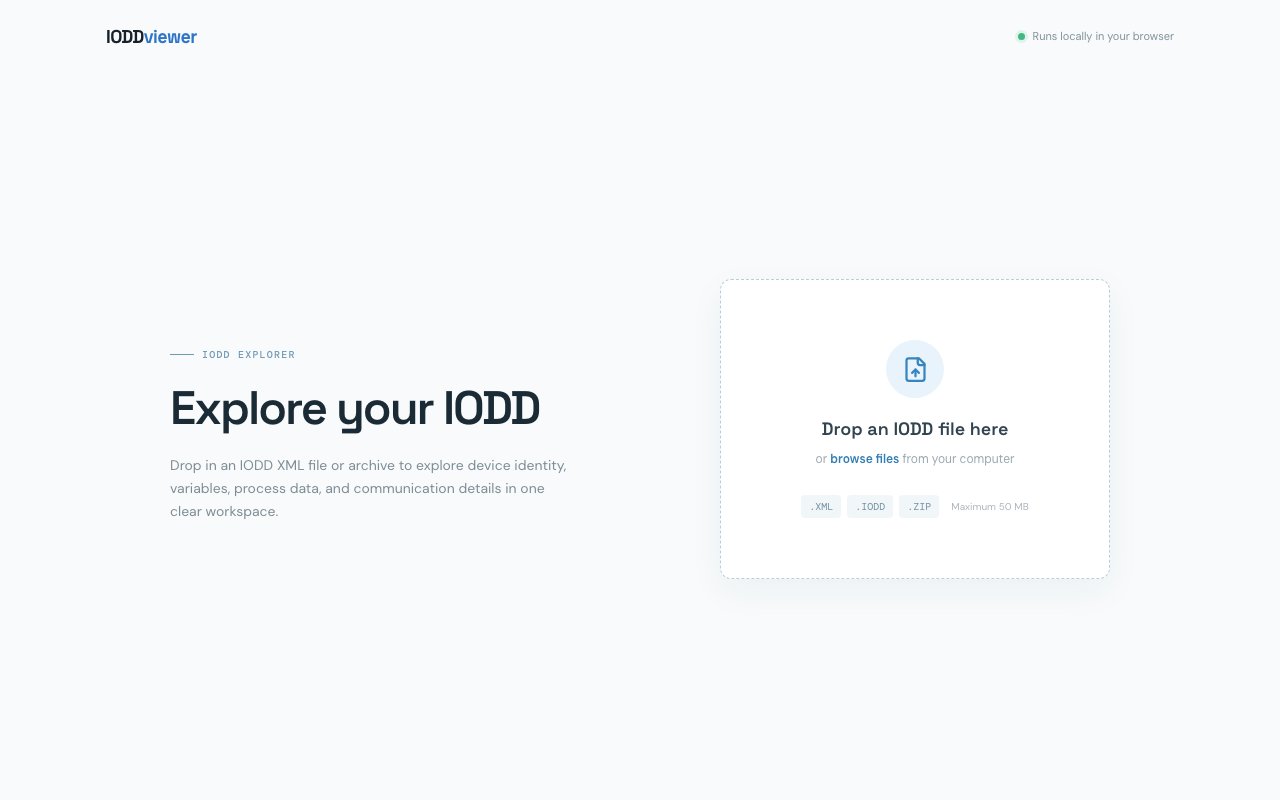
IODD Viewer is a free web tool that opens IODD files and turns them into a readable device workspace. You drop in an XML file or a full vendor archive, it parses the description right in your browser, and it lays out device identity, variables, process data, and communication details in one place. Nothing gets uploaded, because the parsing happens locally on the page you're already looking at, which means you can read a customer's device file without shipping it to somebody's server first.
Some context helps if you don't live in industrial automation. IODD stands for IO-Link Device Description, the XML format that every IO-Link sensor and actuator ships with. It describes what the device is, which parameters it exposes, how its process data is laid out, and what its communication settings look like. Vendors distribute these as zipped bundles of XML alongside logos, product photos, and connector diagrams, and they're normally pulled from a vendor site or the official IODDfinder portal. The markup is verbose, deeply nested, and full of cross-references, so answering a simple question by reading it directly is slow work. The usual alternative is installing a vendor engineering tool or a full configurator just to look up one parameter on one sensor, which is a lot of ceremony for a lookup that should take a minute.
That's the gap this fills. The workspace splits a parsed file across tabs for Overview, Variables, Process data, Communication, and Archive contents. The overview surfaces everything you'd otherwise go hunting for, including vendor name, device name, device family, Device ID, Vendor ID, Product ID, IODD revision, and the list of device variants that share a single description. It counts the variables defined in the device, the process data channels it carries, the user menus that make up its interface, and the languages included in the file, so you get the shape of the device before reading a single line of markup.
The variables view is where most people will spend their time. It lists parameters by index with the human-readable name, the underlying variable identifier, and whether access is read-only or read-write, so you can scan what a device actually exposes without chasing references through the XML tree. A capabilities panel reads off support for data storage, parameter lock, and SIO mode, along with the device profile. A quick-access list pulls notable variables to the front, the process data tab covers the channels the device reports during normal operation, and the archive tab shows what else came bundled with the description, which is useful when a vendor ships several images and you want to know what's in the zip.
It holds up in practice. Tested against a real approved IODD archive pulled from the official IODDfinder portal, a proximity sensor bundle from a major Japanese vendor, it parsed cleanly and rendered the full workspace in a couple of seconds. It correctly reported the vendor, the device family, both ID numbers, all four device variants covered by that one file, the single process data channel, the four user menus, and a twenty-entry variable table with the right access modes on each row. That's the entire product working end to end, which matters a lot for a tool whose landing page is essentially just a drop zone and gives you very little to judge it by.
It accepts .XML, .IODD, and .ZIP files up to 50 MB, which comfortably covers vendor bundles carrying images. It's aimed at automation engineers, commissioning technicians, systems integrators, and firmware or PLC developers who need to check a parameter index, confirm a device ID, or compare variants before wiring anything up. It's also a fast way to sanity-check an IODD you've authored yourself without booting a heavier toolchain, and a reasonable way to show a colleague what a device exposes without asking them to install anything. What sets it apart is the access model rather than the depth, since most IODD tooling assumes desktop software tied to a vendor ecosystem, while this is a URL that works on any machine with a browser and keeps the file on your side of the network.
It's free, with no account, no pricing, and no signup wall, so trying it costs you nothing but the time to drag a file onto the page. Worth knowing that it's early. The interface labels itself v0.1, and the landing page carries no documentation, no changelog, and no published support channel to lean on yet, so you're relying on the tool being self-explanatory, which it mostly is. The parser handled a real vendor file correctly in testing, but it's best treated as a fast reading tool for everyday lookups rather than a certified conformance checker you'd sign off a design against.
Key Features
- In-browser IODD parsing with no upload
- Device identity and variant overview
- Indexed variable table with access modes
- Process data and communication views
- Archive contents inspection
- Accepts XML, IODD, and ZIP up to 50 MB
Pros & Cons
What we like
- Free with no account or install required
- Files are parsed locally and never leave the browser
- Turns verbose IODD XML into a scannable workspace
- Handles full vendor archives, not just bare XML
Room for improvement
- Early v0.1 release with a very thin landing page
- Built for reading IODD files, not editing them
- Only useful to teams working with IO-Link hardware
- No published documentation or support contact
Frequently Asked Questions
What is IODD Viewer?
Do my files get uploaded anywhere?
Is IODD Viewer free?
Who is IODD Viewer for?
Best For
Featured in
Alternatives to IODD Viewer
View all
1Lookup
Real-time data verification API for phone, email, IP, and domain validation to fight fraud

Kevin Gabeci
Solo developer building web apps, cozy browser games, and AI creator toolkits.

Codedex
A gamified, story-driven platform that teaches Python, web dev, and more like an RPG quest
Hack2hire
Practice real SDE interview questions from top tech companies with expert worked solutions
Reviews (7)
Recommended without reservation
IODD Viewer solves a real problem for me without making a fuss about it. What stands out is how it handles accepts xml, iodd, and zip up to 50 mb. Easy yes for anyone weighing the same trade offs.
Quietly excellent
Have been running IODD Viewer for a while, here is where I land. It handles the boring parts so I can focus on the work that matters. It does what it says, which is rarer than it should be. Glad I made the switch.
Does the job, a few gripes
Came to IODD Viewer after getting frustrated with what I had before. What stands out is how it handles free with no account or install required. Found it works best for confirming a device id or vendor id from a vendor archive. The catch is built for reading iodd files, not editing them. No regrets so far.
Genuinely impressed
Picked IODD Viewer for the price, stayed for the quality. Their take on handles full vendor archives, not just bare xml is genuinely good. The thing I keep coming back to is how reliable it is. Mostly using it for sanity-checking an iodd you authored yourself. No regrets so far.
Pulled its weight from week one
IODD Viewer solves a real problem for me without making a fuss about it. Their take on indexed variable table with access modes is genuinely good.
Worth a look
Came to IODD Viewer after getting frustrated with what I had before. Support actually answered when I had a question, which surprised me. It slotted into my routine without much fuss. Glad I made the switch.
Quietly excellent
Found IODD Viewer on a Show HN thread and I am glad I clicked. The files are parsed locally and never leave the browser is more useful than I expected. Support actually answered when I had a question, which surprised me. It fits well for sanity-checking an iodd you authored yourself. Would sign up again without thinking twice.
Badge builder
Add IODD Viewer to your website
Choose a badge style and size, preview it here, then copy the generated HTML. Badge images are self-contained SVGs and do not require an external script.

<a href="https://toolindex.net/tools/iodd-viewer?ref=badge" target="_blank" rel="noopener">
  <img src="https://toolindex.net/badge/iodd-viewer/medium.svg" alt="IODD Viewer - Listed on Tool Index" width="180" height="50" />
</a>How to use the badge
- 1. Pick the style, size, and theme that fit your layout.
- 2. Copy the generated HTML from the code block.
- 3. Paste it into your footer, homepage, or press page.
Standard badge available
The standard listing badge is available now. Score and circle badges are limited to tools currently ranked in the top 10 of a category.
Badge clicks return visitors to this profile with a referral tag so the source remains identifiable.
Related Tools
Kevin Gabeci
Solo developer building web apps, cozy browser games, and AI creator toolkits.

Coolify
Self-hostable, open source alternative to Heroku and Netlify

Warp
The modern terminal reimagined with AI and collaboration

Bolt.new
Prompt-to-deployed full-stack app inside the browser
Work on IODD Viewer? Request listing access or correction